Customer Data and AI Tools: What is Safe to paste?
Which customer data can go into an AI tool? A three-tier test, a way to strip personal details first, and a one-page rule your staff will follow.
Whether customer data is safe to paste into an AI tool depends on three things: whether the text can identify a person, which account you are using, and what that account’s contract says happens to what you type. Most advice stops at “never paste customer data”, and staff ignore it within a week because it blocks the tasks that make the tools worth using.
This article gives a rule that holds up under real work. It explains where a pasted prompt actually goes, offers a three-tier test you can apply in seconds, shows how to strip personal details without ruining the task, and finishes with a one-page rule your team can follow.
Key takeaways
- The question is not “is this customer data?” but “can this text identify a person, and is this tool covered by an agreement with us?”
- Responsibility stays with your business. The ICO states that buying an AI system from a supplier does not remove your own data protection obligations.
- Account type matters more than brand. A work account under a data processing agreement and a personal account on the same product are different things in law.
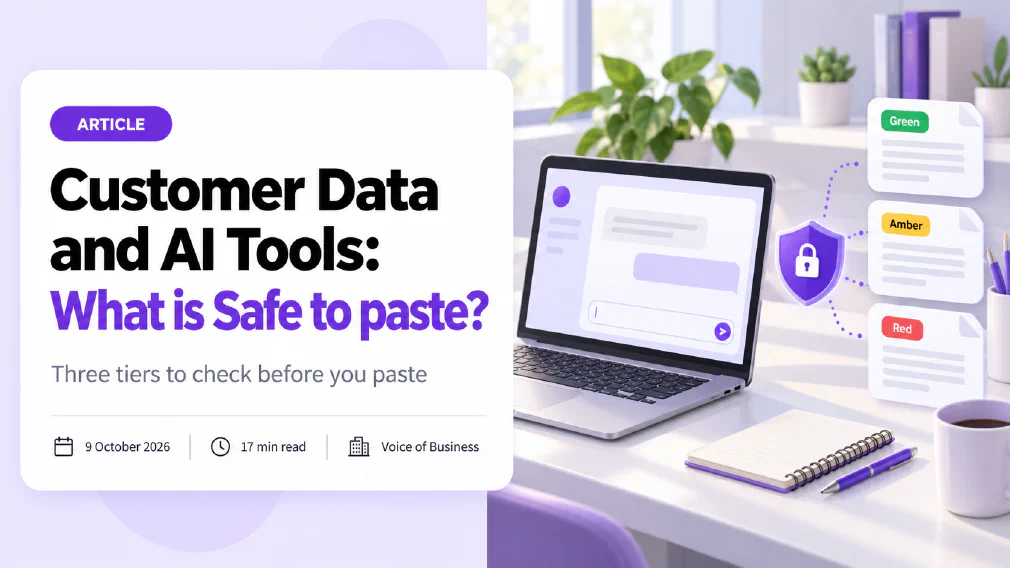
- Use three tiers: green text is safe anywhere, amber text goes only into approved tools, red text stays out of AI tools altogether.
- Replacing a name with a placeholder is the cheapest safeguard there is, but a name is rarely the only identifier in a record.
- A one-page rule with a named person to ask beats a ban, because staff who are banned use their own accounts and nobody sees it.
The question is where the Data goes, not what it is
Picture the ordinary afternoon. A support lead has a long, angry email from a customer and wants a calm reply. She copies the whole thread into an AI assistant, including the customer’s name, address, order number and a description of a medical device the customer bought. The reply comes back in ten seconds and is excellent. She has also just sent a record of one person’s purchase, location and health-adjacent circumstances to a company outside your business, through an account your business may not even know exists.
Nothing about that was malicious, and nothing about it felt risky. That is the first thing to understand about this subject. The problem is almost never a careless person. It is a good task, done quickly, through a tool whose terms nobody has read. This is the pattern behind shadow AI, where staff reach for the tools that work because the approved route is slower or does not exist.
The second thing to understand is that “customer data” is the wrong unit. Two pieces of text can both come from a customer and carry completely different risk. A paragraph describing a common complaint, with no names and no order details, is just a paragraph. A single line with a name and a postcode is personal data under the GDPR. The law cares about whether a person can be identified, directly or indirectly, and not about whether the text arrived in a customer’s email.
The third thing is that the tool is not a neutral window. When you type into an assistant, you are sending text to a service run by another organisation. What happens next is set by the contract and the settings attached to your account, and those differ sharply between a personal sign-up and a business agreement. The ICO’s training material on AI policies makes the plain point that information provided to a chatbot can be accessed and used by the organisation that developed it.
So the useful question has two halves. First, can this text identify a person or reveal something confidential? Second, is the tool I am about to paste it into covered by an agreement that our business has made, and have we switched on the settings that agreement allows? If the answer to the first half is no, you can mostly paste without worry. If the answer is yes, the second half decides everything.
One more point belongs here, because it surprises people. Using a supplier’s tool does not move the responsibility onto the supplier. The ICO’s guidance says that procuring an AI system from a third party does not absolve you of responsibility for complying with data protection law. Your business remains answerable for the customer’s data, and for telling customers fairly how it is used. A vendor’s good intentions are useful, but they do not change who a regulator will write to.
What happens to a Prompt after you press send
To judge what is safe, you need to know what can happen to what you type. There are five things worth knowing, and each one maps to a setting or a clause you can check.
It leaves your systems. The text travels to the provider’s servers, often in another country. Under the GDPR, sending personal data outside the EU needs a lawful transfer mechanism, and a business agreement normally covers this while a personal sign-up does not. If you cannot say where the data is processed, you cannot say the transfer is covered.
It may be stored. Many tools keep conversation history so you can return to it. That history is a copy of your customer’s data sitting in an account. If the account belongs to an employee personally, the copy is outside your control, and it will still be there when that person leaves the company.
It may be used to improve the model. Some consumer products use inputs to train future versions unless you switch that off. Business and work accounts often do the opposite by default. At least one major workplace-software vendor publishes terms stating that, for work accounts, prompts and responses are covered by its data protection addendum, with the vendor acting as a processor, and are not used to train its foundation models. The same documentation notes that web searches the tool makes on your behalf are handled under different terms. That detail is easy to miss and shows why you read the whole page and not the headline.
It may be seen by people. Providers may let staff review a sample of conversations for safety or quality, and some keep inputs for a set period to detect abuse. Whether that applies to you depends on the plan and the contract. The practical consequence is that “nobody reads it” is an assumption, and a contract is the only thing that turns an assumption into a promise.
It may come back. Memory features, saved instructions and connected folders mean a detail you typed last week can surface in a different conversation, or in a shared workspace. A customer’s circumstances pasted once for a one-off task can reappear when a colleague asks something unrelated. This is not a leak in the dramatic sense. It is a feature behaving as designed with data it should never have held.
Taken together, these five points explain why account type matters more than brand. The same assistant behaves differently under a personal login and under a business agreement, and the difference is exactly the five points above: where data goes, how long it stays, whether it trains a model, who can read it, and whether it returns. The European Data Protection Board adopted an opinion on 18 December 2024 on data protection aspects of AI models. It treats the question of whether a model can be called anonymous as one to be decided case by case, and it expects the organisation relying on that claim to be able to show that personal data cannot reasonably be extracted from the model. That is a high bar for a supplier to meet, and a good reason not to assume that text you typed has vanished into the model.
There is a final, quieter route that deserves a mention: tools you did not think of as AI tools. Meeting recorders that join calls and transcribe them, browser extensions that rewrite emails, and assistant buttons added to software you already use all send customer conversations to a model. They are easy to switch on and hard to notice. This is why a list of every tool in use, an AI tool inventory, is the dull first step that makes every other rule enforceable. You cannot apply a rule to a tool you have not seen.
A three-tier test for what is Safe to paste
A rule works when it takes five seconds and gives the same answer to everyone. Here is a test with three tiers. Use it for every paste, and teach it to your whole team in one sitting.
Green: safe in any tool, including a personal account. Text that identifies no one and reveals nothing confidential. This includes your own published website copy, public information about a product, general questions (“how do I structure a complaints reply?”), invented examples, and real situations described so generally that no customer could be picked out. It also includes your own writing that mentions no customer, such as a draft of an internal process. If you would be comfortable seeing the text on your public website, it is green.
Amber: only in a tool the business has approved. Text that contains personal data or business-confidential detail but is needed for the task. Examples are a customer’s name and the substance of their complaint, a supplier’s quote, an internal sales summary, or a draft contract with names removed but terms intact. Amber text goes only into a tool that meets four conditions: the account belongs to the business and not to an individual, a data processing agreement is in place, training on your inputs is off or contractually excluded, and you know how long inputs are kept. Where those four conditions are not met, the text is red until they are.
Red: stays out of general AI tools. Some categories carry a risk that no setting fully removes. Keep out login details, passwords, API keys and access tokens, payment card and bank details, identity and passport numbers, health information, information about children, anything covered by a confidentiality agreement or legal privilege, and complete customer lists. Special categories of personal data under the GDPR carry stricter rules, and a general assistant is the wrong place for them. If a red task is genuinely worth automating, it needs a deliberate design with a data protection assessment, not a quick paste.
Applying the test is a matter of two questions. What is the most sensitive thing in this text? Then, which tier does that thing belong to? The text takes the tier of its most sensitive element. One passport number in a three-page document makes the whole document red. This is the step staff find counterintuitive, because they judge by the bulk of the text, and the bulk is often harmless.
Two refinements stop the test from becoming a ritual. The first is to ask whether the task needs the personal detail at all. The sensible starting point, which the data minimisation test in the ICO guidance points to, is to check whether the purpose can be achieved without processing personal data. A reply draft needs the customer’s complaint, not their name and address. A summary of a call needs the substance, not the phone number. When the answer is that the detail is not needed, the text drops from amber to green and the problem disappears.
The second refinement is that the test applies to attachments and screenshots as much as to typed text. A screenshot of a customer record carries every field on the screen, including ones you did not mean to share. A spreadsheet uploaded for “a quick summary” carries every row and every column, hidden ones too. Trim the file first, or copy only the cells you need.
How to remove Personal Data without losing the task
Most of the time the cheapest safe option is to remove the personal detail before the text goes anywhere. This is data minimisation in practice. The ICO’s guidance puts the principle in one line: you should only process the personal data you need for your purpose. It also says you may need to apply de-identification techniques before data leaves its source, and to delete intermediate files containing personal data once they are no longer needed.
Here is a method that works for the typical office task of drafting, summarising and analysing.
Replace identifiers with placeholders. Swap the customer’s name for “Customer A”, the company for “Company X”, the city for “a city in the north”, and so on. Keep a small key outside the tool, on paper or in your own system, so you can put the real names back into the output yourself. The model does not need to know who the customer is to write a firm and polite reply.
Remove the details that identify by combination. A name is the obvious identifier, but it is rarely the only one. A rare job title, a small town, a date of purchase and a product serial number can together point to one person even with the name gone. Look at the whole record and ask whether someone who knew the customer could recognise them. If yes, generalise further: “a recent purchase” instead of the date, “a regional manager” instead of the exact title.
Cut what the task does not need. Reply drafting needs the complaint, not the signature block. Summarising needs the thread, not the headers with email addresses. Deleting this material takes seconds and removes the most identifying parts of an email.
Check pasted files and images. Documents carry author names in their properties. Screenshots carry browser tabs, notifications and whatever else was on screen. When in doubt, retype the relevant part.
Re-insert the real details yourself. The output comes back with placeholders. You put the real names in locally, after the tool has finished. This keeps the sensitive step on your side of the line.
Be honest about the limits. Replacing a name with a code is pseudonymisation, and the ICO describes it as essentially a security and risk reduction technique, with pseudonymised data remaining personal data. In other words, the placeholder method lowers the risk and does not release you from your obligations. A record cannot be treated as anonymous because you removed the name. Anonymous means that, using any means reasonably likely to be used, nobody could link the text back to a person, and that is a high standard for a record about a real customer. So treat a lightly edited record as amber, use an approved tool, and keep the key safe.
The method also has a quality benefit that people notice quickly. A prompt stripped of noise is shorter and clearer, and the output is often better for it. A person who learns to write “a customer who received the wrong size and wants a refund within the week” has learned to brief the tool well. That is the same discipline as writing a good brief for a new colleague, and it carries over to every other task. Checking what comes back is the other half of the job, and the habits for that are set out in our guide to checking AI output before it goes to a customer.
Turning the test into a one-page Policy
A rule that lives in one manager’s head protects nobody. Write it down, keep it short, and attach a name to it. The ICO advises that an AI policy tell staff that information shared with an AI tool can be reached by people outside the organisation, that privacy-enhancing settings be switched on, and that the permitted uses be clearly defined. A page can carry all of that. Give the rule an owner too, because the article on what happens when nobody owns the AI you have rolled out shows how quickly an unowned rule decays.
A workable one-page rule has six parts.
- Approved tools. Name the tools staff may use for amber text and say which account type to log into. Everything else is for green text only.
- The three tiers. Print the green, amber and red descriptions above, with two examples of each from your own business. Examples from your own work are remembered, while generic ones are not.
- The placeholder habit. One paragraph explaining how to replace names and strip identifiers, with a before and after.
- Who to ask. A named person, with a reply time. If asking takes a day, staff will not ask. If a question gets an answer within the hour, they will.
- What to do after a mistake. Say plainly that reporting a wrong paste early is rewarded and not punished. The point is to find out, because a hidden paste cannot be assessed or fixed.
- Review date. Tools change their terms often. Put a date in the diary to check the settings and the contract again, because last year’s safe setting may not be this year’s.
The policy only works if it sits next to something people can actually use. A ban without an approved route does not stop the pasting. It moves it to personal accounts, where you cannot see it and cannot fix it. If you want people to use the approved tool, make it the easiest one to open, and make sure it is good enough that nobody is tempted to look elsewhere. That is the real reason to approve tools rather than prohibit them, and it is why AI governance is a matter of giving people a safe route, not a long list of refusals.
Training matters here more than people expect. A rule on a shared drive is read once. A thirty-minute session in which the team applies the three tiers to ten real examples from their own inbox is remembered, because they argue about the borderline cases and reach the same answer together. Pick examples that make people disagree, since that is where understanding forms. The cases that cause arguments are the ones that matter.
Finally, check your own paperwork. If your privacy notice does not mention that customer information may be processed using AI tools, or your records of processing do not list the tools you approve, the rule is ahead of your documentation. The ICO’s AI guidance says that most uses of AI will involve processing likely to be high risk, so a data protection impact assessment will usually be needed for anything beyond casual use. Keep that in proportion: a team using an approved assistant on placeholder text is a small exercise, while a plan to run complaints through a model is a large one. In both cases, someone should write down why the use is justified and what limits it.
What to do this week
You do not need a project to start. On Monday, list every AI tool your team uses, including the ones nobody approved, and note the account type behind each. On Tuesday, mark each tool as approved for amber text or green-only. By Friday, pick one of the safe first AI tasks to practise on, put the three tiers on one page, name the person to ask, and run the thirty-minute session with ten real examples. That is enough to cut the largest risk, which is the well-meaning paste into a personal account.
If you want a second pair of eyes on which tools your team uses and what goes into them, an AI audit maps it in a structured way and gives you the inventory and the rules in one pass. A rule your staff can apply in five seconds protects your customers and lets your team keep the gains from the tools.
Sources
- EDPB, Opinion 28/2024 on certain data protection aspects of the processing of personal data in the context of AI models: adopted 18 December 2024; treats the anonymity of an AI model as a case-by-case question the organisation must be able to demonstrate.
- ICO, How should we assess security and data minimisation in AI?: the data minimisation test, de-identification before data leaves its source, and the status of pseudonymised data. The ICO notes this guidance is under review.
- ICO, How do we ensure lawfulness in AI?: a lawful basis is needed whenever personal data is processed, and procuring an AI system from a third party does not remove your own responsibility.
- Enterprise data protection in a workplace AI assistant, published vendor documentation (updated August 2026): an example of published terms for work accounts, including the separate handling of web queries.
- Regulation (EU) 2016/679 (GDPR), Article 33: notification of a personal data breach to the supervisory authority within 72 hours of becoming aware of it.
FAQ
Questions we get asked
What customer Data is Safe to paste into AI Tools?
Safe means the text cannot identify a person or reveal anything confidential: your own published content, generic questions, invented examples, and real situations from which every name, number and identifying detail has been removed. Anything that names or points to a real customer belongs only in a tool your business has approved, with a data processing agreement in place and training on your inputs switched off. Credentials, payment details, identity numbers and health information stay out of general AI tools altogether.
Can I put customer names into a public AI Chatbot?
Not as a habit. A customer name is personal data under GDPR, and a public chatbot on a personal account sits outside any agreement your business has made about that data. The ICO notes that information typed into a chatbot can be accessed and used by the organisation that built it. Replace the name with a placeholder such as Customer A and the task usually works just as well.
Does a paid AI Tool make customer Data Safe to use?
Not by itself. Payment does not decide what happens to your inputs. What matters is the contract and the settings: whether a data processing agreement covers the account, whether your inputs are used to train the model, how long they are kept and where they are processed. Some workplace tools publish a commitment that prompts and responses are not used to train their models, and that commitment applies to work accounts, not to personal ones.
Is anonymised Data still Personal Data?
Only if it can no longer be linked back to a person by any means reasonably likely to be used. Removing a name is usually not enough, because a job title, a small town and a date can identify someone together. The ICO describes pseudonymisation, where a code replaces the name, as a security and risk reduction technique, and pseudonymised data remains personal data. Treat a lightly edited record as personal data unless you can show otherwise.
Do I need a Policy for staff using AI Tools?
Yes, and it can be one page. It should say which tools are approved, what may and may not be pasted into each, and who to ask when unsure. The ICO advises that staff be told that information shared with an AI tool can be reached by people outside the organisation, and that the permitted uses be clearly defined. A rule people can remember in a busy afternoon works better than a long document nobody reads.
What should I do if someone already pasted customer Data?
Do not panic and do not hide it. Record what was pasted, into which tool and on which account type. Check whether the history can be deleted and whether the provider keeps or trains on inputs. Then decide with whoever owns data protection in your business whether it is a personal data breach. If it is, the GDPR expects the supervisory authority to be told within 72 hours of becoming aware of it, unless the breach is unlikely to put people at risk.
Ready to Put This to Work?
Tell us where your team is with AI and we will tell you honestly what would make the biggest difference.