Which AI tasks should a Small Business start with first?
Pick one repeated, checkable, low-risk task. Six safe first AI tasks for a small business, five to leave until later, and a two-week pilot to test it.
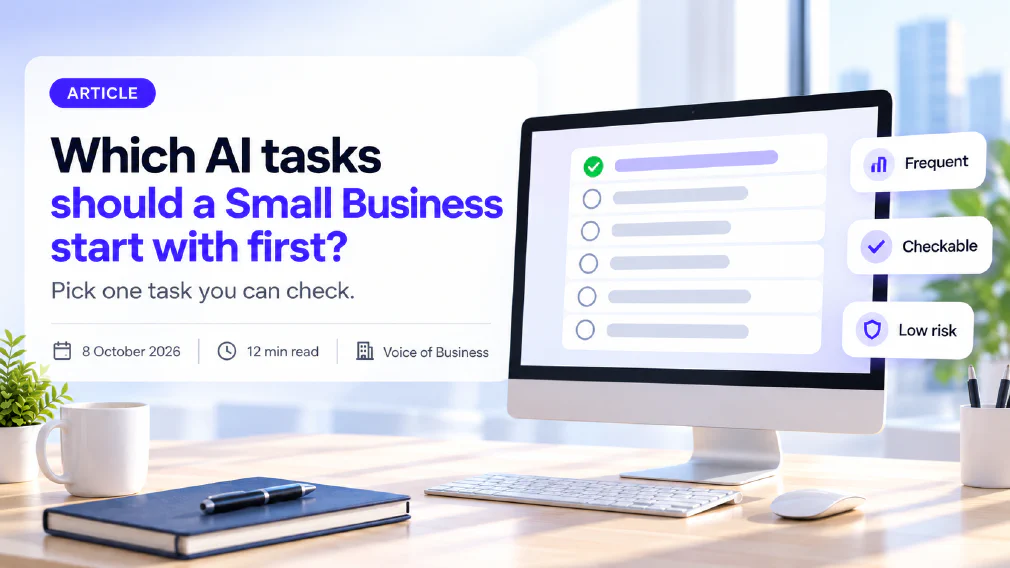
The best first AI task for a small business is not the most impressive one. It is the one that happens often, has an answer you can check in under a minute, and does no damage if the first draft is wrong. Most businesses that stall with AI started at the other end, with something visible, customer-facing or judgement-heavy, and spent the first month finding out why that was a mistake.
This article sets out the test that separates a good first task from a risky one, six tasks that pass it, five that should wait, and a two-week pilot that tells you whether to carry on. It is written for owners and managers of small teams who already have access to an AI assistant and nobody whose job is to decide what to do with it.
Key takeaways
- A good first task is frequent, checkable, low-consequence and reversible. Those four properties matter more than which tool you pick.
- Early adoption clusters around language work. In 2025, 20.0% of EU enterprises with ten or more employees used AI, up from 13.5% a year earlier, and the most common uses were analysing written text and generating it.
- Six tasks usually pass the test: meeting summaries, routine internal drafts, notes into checklists, long-document summaries, enquiry sorting for a person to answer, and call preparation.
- Customer replies sent unchecked, decisions about people, sensitive data, and statements about prices, law, finance or health should wait until there is an owner and a checking step.
- Run one task for about two weeks, time the whole cycle including checking, and then keep it, stretch it or stop.
- Name one person as the owner before you start. A task nobody owns is the one that quietly drifts.
Why most Small Businesses pick the wrong first task
The usual first choice is the one that looks best in a demonstration. A website assistant that answers customers around the clock, a tool that screens applications, a system that replies to every enquiry within a minute. These are all real uses, and all of them are the wrong place to begin, because each one puts AI’s output in front of somebody outside the business before anyone has learned what that output looks like when it is wrong.
The pattern in the wider data points the other way. Eurostat reports that 20.0% of EU enterprises with ten or more employees used AI technologies in 2025, against 13.5% the year before. The most common uses it lists are not autonomous decisions. They are analysing written language at 11.8% of enterprises, generating media at 9.5%, generating written or spoken language at 8.8%, and recognising speech at 7.2%. In other words, most of the adoption so far is people reading, writing and listening with AI alongside them, and then reading what came back.
Two cautions go with those figures. They cover enterprises with ten or more employees, so the smallest businesses are not in them. And they count any use at all, not use that paid off, so they describe what businesses are doing, not what is working. Their value here is narrower. They show that the common ground is language work that a person can read, which is also the safest ground for a first attempt.
The reason to start there is not that AI is strongest there, although it often is. It is that your first project is a training exercise for the people running it. The team needs to learn what a good result looks like, what a plausible but wrong one looks like, and how long the checking really takes. All of that can be learned cheaply on a task whose output stays inside the building, and expensively on one whose output does not. A first task is chosen for how fast and how safely it teaches, not for how much it could eventually be worth.
That is also why the choice should not be left to whoever is most enthusiastic. Enthusiasm picks the visible task. A short test picks the useful one. Doing that sorting is a small version of opportunity identification, the first step of any AI audit, applied to your own week rather than a whole company.
What makes a task Safe to start with
Five questions sort a candidate task. They are the same questions that sit behind the delegation ladder, applied to the smallest possible piece of work.
- How often does it happen? A task that happens daily gives you twenty examples in a month. One that happens quarterly gives you one, and you will not learn anything from a single run.
- Can you check the output quickly? If checking takes as long as doing the task by hand, nothing has been saved. The best first tasks have a source you can compare against: the meeting notes, the original document, the spreadsheet the figures came from.
- What does a wrong result cost? If the answer is some wasted minutes inside the team, the task is a candidate. If the answer is an upset customer, a wrong figure in a document that leaves the building, or an unfair outcome for a person, it is not a first task.
- Can it be undone? A draft nobody has sent is fully reversible. A sent email is not. Keeping a step reversible is the cheapest form of safety there is.
- Is everything needed already in front of the person? AI works from what it is given. A task that depends on context held in one colleague’s head will produce confident output built on guesses.
Score each candidate zero, one or two on each question, but treat the third question as a gate rather than a score: a zero there removes the task from the list whatever it scores elsewhere.
The tasks that survive this sort sit on the lower rungs of the delegation ladder, where AI assists or proposes and a person decides. That is deliberate. The aim of a first project is not to hand anything over. It is to put AI inside an existing routine in a way where a person stays in the loop, reads every result, and can say with evidence how good it was.
There is a practical consequence for how you set the task up. The checking step is not an afterthought. Decide before you start who reads the output, what they compare it against, and what they do when it is wrong. A task with a defined checking step is one you can improve. A task without one only gets quietly worse, or quietly trusted.
Six first tasks that pass the test
None of these is exotic, and that is the point. Each is frequent, each has something to check the output against, and each stays inside the business until a person has read it.
Summarising meetings and calls into decisions and actions. This is often the best first task. It happens several times a week, the notes or transcript are the source to check against, and the cost of an error is a corrected line in an internal note. It also shows the whole team, quickly, what the output looks like when the tool misreads a name or invents an action nobody agreed.
Drafting routine internal emails and documents. Status updates, agendas, handover notes and standard announcements. The person who would have written it reads the draft, changes what is wrong and sends it under their own name. The saving is the blank page, not the judgement.
Turning rough notes into a checklist or written procedure. Most small businesses run on processes that live in somebody’s head. Giving AI a messy set of notes and asking for a clean, ordered checklist produces something the person who knows the process can correct in minutes, and the business ends up with a document it did not have before.
Summarising long documents and email threads. Reports, contracts for a first read, supplier proposals, a month of back-and-forth with a client. The summary tells a person where to look. It does not replace reading the parts that matter, and the original is always there to check against.
Sorting incoming enquiries for a person to answer. Here AI reads each new enquiry, tags it, summarises it and proposes a reply, and a named person decides what to send. This is the safe version of the customer-facing task people want to start with. It captures much of the time saving while keeping the decision, and the signature, with a human.
Preparing for a call or meeting. Give the tool the material you already hold about a company or a topic and ask for the gaps, the likely questions and a one-page brief. Because it works only from what you supplied, you can check it against that material, and nothing it produces leaves the building.
One condition applies to all six. Work out what is being put into the tool before the first run. Anything involving personal information, client confidential material or commercially sensitive figures raises a data protection question that has to be answered first, by settings, by policy or by choosing a different task. If staff are already using AI tools nobody has approved, find out before the pilot, not after. That is shadow AI, and a first project is a good moment to bring it into the open.
Tasks to leave until later
The five groups below are not off limits for ever. They are the wrong place to begin, because each needs things a first project exists to build.
Replies that go to customers without a person reading them. An unchecked reply turns a drafting task into a decision made in the business’s name. When it is wrong, the error is public and hard to retract. Earn this by running the enquiry-sorting task for a month and looking at how often the proposed reply needed changing.
Decisions about people. Shortlisting candidates, assessing performance, deciding who gets an opportunity. These carry legal weight and fairness questions, and the person affected cannot see how the result was reached. They belong at the top of the ladder, with a person accountable, and they are not a sensible way to find out whether a tool is any good.
Anything involving sensitive personal data. Health, financial or other special categories of information need a deliberate answer on where the data goes and who can see it. That answer should exist before the task does.
Statements about prices, law, finance or health. AI produces fluent text whether or not it is right, and these are the subjects where a fluent wrong answer does the most damage. If a document will be relied on for any of them, a qualified person writes or verifies it.
Anything nobody on the team can judge. If no one can tell a good answer from a plausible one, there is no checking step, and the task fails the second question however well it scores on the others. This is the most common reason a first project goes quiet: the output arrives, nobody is sure about it, and nobody says so.
What these have in common is that the cost of an unnoticed error is high, or the error is hard to see. Both are problems of oversight and AI governance, not of the technology. The order in which a business takes tasks on matters for that reason: a team that has first built the habit of checking AI output before it reaches a customer is much better placed to take on the harder tasks than one that has never had to.
How to run the first two weeks
A pilot does not need a project plan. It needs a task, a person, a baseline and an end date.
Choose one task and one owner. Pick the highest-scoring task from the list and give it to a named owner, a single person accountable for how it is set up, who checks the output and who decides at the end. Without a named owner a pilot has no one to notice when it stops working, and no one to stop it.
Write the baseline before you touch the tool. How long does the task take now, how often does it happen each week, and what does a good result look like? Two or three lines are enough. Without them you will finish the fortnight with a feeling that it went well and nothing to back it up.
Write a proper brief. The tool does what it is told, so tell it who the output is for, what it should contain, what to leave out and what a good example looks like. The people who get usable first results are the ones who brief it like a new hire: with context, an example and a clear standard.
Set the checking step in advance. Who reads the output, what do they compare it against, and what do they do when it is wrong? Log each time the output needed fixing and what was wrong with it. Those notes are the most valuable thing the pilot produces.
Run it for about ten working days. That is long enough to see the task many times and short enough to stop without embarrassment. Do not change the task halfway through, or you will not know which version produced which result.
Time the whole cycle. Count the minutes spent briefing, waiting, checking, fixing and re-running, not just the seconds the tool took. A task that produces a draft instantly and then needs twenty minutes of correction may save nothing, and the only way to know is to add up the whole cycle. The test of whether the tool is actually saving time is a short one, and it is worth running on the pilot rather than leaving to impression.
Decide on the last day. There are three honest outcomes. Keep the task as it is, because it saved time and the checking held. Stretch it, by moving to a neighbouring task that shares the same source material, which is how a single task grows into an AI workflow. Or stop, because the checking cost ate the saving or the output was not reliable enough. All three are good results. The pilot has done its job if the decision is now based on evidence. Check again at thirty days, because AI routines drift when nobody is watching them.
What follows
Choose one task from the six, name its owner, write the baseline and start this week. Leave the customer-facing and people-related tasks for after you have a month of evidence about how your own team checks and corrects the output.
If you would like the same sorting applied to the work that is already running in your business, rather than to a list in an article, a discovery call is where that starts.
Sources
- Eurostat, “AI adoption among EU enterprises surges in 2025”: the EU statistics office reports that 20.0% of enterprises with ten or more employees used AI technologies in 2025, up from 13.5% in 2024, and lists the most common uses: analysing written language (11.8%), generating media (9.5%), generating written or spoken language (8.8%) and speech recognition (7.2%).
FAQ
Questions we get asked
Which AI tasks should a Small Business start with first?
Start with a task that happens often, produces output you can check in under a minute, and does no harm if the first draft is wrong. Meeting summaries, first drafts of routine internal emails, turning rough notes into a checklist, summarising long documents, sorting incoming enquiries for a person to answer, and preparing for a call all pass that test. Each one stays inside the business until a person has read it, which is what makes it a safe place to learn.
How do I choose my first AI task?
Score each candidate on five questions: how often it happens, whether the output can be checked quickly, what a wrong result costs, whether it can be undone, and whether the information needed is already in front of the person doing it. Any task where a wrong result reaches a customer or affects a person is ruled out for now. Of the tasks left, pick the one with the highest frequency, because volume is what teaches you quickly.
Is it Safe to let AI reply to customers on its own?
Not as a first task. A reply that goes out unchecked turns a drafting task into a decision made in your name, and a wrong answer is public and hard to undo. A safer first step is to let AI summarise and sort incoming enquiries and propose a reply, while a named person reads and sends it. Once that step has run reliably for a month, you can judge from evidence whether any category of reply is routine enough to loosen.
How long should a first AI pilot run?
Two weeks, or about ten working days, is long enough to see a repeating task many times and short enough to stop without fuss. Measure the whole cycle, including the time spent checking and fixing the output, not just the time the tool took to produce it. At the end you have three honest options: keep the task as it is, stretch it to a neighbouring task, or stop. Stopping is a valid result, and it is cheap.
Do I need special Software to start?
No. Every first task in this article can be done with a general-purpose AI assistant that your team can already open in a browser, as long as someone has checked what happens to the information typed into it. The decision that matters is not which product to use. It is which task to give it, who checks the result, and what the task looked like before AI so that you can tell whether anything improved.
What should I not use AI for first?
Leave customer replies sent without review, hiring and other decisions about people, anything involving sensitive personal data, statements about prices, law, finance or health, and any task nobody on your team can judge the answer to. These are not banned for ever. They need an owner, a checking step and a defined limit first, and a small internal pilot is how a team builds the habits that make those safe.
Ready to Put This to Work?
Tell us where your team is with AI and we will tell you honestly what would make the biggest difference.