Is your AI Tool actually saving time? How to find out
Most teams feel AI is saving time but few have measured it. A one-task test to find out: time it before, time the whole cycle after, re-check at 30 days.
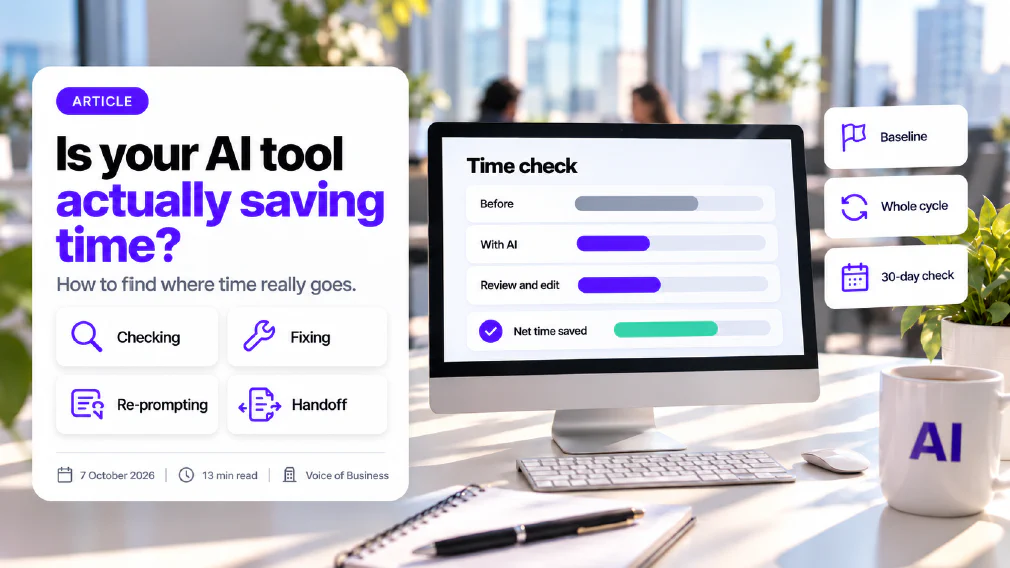
Most teams believe their AI tool is saving them time, and very few have measured it. A feeling of speed is not a result, and the gap between the two is where money, effort and goodwill quietly leak away.
This article explains why that gap exists, where the time goes when an AI tool is introduced, and a simple one-task test any team can run to find out whether the tool is earning its place. It ends with a decision rule, so the answer leads to a clear next step rather than another meeting.
Key Takeaways
- Feeling faster and being faster are different things. A 2025 trial found experienced developers were 19 per cent slower with an AI tool while believing they were 20 per cent faster.
- Time rarely disappears. It moves into checking, fixing, re-prompting and handoff, and a tool only saves time if the total across all four is smaller than before.
- You cannot prove a saving without a baseline. If nobody timed the task before the tool arrived, the only evidence left is opinion.
- The test that works for a small team is small: one task, one week of before-timings, the whole cycle timed afterwards, and a re-check at 30 days.
- Decide what the released hours are for before you start, or they vanish into the day.
- Every review ends in one of four verdicts: keep, scale, switch or drop.
Most teams feel AI is saving time but have not measured it
The belief is widespread. A 2026 survey of more than 34,000 small and midsize business owners found that 78 per cent of US businesses said AI had improved their productivity. That is a large number and it deserves to be taken seriously. It is also a number about what people say, not about what anyone measured.
Larger organisations show the same split. A 2026 workplace survey of more than 12,000 knowledge workers and 170 executives at very large companies found that 89 per cent of the executives said AI had increased the speed of work, while only 6 per cent felt confident they could point to a specific organisation-wide return. Its explanation is worth remembering. AI makes the individual step faster, but the extra output then queues at the same reviews and approvals as before, so the gain is absorbed on the way through.
Three habits keep the gap between feeling and proof open, and each of them is easy to fix once you can see it.
No baseline was taken
The tool arrived, people started using it, and nobody recorded how long the task took the week before. Without a before, there is no after to compare it with, and any saving you claim later rests on memory. Part of the difficulty is simply not knowing what is in use. Staff often adopt tools on their own, which is shadow AI, and a plain AI tool inventory is the quickest way to find out which tools are in play and which tasks they touch before you try to time any of them.
Success was never defined
If the goal was to get everyone using AI, then usage is the result, and the tool has succeeded the moment it is opened. Whether the work got quicker, better or cheaper to run was never asked. Real AI adoption is not a count of logins. It is the point at which the work is demonstrably better, and a team that has not said what better means cannot tell when it has arrived.
Time saved is self-reported
Asking people how much time the tool saves produces a confident, friendly number that nobody can check. The person answering is usually the person who chose the tool, and the sense of speed from a fast first draft is strong. The checking and fixing that follow are spread across the afternoon, so they rarely register as part of the same job.
How strong is the effect? A 2025 randomised trial by an independent research group gave 16 experienced developers 246 real tasks, some with AI tools allowed and some without. Before starting, the developers expected AI to speed them up by 24 per cent. When the tasks were done, the measured result was that they took 19 per cent longer with AI, yet they still believed it had made them about 20 per cent faster.
That is a narrow study of one kind of skilled work, and it should not be stretched into a claim about every tool and every team. It does not show that AI is slow. Many tasks and many tools will look very different. What it shows is that the feeling of being faster can run in the opposite direction from the clock, even for people who know their craft, and that the only way to know for your own task is to measure it.
AI time savings move into checking, fixing, re-prompting and handoff
When an AI tool is introduced, the time a task takes does not shrink by the amount the AI step shrinks. It moves. There are four places to look, and a saving only exists if the sum of all four, plus the AI step itself, is smaller than the old total.
Before the tool
Start the task
Draft it by hand
Hand it on
Accepted
With the tool
Write the prompt, draft in seconds
Check it against the source
Fix it, or ask again
Hand it on, wait for sign-off
Checking. Someone has to read what the tool produced and compare it with what is true. This is not optional for anything a customer, a regulator or a colleague will rely on, and it is the part most teams forget to count. AI text is fluent whether or not it is right, so a confident but wrong answer, a hallucination, reads just like a correct one. If you have not already set out how to check AI output before it goes to a customer, the checking time is often the largest and least visible part of the cycle.
Fixing. Checking finds things to correct: a wrong figure, a misread instruction, a tone that does not fit the customer. Fixing takes time even when each fix is small, and it adds up across a week. Fixes also tend to cluster on the awkward cases, which are the ones the quick first draft was least able to handle.
Re-prompting. When the first answer is not usable, people ask again, reword, add context and try a second time. Each attempt feels quick, so it is rarely counted, but five quick attempts are not quick. A tool that needs three tries to produce something usable may still be worth keeping, but only if the three tries are in the timing.
Handoff. The work moves to someone else for approval or onward use. If drafting got faster but the person who signs it off now has more to read, or reads with less trust, the queue at that point gets longer. This is the pattern the larger survey described: speed gained by one person, lost to a gate that did not change.
There are two more things to keep in view. The first is who pays. A task can look faster for the person using the tool while taking longer overall, because the checking has landed on a colleague who never asked for it. Count the time of everyone who touches the work, not only the person at the keyboard. The second is quality. A faster result that comes back from a customer a week later with a correction has not saved anything, so note whether the output was accepted first time.
Put these together and the real question becomes plain. It is not how fast the AI step is. It is whether the whole cycle, from the moment the task starts to the moment it is done and accepted, is shorter than before at the same quality. The same logic sits behind what an AI workflow costs to run, where reviewer time is one of the largest lines and the one most often left out. If drafting got faster but sign-off got longer, nothing was saved.
How to measure whether AI is saving time with one task
You do not need a dashboard, a consultant or a project to find out. You need a stopwatch and discipline about one task. This version suits a team of ten as well as a team of a hundred.
Pick one task
clear start, clear finish
Time it for a week
before the tool
Define success
and where the hours go
Time the whole cycle
with the tool
Re-check at 30 days
same task, same people
1. Pick one task. Choose something that happens often and has a clear start and finish: answering a certain kind of customer query, drafting a weekly report, summarising a set of meeting notes, preparing a quote. Avoid a vague activity such as research. If you cannot say when it starts and when it is done, you cannot time it. Include the messy cases, not only the tidy ones, because that is where checking and fixing pile up. A task that happens several times a week gives you enough repetitions to see a pattern within a month. Start with a task rather than a decision: speeding up a task is not the same as handing a decision to a machine, and the difference between automating a task and automating a decision changes how much checking the result needs. A tool that decides who receives a refund needs its own measurement, with accuracy on the list alongside time.
2. Time it for a week before the tool. For one working week, record how long the task takes from start to accepted finish, and write down roughly how good the result needed to be. Use the same people who will use the tool. This is your baseline, and it is the step most teams skip. If the tool is already in use, the nearest you can get is to time one person doing the task without it, or to ask for any records that show how long it used to take, such as ticket times or timestamps on drafts.
3. Decide what success looks like. In one sentence: for example, the same quality in less total time, or the same time with fewer errors. Also decide where the released hours will go. If they are not assigned to something, they will be absorbed by whatever is urgent and you will never see them. Write the sentence down before the tool is switched on, so nobody can adjust the target afterwards to fit the result.
4. Time the whole cycle with the tool. Run the same task for a similar period, and this time start the clock when the work begins and stop it when it is accepted. Include the prompt, the wait, the checking, the fixing, any asking again and the handoff. Note the quality as well. A faster result that needs more rework later has not saved anything.
Copy this log for each person or each week, and fill in the minutes for the week before and for the weeks with the tool:
| Part of the cycle | Week before the tool | With the tool |
|---|---|---|
| Writing, or prompting and waiting | ||
| Checking | ||
| Fixing | ||
| Re-prompting | ||
| Handoff and sign-off | ||
| Total, start to accepted | ||
| Quality: same, better or worse |
5. Re-check at 30 days. Early results flatter a new tool. People are curious, the easy cases come first and nobody has yet met the awkward ones. Repeat the timing a month in, on the same task, and compare it with the baseline. If the saving holds at 30 days, it is probably real. If it has faded, the first weeks were novelty, and it is better to learn that now than after the tool has been rolled out to everyone.
Two details make the numbers more honest. Record times as they happen rather than asking people to recall them, because memory rounds in the tool’s favour. And have someone other than the tool’s champion look at the results, since the person who proposed the tool is the person most hoping it works.
It also helps to agree what the same quality means before you start. A workable test is whether the reviewer would sign the output off unchanged. If they would, the quality is the same. If they would make changes, the changes are part of the cycle and belong in the timing. Without this, a rushed review can make a poor result look like a saving.
Ownership matters as well. If nobody owns the AI in your team, nobody owns the measurement, and the test will be done once, filed and forgotten. Name one person to run the 30-day check and to say which verdict the evidence supports. That is a small commitment, and it is the difference between a pilot and a habit.
What to do with the result: keep, scale, switch or drop
When the second set of timings is in, make the call at a fixed review point, with one of four verdicts. Fixing the review date in advance matters, because a tool that has no scheduled review tends to stay in use by default, whether or not it earns its place.
Keep. The whole cycle is shorter at the same quality. Carry on, and assign the released hours to the use you named in advance.
Scale. The saving is clear and the task is common elsewhere in the business. Extend the tool to similar tasks, and measure the first one of those the same way before assuming the result carries over. A saving on a routine task says little about a task that depends on judgement.
Switch. The tool shows promise but one part of the cycle, usually checking or re-prompting, is eating the gain. Try a different tool, a tighter set of instructions or a narrower job for the same tool. A well-defined AI workflow with a fixed input, a fixed output and a named reviewer is often easier to make pay than an open-ended chat.
Drop. The whole cycle is no shorter, or quality has fallen. This is a good result, not a failure: you have spent a few weeks to avoid paying indefinitely for a tool that does not earn it.
The released hours deserve as much thought as the verdict. A saving of an hour a day that is not assigned to anything will be spent on email by Friday. Name the use in advance: more customer conversations, a backlog cleared, a report that used to be skipped. Then check at the next review that the hours went where you said. Without that, even a real saving never turns into business outcomes anyone can point to.
If you would rather not build the baseline yourselves, an AI audit is one way to get it: it looks at where AI is already in use, what each task really takes from end to end and where the time is moving. It is covered in more detail in what an AI audit actually checks. Either way, the start is the same. Choose one task this week and start the stopwatch before the tool is switched on, or, if it is already in use, time the task as it stands now and compare it with whatever record exists of the time before. Then run the five steps and make a verdict at 30 days.
Sources
- 2026 AI impact report: adoption, use and impact across small and midsize businesses: a survey of more than 34,000 small and midsize business owners, 78 per cent of US businesses saying AI had improved productivity.
- The AI efficiency paradox: what to do when AI boosts productivity but not results: a 2026 workplace survey of more than 12,000 knowledge workers and 170 large-company executives, 89 per cent of whom said AI sped up work and 6 per cent of whom could show organisation-wide return.
- Measuring the impact of early-2025 AI on experienced open-source developer productivity: a randomised trial of 16 experienced developers across 246 tasks, who expected a 24 per cent speed-up, took 19 per cent longer, and still believed they were about 20 per cent faster.
FAQ
Questions we get asked
How do I know if AI is saving my team time?
Pick one task, time it for a week before the tool is introduced, then time the whole cycle afterwards, including checking, fixing and sign-off. Compare the two totals, not the speed of the AI step on its own. If the total is shorter and the quality is the same, the tool is saving time. If drafting is faster but review has grown, the time has moved rather than gone.
How long should an AI pilot run?
Long enough to get past the novelty. Take a week of baseline timings before the tool, run it on the same task for at least a few weeks, and make a formal check at 30 days. Early results are usually flattering because people are curious and the easy cases come first, so the 30-day figure is the one to trust.
Why hasn't AI improved my team's Productivity if everyone says it is faster?
Because people often work faster at one step while the work still waits at the same approval points as before. A 2026 workplace survey found 89 per cent of executives said AI had increased the speed of work, yet only 6 per cent could point to organisation-wide return. Faster drafting does not shorten the queue if review, approval and handoff are unchanged.
How do I measure AI ROI for a Small Business?
Start with time, because it is the easiest return to measure honestly. Choose one repeated task, record how long it takes from start to accepted finish before the tool, then record the same thing with the tool, including every check, fix and handoff. Multiply the difference by how often the task happens. If the saving holds at 30 days and quality has not fallen, you have a return you can defend.
Why not just ask people how much time AI saves them?
Because self-reported time saved is a feeling, not a measurement. A 2025 randomised trial found experienced developers expected AI to make them 24 per cent faster, were measured as 19 per cent slower, and still believed afterwards that they had been about 20 per cent faster. Asking is fine as a prompt for discussion, but the decision should rest on recorded times.
What if AI makes the first draft faster but the Whole task takes longer?
Then the tool is not saving time on that task, however quick the draft feels. The extra minutes have moved into checking, fixing, asking again or waiting for sign-off. Look at which of those four has grown. A tighter set of instructions, a narrower job for the tool or a quicker approval route will often bring the total down. If none of them does, drop the tool for that task.
Ready to Put This to Work?
Tell us where your team is with AI and we will tell you honestly what would make the biggest difference.