
AI Workflow
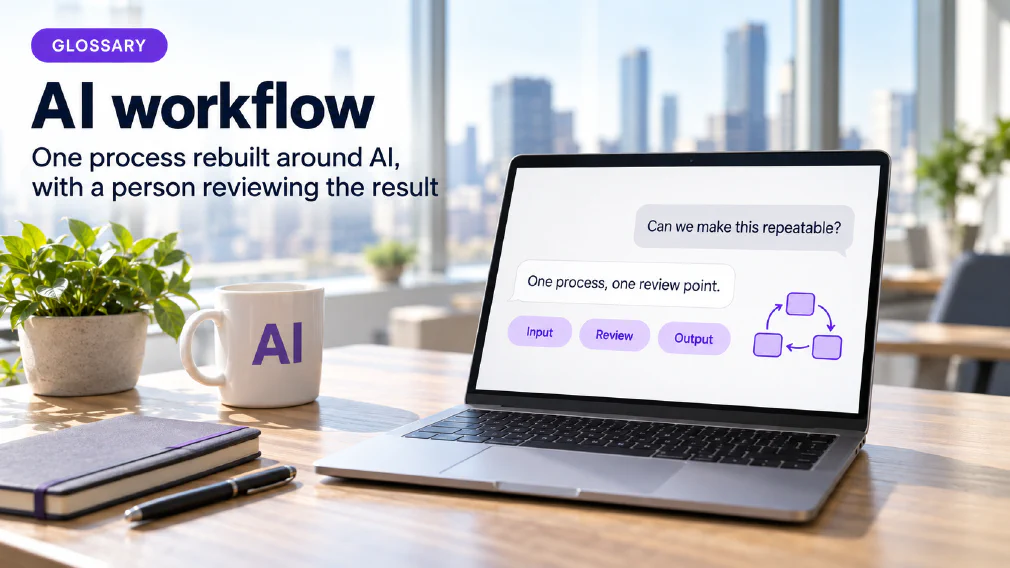
A single, specific process rebuilt around AI, with a clear input, a clear output and a defined point where a person reviews the result. It is one of the three things this business sells, and the one that follows an audit.
What an AI Workflow is
An AI workflow is a single, specific process rebuilt around AI. It has a clear input, a clear output and a defined point where a person reviews the result. Those three things are what make it a workflow and not a general use of an assistant. It is one of the three things this business sells, and the one that follows an audit.
The word single matters as much as the word AI. The site does not describe a department-wide rollout as a workflow. It describes one process, drawn end to end, that can be built, tested and measured on its own.
The three parts
The input is what starts the process: an invoice arriving, an enquiry in a shared inbox, a set of exports waiting to be combined into a report. The output is what the process produces, in a form somebody can use. Between them sit the steps, and somewhere in those steps sits the review point, the place where a person looks at the result before it goes any further.
The site treats all three as things to settle before anything is built. The workflow design page says the input, the output and the review point are settled before a prototype exists, and that scope is fixed at that stage and not discovered during the build. A process with a fuzzy input or no clear review point is not yet a workflow. It is an idea for one.
Where a Workflow comes from
The site’s order is deliberate. A workflow is not chosen at the start. An audit maps the organisation’s processes, documents how they run, and ranks the opportunities. The opportunity identification step weighs each candidate and puts one first. That one is redrawn in workflow design, tested as a narrow prototype and only then built for production.
That is why the definition says the question of what to automate is answered by the audit and not assumed going into it. The automation page says the same in its own words: there is nothing to choose from before an audit, and what gets built is whatever the first four steps established was worth building.
One Process at a time
The well-scoped workflow article gives the reason for starting narrow. A defined, single-purpose workflow produces a result that can be measured, and a general rollout across an organisation usually does not. Its advice is to start with one process and to pick the one with the clearest input, output and review point.
It names four principles: a clear objective, a defined scope, built-in guardrails and a business impact that can be shown. The agentic AI page adds why this holds. A narrow workflow has something specific to compare against, and a broad initiative has none, so nobody can say whether it worked.
A Workflow is more than a Prompt
The foundations course lists among its outcomes that participants can create structured content and describe how a prompt becomes a workflow. That is a useful way to see the difference. A prompt is one request and one answer. A workflow turns a request that works into a repeatable process, with a defined input and a place where a person checks the result.
The agentic AI page covers the next step up, where AI carries out a sequence of steps by itself. It also says the first question is whether a process needs that at all. The prompting workshop closes on a decision framework for choosing between a prompt, a template, a scheduled prompt and an agent, and many tasks belong lower down that list. A workflow can be built around any of them.
The kinds of Workflow the site describes
The automation page lists four kinds of work it builds. Document handling covers reading and extracting the data held in invoices, contracts, forms and inbound email, where it was previously keyed in by hand. Reporting and data covers consolidating figures that sit in several systems into reports somebody was assembling by hand on a fixed cycle.
Customer communication covers triaging incoming enquiries, drafting replies for an operator to approve and not send unseen, and searching internal knowledge that had only ever been in people’s heads. Internal processes and workflow covers connecting systems that do not talk to each other, and moving work between tools the organisation already runs and already pays for. Each of the four has the same shape: an input, some steps and a person who checks.
Every step on the Ladder
The article on automating a task against automating a decision says every real workflow is a chain of steps, and each step belongs on its own rung of a ladder: Assist, Recommend, Execute and Never delegate. The intake might be Execute, the triage might be Recommend, and the final call might be Assist at best or Never delegate outright.
The article warns about treating the whole chain as one automation decision. That is how a task-shaped process quietly starts making decision-shaped calls nobody scoped it to make. It also explains why some workflows show a return faster than others: steps correctly placed on Execute deliver speed, while steps left at Assist or Recommend deliver a better-informed person making the call faster, not a person removed from the loop.
Guardrails are part of the Design
A workflow that gains steps carried out on its own also gains places where a mistake can travel unseen. That is why the site treats the review point as part of the design and not as something added after a problem. Oversight, logging, escalation and the point at which a person takes over are drawn in from the start.
The automation page states the same principle for the build. These things are designed into it rather than added once something has gone wrong, which is the difference between an automation the organisation can run and one that only whoever wrote it can run.
Built for the exceptions
The audit’s second step says a process is automated against its exceptions and not against its ideal path. The same holds for a workflow. A workflow built only for the standard case breaks on the first case that was not, and then somebody has to do the work by hand on top of running the tool.
The off-the-shelf review adds a practical point. Building a custom workflow well depends on the process being documented accurately first, because a workflow built against a guessed version of the process automates the guess and not the work. That is the reason the audit maps and documents before it ranks or builds.
Buying a Tool or building a Workflow
The site’s review of off-the-shelf tools against custom workflows sets out the difference. An off-the-shelf tool is built once and sold to many businesses. It starts fast and is designed for the average case. A custom workflow is designed against one organisation’s own process, exceptions included, and it starts slower and costs more before it handles its first real case.
The review’s advice is not to choose on price alone. It says the choice depends on how standard the process is, how long it needs to keep working and what happens when it meets the exception nobody wrote down. It also says the answer comes from mapping the process first and not from comparing product categories before either has been checked against the work. A discovery call is where that starts.
Platform or Code
A second review compares a no-code automation platform with a build directly on a vendor’s API, and it points to this term for the custom case. Its main advice concerns order. The most common mistake it names is picking a platform before mapping how often the process actually runs and how often it changes, because both routes can run the same workflow.
This page does not compare the two or state a cost for either. The point that belongs here is that the process comes first and the tooling follows. The platform question is a question about volume and change, and volume and change are things the audit’s first two steps establish.
The Rules attach to what it does
The off-the-shelf and no-code reviews agree on one point. Obligations under the EU AI Act and GDPR attach to what a system does and the risk it carries, not to whether it was bought as a subscription or built to order. A high-risk AI system carries the same documentation and oversight requirements whichever route produced it.
What a custom build changes is how easy it is to show what happens to data at each step, because each step was designed on purpose. That supports evidencing compliance. It does not remove the obligation. The audit assesses the Act and GDPR inside the ranking, so a workflow is chosen knowing what it carries.
An owner and trained people
Building a workflow ends with two things the automation page names. The organisation names an internal owner for each workflow that goes live, and the people who will run it are trained. That is what makes the result belong to the organisation and not to whoever built it, and it is why the page says automation and training are usually bought together and not in sequence.
The ownership article explains why the owner matters. A tool nobody owns fails quietly, when its outputs drift, its access widens and its written rules go stale. An owner is the one named person who can say what the workflow is for, who uses it, what it can reach and when it was last checked.
A worked example
This is an illustration, not a real client. A small firm builds its month-end report by hand from three exports, and the audit ranks it first. In workflow design the firm settles the three parts. The input is the three exports. The output is the finished report in the format its manager already uses. The review point is the person who builds it today, who checks the totals before it goes anywhere.
The steps are then placed on the ladder. Gathering and combining the exports is Execute. Flagging figures that look out of range is Recommend. Signing the report off stays with a person. A narrow prototype runs on real exports, and the person who builds the report today judges it. The firm names that person’s manager as the owner, and only then does the second report return to step one of the audit.
Mix-ups worth avoiding
Four confusions come up often enough to name. The first is treating an AI workflow as any use of an assistant, when it is one specific process with an input, an output and a review point. The second is treating it as a product with a specification, when the automation page says it is not.
The third is treating it as the same thing as an agent. An agent is one kind of system a workflow can be built around, and the AI agent page covers it. The fourth is treating a workflow as finished when it is built, when the owner and the trained people are what keep it working.
Where it goes wrong
The commonest failure is starting too wide. A rollout with no clear input, output or review point cannot be measured, so nobody can say whether it worked. A second is skipping the mapping and building against a guess of the process. A third is adding the review point afterwards, once something has gone wrong.
A fourth is scaling too early. The site’s rule is to scale one proven workflow at a time, with each new process returning to step one of the audit, and not to roll a single result across an operation that was never mapped for it. Every phase is meant to justify the one after it.
Where it appears on the site
The workflow is what the AI automation page builds, and the page calls that step five of the audit and not a separate product. The how we audit page describes step five and what comes out of it: workflows in production with their oversight defined, documentation the organisation owns and staff trained to run and change what was built.
The wider term is automation, which means handing a repeatable piece of work to a system. How long a build runs is settled by the audit and the discovery call, and it is not quoted beforehand. Every automation engagement starts from a completed audit.
FAQ
Questions about AI Workflow
What is an AI Workflow?
A single, specific process rebuilt around AI, with a clear input, a clear output and a defined point where a person reviews the result. It is one of the three things this business sells, and the one that follows an audit.
How is an AI Workflow Different from using a Chatbot?
A chatbot answers one prompt at a time and stops. A workflow is a whole process with an input, a set of steps, a review point and an output, designed so the same result can be produced repeatedly. The foundations course teaches how a prompt becomes a workflow, and the agentic AI page covers the approach where AI carries out the steps itself.
Why one Process and not the Whole department?
Because a defined, single-purpose workflow gives a result that can be measured, and a broad rollout usually does not. The site's advice is to start with one process, and to take first the one with the clearest input, output and review point.
How do you decide which Workflow to build?
An audit decides, not an assumption made beforehand. The processes are mapped and documented, then the opportunities are ranked on how often they repeat, what the manual version costs, whether the data is usable and what regulatory exposure attaches. The highest ranked one goes to a narrow prototype first.
What is a review point and why does every Workflow need one?
It is the defined place where a person looks at the result before it goes any further. A workflow that gains steps carried out on its own also gains places where a mistake can travel unseen, so the review point is part of the design and not something added after a problem. Oversight, logging, escalation and the point at which a person takes over are drawn in at the design stage.
Should we buy an Off-the-Shelf Tool or build a Workflow?
It depends on how standard the process is, how long it needs to keep working and what happens when it meets an exception nobody wrote down. An off-the-shelf tool is built for the average case. A custom workflow is built against one organisation's process, exceptions included. The site's answer is to map the process before comparing either.
Off-the-Shelf AI vs Custom AI: Which fits your Business?No-Code Automation vs a Custom API build
Does building a Workflow ourselves change the EU AI Act or GDPR position?
It changes who is accountable for the data path, not what has to be documented. The obligations attach to what the system does and the risk it carries, whether it was bought off the shelf or built to order, and a high-risk system carries the same documentation and oversight requirements either way.
What happens once a Workflow goes live?
The organisation names an internal owner for each workflow that goes live, and the people who will run it are trained, so it belongs to the organisation and not to whoever built it. Scaling happens one proven workflow at a time, with each new process returning to step one of the audit.
AI AutomationWhat happens when nobody owns the AI you've rolled out
What it means for a Business
The systems are built after an audit has established which workflow is worth building, so the question of what to automate is answered by the audit rather than assumed going into it.
Ready to Put This to Work?
Tell us where your team is with AI and we will tell you honestly what would make the biggest difference.