Best AI for recruiting
Which AI recruiting tools are worth a look in 2026, what the EU AI Act and GDPR require, and which hiring decisions a person must still make.
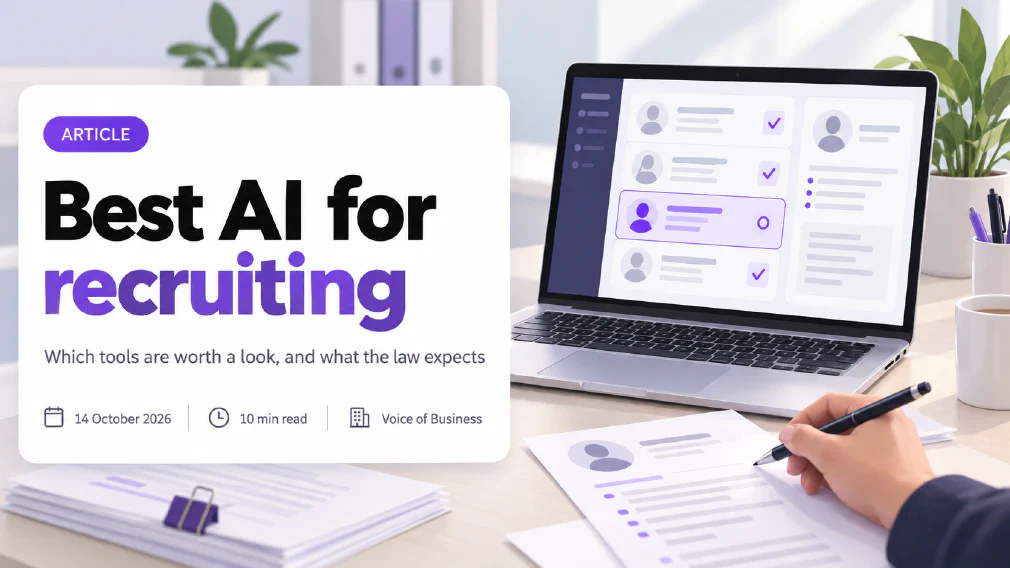
The best AI for recruiting is the one that saves your team time on sorting applications and never makes the final decision about a person. Plenty of tools now claim to screen CVs, rank candidates and even interview them. Far fewer tell you what the law expects of the business that uses them.
This page looks at three established platforms, Workable, Manatal and Greenhouse, then covers the rules that matter most to a small or mid-sized business in the EU. It is a desk review based on the vendors’ own pages and published law. We have not run hands-on tests of these tools, so read the tool descriptions as what each vendor says it does.
Key takeaways
- There is no single best AI for recruiting. The right tool depends on how many roles you fill and how much human review you are willing to build in.
- AI resume screening is legal to use, but in the EU it is a high-risk use under the AI Act, and GDPR already limits decisions made only by automated means.
- The AI Act’s high-risk obligations for hiring tools were delayed from 2 August 2026 to 2 December 2027. GDPR and the ban on certain practices apply now.
- Choose a tool that shows its reasoning for each candidate and lets a person override any decision.
- Keep a person in charge of every rejection. A tool that automatically routes candidates out is the setting to examine first.
- Check how any vendor tests for bias before you rely on it.
- Test any tool on one role, alongside your normal process, before you commit to it.
What is the Best AI for recruiting in 2026?
There is no honest single answer, and a ranked list that claims one is usually selling something. What a small business needs is different from what a company hiring hundreds of people a month needs. The sensible way to choose is to decide what job you want the AI to do, then check that the tool does it with a person still in control.
If you hire a handful of people a year, you may not need a dedicated platform at all. A shared inbox, a clear job advert and a structured interview can beat a tool you never learn to use. If you hire often, an applicant tracking system with AI features starts to earn its place.
What can AI do in recruiting?
Current tools tend to offer some mix of these jobs:
- Sourcing. Searching large profile databases for people who match a role.
- Screening and matching. Scoring applications against the job requirements.
- Interviewing. Running a first interview by voice or video using set questions.
- Administration. Scheduling, reminders and keeping candidates informed.
- Checks. Spotting fake or duplicated applications.
The first four save time. The jobs that carry most risk are screening and interviewing, because they decide who moves forward. That is where the law looks hardest.
How does AI resume screening work?
Most screening tools follow the same four steps, whatever the vendor calls them.
Read
The tool turns each CV into structured data
Compare
It checks that data against your job criteria
Score
Each candidate gets a score or a rank
Review
A person checks the list and decides
First the tool reads each CV or application form and pulls out facts such as job titles, skills, dates and qualifications. This is called parsing, and it is where unusual layouts, scanned pages and non-standard career paths can cause mistakes.
Next it compares those facts with the criteria for the role. Older tools do this by matching keywords. Newer ones use a large language model to judge whether an experience is relevant even when the words differ. Then it gives each candidate a score or a position in a ranked list.
Two points are worth holding on to. A score is a prediction and not a fact, and it is only as good as the criteria you gave it: a vague requirement such as “strong communicator” produces a vague score. And a language model can state a wrong reason with total confidence, which is a form of hallucination. That is why a tool that shows its reasoning is better than one that shows only a number, and why the last step belongs to a person.
Which AI recruiting Tools are worth a look?
These three are established platforms that appear often in 2026 roundups. What follows comes from each vendor’s own website, so it describes claims and not test results.
Workable
Workable says its AI agent sources candidates from a database of more than 400 million profiles, then evaluates each incoming applicant against up to 14 job criteria. It scores candidates when they apply and shows its reasoning. The page says strong fits advance automatically and clear non-fits are routed out, and that users can override any agent decision. It also says an agent’s actions are logged and that people approve headcount before sourcing starts. Workable lists ISO 27001 and SOC 2 Type II certifications.
The feature to look at closely is the automatic routing of non-fits. If you use it, review what it screens out.
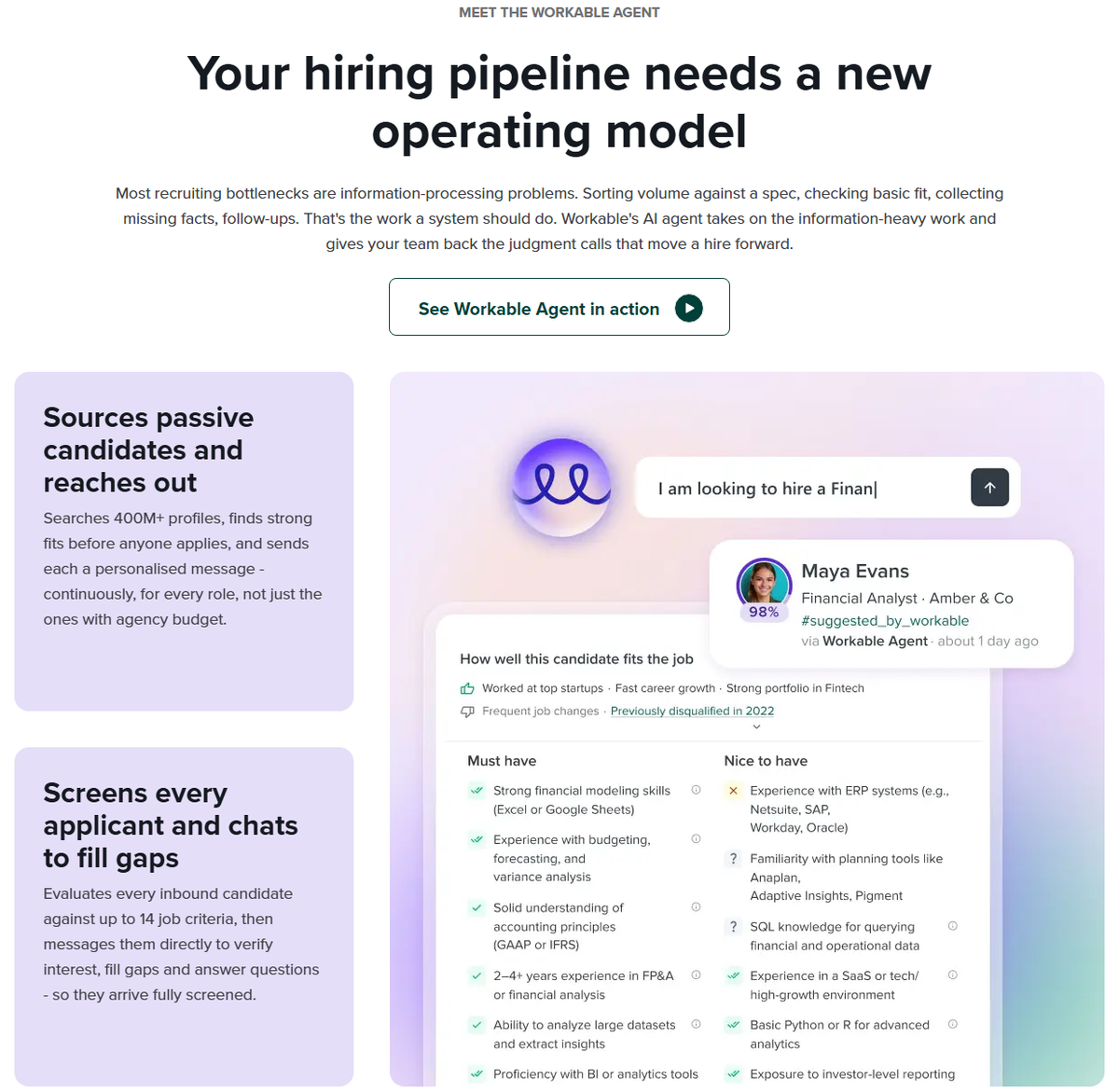
The sample scorecard in Workable’s own demonstration is useful to study. It separates must-have from nice-to-have criteria, which is a sound habit, and it also carries a flag for frequent job changes. A factor like that can mean something unrelated to ability, so check whether you can edit or switch off any criterion you would not defend to a candidate.
Manatal
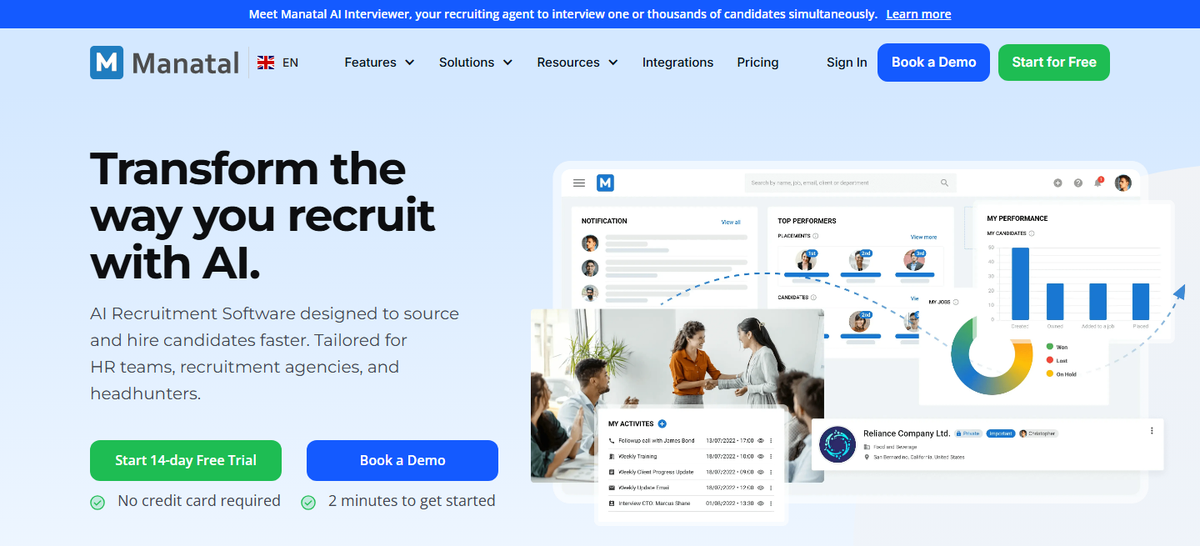
Manatal combines an applicant tracking system, a recruitment CRM, sourcing tools and reporting, and it targets small teams through to large enterprises and recruitment agencies. Its AI features include matching scores that compare a candidate’s profile with the job requirements, recommendations from your existing candidate database and an AI interviewer that runs automated video screening interviews. It also states GDPR support and a data processing addendum, and lists SOC 2 Type 2.
The AI interviewer is the part to treat with care. An automated interview that produces an assessment is exactly the kind of use the AI Act regulates.
Greenhouse
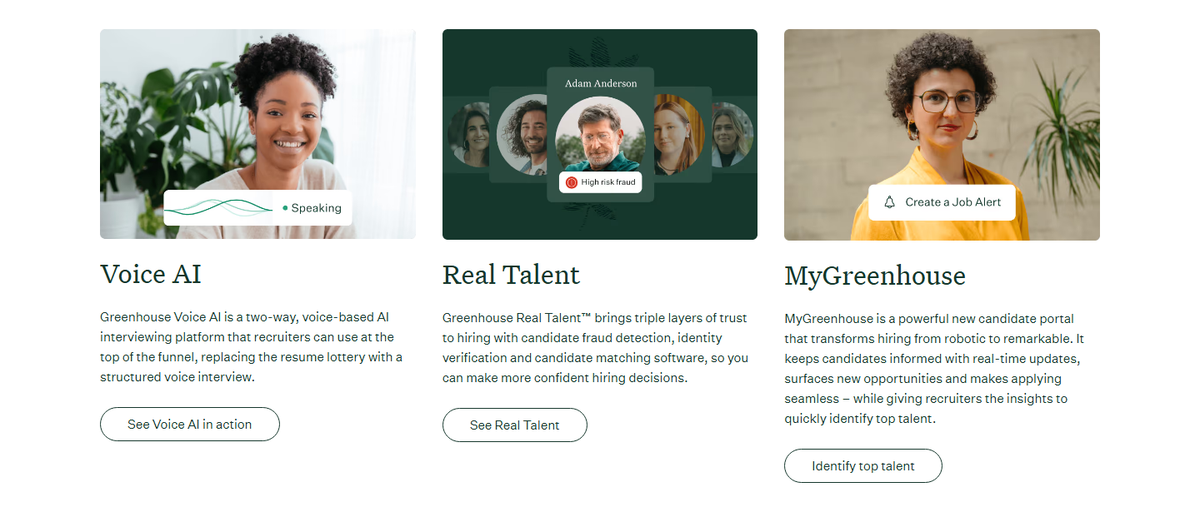
Greenhouse is built around structured hiring, and its homepage describes its approach as better signal with human judgement. It lists a voice-based first interview that follows your team’s own questions and scoring rubric, plus tools for detecting candidate fraud, verifying identity and matching candidates. It serves early-stage businesses through to large enterprises. The homepage links to a bias audit statement and AI principles, so ask for those documents directly.
How do you choose an AI recruiting Tool?
Put these questions to any vendor, and write down the answers:
- Does it show why it ranked a candidate? A score with no reasoning cannot be explained to an applicant or checked by you.
- Can a person override every decision? The answer should be yes, easily.
- What does it do automatically? Find out whether it can reject candidates without a person looking.
- How is it tested for bias? Ask for documents, not reassurance.
- Where is candidate data stored, and who processes it? This is a GDPR question, and the vendor should have a data processing agreement ready.
- What logs does it keep? You may need them to show what the system did.
If the answers are vague, treat that as information. Our guide on how to check AI output before it goes to a customer applies the same way to anything an AI tool produces about a person.
How do you run an AI recruiting pilot?
Before you sign a contract, test the tool on one role. A pilot costs you a few weeks and gives you evidence of your own, which is worth more than any vendor demonstration.
Pick one role
One you hire for often
Write the criteria
In plain words, before the tool
Run it alongside
A person screens too
Compare
Where do they differ, and why?
Decide
Keep, adjust or drop
Pick one role. Choose a job you fill regularly and that draws enough applications to compare. Tell applicants that AI is used, and have the vendor’s data processing agreement in place before real applicant data goes in.
Write the criteria first. List what the job needs in plain words, split into must-have and nice-to-have, and remove anything that is not about doing the work. This stops the tool’s defaults from becoming your hiring standard without anyone choosing them.
Run it alongside your normal process. A person screens the applications as usual, and the tool screens the same ones with automatic rejection switched off. Nobody is turned away because of the pilot.
Compare the results. Look at where the two lists differ. Read the tool’s stated reasons for the candidates it ranked low and a person ranked high. Look for patterns you can legitimately check, and take advice before collecting sensitive details about applicants for the purpose.
Decide and write it down. Keep the tool, change its settings or drop it. Either way, keep your notes. They are the start of the record the AI Act will expect deployers to hold, and they answer the question “why did you choose this?” if anyone asks.
Is AI resume screening legal in the EU?
Yes, you can use it, but not carelessly. Two sets of rules matter, and they apply at different times.
GDPR applies now. Under Article 22, people have the right not to be subject to a decision based solely on automated processing that has legal or similarly significant effects. Where such a decision is allowed, safeguards include the right to human intervention and the right to contest it. A rejection with no person involved is the situation this rule is aimed at. Our entry on data protection explains the basics.
The AI Act adds a second layer, a little later. The next section covers it.
Does the EU AI Act treat Recruitment AI as High-Risk?
Yes. Annex III of the EU AI Act lists systems used for the recruitment or selection of people, which includes placing targeted job ads, screening and sorting applications, and evaluating candidates. These are high-risk AI systems.
If you use such a system you are the “deployer”, and Article 26 gives you duties. You must assign oversight to people with the competence, training and authority to do it, monitor how the system runs, keep the logs it generates for at least six months where you control them, and inform workers’ representatives and affected workers before putting it to use. You must also tell the people the system makes decisions about that they are subject to it.
When do the EU AI Act Rules for hiring start?
Later than first planned. The original date for high-risk systems listed in Annex III, which includes recruitment, was 2 August 2026. The Digital Omnibus moved it to 2 December 2027. Several law firm and compliance sources report that the Omnibus was published in the Official Journal on 24 July 2026 and entered into force on 27 July 2026. Check the text on EUR-Lex before you rely on the dates for a compliance decision.
Three things did not move. The bans on certain practices have applied since February 2025. The AI literacy duty has also applied since then, although the Omnibus softens it to supporting staff’s AI literacy. The transparency rules in Article 50 began on 2 August 2026. Our entry on AI literacy covers what that duty means for staff who use these tools.
The delay is a gift of time, not a reason to wait. Choosing a tool that already supports logging, explanation and human override saves you a rushed change later.
Can AI hiring Tools be biased?
Yes. A tool trained on past hiring data can repeat the patterns in it. One concern raised in a US court case is that a tool can infer something like disability from proxies such as gaps in employment or medical leave. The case, Mobley v. Workday, is in progress. In June 2026 the court allowed key claims to proceed, but the decision dealt with procedural questions and is not a finding that discrimination occurred. It is a US case and not EU law, yet it shows where scrutiny of vendors is heading.
What you can do is practical. Ask how a vendor tests for AI bias. Look at who the tool screens out as well as who it ranks highly. Compare its shortlists with the ones a person would have made. And keep records.
A simple test you can run yourself is a swap test. Take a handful of real past applications and change details that should not matter, such as the name or the dates that reveal age. Run them through the tool again. If the score moves, find out why before you rely on it, and ask the vendor to explain.
Which hiring Decisions need a person?
Use AI for the work that is repetitive and low-stakes, and keep a person on anything that decides someone’s chances.
AI can prepare
Draft the job advert
Sort and summarise applications
Schedule and update candidates
A person decides
Set the criteria
Review every rejection
Judge the interview
Make the offer
Fine for AI to do, with a quick human check:
- Drafting job adverts and interview questions.
- Summarising a long application.
- Scheduling and keeping candidates updated.
- Sorting applications into groups for a person to review.
Keep a person responsible for:
- Rejecting anyone.
- Setting the criteria a tool scores against.
- Judging an interview.
- Making an offer.
- Explaining a decision to the candidate.
This is what human in the loop means in practice: a person who reads the result and owns the decision, not one who clicks approve on a list.
What should an AI screening Policy say?
You do not need a long document. One page that everyone involved in hiring has read is better than twenty pages nobody opens. It should cover:
- Which tools are approved, and for which roles.
- What AI may do and may not do. For most small businesses that means no automatic rejection of any candidate.
- Who reviews the output, named by role and not by person.
- What applicants are told, and where, such as in the job advert and the privacy notice.
- How long applicant data and logs are kept, and who can see them.
- How an applicant can ask for a person to look again.
- How and how often you test for bias, using something like the pilot and swap tests above.
- Who to tell when something goes wrong.
If you have no wider AI policy yet, start with our guide to AI governance for small and mid-sized businesses and add hiring as one of the uses it covers.
Our verdict
For a small or mid-sized business, the best AI for recruiting is a tool that does the sorting and the paperwork and leaves the judging to you. Workable, Manatal and Greenhouse each describe features worth a look, and each also includes a feature, such as automatic routing or an AI interviewer, that deserves a careful setting before you switch it on.
Pick the tool after you decide where your people stay in charge. Then ask the vendor the six questions above, keep your own records, and review who the tool is screening out. If you want a second pair of eyes on a tool or a process before the AI Act rules begin, an AI audit is designed for exactly that.
Further reading
- Which AI tasks should a small business start with first?: how to choose a low-risk first use for AI.
- How to check AI output before it goes to a customer: the review step that no tool removes.
- Claude vs ChatGPT: Which fits your business best?: how the two main chat assistants differ on data and access.
Sources
- Workable homepage: AI sourcing, screening, ranking, human override and certifications as described by the vendor.
- Manatal homepage: AI matching, recommendations, AI interviewer and compliance statements as described by the vendor.
- Greenhouse homepage: voice interview, fraud detection and audience as described by the vendor.
- EU AI Act, Annex III: recruitment and selection listed as high-risk uses.
- EU AI Act, Article 26: deployer duties on oversight, monitoring, logs and informing people.
- GDPR, Article 22: the right not to be subject to solely automated decisions and its safeguards.
- EU AI Act Omnibus agreement (Gibson Dunn): the new 2 December 2027 date and what was not delayed.
- Digital Omnibus published in the Official Journal (NicFab): publication and entry into force of the Omnibus.
- Court ruling in the Workday algorithmic bias suit (Duane Morris): the June 2026 decision on the motion to dismiss.
FAQ
Questions we get asked
What is the Best AI for recruiting?
There is no single best tool, because the right one depends on your size and how many people you hire. Workable, Manatal and Greenhouse are three established platforms that combine an applicant tracking system with AI screening and matching. For a small business, a tool that shows why it ranked a candidate and lets you override it matters more than the length of its feature list.
Can you use AI to screen job applicants?
Yes, but with limits. In the EU, AI that screens or ranks applicants is classed as high-risk under the AI Act, and GDPR gives people the right not to be subject to a decision based solely on automated processing. In practice, AI can sort and summarise applications, and a person should make the decision to reject or hire.
Is AI resume screening legal?
It is legal to use, provided you follow data protection law and, once they apply, the AI Act's high-risk rules. GDPR already applies today. Article 22 restricts decisions based only on automated processing that significantly affect someone, and a job rejection can fall into that category. Ask your legal adviser to check your own set-up.
Is AI hiring a High-Risk use under the EU AI Act?
Yes. Annex III of the AI Act lists AI systems used to recruit or select people, including tools that place targeted job ads, screen and filter applications and evaluate candidates. The obligations for these systems were delayed by the Digital Omnibus from 2 August 2026 to 2 December 2027, so they have not started yet but are coming.
Do you have to tell applicants you use AI?
GDPR already requires you to tell people how their personal data is used. Once the AI Act's high-risk rules apply, employers using such a system must also inform affected workers and the people the system makes decisions about. Telling applicants now, in your job advert or privacy notice, is simple and avoids a problem later.
Can AI hiring Tools be biased?
Yes. A tool learns from past data, and if that data reflects past bias, the tool can repeat it, for example by treating employment gaps as a negative sign. A US court case against a large HR software supplier is testing this. Check how a vendor tests for bias, and review the people it screens out as well as the ones it ranks highly.
Can ChatGPT or Claude be used for recruiting?
They can draft job adverts, suggest interview questions and summarise your own notes. Be careful about pasting candidates' CVs or personal details into them, because that is personal data and your provider's terms decide what happens to it. Do not let a chat assistant make the shortlist decision for you.
Can AI replace recruiters?
Not safely. AI is good at repetitive work such as sorting applications, scheduling and first-pass summaries. Judging a person, explaining a decision and answering for it are things a recruiter or hiring manager still has to do, and in the EU the law expects a competent person to oversee these systems.
How does AI resume screening work?
The tool reads each CV, pulls out facts such as job titles, skills and dates, compares them with the criteria you set and gives each candidate a score or rank. A person should then review the list. The score is only as reliable as your criteria and the tool's reading of each CV, so check the reasons it gives.
How do you test an AI recruiting Tool before using it?
Run it on one role alongside your normal process, with automatic rejection switched off. Compare its ranking with a person's, read the reasons it gives, and check whether changing a detail that should not matter, such as a name, moves the score. Keep notes on what you find, because they double as your record.
Ready to Put This to Work?
Tell us where your team is with AI and we will tell you honestly what would make the biggest difference.