How to write an AI use Policy for your team
How to write an AI use policy for your team: what to include, which tools to approve, what data stays out, and how to keep it to one page people read.
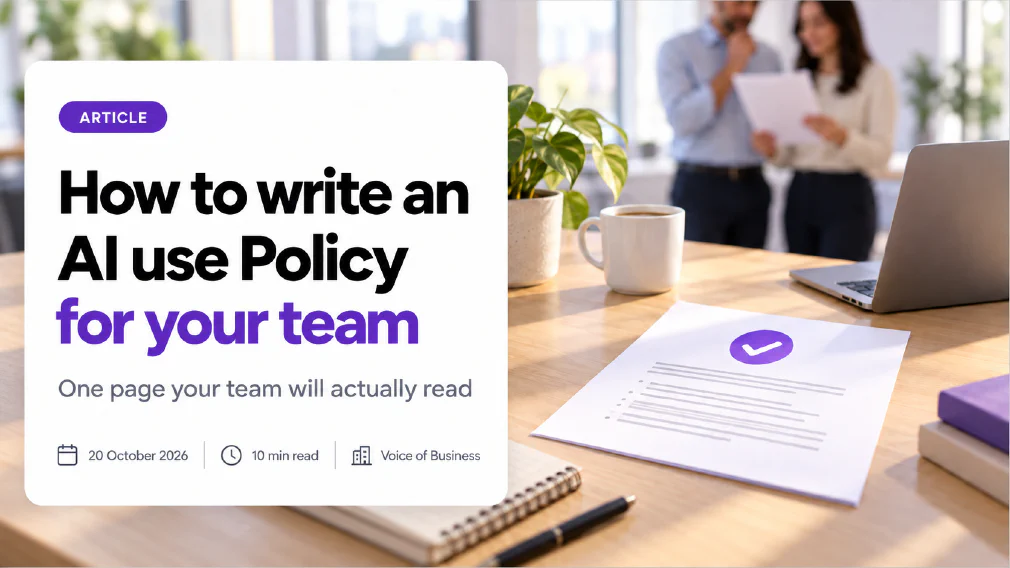
An AI use policy is a short, written set of rules that tells your team which AI tools they may use, what information may go into them, who checks the output and who to tell when something goes wrong. For a small business it should fit on one page, because a policy people do not read protects nobody.
This article walks through how to write one in an afternoon. It covers what to put in, in what order, what to leave out, and how to get your team to follow it. It is written for owners and managers who know staff are already using AI and want a rule in place without hiring a compliance team.
Key takeaways
- An AI use policy answers five questions for your team: which tools, which data, who checks, who owns it and what to do when it goes wrong.
- Write it after you find out what people already use, not before. A policy written against a guess gets rewritten within a month.
- The most useful section is the one on data. Say in plain words what may never be pasted, what needs care and what is safe.
- Name approved tools and one person who can approve new ones. A vague “use AI responsibly” changes nobody’s behaviour.
- Keep it to one page. Put detail in short supporting notes you can update without reopening the policy.
- A policy is only as good as its rollout. Brief the team in person, give them a way to ask questions and review it every six months.
What is an AI use Policy?
An AI use policy, sometimes called an AI acceptable use policy or a company AI policy, is the document that sets the rules for how people at work may use AI tools. It sits inside the wider job of AI governance, which is how an organisation keeps control of the AI it uses. The policy is the part your staff actually see.
It is not a legal contract, a technical manual or a statement of ethics. It is a working instruction, in the same family as a rule about using company email or locking a laptop. The test of a good one is simple: a new starter can read it in three minutes and know what to do.
Does a Small Business need an AI use Policy?
If anyone on your team uses an AI tool for work, yes, and it is likely that someone already does even if you have never approved anything. Staff adopt tools on their own because they save time. That is shadow AI, and the answer to it is not to look away.
Three situations make the case for a written policy:
- A customer asks. Larger customers and public bodies increasingly ask suppliers how they use AI and what happens to the information they share. A short written policy is a clear answer.
- Something goes wrong. A wrong figure in a quote, a customer’s details pasted into a public tool, or a confident answer that nobody checked. Without a rule, nobody can say what should have happened.
- The law expects it. The EU AI Act expects organisations that use AI to make sure their staff have a sufficient level of AI literacy. A policy and a short briefing are the practical evidence that you did. The Act’s wording in this area has been adjusted recently, so check the current text before you quote it.
Our article on why banning AI tools at work does not work explains why the alternative, saying no to everything, tends to push the same use onto personal accounts where you cannot see it.
What should you do before you write the Policy?
Find out what is actually happening. A policy written against assumptions describes a workplace that does not exist.
Ask every team the same three questions and tell them nobody is in trouble for answering honestly:
- Which AI tools do you use for work, including free ones and ones on your own phone?
- What do you use them for?
- What kind of information goes into them?
Write the answers in a simple list. That list is your AI tool inventory, and it will almost always be longer than you expected. It also tells you which rules matter most. If half the team pastes customer emails into a public tool, the data section of your policy is the priority. If nobody uses AI for client work, you can keep the checking section light for now.
Decide two more things before you open a blank page. First, who will own the policy. Second, what you are trying to protect: customer information, your own confidential material, the quality of what goes out under your name, or all three. Everything in the policy should trace back to one of those.
What should an AI use Policy include?
Seven short sections are enough. Each one answers a question a member of staff would otherwise have to guess.
1. Purpose and scope. Two or three sentences. Say why the policy exists and who it covers: employees, contractors, anyone using AI for work on any device.
2. Approved AI Tools. List the tools people may use for work, and say what each is approved for. State that anything not on the list needs approval first. Keep the list in a separate note so you can change it without rewriting the policy.
3. Data rules. The most important section. See the next heading.
4. Checking output. AI can produce text that is plausible but wrong, so say who checks what before it is used. See below.
5. Disclosure. When must you tell a customer, a colleague or an applicant that AI was involved? Set a simple default, such as: if a customer would reasonably want to know, tell them. If a customer-facing chatbot is involved, the EU AI Act has its own transparency expectations, so check that separately.
6. Incidents. What to do when something goes wrong, such as pasting the wrong file, acting on a wrong answer or noticing a tool behaving strangely. Name who to tell, how fast, and say clearly that reporting quickly is never punished.
7. Ownership and review. Name the owner and set a review date.
What Data can staff put into an AI Tool?
Spell this out in plain words, because it is where most harm comes from. A three-tier rule works well and fits in a small table.
| Tier | What it covers | The rule |
|---|---|---|
| Never | Passwords and access keys, payment details, health information, anything covered by a confidentiality agreement, unredacted customer records | Never goes into any AI tool |
| With care | Anything that identifies a person, internal financial figures, draft contracts, unpublished plans | Only in an approved tool, with names and identifiers removed where possible |
| Safe | Published material, public information, your own generic text, and tasks that contain no names or confidential detail | Fine in an approved tool |
This is the same logic as our guide to what is safe to paste, which goes further into how to remove identifying detail without losing the task.
Two points make this section work. The first is personal data. If an AI supplier handles customers’ information on your behalf, GDPR expects the right contract terms to be in place with that supplier, and it expects you to know where the data goes. Settle that when you approve a tool, not afterwards. The second is consumer accounts. Many free versions of AI tools keep what you type and may use it to improve their service, while business versions often do not. Your approved tool list should say which version is approved, not just the tool’s name.
Who checks AI output?
Every AI output needs a person who decides whether it is good enough, and your policy should say how much checking depends on where the output goes.
A simple rule has three levels:
- Internal and low stakes, such as a draft summary for the team: the person who asked for it reads it before using it.
- Seen by a customer or the public: a second person, or the author on a second pass against a checklist, reads it before it goes out.
- Affects a person, such as hiring, dismissal, pay or a complaint: a named person makes the decision and records why. AI may inform it and must not make it.
That last level is the principle behind keeping a person in the loop on anything that matters. Name the person, not the department, because “someone should check it” is a hope, not a control. Our guide to how to check AI output before it goes to a customer gives a checklist you can attach to the policy.
Who owns the Policy?
One named person, with the authority to approve a new tool and to say no to one. In a small business that is usually the owner, an operations lead or whoever already looks after data protection.
Ownership is what keeps a policy alive. The owner keeps the approved tool list current, answers questions, receives incident reports and runs the review. Our article on what happens when nobody owns the AI you have rolled out shows how quickly a tool drifts when no one is responsible for it.
How do you write the Policy in one afternoon?
Here is a sequence that works.
- Run the three-question survey from earlier and build the tool list. Allow a few days for replies before you write.
- Pick the owner and agree what the policy protects.
- Draft the seven sections in short sentences. Use “you” and “we”, not “the employee shall”.
- Fill in the data table with real examples from your own business, such as your own customer lists and your own price lists, not generic ones.
- Name the approved tools and, for each, what it is approved for and which version.
- Test it on two people who did not write it. Ask them to explain the data rules back to you. Where they stumble, rewrite.
- Trim to one page. Move anything detailed into a supporting note.
- Set the review date and put it in a calendar.
Write in the plain language you would use in a meeting. If a sentence needs a lawyer to read it, it needs rewriting. If your business operates in a regulated sector, or you use AI on anything that affects people’s rights, have a qualified adviser read the final version.
How do you roll it out so staff follow it?
A policy sent as an email attachment is usually ignored. Treat the rollout as the other half of the job.
- Brief people in person. Fifteen minutes in a team meeting with two real examples does more than a signed form. Our article on how to brief a team on AI covers how to run it.
- Give people a way to ask. Name a channel for “can I use this?” questions and answer quickly. A slow answer sends people back to guessing.
- Make the safe route easy. If the approved tool is harder to use than the unapproved one, people will drift. Fix the tool or approve a better one.
- Be fair about mistakes. If people fear punishment, they hide incidents. Reward quick reporting.
- Review on schedule. Every six months, and after any incident or new tool. Ask what people actually use now.
When is a Template not enough?
A one-page policy is the right start for most small teams. It stops being enough when AI touches decisions about people, when you build or buy a customer-facing system, or when you use AI across several teams with different needs. At that point the question is no longer what the rule says but what is actually running. An AI audit looks at the work already happening in your business and says where the rules need to be stronger and where they can stay light. If you want a wider sequence, read our article on AI governance for small and mid-sized businesses.
What follows
Find out what your team already uses, name one owner, write seven short sections on one page and brief the team in person. Put the review date in the calendar before you finish. A short policy that people follow beats a thorough one that sits in a folder.
Sources
- Regulation (EU) 2024/1689 (the EU AI Act), Official Journal of the European Union: the legal text of the EU AI Act, including the provision on AI literacy for organisations that deploy AI. Check the consolidated version for the current wording.
- Regulation (EU) 2016/679 (GDPR), Official Journal of the European Union: the legal text on handling personal data, including the rules on suppliers that process personal data on your behalf.
FAQ
Questions we get asked
What should an AI use Policy include?
A short policy covers seven things: its purpose and who it applies to, the approved AI Tools, what Data may and may not go into them, who checks output before it is used, what to do when something goes wrong, who owns the policy, and when it is next reviewed. If a section does not change what a person does on a Tuesday afternoon, cut it.
How long should an AI use Policy be?
One page is the target, and two is the limit. A policy that staff have to scroll through gets signed and never read. Put the detail in short supporting notes, such as an approved tool list that you can update without rewriting the policy itself.
Does a Small Business really need a written AI Policy?
If anyone on your team uses an AI tool for work, yes. Without a written rule, each person decides alone what is safe to paste and what to check, and you only find out about a bad decision after it has happened. A short written policy also gives you something to show a customer who asks how you handle their information.
Can I just ban AI Tools instead of writing a Policy?
A ban rarely stops the use. It moves it onto personal accounts and phones where you cannot see it, which makes the risk larger. A policy that names approved tools and clear limits gives people a safe route, so the work happens where you can see it.
Who should own the AI use Policy?
One named person, with the authority to approve a new tool and to say no. In a small business this is usually the owner, an operations lead or whoever already looks after data protection. A policy with a committee as its owner has no owner.
How often should an AI use Policy be reviewed?
Review it every six months, and again whenever you approve a new tool, change what a tool is connected to or have an incident. AI products change quickly, so a policy that was accurate in spring can describe a tool that now behaves differently by autumn.
Does the EU AI Act require a company AI Policy?
The Act does not use the words company AI policy, but it does expect organisations that use AI to make sure their staff have a sufficient level of AI literacy. A written policy and a short briefing are the practical way to show you took that seriously. Check the current wording of the Act before you quote it, because EU rules in this area have been adjusted recently.
Ready to Put This to Work?
Tell us where your team is with AI and we will tell you honestly what would make the biggest difference.