Canva vs Gamma vs Claude Design for Presentations
Canva, Gamma and Claude Design all build a slide deck from a prompt. How they differ on exports, brand control, teams and data, from their own documentation.
Canva, Gamma and Claude Design can all turn a prompt into a slide deck in a few minutes. They do it in different ways, and the differences decide which one suits your business. Canva is a design tool that has added AI, Gamma is built around generating decks, and Claude Design is a conversation with an assistant that happens to produce slides.
This comparison is based on each company’s own documentation as it stood on 15 October 2026: Canva’s support pages and plan page, Gamma’s support articles and Anthropic’s product and tutorial pages. We have not run a hands-on test of all three on the same deck, so we say where a claim comes from and where you should check for yourself. We also leave out prices on purpose, because they change: each company’s plan page has today’s figures.
Read the words in this video
- Pick the deck maker that needs the fewest corrections. All three turn a prompt into a deck, but they differ in what you have to fix.
- Canva has the most established brand tools of the three. Claude Design needs a design system set up first, and Gamma's PowerPoint export leaves the slide master blank.
- Anthropic says Claude Design needs a design system to stay on brand. So set up your design system before you try Claude Design on a brand deck.
- All three export to PowerPoint, so open the file before you present. A deck that looks right in the tool can look wrong on the venue's laptop.
- The tool with the fewest corrections on your own deck wins. Give all three the same slide with your logo and colours, and keep the one that needs the least fixing.
- Canva is the safest choice if you already design in it and care about brand control. Gamma is the quickest route to a shareable deck, and Claude Design suits teams that already work in Claude.
Key takeaways
- All three generate a deck from a plain-language prompt, and all three let you edit the result and export it.
- Canva gives the most layout control and the most established brand tools, with a Brand Kit that stores colours, fonts and logos.
- Gamma is built around generating a deck as a set of cards. Its support page lists PDF, PNG and PowerPoint exports, and Google Slides by PPTX upload.
- Claude Design is part of Claude. Anthropic says it is included in every plan, including Free, and that a full deck uses more of your usage limit than a normal message.
- Brand consistency is the weak spot to test. Claude Design relies on a design system being set up first, and Gamma’s PowerPoint export leaves slide master layouts blank.
- Check the data settings before putting client material into any of them. Canva may use your content to train its AI unless you change the setting.
- The deciding factor for most small businesses is the tool the team already uses, not which one makes the prettiest first draft.
Which is the Best AI Presentation maker?
There is no single winner, because the three tools start from different places. A fair way to compare them is to ask what you are trying to avoid. If you want to avoid a blank page, any of them will do. If you want to avoid fiddling with layouts, Gamma and Claude Design lean that way. If you want to avoid an off-brand deck, Canva has the most mature tools for it.
The table below sets out what each company says about its own product.
| Question | Canva | Gamma | Claude Design |
|---|---|---|---|
| What is it at heart? | A design tool with AI features | An AI-first deck and document maker | A conversation with Claude that produces visual work |
| How do you start? | Canva AI, then Design, then Presentation, or Edit with AI on a template | A prompt that generates a deck of cards | Describe the deck in plain language at claude.ai/design |
| Can you edit the outline first? | Yes, from the Canva homepage | Edit after generation | Revise slides, add or remove slides, expand a section |
| Export formats | JPG, PNG, PDF, PPTX | PDF, PNG, PPTX, Google Slides via PPTX, LinkedIn post | PPTX, PDF, HTML, project zip, send to Canva |
| Brand control | Brand Kits | Check on your own deck | Design system, if your organisation sets one up |
| Included in the Free plan? | Limited Magic Design uses | Yes, with a badge on exports | Yes, per Anthropic’s product page |
Read the table as a starting point, not a verdict. The row that matters most to you will differ from the row that matters most to someone else, and the sections below take them one at a time.
What is Gamma?
Gamma is a tool for generating presentations, documents and simple websites from a prompt. Its own support article describes exporting “a Gamma doc, deck, or site”, which tells you how the product sees itself: a deck is one kind of thing you can build in it, not the only kind. You describe what you want, it writes and lays out a set of cards, and you edit the cards.
That design has a clear strength and a clear cost. The strength is speed to a first draft. You do not choose a template or position a text box, and the result tends to look consistent because the tool controls the layout. The cost is that the layout is the tool’s, not yours. If your business has a precise brand look, a fixed slide master or a client template that must be matched, a generated deck may need more clean-up than the first impression suggests.
Gamma is also the tool whose export behaviour is best documented. Its support article lists the limits plainly, and we use them in the export section below.
What is Canva for presentations?
Canva is a design tool first. Presentations are one of the many things it makes, alongside social graphics, documents and video, and the AI features sit on top of an editor that most small businesses already know.
Canva’s support pages describe the route. From the Canva homepage you select Canva AI in the side navigation, choose Design, then Presentation, and type a prompt about your topic. You can then edit the outline, adding, deleting or reordering sections, before you select Generate presentation. Canva says Web Research can pull in recent information for the topic. The outline step is only offered when you start from the homepage: starting from the Template tab in the editor may show fewer options.
You can also start from a template. Open one in the editor, use Edit with AI, and describe what you want. Canva AI then builds a design from your prompt and the template’s style.
On plans, Canva’s support pages say access to Magic Design is included in Canva Pro, and that Free accounts have limited uses, including Magic Design for Presentation. Canva’s plan page, as we read it on 14 October 2026 for our Canva Pro review, lists up to 20 AI uses on Free and ten times that on Pro.
The practical strength of Canva is that the deck is an ordinary Canva design. Once the AI has made a first version, you are in an editor where every element can be moved, replaced or restyled, and your brand assets are already stored.
What is Claude Design?
Claude Design is an Anthropic Labs product, found at claude.ai/design, for making visual work through conversation. Anthropic’s own tutorial says it lets you create presentations and slide decks directly through conversation, and that the capability has become one of the most popular uses inside Anthropic. That last claim is Anthropic’s, and we have no way to check it.
The product works differently from the other two. You are not choosing a template or a card layout. You describe the deck, Claude builds a first version, and you revise by talking to it. Anthropic’s tutorial says you can revise individual slides, add or remove slides, expand a section into several slides and add data visualisations and animations. Decks are generated as interactive HTML shown in the canvas, which is also why HTML is the export Anthropic recommends for animations.
Three facts from Anthropic’s product page matter for a business. First, “Claude Design, Claude Slides, and Claude Docs are included within every plan, including the Free plan.” Second, artifacts count against your plan’s usage limits, and larger requests, such as a full deck or design, use more of your limit than a typical message. Third, for Enterprise customers the features turn on by default on 15 October 2026, except in HIPAA-enabled organisations.
Claude Design can also import from your codebase and from DOCX, PPTX and XLSX files, which makes it a natural fit for turning an existing report or spreadsheet into a deck.
How do the three start a deck?
The start of the process shows the philosophy of each tool. The two columns below set out the route Canva’s support pages describe against the route Anthropic’s tutorial describes.
Canva
Open Canva AI, choose Design, then Presentation
Write a prompt about your topic
Edit the outline: add, delete or reorder sections
Generate the presentation, then edit it in the editor
Claude Design
Describe the deck in plain language
Claude builds a first version in the canvas
Revise slides, add or remove slides, expand sections
Export to PPTX, PDF or HTML, or send it on
Notice where the human decisions sit. In Canva you approve the outline before anything is laid out, which is a useful checkpoint if the structure of the story matters. In Claude Design you steer after the first version appears, by asking for changes in conversation. Gamma sits between them: it generates the cards from your prompt, and you edit the cards afterwards.
Neither approach is better in the abstract. A manager who knows exactly what the five sections should be will like an outline step. Someone who has a rough idea and wants to react to something on the screen will like generating first and editing second.
Can you export to PowerPoint?
This is the question that decides more purchases than any other, because most business decks end up in a PowerPoint file at some point: a client wants to edit it, a venue wants it on a laptop, or a colleague wants to add a slide.
All three can export to PowerPoint, but the details differ, and the details are where a deck breaks.
| Export detail | Canva | Gamma | Claude Design |
|---|---|---|---|
| PowerPoint (PPTX) | Yes | Yes | Yes |
| Yes | Yes | Yes | |
| Image formats | JPG, PNG | PNG | Not listed on the pages we read |
| Google Slides | Not listed on the page we read | By uploading the PPTX | Not listed on the pages we read |
| Other routes | Share and export from the editor | Post directly to LinkedIn | HTML, project zip, send to Canva, hand off to Claude Code |
| Known limits | Not stated on the page we read | Free exports carry a badge, slide master layouts come out blank, Google Slides substitutes its own fonts | Anthropic does not say whether animations survive PPTX or PDF |
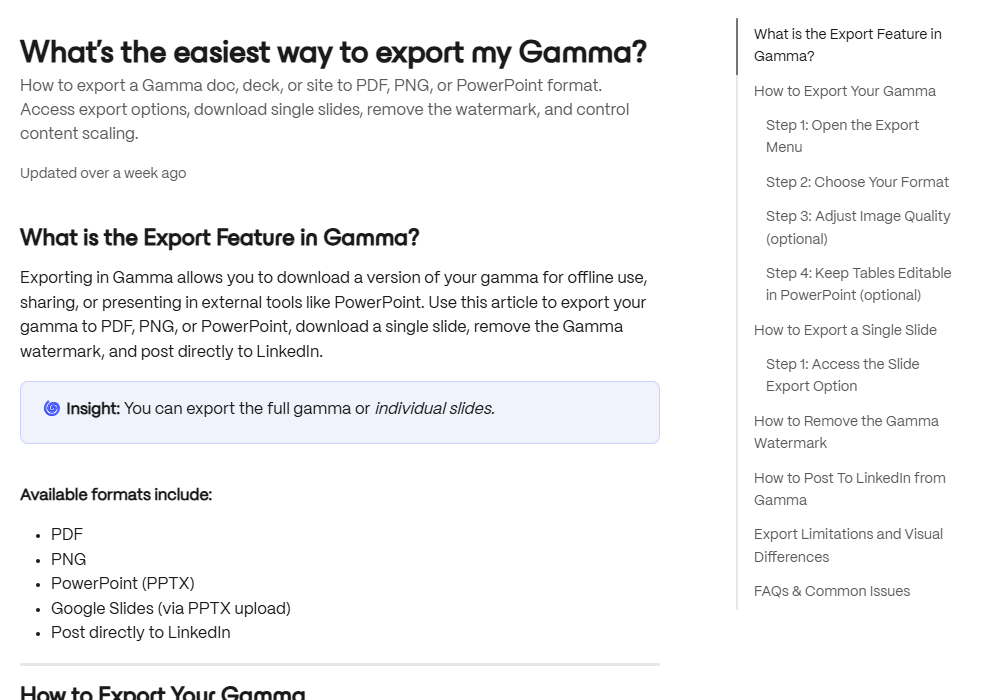
Gamma’s support article is the most specific about limits. It says exports from a Free plan carry a Gamma badge, that workspaces on a paid plan can export without it, and that if you export the whole deck you must choose all cards or only the current one may come out. Speaker notes carry over to PowerPoint and Google Slides, and tables export as editable tables by default. Google Slides ignores fonts embedded in a PPTX and substitutes its own, so text may look different, which Gamma describes as a Google Slides limitation rather than a Gamma fault. Word export is not supported on any plan.
Anthropic’s tutorial favours HTML over PowerPoint for animations, and it does not say whether animations survive the PPTX or PDF exports. If your deck relies on motion, test the exported file, not the preview. Its product page also says you can export reliably to PDF and PowerPoint, and send your work to the apps you already use.
Whichever tool you pick, open the exported file in the software your audience will use before the day. A deck that looks right in the tool and wrong on the venue’s laptop is the most common way these tools let people down.
Which one keeps your brand colours and fonts?
Brand consistency is where a polished first draft most often turns into an off-brand deck. Each tool tackles it differently.
Canva has the longest track record here. A Brand Kit stores a brand’s colours, fonts and logos. On Canva’s plan page, Free lists 1 Brand Kit limited to 3 colours and Pro lists 5, while Business lists 100 Brand Kits with approvals. If you design for several clients or brands, that structure matters more than any AI feature.
Claude Design applies a design system. Anthropic’s tutorial says that if your organisation has set one up, slides automatically use its colours, typography and visual style. Anthropic’s product page adds that Claude checks its output against your design system and corrects it before you see it, and that admins can lock a team to a single approved design system. The tutorial is equally clear on the catch: brand consistency depends on having a design system set up. Anthropic also says migrated design systems are not perfect, so each shows a cleanup banner.
Gamma generates decks in its own visual style. Its support article says slide master layouts come out blank when you export to PowerPoint, which is a flag for anyone who must use a fixed company template. We could not find a statement on the pages we read about how to enforce a set of brand colours and fonts, so test it with your own logo and palette before relying on it.
A simple test settles this in ten minutes. Take your real logo, your real colours and one real slide from your last client deck, and ask each tool to produce the same slide. The one that needs the fewest corrections wins for your business, whatever the feature lists say.
Which one is Best for teams?
For a single person, the question is mostly about speed. For a team it becomes about sharing, control and who can change what.
Canva’s plan page describes a Business plan for individuals and teams, with collaboration and team admin tools, 100 Brand Kits with approvals and twenty times the AI allowance of Free. Pro is listed for individuals. If more than one person edits decks, or someone must approve work before it is published, Business is the plan to compare.
Claude Design has sharing built in. Anthropic’s tutorial lists four levels: Private; anyone in your organisation with the link can view; anyone in your organisation with the link can comment, which is the default; and anyone in your organisation with the link can edit. Several users with access can chat with the agent together. Anthropic’s product page says every artifact gets a link, private by default until you are ready, and that Enterprise admins manage the features in their organisation settings. Because the default allows comments, check the sharing level before you send a deck around.
Gamma’s strength for teams is the shareable result: a deck is a live link as well as a file. We did not find a team feature on the pages we read that we can describe with confidence, so if shared editing and approvals matter, ask Gamma or test it on a plan that includes the feature.
Is it Safe to put client Data in an AI Presentation Tool?
A deck is often the place where client names, figures and plans end up together, so the data question is a real one, not a formality. The honest answer is that it depends on the tool, the plan and the settings, and that you should check all three before the first real deck.
Decide what the deck needs
Names, figures, personal data
Check the plan
Business plans differ from personal ones
Check the settings
AI training and sharing
Check the link
Who can view, comment or edit
Review the output
Before it reaches a client
Three specific points from the sources we read:
- Training on your content. Canva’s privacy policy, which we read for our Canva Pro review, says Canva may use your content to train its AI unless you change the setting in your privacy controls. Set it on purpose.
- Sharing defaults. Claude Design’s default sharing level lets anyone in your organisation with the link comment. That is sensible inside a company and wrong for a deck about a confidential deal.
- Personal data. Under data protection law, including the GDPR, personal data about a client or colleague needs a lawful basis wherever it is processed. A deck seldom needs a person’s details. Keep them out unless it does.
None of this needs a long policy. A half-page note that everyone has read is enough, and it can sit inside a wider AI governance approach. Our guide to what is safe to paste into an AI tool covers the same ground for chat assistants, and the rules carry across. This is also how shadow AI starts: someone tries a deck maker on a personal account because it is quicker, and client material goes with it.
How are the plans Structured?
We leave out prices, as above, but the shape of each plan is worth knowing because it changes how you will actually use the tool.
| Plan question | Canva | Gamma | Claude Design |
|---|---|---|---|
| Is there a Free plan? | Yes, with limited Magic Design uses | Yes, with a badge on PDF and PPTX exports | Yes, per Anthropic’s product page |
| What limits AI use? | A number of AI uses per plan | Credits, according to third-party sources, so check Gamma’s own page | Your Claude plan’s usage limits, with a full deck using more than a normal message |
| What do paid plans add? | Pro: 5 Brand Kits, premium templates and stock, ten times Free’s AI allowance. Business: team tools, 100 Brand Kits, twenty times | Exports without the badge, and the other paid-plan features on Gamma’s plan page | Larger usage limits on higher Claude plans, and admin controls for organisations |
| Where to check today’s price | Canva’s plan page | Gamma’s plan page | Anthropic’s pricing page |
Two cautions. First, the word Free hides different things: in Canva it limits how many AI uses you get, in Gamma it adds a badge to what you export, and in Claude Design it means the product is included but shares your usage limit with everything else you do in Claude. Second, third-party sites quote different figures for Gamma’s plans, so rely only on Gamma’s own page.
Which should you choose?
Start with what your team already uses, then ask the three questions below.
Start with your tools
What does the team already open?
Name the hard part
Layout, brand or speed?
Test on a real deck
Same slides, three tools
Export and open it
In the software your audience uses
Count the corrections
Fewest wins
| If this describes you | Start with |
|---|---|
| You make social graphics and documents in Canva already, and want one place for decks | Canva |
| You must follow a strict brand look across several clients | Canva, or Claude Design with a design system set up |
| You want a first draft in minutes from a document or an idea, and will edit the text | Gamma or Claude Design |
| You already use Claude for writing and analysis, and want the deck in the same conversation | Claude Design |
| You turn spreadsheets or reports into decks | Claude Design, which imports DOCX, PPTX and XLSX files |
| Your deck will be edited in PowerPoint by someone else | Test the export from all three before choosing |
| Client confidentiality is the main concern | Whichever your organisation has reviewed and approved |
The last row matters more than the others. A tool the business has checked is worth more than a better tool nobody has looked at.
How do you test all three in one afternoon?
The best evidence is your own, and it costs one afternoon. Pick a deck you actually made last quarter, one that was a real piece of work, not a demo. Give all three tools the same brief, the same source document and the same brand assets.
Then measure what happened, not how it felt. Write down how long each took to reach a version you would show a colleague. Count the corrections you made: text you rewrote, slides you moved, fonts or colours you fixed. Export each deck to PowerPoint and open it on a different computer. Check the sharing and data settings on each, as covered above. Finally, ask the person who will present it which one they would prefer to stand in front of.
You will probably find that the tool with the best first draft is not the one with the fewest corrections. That is the number to trust.
Our verdict
Canva is the safest choice for a small business that already designs in it and cares about brand control. Gamma is the quickest route from an idea to a shareable deck, provided you are comfortable with its layout and check the export. Claude Design is the most interesting of the three for teams that already work in Claude, because the deck comes out of the same conversation as the thinking, and Anthropic says it is included in every plan.
None of them removes the need for a person to check the deck. They write confidently, they invent figures when a prompt asks for numbers, and they format everything to look finished. Read every slide before a client does. Our guide to checking AI output before it goes to a customer sets out a simple routine.
If your team is still deciding which AI tools to adopt, that choice is exactly what an audit is designed to answer, weighed against how your people actually work. Once a tool is chosen, a core AI course is what turns it into a habit.
Further reading
- Is Canva Pro worth it?: what Canva’s paid plan adds and who should stay on Free.
- Customer data and AI tools: what is safe to paste: a short guide to what stays out of any AI tool.
- How to check AI output before it goes to a customer: the review step that applies to every generated slide.
Sources
- Gamma: what’s the easiest way to export my Gamma?: export formats, the badge on Free exports, blank slide master layouts and the Google Slides font limitation, as read on 15 October 2026.
- Canva: create a presentation with Canva AI: the route from Canva AI to a generated presentation, the outline step, Web Research, plan access and export formats.
- Canva plans and pricing: Brand Kit counts and AI allowances by plan, as read on 14 October 2026.
- Claude Design: plan inclusion, export options, design systems, sharing defaults and the Enterprise rollout date.
- Using Claude Design for presentations and slide decks: how a deck is built and revised, sharing levels and the design system caveat.
FAQ
Questions we get asked
Which is better, Canva or Gamma?
Neither is better in every case. Canva is a general design tool that can also make a deck, so it suits people who want full control of layout and a shared Brand Kit. Gamma is built around generating a deck from a prompt and editing it as a set of cards, so it suits people who want a first draft in minutes and are happy to refine text rather than position objects.
What is Claude Design?
Claude Design is a product from Anthropic Labs, at claude.ai/design, that creates visual work, including slide decks, through conversation. Anthropic's page says it can build a first version on brand, and that decks can be exported to PowerPoint, PDF or HTML, or sent to other apps.
Can Claude make presentations?
Yes. Anthropic's tutorial describes creating a presentation by describing it in plain language, then revising individual slides, adding or removing slides and adding charts. Anthropic's product page says Claude Design and Claude Slides are included in every plan, including the Free plan, and that large requests such as a full deck use more of your usage limit than a normal message.
Can you export a Gamma deck to PowerPoint?
Yes. Gamma's support article lists PDF, PNG and PowerPoint (PPTX) as export formats, and Google Slides by uploading the PPTX. Exports from a Free plan carry a Gamma badge that paid plans can remove. Slide master layouts come out blank, so expect to check the file before presenting it.
Does Canva have an AI Presentation maker?
Yes. Canva's support pages describe starting from Canva AI, choosing Design and then Presentation, writing a prompt, editing the outline and generating the deck. Access to Magic Design is included in Canva Pro, and Free accounts have limited uses. Designs can be shared and exported as JPG, PNG, PDF and PPTX.
Which AI Presentation Tool is Best for keeping brand colours and fonts?
Canva is the most established option, because its Brand Kit stores colours, fonts and logos and Pro lists 5 Brand Kits. Claude Design applies a design system if your organisation has set one up, and Anthropic says brand consistency depends on that setup. Check how each tool handles your own brand with a real deck before you commit.
Is it Safe to put client Information in an AI Presentation Tool?
Only after you have checked the tool's settings and terms for the plan you are on. Canva may use your content to train its AI unless you change the setting, and Claude Design links are shared inside an organisation by default. A client's personal data needs a lawful basis under GDPR wherever it goes, so keep it out of a deck unless the deck truly needs it.
Which AI Presentation Tool is Best for a Small Business?
For most small businesses the best starting point is the tool you already use. If your team lives in Canva, try its AI presentation route first. If you want a fast first draft from a document or an idea, try Gamma or Claude Design on one real deck and compare the editing time, not the first impression.
Ready to Put This to Work?
Tell us where your team is with AI and we will tell you honestly what would make the biggest difference.