Grammarly vs ChatGPT vs Copilot for Business Writing
Grammarly vs ChatGPT vs Copilot for business writing: what each does best, plans, brand tone, data training defaults, and which to pick for a small business.
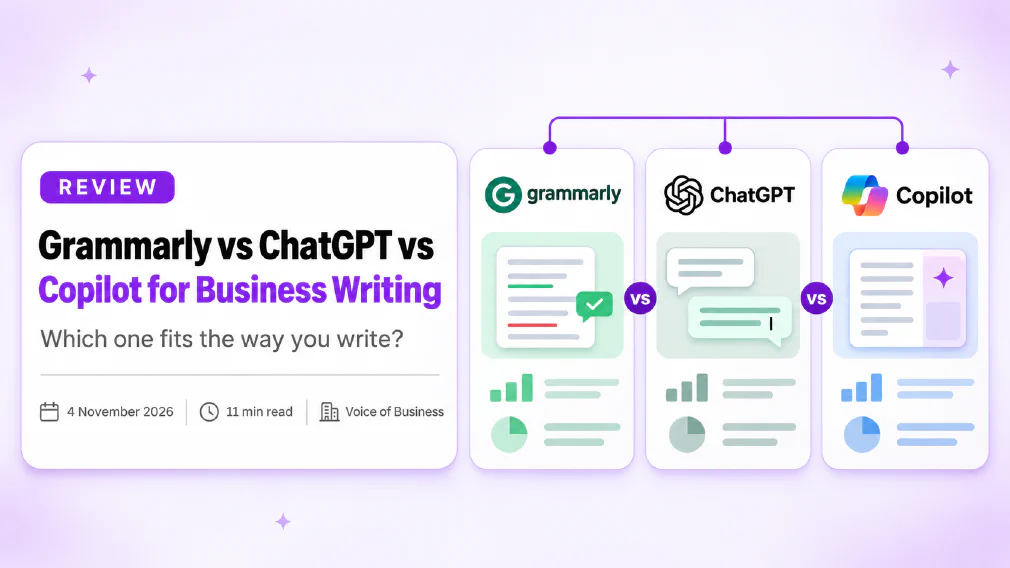
Grammarly, ChatGPT and Copilot are not three versions of the same tool. Grammarly checks and polishes writing you have already done. ChatGPT drafts and reshapes text from a prompt. Copilot does the same inside Microsoft 365 and can use your own files. For business writing, the best choice depends on whether your problem is a blank page, a messy draft or a final check.
This review is based on the vendors’ own pages as we read them on 4 November 2026. We have not run a hands-on test of the three. We have not stated ChatGPT or Copilot prices, because we could not read those pages reliably, and prices change often. Check each vendor’s pricing page before you buy.
Key takeaways
- Grammarly is a checker that works across apps. Its paid plans add full-sentence rewrites, tone adjustment and a saved style guide and brand tone.
- ChatGPT is the most flexible for drafting, restructuring and producing several versions of the same text.
- Copilot works inside Word, Outlook and the rest of Microsoft 365, and can draw on files you have permission to see.
- Data training defaults differ by account type, not just by tool. Check the setting before anyone pastes in client work.
- Grammarly’s plans page lists 100 AI prompts a month on Free and 2,000 on Pro.
- Microsoft says prompts, responses and data accessed through Microsoft Graph are not used to train its foundation models.
- A common split is a chat tool for the draft and Grammarly for the final check.
- Test all three on your own real documents for a week, then decide.
Which Tool is Best for Business Writing?
Start with the job, not the brand. This is how the three usually line up.
You need to check
Fix typos and grammar
Keep tone consistent
Follow a house style
Work in any app
You need to draft
Start from a blank page
Restructure a messy draft
Write several versions
Use your own documents
If you are on the left, Grammarly is the natural fit. If you are on the right, ChatGPT or Copilot is. Copilot wins on the last point if your documents already live in Microsoft 365. Most teams have a bit of both, which is why the answer is often a pair rather than one tool.
What does each Tool actually do?
Grammarly. A writing assistant that sits in your browser, desktop and apps and checks text as you type. Its plans page lists mistake correction and tone viewing on Free. Pro adds tone adjustment, full-sentence rewrites, inclusive language, citation consistency and AI-generated text detection. It also lists accidental plagiarism detection.
ChatGPT. A general chat assistant. You give it a prompt, a draft or a pile of notes, and it writes, rewrites, shortens or restructures. It is not tied to any one app, so you move text in and out yourself. Our glossary entry on ChatGPT covers the basics.
Copilot. Microsoft’s assistant, built into Word, Outlook, PowerPoint and the rest. Microsoft’s privacy documentation says it combines a language model with content in Microsoft Graph, such as emails, chats and documents you have permission to access, and the apps you already use. Our entry on Microsoft 365 Copilot explains where it sits.
How do the three compare on Features and price?
This table sets out the differences that matter most to a small business.
| Grammarly | ChatGPT | Copilot | |
|---|---|---|---|
| Main job | Check and polish writing | Draft and reshape text | Draft and reshape inside Microsoft 365 |
| Works in | Browser, desktop and apps | Its own chat window | Word, Outlook and other Microsoft 365 apps |
| Uses your own files | Not its purpose | By upload | Content in Microsoft Graph you can access |
| Brand tone and style | Listed on paid plans | By instruction in the prompt | By instruction and templates |
| Price | Free, then Pro (shown as €12 on the page we read) | Check the vendor’s page | Check the vendor’s page |
On Grammarly’s plans page, Free lists mistake correction and tone viewing. Pro lists tone adjustment, full-sentence rewrites and one style guide and brand tone, plus team analytics. Enterprise lists unlimited style guides and brand tones, SAML single sign-on and extra security controls. The page does not say whether the Pro price is monthly or annual, so confirm that before comparing it with anything else.
Which Tool is better for editing and tone?
Grammarly, in most cases. Its whole design is to look at what you have written and flag what to change, in the place where you are writing. You do not copy text out and back in, which matters when people are busy.
ChatGPT and Copilot can do the same job on request. Paste in a paragraph and ask for a plainer, warmer or shorter version. The difference is effort and consistency. With a checker the suggestions are there while you type. With a chat tool someone has to remember to ask, and to ask the same way each time.
For tone, Grammarly’s paid plans list a saved brand tone and style guide. With ChatGPT or Copilot you get the same effect only by putting your tone rules into the prompt, or into saved instructions, and keeping them up to date. Our guide to briefing an AI tool like a new hire shows how to write those instructions so they hold.
Which Tool is better for drafting?
ChatGPT or Copilot. A checker improves what is on the page, and it cannot write the first version of a proposal, a policy or a customer email for you. A chat assistant can.
A reasonable rule: use ChatGPT when the draft needs thinking and structure, and the content is not sensitive. Use Copilot when the draft depends on your own documents or emails. Our review of ChatGPT vs Copilot for business covers that choice in detail, and Claude vs ChatGPT for business covers the other leading assistant.
Whichever you choose, the quality of the draft depends on the quality of the prompt. Give it the audience, the purpose, the length and an example of writing you like. If you want marketing copy in particular, see our guide to AI for marketing.
Which Tool is better for working with your own Documents?
Copilot, if your documents are in Microsoft 365. Microsoft’s documentation says Copilot only surfaces organisational data to which each person has at least view permission, using the permission model you already have. That is a strength and a risk at once. If your SharePoint permissions are loose, Copilot can surface things you did not mean to share.
ChatGPT works on files you upload or connect, so you decide what goes in each time. Grammarly is not designed to read your document library. It reads the text you are writing.
One practical point from Microsoft’s page: if an organisation turns off connected experiences that analyse content, Copilot features will not be available in Word and the other listed apps. Ask your IT lead whether that setting is on before you buy licences.
Is it Safe to use them with client Data?
The honest answer is that it depends on the account, not only the tool. This is what each vendor’s own pages said when we read them.
| Default for training on your content | What to check | |
|---|---|---|
| Grammarly | On for individual users. Starts on for team accounts bought on its website, with an admin able to opt the organisation out. Off for Enterprise and sales-purchased accounts. | Which account type you have and the Product Improvement and Training setting |
| ChatGPT | OpenAI’s help centre says Business workspace data is excluded from training by default | That your team uses the Business workspace and not personal accounts |
| Copilot | Microsoft says prompts, responses and data accessed through Microsoft Graph are not used to train foundation models | Retention, permissions and your admin’s settings |
Three things to do whatever you choose.
- Pick the account type on purpose. A personal login and a company workspace can have different defaults for the same product.
- Keep personal data out unless you have a lawful basis. Our entry on data protection covers the basics, and our guide on what is safe to paste into AI tools gives a practical list.
- Know who is using what. Staff who paste work into personal accounts are the more common risk. See our entry on shadow AI.
Microsoft’s page adds that it stores users’ prompts and Copilot’s responses as activity history, that admins can manage it through Microsoft Purview, and that users can delete their own history. It also says models from Anthropic are currently excluded from the EU Data Boundary. If you are in the EU and that matters to you, read that section of the page.
Banning the tools rarely works. Our piece on why banning AI tools at work does not work explains why a clear rule beats a ban, and our guide to writing an AI use policy for your team shows how to set one.
Which one should a Small Business choose?
Match the tool to where your writing happens and who needs it.
| If this describes you | Start with |
|---|---|
| Your team writes in many different apps and needs consistent tone | Grammarly |
| You need first drafts, rewrites and ideas | ChatGPT |
| Your documents and email already live in Microsoft 365 | Copilot |
| You write a lot and also need a final polish | A chat tool for the draft and Grammarly for the check |
If you already pay for Microsoft 365, find out what Copilot Chat gives you before buying anything. Our review of Copilot Chat vs Microsoft 365 Copilot explains the difference.
Whatever you choose, someone has to read the result. Writing tools can make confident mistakes, including invented facts and quotes. Our guide to checking AI output before it goes to a customer is the minimum routine, and our entry on hallucination explains why it happens. Keeping a person in the loop is the point of human-in-the-loop working.
How do you test them in one week?
The best evidence is your own writing. Use real documents, not demos.
Pick five real tasks
Email, proposal, report, post, reply
Run each in all three
Same input every time
Mark the edits
Count what you had to fix
Check the settings
Training and sharing
Decide
Before you pay again
Give each tool the same five jobs and count how many edits you had to make by hand. Write down how long each took and anything you wanted and could not find. Then check the data settings on every account you used. Our guide to whether your AI tool is actually saving time gives a simple way to measure it.
When is each Tool the wrong choice?
Grammarly is the wrong choice if your real problem is a blank page, because a checker cannot write the first version. It is also the wrong choice on the Free plan if you need a saved brand tone, since the page lists none there.
ChatGPT is the wrong choice if people will use personal accounts for client work with no rules, because the defaults differ from the Business workspace.
Copilot is the wrong choice if your documents are not in Microsoft 365, or if your permissions are untidy. Tidy those first, or Copilot may show people more than you intended.
Our verdict
There is no single winner, because the three tools do different jobs. Grammarly is the best fit for checking and keeping tone consistent across apps. ChatGPT is the best fit for drafting and reshaping text. Copilot is the best fit if your writing and your files already live in Microsoft 365.
For most small businesses, the practical answer is a pair: Copilot or ChatGPT for the draft, and Grammarly for the final check if consistent tone matters. Before you pay, open the data settings on each account and decide on purpose what may be pasted in. Judge the tools by how many edits you make by hand on your own work, not by the length of the feature list.
Further reading
- ChatGPT vs Copilot for business: how the two assistants compare for a team.
- Copilot Chat vs Microsoft 365 Copilot: what you get without the paid licence.
- Claude vs ChatGPT for business: the other leading assistant.
- How to brief an AI tool like a new hire: instructions that keep your tone steady.
- What is safe to paste into AI tools: a practical list for client work.
- How to check AI output before it goes to a customer: the review step for every tool.
Sources
- Grammarly plans: the Free, Pro and Enterprise plans, with prompt allowances, style guides, brand tones and security features, as read on 4 November 2026.
- Product Improvement and Training Control: the default training setting for individual, team and Enterprise accounts, and who can change it.
- Data, Privacy, and Security for Microsoft Copilot: how Copilot uses Microsoft Graph data, what it stores, and that prompts and responses are not used to train foundation models.
- Managing data, sharing, and privacy in ChatGPT Business: the statement that Business workspace data is excluded from training by default.
FAQ
Questions we get asked
Is Grammarly better than ChatGPT for Business Writing?
They do different jobs. Grammarly is built to check and polish text you have already written, in whatever app you are typing in. ChatGPT is better at starting from nothing, restructuring a messy draft or writing in several versions. If your problem is typos, tone and consistency, Grammarly fits. If your problem is a blank page, ChatGPT fits.
Can ChatGPT replace Grammarly?
For many people, yes, if you are happy to paste text into a chat and ask for a check. What you lose is the always-on checking inside your email, browser and documents, and the saved style guide and brand tone that Grammarly's paid plans list. If you only edit a few documents a week, ChatGPT may be enough.
Does Copilot in Word replace Grammarly?
Not exactly. Copilot in Word is for drafting, rewriting and summarising inside a document, using your own files if you allow it. Grammarly is a checker that follows you across apps. Copilot also needs a Microsoft 365 Copilot licence, so the question is whether you want to pay for that anyway.
Does Grammarly use your Data to train its AI?
It depends on the account. Grammarly's support page says Product Improvement and Training is on by default for individual users, starts on for team accounts bought through its website, and is off by default for Enterprise and sales-purchased accounts. An admin can opt a whole team out. Check the setting before anyone pastes in client work.
Is it Safe to paste client text into ChatGPT, Grammarly or Copilot?
Only after you have checked the account type and its settings. OpenAI's help centre says ChatGPT Business workspace data is excluded from training by default, and Microsoft says prompts, responses and data accessed through Microsoft Graph are not used to train its foundation models. Free and personal accounts follow different rules, so keep client personal data out of them.
Which is Best for a Small Business that already uses Microsoft 365?
Look at Copilot first, because it works inside Word and Outlook on the files your team already has. Add Grammarly if people write in many different apps, or if you want a saved brand tone and style guide. Keep ChatGPT for drafting tasks that do not need your own documents.
Can Grammarly keep a consistent brand tone?
Grammarly's plans page lists one style guide and one brand tone on Pro and unlimited style guides and brand tones on Enterprise. Free lists neither. If a consistent house style matters to you, that is a reason to look at a paid plan, then test how well it follows your own examples.
Should you use more than one of these Tools?
Often yes, as long as each has a clear job. A common split is ChatGPT or Copilot for the first draft and Grammarly for the final check. The risk is not cost. It is text moving between three tools with three different data settings, so write down which tool is allowed for which kind of content.
Ready to Put This to Work?
Tell us where your team is with AI and we will tell you honestly what would make the biggest difference.