How to use AI for Employee Onboarding
How to use AI for employee onboarding: welcome packs, checklists, a 30-60-90 day plan, and what to keep human and safe under GDPR.
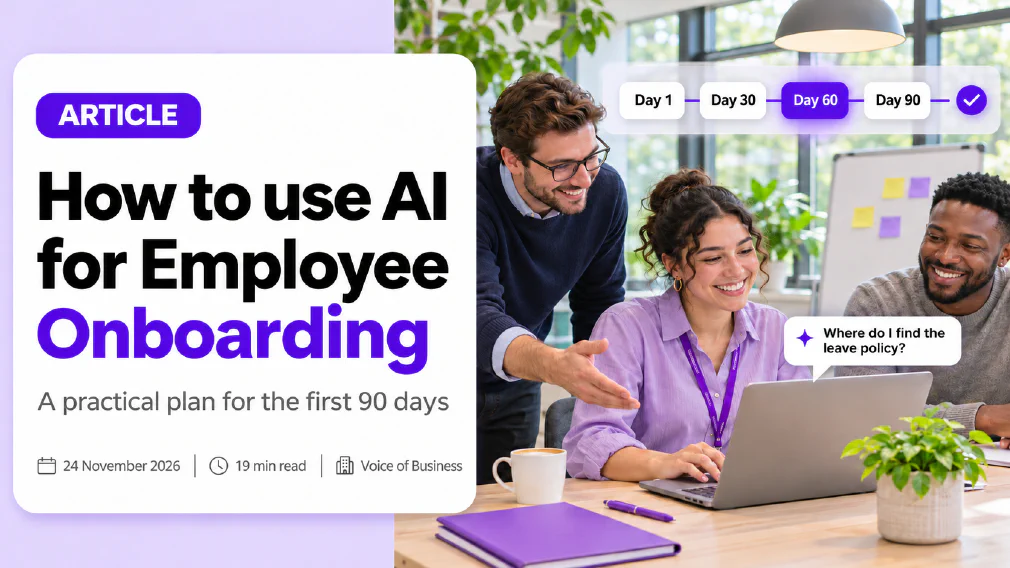
The best use of AI in onboarding is to prepare and remind, not to replace the people a new hire needs to meet. Used that way it removes the repeated admin that makes a first week feel chaotic: the welcome pack that is out of date, the checklist someone forgot to send and the same ten questions asked of the same busy manager.
This article explains how to use AI for employee onboarding in a small business. It covers what AI can do, how to build a welcome pack and a role-specific checklist, how to turn your own documents into an assistant that answers new starters’ questions, a 30-60-90 day plan, what must stay human, and the data protection and EU rules to settle before you start.
Key takeaways
- AI is strongest at the preparation and reminder work in onboarding: welcome packs, checklists, schedules and answers to routine questions from your own documents.
- Gallup found that only 12% of employees strongly agree their organisation does a great job of onboarding, so a small business with a clear, repeatable plan is not competing against a high bar.
- The first conversation, feedback, and anything about pay, contracts or performance must stay with a person.
- Keep personal data, contracts and performance notes out of general-purpose AI tools, and tell new starters which tasks AI supports.
- Onboarding is the natural moment to teach AI literacy, which the EU AI Act expects of organisations that use AI.
- Start with one role and one task, run it for a month and check what the new starter says before you extend it.
What is AI onboarding?
AI onboarding means two different things, and a small business usually needs both. The first is using AI to run the onboarding of any new employee: preparing materials, tracking tasks and answering routine questions. The second is onboarding people to the AI tools your business uses, so that each new starter knows what they may do with them, what they must never paste into them and who to ask when something looks wrong.
Most articles on the subject cover only the first meaning, which is a mistake. If you introduce AI into onboarding but never tell a new hire your rules for using it, you have created a quiet risk on their first day. The plan below treats both as one process, because a new colleague who learns your way of working with AI from the start is far easier to manage than one who works it out alone.
It is also worth being clear about what AI is in this context. A language model is good at drafting, summarising and rewording text, and at answering questions from documents you give it. It is not a source of facts about your business unless you provide them, and it can produce a confident answer that is wrong. That limit shapes every recommendation here.
Why does employee onboarding go wrong in Small Businesses?
Onboarding goes wrong in small businesses for a simple reason: nobody’s job is to do it, so it happens in the gaps between other work. The manager is busy, the person who set up the last hire has left, and the process lives in someone’s head. The new starter spends the first week asking where things are.
The wider picture is not much better. Gallup reports that only 12% of employees strongly agree that their organisation does a great job of onboarding new employees. That is a survey of employees in general, not only small firms, but it shows how low the bar is. A basic, consistent process is already an advantage.
There are three typical failures. The first is information that is scattered: a welcome email, a folder, a shared drive and a chat thread, none of which agree. The second is dependence on one person who knows how everything works, which is a knowledge retention problem as much as an onboarding one. The third is a plan that exists for the first day and then stops, so the new hire is on their own by week two.
AI does not fix a missing process. It can, however, make a good one cheaper to run, and it can expose the gaps, because the first time you ask an assistant a basic question and find that no document answers it, you have found something to write down.
What can AI do in the onboarding Process?
AI can support six jobs in onboarding without taking over any of them.
Drafting. It can write the welcome email, the first-week schedule, the introduction to the team and the role description in plain language. You still check names, dates and tone.
Checklists. Give it a job description and the tools the person will use, and it can produce a role-specific list of tasks before day one, during week one and by day thirty.
Answering routine questions. Connected to your handbook and policies, an assistant can answer questions such as how to book leave, where to find a template or who approves an expense. This is the highest-value use for a small team, and it is covered below.
Summarising. It can turn a long policy, a product manual or a recorded training session into a one-page summary for a new hire to read first.
Reminding. It can draft the check-in messages for managers and the reminders that tasks are due, so nothing waits on someone’s memory. Scheduling itself is normally done by your calendar or task tool, with AI preparing the content.
Practising. It can role-play a customer call or an awkward conversation so a new starter can rehearse before doing it for real.
All of these are tasks, not decisions. If you want a test for where the line sits, the article on the difference between automating a task and automating a decision is worth reading before you add anything to the list.
How do you build an onboarding welcome pack with AI?
A welcome pack is the best first project because it is low risk, quick to check and visible to the new hire. Build it in four steps.
Step 1: collect what already exists. Gather the handbook, the org chart, the list of tools and logins, the team’s working hours, the office or remote arrangements and any one-page guides. Do not worry that it is messy.
Step 2: write a brief for the AI. Tell it who the pack is for, the role, the tone you want and what to leave out. This is the same skill as learning to brief an AI tool like a new hire: the more context you give it, the less it invents.
Step 3: ask for a draft in sections. Request a welcome message, a first-week schedule, a who’s-who with the reason to contact each person, a glossary of your internal terms, and a list of the ten questions a new person usually asks. Reviewing five short sections is easier than one long document.
Step 4: correct it and keep the corrected version. Have a manager check every date, name and instruction. Then save the final pack and your brief as templates, so the next hire starts from a version already tested.
Keep one rule firm throughout: do not put anyone’s personal details, salary or contract terms into the prompt. A welcome pack needs the role and the process, not the person’s file. If you are unsure what counts as safe, the guide on what is safe to paste sets out the line.
How do you turn your Documents into an onboarding Assistant?
An onboarding assistant is an AI tool that answers questions only from your own approved documents. Technically it is built on retrieval-augmented generation, which means the tool finds the relevant passage in your files and writes its answer from that, instead of relying on what it learned in training. In practice you can build a basic version with a custom GPT or the equivalent feature in the tools you already use, with no code.
The decisions that matter are not technical.
Choose the documents carefully. Include the handbook, the leave and expenses policies, the how-to guides and the glossary of internal terms. Exclude contracts, salary information, performance reviews and anything about named individuals. Sorting your files by sensitivity, the idea behind data classification, is what makes this safe.
Write the instructions. Tell the assistant to answer only from the documents provided, to say so when the answer is not there, to give the name of the document it used, and to send the person to a named colleague for anything about pay, contracts, health or conduct.
Test it before anyone relies on it. Write thirty questions a new hire would really ask, plus ten it should refuse, and run them all. Note every wrong or invented answer. The risk to watch is a hallucination: a fluent, confident answer that is not in your documents. If it happens often, tighten the instructions or reduce the document set.
Date and own every document. An assistant quotes whatever it is given, including a policy from three years ago. Give each document an owner and a review date, and remove the ones nobody maintains.
This is a small AI agent in the loosest sense, or at least a close relative: it takes a question, finds the right source and answers. Keep it that simple at first. An assistant that answers questions is easy to check. One that also books meetings, sends messages or changes records needs much more care.
How do you create an onboarding Checklist with AI?
A good onboarding checklist is specific to the role and has an owner for every line. AI is excellent at the first draft and poor at knowing what your business actually does, so give it the facts.
Paste in the job description and add the tools the person will use, the people they will work with most, the first project they will take on and what a successful first month looks like. Ask for a checklist grouped by the days before the start date, the first day, the first week and the first month. Then ask it to mark each task as one for the new hire, the manager, IT or HR.
Review it for three things. First, generic steps that do not apply to you, such as a training module you do not have. Second, missing steps that only someone who has done the job would know, such as the quirky access request or the customer you must call in week one. Third, tasks with no owner, which will not get done.
When the checklist is right, save it as a template for that role. Next time, ask the AI to update it from the template and a short note about what changed. A set of role templates is also a record of how your business really works, which is useful well beyond onboarding. A shared prompt library is the place to keep the prompts that produce them.
What does a 30-60-90 day onboarding plan look like with AI?
A 30-60-90 day plan gives the new hire three clear targets and gives the manager three moments to check in. AI can draft it from the role and the goals you give it. The structure below works for most office-based roles.
| Period | Goal for the new hire | What AI can prepare | What stays with a person |
|---|---|---|---|
| Before day one | Feel expected and know where to be | Welcome message, first-day schedule, access checklist | The manager’s call or message |
| Days 1 to 30 | Learn the business, tools and people | Summaries of key documents, assistant for routine questions, weekly recap | Introductions, shadowing, weekly one-to-one |
| Days 31 to 60 | Take on real tasks with support | Practice scenarios, task briefs, drafts to improve | Feedback on real work, coaching |
| Days 61 to 90 | Work independently and own a result | Draft of the 90-day review, summary of progress notes | The review conversation, goals for the next quarter |
Make each period end with a short conversation, not a form. Ask three questions: what has gone well, what has been confusing, and what would make the next month easier. Take notes yourself. Once the conversation is over you can ask AI to turn the notes into a tidy summary, but do not record or transcribe it without telling the person first.
The purpose of a plan is that the manager reads it. If the AI produces four pages for each period, cut it down to one. A shorter plan that is used beats a perfect one that is not.
How do you onboard employees to your AI Tools?
This is the second meaning of AI onboarding, and it is where most small businesses are weakest. A new hire should leave their first week knowing four things: which AI tools they may use, what they must never put into them, how to check what comes out, and who to ask.
Cover them in a short session, ideally in the first week and before the person starts work with customer or financial data. A workable agenda is:
- The approved tools. Show the list, what each is for and how to get access. Keeping a current AI tool inventory makes this easy.
- The rules. Walk through your AI use policy in plain language, with real examples of what is allowed and what is not.
- The checking habit. Show how to check AI output before using it, with one real example where the AI got something wrong.
- The escalation route. Name the person to tell if something goes wrong, such as pasting the wrong document. Make it clear that reporting quickly is expected and nobody will be blamed.
Then give the person two or three prompts from your library that match their role, so their first experience of AI at work is the approved way of doing it. This ties into wider efforts to train your team to use AI, and it is the cheapest point at which to do so, because the new starter has no habits to unlearn.
If you want a structured version, set courses cover the basics for individuals and groups, and bespoke training builds the session around your own documents and rules.
What should stay Human in onboarding?
Several parts of onboarding should stay with people, and saying so out loud is part of using AI well. The test is simple: if the moment is about trust, judgement or a person’s circumstances, a person should handle it.
The first conversation. A welcome from the manager, not a generated message sent in their name without a word of their own.
Introductions and belonging. Whether someone feels part of the team comes from lunch, a coffee and a manager who remembers their name. AI cannot supply it.
Feedback. Praise and correction on real work need a person who understands the context and can see how the other person reacts.
Pay, contracts, health and conduct. These are questions for HR or the manager. Your assistant should be told to refuse them and name the right contact.
Decisions about the person. Whether a probation period is passed, whether someone is struggling and what happens next are judgements. Apply human in the loop thinking here: AI may prepare notes, but a named person decides and is accountable.
If the same discipline applies in recruiting, it is worth reading the guide to the best AI for recruiting, where the risks of automated screening are covered in more detail. The same people team will often own both, and the same principles apply: AI can prepare the ground, and people make the calls. For anyone who runs onboarding day to day, the content of AI training for HR teams is a good guide to what they need to know.
Is it Safe to use AI with employee Data?
Onboarding involves more personal data than almost any other business process: identity documents, bank details, addresses, emergency contacts, contracts and sometimes health information. Treat this as the main risk area of the whole project.
The GDPR applies to employee data just as it does to customer data. You need a lawful basis for each use, you must tell people how their data is used, and you must not use it for unrelated purposes. Regulators also note that consent is hard to rely on in an employment relationship, because the person cannot easily refuse. Article 35 requires a data protection impact assessment where processing is likely to result in a high risk to people, and Article 88 allows member states to add their own rules for the employment context, which in some countries includes consulting a works council. Check your national rules.
For a small business the practical position is straightforward.
- Keep personal data out of general-purpose tools. Use AI on the process, the role and the documents, not on the person’s file.
- Use approved business tools for anything that has to touch personal data, with a data processing agreement and training on your inputs switched off.
- Tell new starters what you use. A sentence in the welcome pack saying which tasks AI supports and who is responsible is enough for most uses.
- Never use AI to score or judge the person. Rating a new hire’s tone, sentiment or likely performance from their messages or calls is the kind of monitoring that causes harm and may be unlawful.
If you are unsure, follow the principle in the guide to what is safe to paste: when in doubt, leave the personal detail out.
Does the EU AI Act require AI Training for employees?
The EU AI Act does not name onboarding, but it does ask organisations that use AI to make sure their staff understand it. Article 4 requires providers and deployers to take measures to ensure a sufficient level of AI literacy among their staff and others using AI systems on their behalf. The European Commission’s questions and answers on the point say there is no single required format and no certification, but that organisations should be able to show what they have done and that training should fit the role and the tools in use. Overall the EU AI Act asks for proportionate effort, not a large programme.
For a small business, onboarding is the easiest place to meet that expectation. Record that each new starter received a short briefing on your approved tools and rules, keep the date, and refresh it when the tools change. A one-page note that says who was briefed, when and on what is a reasonable record. It is also good practice whether or not a regulator ever asks, because AI literacy is what stops people pasting the wrong thing into the wrong tool.
Two other parts of the Act matter for onboarding. Some AI used for employment decisions, such as recruitment, task allocation and performance monitoring, is classed as high risk and carries stricter duties. And the Act prohibits systems that infer emotions in the workplace, with narrow exceptions. A tool that drafts a welcome pack is nowhere near either line. A tool that rates a new hire’s engagement from their video calls is. If you are unsure which side a tool falls on, an AI audit is a way to find out before you rely on it.
What mistakes should you avoid when using AI for onboarding?
Most of the mistakes are the same ones that appear whenever a business adds AI to a process without deciding who owns it.
Automating a poor process. If the onboarding is confusing without AI, it will be confusing and faster with it. Fix the content first.
Letting the documents go stale. The assistant is only as good as what it reads. Without an owner for each document, it will quote an old policy with total confidence.
Skipping the test. Thirty real questions take an hour and find the problems your new hire would otherwise find on day three.
Sending generated messages as if they were personal. New starters notice when the welcome note reads like a template. Add a line that only you could write.
Putting personal data into the wrong tool. The convenient shortcut of pasting a contract into a chat to summarise it is the most likely way for onboarding to cause a data breach.
Forgetting to say that AI is being used. People accept AI support far more readily when they are told at the start, and mind it when they find out later.
Doing everything at once. A business that tries welcome packs, an assistant, checklists, reviews and scheduling in one go cannot tell which part is working. A 30-day AI pilot with one role and one task is a safer way to begin.
How do you know if AI onboarding is working?
Judge it on the new hire’s experience and the manager’s time, not on how impressive the tool is. Pick a few measures before you start, so you can compare.
- Time to first useful task. How many days until the person completes real work on their own?
- Questions to the manager. Did the number of routine questions in the first month fall?
- The new hire’s own view. Ask at thirty days: did you know what to do each week, and could you find answers?
- Accuracy of the assistant. What proportion of its answers did a person have to correct?
- Manager time. Did the manager spend less time on admin and more on conversation?
Keep the sample honest. One hire is an anecdote, so look again after three before drawing a conclusion. The same discipline applies to any training investment, and the guide to the return on AI training covers how to set the baseline before you start.
It is also worth knowing where you stand against other businesses. Eurostat reports that 20.0% of EU enterprises with ten or more employees used AI technologies in 2025, up from 13.5% in 2024. Most businesses are still early, which means a careful, documented onboarding approach is a real advantage with hires who already use AI at home and expect to use it at work.
What should you do first?
Start small this week. Choose one role you expect to hire for, or one you hired recently. Collect the documents a new person in that role needs, and decide which are safe to share with an AI tool. Ask AI to draft a welcome message and a 30-60-90 day plan, then correct it with the manager. Write the rules for your AI tools on one page, and add it to the pack.
Run it with the next hire and ask them what worked at thirty days. Then decide whether to build the assistant, extend it to other roles or stop. If you want a second pair of eyes on the data and tool decisions before you begin, our team can run an AI audit of the tools and documents involved.
Sources
- Gallup, onboarding and employee retention: Gallup finds that only 12% of employees strongly agree that their organisation does a great job onboarding new employees.
- European Commission, “AI literacy: questions and answers”: the Commission explains the Article 4 duty on providers and deployers to ensure AI literacy among staff, including that no certification is required and measures should fit the role.
- Eurostat, “AI adoption among EU enterprises surges in 2025”: the EU statistics office reports that 20.0% of enterprises with ten or more employees used AI technologies in 2025, up from 13.5% in 2024.
- Regulation (EU) 2016/679, the General Data Protection Regulation: the legal text, including Article 35 on data protection impact assessments and Article 88 on processing in the employment context.
- Regulation (EU) 2024/1689, the EU AI Act: the legal text, including Article 4 on AI literacy, the ban on emotion recognition in the workplace, and the high-risk uses listed for employment.
FAQ
Questions we get asked
Can AI replace HR in onboarding?
No. AI can draft the welcome pack, the checklist and the answers to routine questions, which removes a lot of repeated admin. It cannot build trust with a new colleague, notice that someone is struggling or make a decision about pay, contracts or performance. Treat AI as the part of onboarding that prepares and reminds, and keep the conversations with people.
What is the Best AI Tool for employee onboarding?
For most small businesses the best starting point is the AI assistant the team already uses, set up with a clear brief and your own onboarding documents, not a separate onboarding platform. A dedicated platform makes sense once you hire often enough that the tracking and reminders justify another system. Decide the tasks first, then choose the tool that fits them and your data protection needs.
How long should an onboarding plan be?
A 30-60-90 day plan is the common shape because it covers the first week, the point where a hire starts working alone and the point where they are fully productive. For a simple role, thirty days with a review at the end is enough. For a senior or technical role, keep the ninety days and check in weekly. The plan should be short enough that the manager actually reads it.
Do I need to tell employees I use AI in onboarding?
Yes, as a matter of good practice and, where AI touches their personal data, as a matter of law. The GDPR requires you to tell people how their personal data is used. Say plainly which tasks AI supports, such as drafting the welcome pack or answering policy questions, and that a named person is responsible for the result. Being open at the start also builds trust.
Is it Safe to put employee Data into an AI Tool?
It depends on the tool, the data and your settings. Keep contracts, pay, health, performance notes and identity documents out of any general-purpose AI tool. Use approved tools with business terms and a data processing agreement for anything that must involve personal data, and check whether the provider trains on your inputs. When in doubt, leave the personal detail out of the prompt.
Can AI write an onboarding Checklist for a Specific role?
Yes, and this is one of its best uses. Give it the job description, the tools the person will use, who they will work with and what good looks like at thirty days, and it will draft a role-specific checklist in a few minutes. A manager who knows the role should then correct it, because AI will include generic steps that do not apply in your business.
How do I onboard a remote employee with AI?
Remote hires miss the informal learning that happens in an office, so use AI to replace some of it. Set up an assistant that answers questions from your documents, schedule short check-ins on a calendar and write a weekly summary of what the person has learned and what is still open. Keep a video call with the manager in the first week, because AI cannot replace a face.
Does the EU AI Act affect how I onboard employees?
Yes, in two ways. Article 4 expects organisations that use AI to make sure their staff have a sufficient level of AI literacy, so onboarding is a sensible place to start. The Act also treats some AI used in employment decisions as high risk and bans emotion recognition in the workplace in most cases. An onboarding assistant that answers policy questions is a low-risk use, but scoring or monitoring people is a different matter.
How do I stop an onboarding Assistant giving wrong Answers?
Restrict it to your own approved documents, tell it to say when it does not know and test it with real questions before anyone relies on it. Put a review date on every document it uses, so out-of-date policies are removed rather than quoted. Give new starters a named person to ask when the assistant is unsure or the answer sounds odd.
Ready to Put This to Work?
Tell us where your team is with AI and we will tell you honestly what would make the biggest difference.