
AI Agent
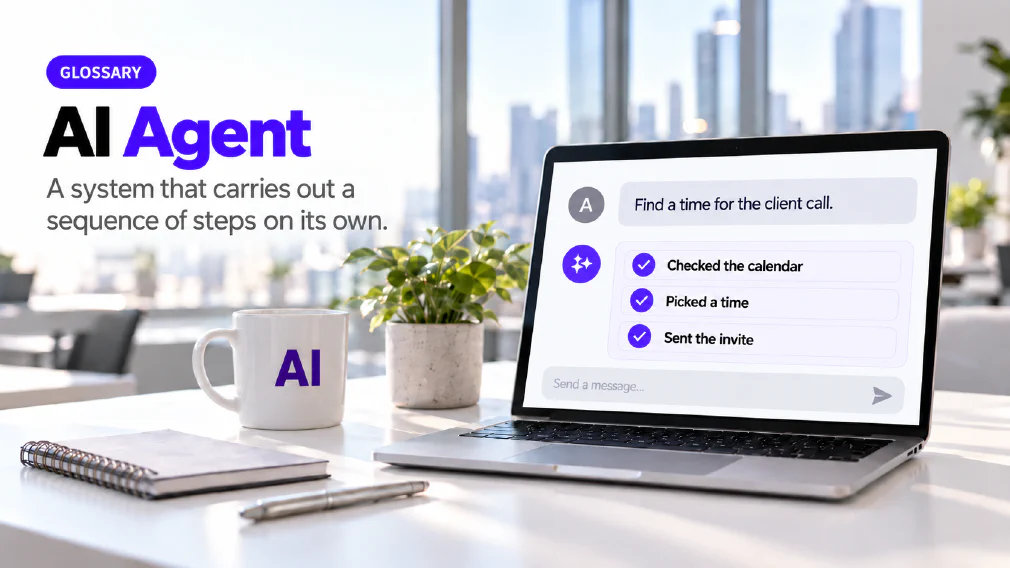
A system built to carry out a sequence of steps on its own, calling tools and making decisions along the way, rather than producing a single response to a single prompt. Whether a workflow needs to be an agent, or something simpler, is a question the identify and test steps of an audit answer.
What an AI Agent is
An AI agent is a system built to carry out a sequence of steps on its own, calling tools and making decisions along the way, instead of producing one response to one prompt. A chatbot answers and waits. An agent takes an instruction, works out the steps, uses what it has been given access to and keeps going until the job is done or it needs a person.
It relies on a large language model, but it is not the same thing. The model answers one prompt at a time and stops. An agent uses the model as one part of a system that can take several steps and act on other tools with less oversight at each one. Every agent has a language model underneath it, and a language model on its own does not plan, act on a calendar or send an email.
How it differs from a Chatbot
A chatbot is a tool you hold a conversation with, answering one prompt at a time. On this site any chatbot rests on three pillars: instructions, a knowledge base and tools. An agent has all three too, so the difference is not the parts. It is that an agent carries out a sequence of steps by itself.
That is why the catalogue teaches the move in stages. The Mistral Le Chat workshop is built around the step from chatbot to personalised AI agents, with sessions on the difference between the two and on when agents are useful. Most people meet an agent as a chatbot that has been given a job, a source and a way to act.
What an Agent is made of
The workshops teach the anatomy of an agent as a short list. The prompting workshop gives it as role, purpose, main task and target user. The Mistral workshop breaks it into role and goal, rules, source handling and output format, with limitations and testing at the end. The same pieces recur under different names.
The instructions are a prompt that the agent holds permanently, so the person using it does not have to write the brief each time. The knowledge is the material it answers from, which is grounding in practice. A fixed knowledge base answers from what it was given. A live database the agent can read and write gives it memory, which a fixed knowledge base does not have.
The tools are what let it act. A connector is what turns a text assistant into one that can reach something outside the chat, and the personalisation session shows the difference with a calendar administrator, a tool-based agent with a live calendar connection. In Copilot Studio the same idea appears as tools and flows, Power Automate, MCP servers, connections and user authentication. The Mistral workshop covers what APIs do, what MCP means and why connectors matter for advanced workflows.
Kinds of Agent, by what they do
The personalisation session sorts the ways an agent can support work: text support, knowledge, simulations, decisions and tools. The use cases across the courses fall into those groups.
Text support agents improve writing. Examples include the prompting agent that rewrites your message into a stronger prompt, the business communication coach and the document summariser. Knowledge agents answer from documents, such as the HR policy assistant grounded in the staff handbook or a regulation assistant grounded in the actual regulation. Simulator agents take a persona so you can practise against them.
Decision-support agents include expense categorisation, the tender review agent and the personal data spotter. The tender review agent is a structured evaluation assistant working against published criteria, and the course marks where the judgement must stay with a person. Tool-based agents act on something live, such as the calendar administrator or a database agent that builds reports.
A worked example
Take the HR policy assistant, which appears in several courses. Its role is to answer staff questions about leave and policy. Its knowledge is the staff handbook, so it answers from that document and not from general patterns about what leave policies usually say. Its instructions tell it what to do when the handbook is silent, using the fallback that the prompting workshop teaches: reply that the answer is not specified in the document.
The Copilot Studio build adds control layers. Unstructured documents cover general questions, structured FAQs cover the common ones, and topic-based answers cover high-risk policies where the wording must not vary. A tool and a flow let the agent act, and escalation by email hands a question to a person when the agent should not answer. Each piece is a decision someone made in advance, which is why the finished agent is more predictable than a chat that improvises.
Agents in the Tools you already hold
Most businesses do not need a new platform to try one. The agents course compares agents built inside Copilot chat with agents built in Copilot Studio, and teaches how to decide between them. Chat-based agents can be created the same day. A Copilot Studio agent goes further, with its own knowledge base, controlled topics, tools and working escalation.
The ChatGPT programme builds custom assistants that hold a role and a set of rules, and the Mistral workshop builds reusable agents on its own platform. One bespoke day ends with an agent that lives in a spreadsheet the team already owns. Its data sits in a table, a rules sheet is what the agent reads, and the session covers how it works, where it slips and the part that rewrites its own rules.
Each course also teaches where a platform stops. The agents course has a session on the limitations of Copilot Studio, and participants leave knowing when an agent is the wrong answer.
From a Prompt to an Agent
Agents are the top of a short ladder, and most tasks belong lower down. A prompt handles a one-off job. A template handles a repeated one with a fixed structure. A scheduled prompt runs on its own at set times, such as a weekly digest of AI news. An agent holds its own instructions and knowledge and takes several steps.
The prompting workshop closes on a decision framework for choosing between them. The answer depends on how often the task repeats and how much judgement it needs. A task that recurs and follows rules suits a template or a scheduled prompt. One that needs several steps, a source and a tool suits an agent. The Mistral workshop extends the same framework to projects, libraries, memory, custom instructions, connectors and research modes.
This is also where prompt engineering pays off. An agent is a prompt that has been given a permanent role and set of rules, so a weak prompt becomes a weak agent that repeats its weakness on every run.
How much to let an Agent decide
An agent can do more than it should. Our article on automating a task against automating a decision sorts work onto a four-level ladder: Assist, Recommend, Execute and Never delegate. The sort depends on volume, consequence, reversibility, how clear the rules are and whether the decision needs legitimacy a model cannot supply.
Hiring, dismissal and anything with legal, safety or rights implications sit permanently at Never delegate, whatever the technology can do. Below that line, the design question is where the person sits. The courses build the review point into the agent, not around it. The bespoke day teaches human-in-the-loop article creation with verification built into the process, and argues that this matters more than the output.
Where Agents go wrong
An agent inherits every weakness of the language model beneath it and then acts on the result. It can hallucinate, and if a later step relies on a wrong earlier one, the error compounds without anyone seeing it. Grounding narrows this by tying answers to a source, but it does not remove the need to check.
Testing is part of the build, not a step after it. The Copilot Studio session covers instructions and testing, the Mistral workshop ends its build section on limitations and testing, and the spreadsheet agent day shows how it works and where it slips. Running an agent against the questions it will actually meet, including the ones it should refuse, is how a business finds the gaps before its staff do.
The other risk is access. An agent that reads documents or reaches systems is a decision about data. The agents course includes governance and security essentials and teaches user authentication and controlled topics for high-risk policies. Our article on why banning AI at work backfires argues for a rule drawn by kind of data, and it applies to what you put in an agent’s knowledge base as much as to what you type into a chat.
Where it is taught and where it shows up in an Audit
Agents run through several courses. The two-part agents day builds them end to end in Copilot. The personalisation session moves from scheduled prompts to agents to small no-code tools. The bespoke build day works on one team’s own documents, and the prompting workshop covers the anatomy and the decision framework.
An audit meets agents as a question, not an assumption. Whether a workflow needs to be an agent, or something simpler, is answered by the Identify and Test or Prototype steps, and adoption that is early and specific to one workflow consistently outperforms a broad, general rollout. That is the point of agentic AI as an approach. The systems that follow from an audit are the automation this business builds, and the audit is where the decision between an agent and something simpler gets made.
FAQ
Questions about AI Agent
What is an AI Agent?
An AI agent is a system built to carry out a sequence of steps on its own, calling tools and making decisions along the way, rather than producing a single response to a single prompt. It uses a language model as one part of the system. What makes it an agent instead of a chatbot is the sequence: it keeps going through several steps without being prompted at each one.
What is the difference between an AI Agent and a Chatbot?
A chatbot is a tool you hold a conversation with, answering one prompt at a time. Any chatbot rests on three pillars, instructions, a knowledge base and tools, and an agent has the same three. The difference is that an agent carries out a sequence of steps on its own. One workshop on this site is built around exactly that move, from chatbot to personalised AI agents.
What is the difference between an AI Agent and Agentic AI?
An AI agent is the system. Agentic AI is the approach: designing work so that AI carries out a sequence of steps on its own instead of answering one prompt at a time. You can build an agent without adopting the approach across a business, and the approach is only worth the effort where a process genuinely needs steps carried out unattended.
Do we need an AI Agent, or is a Prompt enough?
Often a prompt or a template is enough, and the right answer depends on how often the task repeats and how much judgement it needs. The prompting workshop closes on a decision framework for choosing between a prompt, a template, a scheduled prompt and an agent, and the agents course covers when an agent is the wrong answer. At business scale, an audit's Identify and Test steps decide it for each workflow.
Can we build an AI Agent without writing Code?
Yes, for many useful ones. The agents course builds chat-based agents that participants can create the same day, then a Copilot Studio agent with its own knowledge base and controlled topics. The personalisation session prototypes small working tools with no code involved, and one bespoke day ends with an agent that lives in a spreadsheet the team already owns. Connecting an agent to other systems takes more set-up and more care.
AI Agents in action: Practical use with Microsoft CopilotReal use cases & building your own Agents
How much should an AI Agent be allowed to decide on its own?
Less than it can technically do. Our article on automating a task against automating a decision sorts work onto a four-level ladder: Assist, Recommend, Execute and Never delegate. Hiring, dismissal and anything with legal, safety or rights implications sit permanently at Never delegate, whatever the technology can do. Everything else needs a named point where a person reviews the result.
Is it Safe to give an AI Agent access to company Documents and Systems?
It can be, if the access is decided deliberately. The agents course includes a governance and security section, and its build covers user authentication and controlled topics for high-risk policies. What goes into an agent's knowledge base is a decision in its own right, so draw the line by the kind of data, not by the tool. Vendors state that business content is not used to train their models by default, but a business should read each vendor's policy for itself.
Where does an AI Agent go wrong?
In the same places a language model does, and then further, because it acts on its own mistakes. An agent can still hallucinate, and the courses treat the honest limit of a built agent as part of the material, including where it slips and where the platform's own limits sit. The safeguard is a human in the loop at the point where a wrong result would matter, and a check that the agent answers from its source.
What it means for a Business
Whether a workflow needs to be an agent, or something simpler, is a question an audit's Identify and Test or Prototype steps answer, rather than an assumption made before the work starts.
Ready to Put This to Work?
Tell us where your team is with AI and we will tell you honestly what would make the biggest difference.