
Grounding
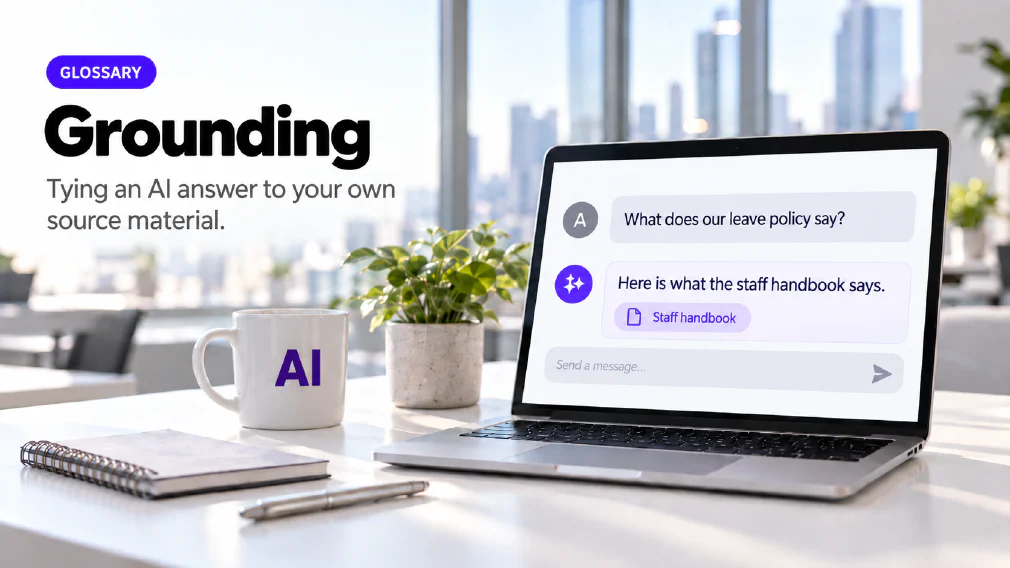
Tying an AI system's answers to a specific set of source material, usually an organisation's own documents, rather than letting it answer from its training alone. Grounding answers in your own documents is a stated outcome of the ChatGPT programmes, and which content a tool is grounded in is a distinction the Copilot Chat course works through directly.
What Grounding is
Grounding ties an AI system’s answers to a specific set of source material, usually an organisation’s own documents, instead of letting it answer from its training alone. A grounded answer points back to something a person can open and check. An ungrounded one comes from patterns the model absorbed during training, and there is nothing behind it to open.
The word describes a relationship between an answer and its source. It is not a product or a setting you switch on. A tool can be grounded in a staff handbook, in a regulation, in a user’s own emails and meetings, or in a single document attached to one question. The narrower and more relevant the source, the more the answer can be checked against it.
Why a Model needs it
A large language model is trained on a very large amount of text, then predicts the most likely next token, one at a time, when it answers. It does not look anything up, and it has no step that checks a claim against a record. A wrong statement and a right one come out of the same process and read in the same tone.
Training also stops at a point. Anything that happened after that point is not in the model, and nothing in it knows what your business wrote down last week. Ask an ungrounded model about your leave policy and it answers from general patterns about leave policies. The reply may be fluent and reasonable, and it may describe a policy your business does not have. This is the failure called hallucination, and grounding is the main practical response to it.
How Grounding works
The usual mechanism is retrieval-augmented generation. The model is given a set of documents to search at the moment it answers, so the reply is drawn from that material and not from its training alone. It is the mechanism behind a knowledge base, and the agents day on this site teaches it under that name.
The simplest form needs no special software. It is the source part of a prompt. The prompting workshop teaches four essential parts, goal, context, source and expectations, and the source is the material the answer should draw on, such as a document you attach. Asking a question of a document you have supplied is grounding at its smallest scale.
The same workshop teaches the fallback that makes it safe. When the document does not say, the tool is told to reply that the answer is “not specified in the document” instead of inventing one. Without that instruction the model tends to answer anyway, because answering is what it is built to do.
What a Tool is grounded in decides what it can get Right
Grounding is not the same across products, and the difference matters when a business chooses between them. Microsoft’s Copilot is grounded through Microsoft Graph in a user’s emails, chats, meetings and documents together, which Microsoft calls Work IQ. Its stated edge is reach across a whole Microsoft 365 estate, not one open document at a time. Gemini’s grounding applies to the Workspace content a user already has open, application by application.
Neither advantage travels. Work IQ has nothing to read once the emails, chats and documents it draws on no longer live in Microsoft Graph, and Gemini’s Workspace grounding applies to Workspace content specifically. A business moving its stack from one ecosystem to the other does not take the grounding with it.
The distinction also appears inside a single tool. The Copilot Chat course spends time on what its Work Mode and Web Mode are each grounded in and why that matters, and it treats Web Mode as a third-party tool. A staff member who does not know which mode they are in cannot judge how far to trust the answer. This is why the courses teach grounding as a practical distinction rather than a technical one.
Grounding an Assistant in your own Documents
The most direct use is an assistant that answers from a document the business already owns. The advanced ChatGPT programme builds document-grounded question and answer on the organisation’s own files, including an HR assistant grounded in the staff handbook. The Copilot Chat course builds an HR policy assistant grounded in your own handbook. The personalisation session builds a regulation assistant grounded in the actual regulation, not in general knowledge.
The pattern is the same each time. A person asks a question, the assistant answers from the named document, and the answer can be checked against it. Nobody has to wonder whether the model is remembering a similar policy from somewhere else.
At larger scale the same idea becomes a knowledge base. The agents day builds a Copilot Studio agent with its own knowledge base, controlled topics and working escalation. There is a distinction worth knowing here, drawn elsewhere in the catalogue. An agent with a fixed knowledge base answers from what it was given, while an agent with a live database it can read and write has memory. The first is grounded in a snapshot. The second is grounded in something that changes.
Writing a Prompt that keeps the Tool on the Source
Attaching a document is not enough on its own. The prompt has to tell the tool what to do with it. Three instructions cover most of the work. Name the source, so the tool knows which material the answer must come from. Say what to do when the source is silent, using the fallback described above. Ask the tool to quote or point to the part of the source each claim comes from, so the reviewer can find it in seconds.
The HR course teaches the same habit under another name: make the tool quote its source and flag what is missing. The prompting workshop adds that sources and citations are key, and that a person stays in the loop to verify the result. None of this needs special software. It needs the source stated in the prompt and an expectation written down that the answer stays inside it.
Deciding what goes in the Source
Grounding an assistant in your documents means putting those documents in front of a tool, so the choice of documents is a decision, not a formality. A staff handbook or a published regulation is low risk. A folder of client contracts or HR records is not, and the rule about what may be entered into an AI tool applies to what you attach as much as to what you type.
Our article on why banning AI at work backfires argues for drawing that line by kind of data, not by tool, and for an approved tool that is good enough for daily work. It also matters which tool holds the documents. Vendors state that business content typed into their tools is not used to train their models by default, and that is a policy each vendor publishes and a business should read for itself.
What Grounding does not do
Grounding narrows the problem and does not remove the check. It ties an answer to a specific set of source material, which reduces what there is to verify, but a person still has to verify it. Treating grounding as a full fix is itself a risk.
What it changes is the question the reviewer answers. Without grounding, the reviewer asks whether a claim is true in general, which can take real research. With grounding, the reviewer asks whether the claim is actually in the source document, which a person can answer quickly and with confidence. A properly grounded answer points back to a real, checkable source for each claim it makes. One that is not grounded can still read as confident while stating something wrong.
That gives a practical test for any answer. If it names no source, or names a source that does not exist, treat it as ungrounded, however fluent it reads. A citation has a recognisable shape, and a model can reproduce that shape with nothing real behind it. An answer that looks properly sourced is more dangerous than an obviously wrong guess, which is why the check is to open the source, not to trust its appearance.
It follows that an answer can only be as reliable as the source it was grounded in. A tool grounded in an out-of-date handbook will give a fluent, traceable and wrong answer. The check is what catches it. That is why the courses teach humans in the loop as part of the method, and why the HR course teaches how to make a tool quote its source and flag what is missing.
Where it is taught and where it shows up in an Audit
Grounding runs through the courses in this catalogue, in different forms. The Copilot Chat day works through what each mode is grounded in. The ChatGPT Enterprise course covers asking questions about your own documents, and why the sources behind an answer matter. The agents day covers knowledge bases and retrieval-augmented generation together, and the HR course teaches staff to make a tool quote its source.
An audit meets grounding from the other side. It looks at where a business’s workflows depend on its own documents, such as policies, handbooks, regulations and tender material, and at which of those a tool could answer from with a person checking. Those are the workflows where grounding changes the result most. Knowing what the term means, and what it does not promise, is what lets an audit recommend an assistant built on the right documents, not simply the newest tool.
FAQ
Questions about Grounding
What is Grounding in AI?
Grounding means tying an AI system's answers to a specific set of source material, usually an organisation's own documents, instead of letting it answer from its training alone. A grounded answer can be traced back to something you can open and read. An ungrounded answer comes from patterns the model learned in training, which may be out of date or simply wrong for your business.
What is the difference between Grounding and Retrieval-Augmented Generation?
Grounding is the outcome and retrieval-augmented generation is the usual way of reaching it. Grounding describes an answer that is tied to source material. Retrieval-augmented generation, or RAG, is the mechanism that gives the model a set of documents to search at the moment it answers, so the reply is drawn from that material. It is the mechanism behind a knowledge base.
Does Grounding stop an AI Tool making things up?
It narrows the problem but does not remove it. Grounding ties an answer to a specific set of source material, which reduces what there is to check. It does not remove the need to check. What changes is the question a reviewer answers: not whether the claim is true in general, but whether it is actually in the source document, which a person can confirm quickly.
Does it matter what Content an AI Tool is grounded in?
Yes, and it is one of the main differences between tools. Copilot is grounded in a user's emails, chats, meetings and documents through Microsoft Graph, while Gemini's grounding applies to the Workspace content a user already has open. The Copilot Chat course teaches what its Work Mode and Web Mode are each grounded in and treats Web Mode as a third-party tool. A tool answers from what it can see, so what it can see decides what it can get right.
Can we ground an AI Tool in our own Documents?
Yes. The advanced ChatGPT programme builds document-grounded question and answer, and an HR assistant grounded in the staff handbook, on the organisation's own files. The agents day builds a Copilot Studio agent with its own knowledge base, controlled topics and working escalation. Which route suits a business depends on the tools it already holds, and an audit is where that gets decided.
ChatGPT Enterprise EssentialsAI Agents in action: Practical use with Microsoft Copilot
Is Grounding the same as Training an AI on our Data?
No. A model's core knowledge is fixed once training finishes. Grounding leaves the model as it is and supplies documents at the moment it answers. Vendors state that business content typed into their tools is not used to train their models by default, but that is a policy each vendor publishes and a business should read for itself.
What happens when the Source does not contain the Answer?
A well-built prompt tells the tool what to do in that case. The prompting workshop teaches a fallback, so that when the document does not say, the tool replies that the answer is not specified in the document instead of filling the gap with something plausible. Without that instruction, a model tends to answer anyway, and the result reads as confidently as one that is properly sourced.
What it means for a Business
It is taught as a practical distinction rather than a technical one: the Copilot Chat day covers what Work Mode and Web Mode are grounded in and why that difference matters, and the advanced ChatGPT programme builds document-grounded question and answer on the organisation's own files.
Ready to Put This to Work?
Tell us where your team is with AI and we will tell you honestly what would make the biggest difference.