
Chatbot
A tool you hold a conversation with, answering one prompt at a time. Any chatbot rests on three pillars (instructions, a knowledge base and tools), and what makes something an agent rather than a chatbot is that it carries out a sequence of steps on its own.
What a Chatbot is
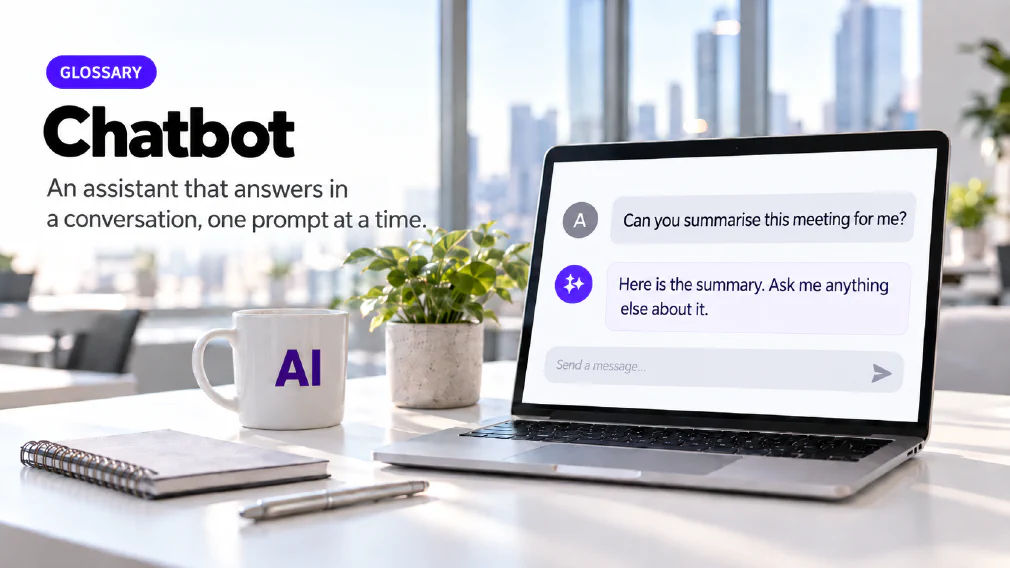
A chatbot is a tool you hold a conversation with. You write a request in a chat window, it replies, and you write the next request. It answers one prompt at a time and then waits for you. That plain description covers most of the AI tools people meet first at work, and it is the sense in which this site uses the word.
A chatbot is one example of generative AI, the wider category of systems that produce new content instead of only sorting or finding existing content. The kind that reads and writes text is built around a large language model. The model is the technology that predicts and generates language. The chatbot is the product wrapped around it, with a chat window, a set of features and rules about how it behaves.
The three pillars
On this site every chatbot rests on three pillars: instructions, a knowledge base and tools. The HR course names them as a topic in their own right, next to a session on what a knowledge base is.
Instructions say how the chatbot should behave: who it is, what it should do and in what shape it should answer. A knowledge base is the material it can draw on when it answers, beyond what the model learned in training. Tools are what it can do besides write, such as reading a calendar or sending an email.
The three pillars are useful because they turn a vague complaint into a checkable one. When a chatbot gives a poor answer, the cause sits in one of three places. Either it was told the wrong thing, it lacked the right material, or it could not do what the job needed. A team that can name which one is missing can fix it, instead of blaming the tool.
Where the line to an Agent falls
An AI agent has the same three pillars. The difference is not the parts. It is that an agent carries out a sequence of steps on its own, where a chatbot answers and waits. Most people meet an agent as a chatbot that has been given a job, a source and a way to act.
The catalogue teaches the move in stages. The Mistral Le Chat workshop is built around the step from chatbot to personalised AI agents, with sessions on the difference between the two and on when agents are useful. The advanced generative AI course includes a session on chatbots and agents, the difference and which to pick. The second half of that title matters. An agent is not an upgrade to reach for every time, and the courses say where an agent’s usefulness ends.
Using a Chatbot day to day
Most of what the courses teach about chatbots is ordinary use done well. The foundation course covers what each chatbot does that the others do not, and then the four jobs staff reach for first: meeting minutes, summarising a long document, drafting and building a deck. The prompting workshop covers how to write a request so that the reply is usable. A prompt is what you write to a chatbot, and its phrasing changes the answer more than most people expect.
The method carries across tools. The prompting workshop is not tied to one chatbot and runs on whichever one an organisation uses. Two chatbots built on language models can still give noticeably different answers to the same prompt, because each vendor trains, tunes and wraps its model differently.
Setting a Chatbot up around you
A chatbot that has to be briefed from scratch every morning wastes the start of every conversation. The AI Agents and Personalisation session is built to stop that. Its stated outcome is participants who can set a chatbot up around their own role so it stops asking for the same context every time.
Two features do the work. Custom instructions are standing rules you set once, such as your role, your tone and the format you want back. Memory is what the tool keeps from one conversation to the next. The session teaches the split between them as stable rules against remembered context. The Mistral workshop adds projects for longer work and a personalised chatbot setup.
Giving a Chatbot your own material
A general chatbot answers from what its model learned. A business usually wants answers from its own documents, and that is what the knowledge base pillar is for. The mechanism underneath is retrieval-augmented generation: searching a set of documents at the moment the chatbot answers, so the reply is drawn from that material.
The HR course shows the result at its clearest. Its policy assistant answers only from the connected policies, quotes the sentence it used, and refers the question to a person when the policy is silent. A second version is given tools, and escalates a question by email once the member of staff confirms. The Mistral workshop covers the same idea as libraries used for grounded answers, with document questions, policy assistants and company knowledge assistants.
The admin course sets out the range for a service desk. It shows a basic agent with a knowledge base, a chatbot with a knowledge source and a full agent platform build, so a team can see what each option involves before choosing one. The advanced course goes further and builds a customer support chatbot and a sales assistant in no-code tools.
Chatbots and Microsoft 365 Copilot
The Copilot course covers chatbots against Microsoft 365 Copilot as a topic of its own, and the editors and authors session covers the same contrast under privacy and responsible use. The difference is where each one works. Copilot sits inside Word, Excel, Outlook and Teams and answers from content the user can already see. A chatbot such as ChatGPT or Claude is a separate destination you go to, with more room to build on.
That difference decides which one suits a job, and it decides what may be pasted into which. The certified ChatGPT course pairs its chatbot overview with the security levels of a tool and with staying safe when working in tools outside your own organisation.
Which Chatbot for which job
The site does not rank the leading chatbots, and the reason is stated in the catalogue. Which one suits which job depends on the work and on the tools an organisation already has. The core foundation course compares the leading chatbots side by side rather than teaching one, so a team leaves able to judge a tool and does not memorise an interface.
The comparison covers Gemini, Claude, Copilot, Perplexity, Mistral, Grok and DeepSeek. ChatGPT, Microsoft 365 Copilot and Mistral Le Chat have courses of their own, and each assistant has its own glossary page. The HR course puts the question in its plainest form with a session titled which chatbot for which job, and the leaders masterclass adds where the organisation’s approved tools sit among them.
The Governance question
A chatbot is easy to start using, and that is where the governance problem comes from. The site’s governance article describes shadow AI as any tool staff use that was never approved, reviewed or logged, from a free chatbot pasting in client data to a browser extension nobody signed off. It reports that 81% of employees and 88% of security leaders use unapproved AI tools at work.
The practical response is not to ban chatbots. It is to say which ones are approved, on which kind of account, and what may be entered into them. The leaders masterclass starts from that point. It opens with the organisation’s own approved tools and the boundaries for third-party ones, and only then moves on to the chatbots themselves. Data protection covers what a commitment from a provider does and does not include.
Mix-ups worth avoiding
Four confusions come up often enough to name. The first is treating a chatbot and an agent as opposites, when they share the same three pillars and differ in whether the tool carries out steps on its own. The second is treating the chatbot and the model as one thing, which hides the fact that the wrapper decides much of what a business experiences.
The third is assuming a chatbot knows your business. A general one does not, and it needs instructions and a knowledge base to answer from yours. The fourth is treating a fluent reply as a correct one. A chatbot’s confidence is not evidence, and the courses teach that as a rule for using the tool and not as a caveat at the end.
Where it goes wrong
A chatbot can produce a reply that reads well and is wrong. This is hallucination, and it is a property of how generative AI works, not a fault of one product. The HR course deals with it early, and shows how to make the tool quote its source and flag what is missing.
The working habit is short. Ask for the source, open the source, and treat the first reply as a draft. The person who sends the result on is responsible for what it says. The larger the decision resting on the reply, the more the check matters. A chatbot that answers one prompt at a time at least leaves a person reading each answer before anything happens.
Where it is taught and where it appears in an Audit
Chatbots run through the whole catalogue. The Generative AI Basics and Beyond course has a block on AI chatbots, and the Mistral Le Chat workshop follows the path from simple chat to agents. The advanced course covers when to pick a chatbot and when to pick an agent. Six of the courses are the core AI courses, and the rest sit in the wider training catalogue.
An audit meets a chatbot as a build option. Where the work sits in customer support, a chatbot can be one part of it. One of the site’s partners, LiveAgent, is customer service software with a chatbot built on top of its email, live chat and knowledge base. Whether a process needs a chatbot, an agent or neither turns on what it handles and who is accountable for it, and the audit is built to answer that.
FAQ
Questions about Chatbot
What is a Chatbot?
A chatbot is a tool you hold a conversation with, answering one prompt at a time. You write a request, it replies, and you write the next one. Every chatbot rests on three pillars, instructions, a knowledge base and tools, and that is true whether it is a general assistant or one built for a single job.
What are the three pillars of a Chatbot?
Instructions, a knowledge base and tools. Instructions say how the chatbot should behave. The knowledge base is the material it can draw on when it answers. Tools are what it can do beyond writing text. The site's HR course names the three pillars as one of its topics, and the same three appear in an AI agent.
What is the difference between a Chatbot and an AI Agent?
The parts are the same, so the difference is not the parts. A chatbot answers one prompt and waits. An agent carries out a sequence of steps on its own. The advanced course teaches the difference and how to pick between the two, and the Mistral Le Chat workshop is built around the move from one to the other.
AI AgentGenerative Artificial Intelligence: Advanced Tools & Future Trends (Gen 2)
Which Chatbots do the Courses cover?
The foundational courses compare the leading ones, including ChatGPT, Gemini, Claude, Copilot, Perplexity, Mistral, Grok and DeepSeek. Three tools have courses of their own: ChatGPT, Microsoft 365 Copilot and Mistral Le Chat. The others appear as comparisons, so a team can tell which job belongs to which tool.
Is a Chatbot the same as Microsoft 365 Copilot?
No. The Copilot course treats them as separate topics and covers chatbots against Microsoft 365 Copilot in its foundations. Copilot sits inside Word, Excel, Outlook and Teams and answers from content the user can already see. A chatbot such as ChatGPT or Claude is a separate destination you go to.
Can a Chatbot be trusted to give the Right Answer?
Not on its own. A chatbot can produce a reply that reads well and is wrong, which is hallucination. The courses teach a working habit: ask it to quote its source and to flag what is missing, open the source, and treat the first reply as a draft. A confident tone is not evidence.
How do you make a Chatbot Useful for your own role?
Set it up once instead of briefing it every morning. Custom instructions hold the stable rules, such as your role, tone and preferred format. Memory holds context that changes. The AI Agents and Personalisation session teaches the difference, and the Mistral workshop adds projects and libraries for longer work and grounded document questions.
Can a Business build a Chatbot on its own Documents?
Yes. That is what a knowledge base does. The HR course builds a policy assistant that answers only from the connected policies, quotes the sentence it used and refers the question to a person when the policy is silent. The Mistral workshop covers libraries as knowledge bases, with document questions and policy assistants.
Retrieval Augmented Generation (RAG)AI Essentials for Human resources
Is it Safe to put company Data into a Free Chatbot?
Not by default. The site's governance article describes shadow AI as any tool staff use that was never approved, reviewed or logged, from a free chatbot pasting in client data to a browser extension nobody signed off. It reports that 81% of employees and 88% of security leaders use unapproved AI tools at work. Which tools are approved, and on which accounts, is a decision for the business.
What it means for a Business
The distinction does real work in the catalogue rather than sitting in a slide: one workshop is built around the move from chatbot to personalised AI agents, and the advanced programme sends participants away with a working sense of where an agent's usefulness ends. Which chatbot suits which job, and what is genuinely worth paying for, is treated as a question of its own.
Ready to Put This to Work?
Tell us where your team is with AI and we will tell you honestly what would make the biggest difference.