
Microsoft 365 Copilot
Microsoft's generative AI assistant, reached from inside the applications a business already runs rather than as a separate destination, and grounded in an organisation's own Microsoft content through the Microsoft Graph. Several of the core AI courses in the catalogue are built on it.
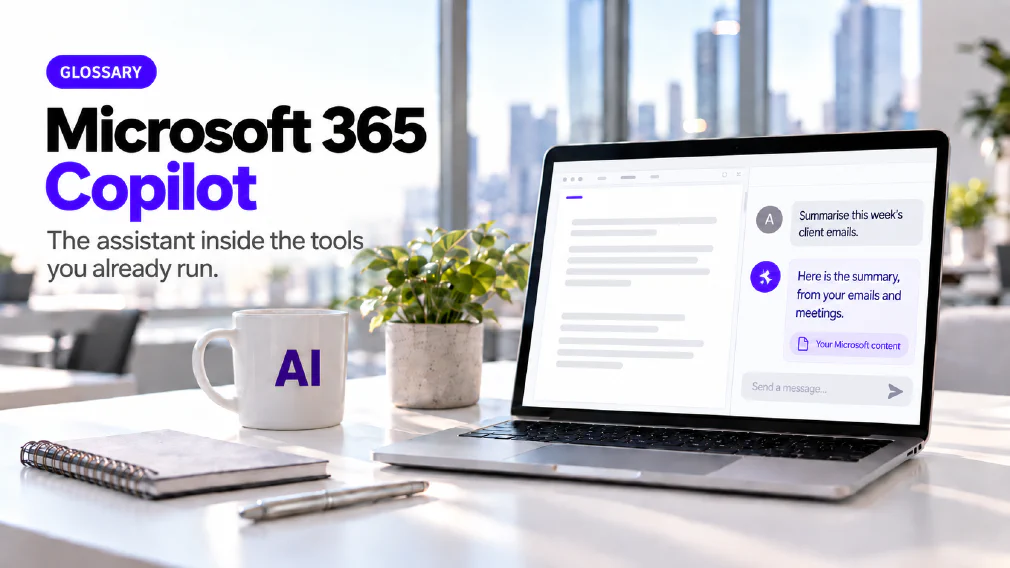
What Microsoft 365 Copilot is
Microsoft 365 Copilot is Microsoft’s generative AI assistant. It is reached from inside the applications a business already runs, such as Word, Excel, Outlook, PowerPoint and Teams, and it is grounded in the organisation’s own Microsoft content. A person does not open a separate website to use it. They ask for a draft, a summary or an analysis in the application where the work already sits.
On this site it is one example of generative AI and it rests on a large language model, like every assistant of its kind. What sets it apart from an assistant such as ChatGPT is not the model. It is where the assistant lives and what it can read without being handed anything.
Where it sits
Copilot’s design is to sit inside the tools staff already have open and to answer using content those staff can already see. That is why the training for it happens inside the applications a business already runs, and not in a separate tool bought for the day.
The Copilot Essentials course walks through each one. Word covers creating and refining documents, in the document and in the chat pane. PowerPoint covers designing presentations, including Narrative Builder. Outlook covers drafting, summarising and follow-ups. Excel covers automating tasks and working with data. Teams covers AI-generated meeting summaries, during and after the meeting. The course also covers Copilot in Business Chat, including Pages, and in OneDrive and SharePoint, and Copilot in Edge, where a user toggles between Work and Web.
How it knows about your work
The mechanism is the Microsoft Graph, the permission-scoped index that already governs access to SharePoint and Teams. The Copilot Essentials outline calls it the power behind Copilot Work. Microsoft describes grounding a request in emails, chats, meetings, documents, calendars and organisational relationships together, and uses the name Work IQ for the layer that does it.
This is grounding in the sense the site uses the word. A question in Teams can draw on an email thread and a calendar entry without a separate step to connect them. The assistant answers from your material and not from general patterns about what such material usually says. Because Copilot only exists on top of a Microsoft 365 subscription, it can assume that this context is already there to draw on.
Three Licence positions, not two
People search for “Copilot Chat versus Copilot” as if there were two products. Microsoft’s overview draws three columns, and our Copilot Chat comparison sets them out from Microsoft’s own documentation.
Copilot Chat is the baseline chat that comes with eligible Microsoft 365 licences. It answers from web data and uses your files only when you supply them. Microsoft 365 Copilot, labelled Basic, is for users who do not hold the add-on but still have standard access inside Word, Excel, PowerPoint and OneNote, which Microsoft says is subject to service capacity. Microsoft 365 Copilot, labelled Premium, is the full add-on with priority access and automatic reach into work data.
Microsoft has also renamed both more than once, and licences and admin screens can keep the older names during the change. That is one more reason to read the label in the application to see which position a user is actually on.
The add-on cannot be bought alone
Microsoft’s licensing documentation says the add-on requires an existing, qualifying Microsoft 365 plan before it can be bought. There is no standalone Copilot licence for a business. The comparison with Google Workspace AI makes the same point about Gemini, which rides inside a Workspace subscription and is not sold as a product of its own either.
Neither assistant switches itself on the moment a licence is bought. Microsoft’s Copilot Control System puts the decision about which users and apps get Copilot in one place, so an administrator reviews usage before widening access, and Google has an equivalent in its admin console. A purchase order and every employee having the assistant are two different events, and a business chooses the pace between them.
What it does with your Data
The site answers this from Microsoft’s own statements. Microsoft states that prompts, responses and data accessed through Microsoft Graph are not used to train the foundation models behind Copilot. It states that Enterprise Data Protection applies to Copilot Chat and both Microsoft 365 Copilot positions when users sign in with a work account, and that traffic for EU users stays within the EU Data Boundary.
Three qualifications are worth reading and not assuming. The protection depends on the sign-in, because some entry points also accept a personal account, and a business can restrict those through tenant settings. Microsoft notes that models from one third-party subprocessor are currently excluded from the EU Data Boundary. Copilot also keeps a record, since prompts and responses are stored as the user’s activity history, which administrators can govern through Microsoft Purview and users can delete for themselves. Web search is a separate control, and an administrator can switch web grounding off across every licence position.
Permissions come first
The design that makes Copilot useful is also the one that needs care. It only surfaces organisational data that the individual user already has permission to open. Any file shared more widely than it should be, in a SharePoint site nobody reviewed, becomes retrievable by a plain question.
Microsoft points administrators to SharePoint Advanced Management, including restricted content discovery, and to Purview for classifying and labelling sensitive content. None of that is new work, but the add-on turns it from a tidy-up into a precondition. It is also an AI governance question and not only a licensing one, because someone has to own what the assistant is allowed to reach.
Agents and the Wider Platform
Copilot also runs agents, and the licence boundary matters here. Microsoft states that declarative agents built on instructions and public websites are included with Copilot Chat, while agents that use work data are usage-based unless the add-on is held. A business can build useful AI agents on the baseline licence, provided what they read is public or supplied.
The agents day compares agents built inside Copilot chat with agents built in Copilot Studio, which have their own knowledge base, controlled topics, tools and escalation. The advanced workshops start with Agent Mode in Word, PowerPoint and Excel, then cover tool-based agents, connectors and a first look at Copilot Studio. Each course also teaches where the platform stops, so that a team knows when an agent is the wrong answer.
Rolling it out in stages
The simplest mistake is to buy the add-on for everyone because it is the one with the name, then find that most seats use it as a chat window. Microsoft’s licence structure supports a phased rollout instead, with Copilot Chat for the whole organisation and the add-on for the roles that demonstrably need Graph-wide context.
Two usage reports make that choice visible. One covers chat activity across all licences, and a second covers use of Copilot inside the applications and needs the Basic or Premium licence. Read together, they show whether staff are using a chat window or an assistant embedded in their work.
Where it goes wrong
A better licence does not make the assistant more accurate. Microsoft’s own documentation says the content generative AI produces is not guaranteed to be factual and that users should use their judgement before sending it on. That is hallucination, and the Copilot courses cover it as a habit, including how to summarise long documents and why sources are key.
The other risk runs the opposite way for the baseline licence. Copilot Chat cannot reach anything the user does not supply, so the quality of the result depends on what each person chooses to paste. Staff need the habits of good prompt engineering more than any setting an administrator can turn on. The Copilot Chat course covers Work Mode and Web Mode, what each is grounded in and why Web Mode is treated as a third-party tool.
Where it is taught and where it appears in an Audit
Several courses are built on Copilot. Copilot Essentials is the core course across the daily applications, and it covers the three levels of AI tools, staff guidelines and reusable templates for meeting minutes and event reports. Using Copilot Chat is for organisations whose licence covers the chat only, and it includes scheduled prompts, Notebook, the Agent Store and building your own agents. Copilot Essentials is one of the six core AI courses, and the rest sit in the wider training catalogue.
An audit meets Copilot as a choice and not a default. Which processes depend on organisational data, what the current licence already covers and where the add-on would genuinely change the work are the questions the Identify step is built to answer. Once that is settled, a course on the tool turns the licence into something staff use well rather than something they open once.
FAQ
Questions about Microsoft 365 Copilot
What is Microsoft 365 Copilot?
Microsoft 365 Copilot is Microsoft's generative AI assistant. It is reached from inside the applications a business already runs, such as Word, Excel, Outlook, PowerPoint and Teams, rather than as a separate destination. It is grounded in an organisation's own Microsoft content through the Microsoft Graph, so it can answer from emails, files and meetings the user is already allowed to open.
What is the difference between Copilot Chat and Microsoft 365 Copilot?
Copilot Chat is the baseline chat that comes with eligible Microsoft 365 licences. It answers from web data and works with your files only when you supply them. Microsoft 365 Copilot is the paid add-on that also reaches your emails, files, meetings and calendars automatically through Microsoft Graph, and works inside Word, Excel, PowerPoint and OneNote with priority access. Microsoft also names a middle position with standard, capacity-dependent access to those apps.
Copilot Chat vs Microsoft 365 Copilot: Which does your Business need?
Can we buy Microsoft 365 Copilot on its own?
No. Microsoft's licensing documentation says the add-on needs an existing, qualifying Microsoft 365 plan before it can be bought at all. There is no standalone Copilot licence for a business, so a business that does not already run on Microsoft 365 has nothing to add it to.
Does Microsoft 365 Copilot train on our Data?
Microsoft states that prompts, responses and data accessed through Microsoft Graph are not used to train the foundation models behind Copilot. It also states that Enterprise Data Protection applies when staff sign in with a work account, and that a personal sign-in falls outside it. Copilot keeps prompts and responses as activity history, which an administrator can govern with retention policies.
Data ProtectionCopilot Chat vs Microsoft 365 Copilot: Which does your Business need?
Does Copilot show people files they should not see?
It only surfaces organisational data that the individual user already has permission to open. That is the right design, and it has a consequence. A file shared more widely than it should be becomes retrievable by a plain question, so permissions need reviewing before the add-on is switched on. Microsoft points administrators to SharePoint Advanced Management and to Purview for classifying sensitive content.
Which Courses cover Microsoft 365 Copilot?
Several. Copilot Essentials is the core course across Word, Excel, Outlook, PowerPoint and Teams. Using Copilot Chat is for organisations whose licence covers the chat only. The advanced workshops take Copilot one application at a time, and the agents day builds agents end to end.
Copilot Essentials: Unlocking Productivity with Microsoft 365 CopilotUsing Copilot ChatCopilot in practice: Advanced Workshops
Is Microsoft 365 Copilot always Right?
No. Microsoft's own documentation says the content generative AI produces is not guaranteed to be factual and that users should use their judgement before sending it on. The larger licence changes what the assistant can see. It does not change the need to read what it wrote, and the courses treat hallucination as a working habit.
Should we choose Copilot or ChatGPT?
It depends on what the business already runs on and where the work starts. A business on Microsoft 365 gets grounding built into the tools people already use, with no separate integration. A business that wants a general-purpose assistant, or its own build on a model, gets more room with ChatGPT. The choice between tools is the question an audit's Identify step is built to answer.
What it means for a Business
Two of the core AI courses are built directly on it, which is why the training happens inside the applications a business already runs rather than in a separate tool bought for the day.
Ready to Put This to Work?
Tell us where your team is with AI and we will tell you honestly what would make the biggest difference.