
Task Automation
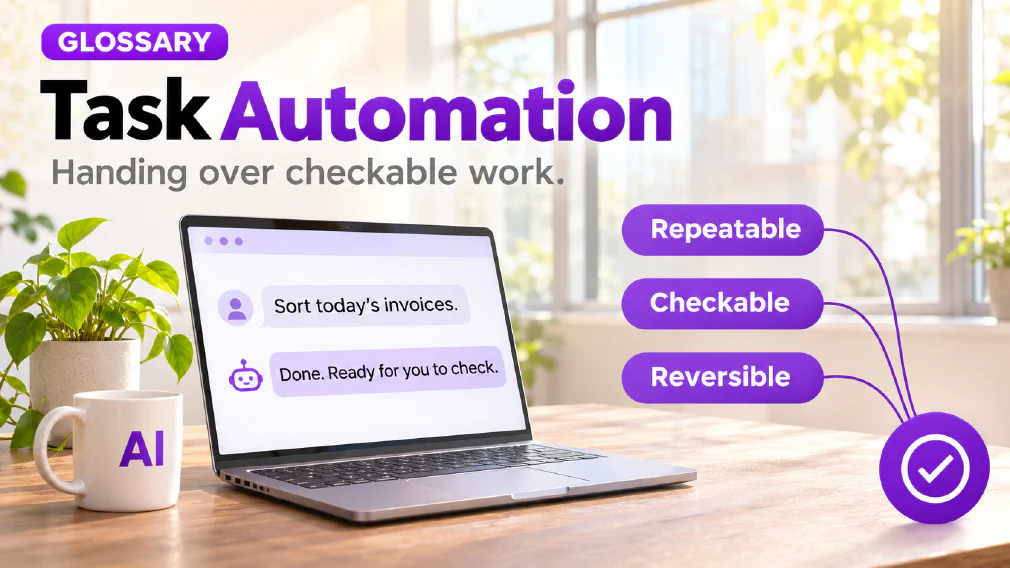
Handing a repeatable step with a right answer that can be checked to a system, such as formatting a report, routing a ticket or resetting a password. Once the rules are set, a step like this is safe to hand over completely.
What task Automation is
Task automation is handing a repeatable step with a right answer that can be checked to a system. Formatting a report, pulling figures into a template, routing a ticket to the right queue and resetting a password are the examples the site’s articles use. Each one has a standard it can be measured against, so a mistake is visible and can be corrected.
Once the rules are set, a step like this is safe to hand over completely. That is the main claim of the definition, and it is the reason task automation is the usual starting point. Automating a task removes drudgery. It does not hand anyone a judgement call, and it does not move the question of who answers for an outcome.
What counts as a task
The task and decision article draws the line by asking whether the output can be checked against a right answer. A task can. A decision, such as which candidate gets a callback or which claim is flagged as fraud, cannot, because it weighs factors that have no fixed answer. The decision automation page covers the other side of that line.
The article also gives a sense of scale, quoting analysis compiled by SkillSeek. AI can automate up to 45% of work activities, but only 5% of jobs are fully automatable. The article reads the 45% as how much of the average job is task-shaped, made of steps that can be checked against a fixed standard. The 5% describes how rarely a whole role, decisions included, can be handed over without a person still answering for it. These are third-party figures, not the site’s own measurement.
What makes a task Safe to start with
The first-task article gives four properties: a good first task is frequent, checkable, low-consequence and reversible. It says those four matter more than which tool is picked. They come from five questions that also sit behind the delegation ladder: how often the work happens, whether the output can be checked quickly, what a wrong result costs, whether it can be undone and whether everything needed is already in front of the person.
The article treats the cost of a wrong result as a gate and not a score. If the answer is an upset customer, a wrong figure in a document that leaves the building or an unfair outcome for a person, the task is not a first task, however well it scores elsewhere.
There is a reason the article gives for starting small. A first project is a training exercise for the people running it. The team needs to learn what a good result looks like, what a plausible but wrong one looks like and how long the checking really takes. All of that can be learned cheaply on a task whose output stays inside the building. The reversibility page covers the fourth property.
Six first tasks that pass the test
None of these is exotic, and the article says that is the point. Each is frequent, each has something to check the output against and each stays inside the business until a person has read it.
- Summarising meetings and calls into decisions and actions. Often the best first task, because the notes or transcript are the source to check against.
- Drafting routine internal emails and documents. The person who would have written it reads the draft and sends it under their own name. The saving is the blank page, not the judgement.
- Turning rough notes into a checklist or written procedure. The person who knows the process can correct it in minutes.
- Summarising long documents and email threads. The summary says where to look, and the original is there to check against.
- Sorting incoming enquiries for a person to answer. AI tags and summarises each one and proposes a reply, and a named person decides what to send.
- Preparing for a call or meeting. The tool works only from the material it is given, so the result can be checked against it.
The article adds one condition for all six. Work out what is being put into the tool before the first run, because personal information, client confidential material and commercially sensitive figures raise a data protection question that has to be answered first.
Tasks to leave until later
The same article lists five groups that are the wrong place to begin. They are not off limits for ever. Each needs things a first project exists to build.
- Replies that go to customers without a person reading them. An unchecked reply turns a drafting task into a decision made in the business’s name.
- Decisions about people. These belong at the top of the ladder, with a person accountable.
- Anything involving sensitive personal data. The answer on where the data goes should exist before the task does.
- Statements about prices, law, finance or health. Fluent text is produced whether or not it is right, and these are the subjects where a fluent wrong answer does the most damage.
- Anything nobody on the team can judge. With no one able to tell a good answer from a plausible one, there is no checking step.
What these share is that an unnoticed error costs a lot, or the error is hard to see. The article says both are problems of oversight and AI governance, not of the technology.
Where a task sits on the Delegation Ladder
On the ladder, a step that is high-volume, low-consequence, reversible and governed by clear rules can sit at Execute, where AI acts without supervision. The task and decision article says correctly placed Execute steps are where the fast, measurable return comes from, because nobody second-guesses a step that never needed a person watching it.
The article’s pair of examples is a password reset and a candidate shortlist. The reset happens often, is undone in moments and follows a rule with no ambiguity, so it reaches Execute. The shortlist happens less often, is harder to undo and is judged against criteria that are never perfectly fixed, so it stops at Recommend. Both involve “deciding something about a request”, and the ladder separates them for reasons that have nothing to do with what the AI can do.
A first task usually sits lower than Execute. The first-task article says the aim of a first project is not to hand anything over. It is to put AI inside an existing routine so that a person reads every result and can say with evidence how good it was. The return at Assist and Recommend is a better-informed person deciding faster, not a person removed from the loop.
When a task hides a Decision
Most processes are a chain of tasks with one or two decisions inside. The article’s example is intake: collect the form, check it against a list, flag anything unusual and decide what happens next. The first two are tasks. The third may be a task if the rules are fixed, or it may be the decision the process exists to make.
Approving the chain as if every step were a task is how a system ends up making calls nobody scoped. It is found only when a result looks wrong and somebody asks who signed it off. The remedy the article gives is to list the steps and sort each onto the ladder. An AI workflow is a chain, and each step belongs on its own rung. The well-scoped workflow page describes the result.
Timing the Whole cycle
A task that has been automated has not necessarily saved time. The time-saving article says time rarely disappears. It moves into checking, fixing, re-prompting and handoff, and a saving exists only if the total across all of them is smaller than before.
Its advice is to start with a task, not a decision, because speeding up a task is different from handing a decision to a machine, and the two need different amounts of checking. It sets out a short test for one task:
- Pick a task with a clear start and finish.
- Time it for a week before the tool, as the baseline.
- Decide what success looks like and where the released hours will go.
- Time the whole cycle with the tool, from the start of the work to its acceptance.
- Re-check after 30 days, because early results flatter a new tool.
The first-task article adds that the whole cycle means minutes spent briefing, waiting, checking, fixing and re-running, not only the seconds the tool took. It also asks for a named owner from the start, since a task nobody owns drifts. The result is one of four verdicts: keep, scale, switch or drop.
A worked example
An illustration, not a case study. A small team spends part of every week writing up its meetings. Someone suggests an AI tool.
The team scores the work against the four properties. It happens several times a week, so it is frequent. The notes are the source to check against, so it is checkable. A wrong line costs a correction in an internal note, so it is low-consequence. Nothing is sent until a person has read it, so it is reversible. It passes, so it becomes the first task.
The team names one owner. Before the tool is used, the owner times the write-up for a week. The tool then produces the summaries, and the owner times the whole cycle: writing the instruction, reading the result, fixing a misread name and passing it on. After a month the owner repeats the timing and decides whether to keep the task as it is, extend it to a neighbouring task or stop. The team has an answer based on its own timings, not on how the tool felt.
Mix-ups worth avoiding
Four confusions come up often enough to name. The first is assuming a step is a task because it sits in the middle of a workflow, when it may be the decision the workflow exists to make. The second is counting only the AI step when judging a saving, when checking, fixing, re-prompting and handoff belong in the total. The third is starting with the most visible task, such as unchecked customer replies, when the first-task article says to start with one whose output stays inside the business. The fourth is leaving a task without an owner, which the article says is the one that quietly drifts.
How we use it
The time-saving article advises measuring a task before a decision, because the two need different amounts of checking. In an audit, the opportunity identification step weighs each candidate on how often it repeats and what the manual version costs in effort.
If you would like to talk through which of your own tasks are good candidates, a discovery call is a quick way to start.
Sources
- The difference between automating a task and automating a decision: the task and decision line, the 45% and 5% figures (quoted from the analysis it cites), the five questions, Execute, the password reset and shortlist pair, and the chain with a decision inside.
- Which AI tasks should a small business start with first?: the four properties, six first tasks, five groups to leave until later, the named owner and the pilot.
- Is your AI tool actually saving time?: time moving into checking, fixing, re-prompting and handoff, the one-task test and the four verdicts.
- Opportunity identification, Decision automation, Delegation ladder, Reversibility, AI governance, AI workflow, Well-scoped workflow, Human in the loop, Workflow design and Automation: the neighbouring terms this page links to.
FAQ
Questions about Task Automation
How much work can be Automated as tasks?
The task and decision article cites analysis finding that AI can automate up to 45% of work activities, while only 5% of jobs are fully automatable. It reads the gap as the distance between task-shaped steps, checkable against a fixed standard, and whole roles that include decisions a person still answers for.
Which tasks are a Good place to start with AI?
The first-task article says a good first task is frequent, checkable, low-consequence and reversible, and that those four properties matter more than which tool is picked. Meeting summaries and routine internal drafts usually pass. Customer replies sent unchecked and decisions about people should wait until there is an owner and a checking step.
What is task Automation?
Handing a repeatable step with a right answer that can be checked to a system, such as formatting a report, routing a ticket or resetting a password. Once the rules are set, the task and decision article says a step like this is safe to hand over completely. It removes drudgery and does not transfer a judgement call.
What is the difference between task Automation and Decision Automation?
A task has a right answer that can be checked, so a mistake is caught and corrected. A decision weighs factors with no fixed answer, and getting it wrong costs something a checked task does not, because a person has to explain the outcome. Automating a task removes drudgery. Automating a decision transfers accountability.
Decision AutomationAutomating a task vs automating a Decision
Which tasks should wait until later?
The first-task article names five groups: customer replies sent without a person reading them, decisions about people, anything involving sensitive personal data, statements about prices, law, finance or health, and anything nobody on the team can judge. Each needs an owner and a checking step that a first project exists to build.
How do I know whether task Automation is saving time?
Time the whole cycle, not only the AI step. The time-saving article says time moves into checking, fixing, re-prompting and handoff, so a saving exists only if the total across all of them is smaller than before. It advises a baseline taken before the tool, one task timed afterwards and a re-check at 30 days.
Can a step that looks like a task be a Decision?
Yes. The task and decision article warns that a step such as flagging anything unusual may look like a task but be the decision the whole process exists to make. If the rules are genuinely fixed it can be a task. If not, it needs a rung on the delegation ladder and a named reviewer, like any decision.
Automating a task vs automating a DecisionDecision Automation
Who should own an Automated task?
One named person. The first-task article says a task nobody owns is the one that quietly drifts. The owner is accountable for how the task is set up, checks the output and decides at the end whether to keep it, stretch it or stop. Without an owner a pilot has no one to notice when it stops working.
What it means for a Business
Automating a task removes drudgery; automating a decision transfers accountability. The task and decision article says most processes are a chain of tasks with one or two decisions inside, so approving the whole chain as if it were all tasks is how a system ends up making calls nobody scoped.
Ready to Put This to Work?
Tell us where your team is with AI and we will tell you honestly what would make the biggest difference.