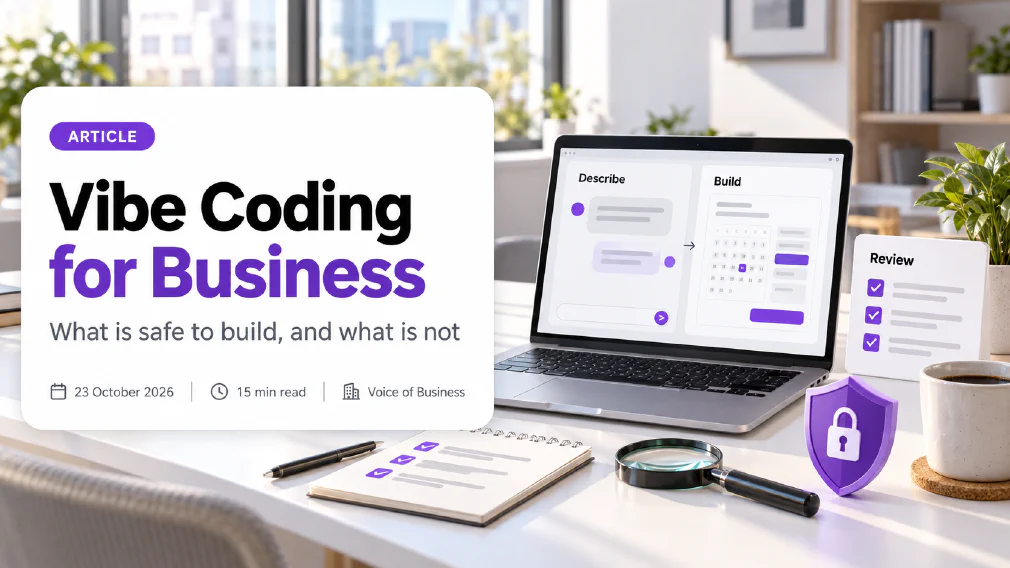
Vibe Coding for Business
What vibe coding is, whether it is safe for a business, what a small business can build with it, and where a person must still review the code.
Vibe coding is building software by telling an AI tool what you want in plain language and letting it write the code. For a business it is a fast way to make prototypes and small internal tools, and a risky way to make anything that holds customer data, takes payments or controls who can log in.
This article explains what vibe coding is, where the word came from, what a small business can sensibly build with it, and where the security line sits. It uses the UK National Cyber Security Centre’s own guidance for the risk side, and ends with a safe way to start.
Key takeaways
- Vibe coding means describing software to an AI tool and accepting the code it writes, often without reading it. The word was coined on 2 February 2025 and became a dictionary word of the year within nine months.
- It is good for prototypes, demos and small internal tools that hold no sensitive data. It is a poor fit for logins, payments and personal data unless a person who understands code reviews the result.
- The UK National Cyber Security Centre calls this a spectrum. The more a piece of code matters, the more human review it needs.
- Code that works is not the same as code that is secure. One 2025 security report found that 45% of tests of AI-written code turned up a security flaw, and newer, larger models did not fix that.
- Treat a vibe-coded app like a prototype until someone qualified has reviewed it. Do not feed it real customer data in the meantime.
- Start with one internal tool, one named owner and no sensitive data.
What is Vibe Coding?
Vibe coding is a way of making software where you describe the result you want, an AI tool writes the code, and you judge the outcome by running it instead of by reading the code. You say what is wrong, the tool changes it, and you repeat until it behaves the way you want.
The tool underneath is a language model that has been trained on a very large amount of existing code. You write a plain-language prompt such as “a page where staff can log which meeting rooms are booked, with a weekly view”, and it produces a working first version. You never need to open a code editor.
What makes it “vibe” coding, and not just AI-assisted coding, is the level of trust. A developer using autocomplete still reads and edits every line. A vibe coder accepts the output and judges it by whether it seems to work.
Who coined Vibe Coding?
The AI researcher Andrej Karpathy coined the term in a social media post on 2 February 2025. He described a way of working where you “fully give in to the vibes, embrace exponentials, and forget that the code even exists.”
It spread quickly. By November 2025 a major English dictionary had named it word of the year, defining it as the use of artificial intelligence prompted by natural language to assist with writing computer code. That rise explains why the phrase now appears in job adverts, board papers and supplier pitches, often with little agreement on what it means.
It also explains a common confusion. Karpathy was describing a casual way of making throwaway projects, not a method for running a business. Most of the debate since has been about what happens when the casual method meets work that matters.
How does Vibe Coding work?
Vibe coding follows a loop of four steps that repeats until the result is good enough.
- Describe. You write what you want in everyday language, with as much detail about who uses it and what it should do as you can.
- Generate. The AI tool writes the code and, in many tools, runs it so you can see a working page or app straight away.
- Test. You click through it. You check the cases that matter: what happens with an empty form, a wrong password, a very long entry.
- Refine. You describe what is wrong and ask for a change. The tool edits its own code.
The tools fall into four groups. Chat assistants write code that you copy somewhere. App builders turn a description into a working site or app with hosting included. AI code editors suit people who can read code. Coding agents work through a whole project on their own, which makes them closer to an AI agent than to a chatbot. If that distinction is new to you, read what an AI agent is before choosing one.
All of them share one trait that matters for a business: the person doing the work may never see the code. That is where both the speed and the risk come from.
What can a Small Business build with Vibe Coding?
A small business can build simple, contained tools that its own staff use and that hold no sensitive data. The best candidates are things you would otherwise do in a spreadsheet, or not do at all.
- A staff rota or room booking page. Low stakes, easy to check, easy to replace.
- An internal calculator. A quote estimator, a margin checker or a delivery-time tool that your team uses to avoid doing sums by hand.
- A landing page or a one-page campaign site. Public but static, with no logins and no stored data.
- A dashboard that reads a spreadsheet. A tidy view of figures you already hold, with no write access back to the source.
- A prototype to show what you want built. A clickable mock-up is often the quickest way to brief a developer or a supplier.
The last one is the strongest use for most owners. A prototype that works on screen answers the question “what exactly do you mean?” better than a ten-page brief. Choosing which tasks to start with applies here as much as to any other use of AI: pick a job that repeats, has a clear right answer and does no harm if the first version is wrong.
Is Vibe Coding Safe for Business?
Vibe coding is safe when the thing you build is low-stakes and unsafe when it is not. The method does not decide that. The project does.
The UK National Cyber Security Centre set this out in June 2026 as a spectrum. At one end is manual coding with a little AI autocomplete. At the other end is full vibe coding, where the AI has autonomy over the design, the code and the tests and you only judge the output. The guidance says full vibe coding can be perfectly fine for:
- prototypes and proof-of-concepts where speed matters most,
- demos that communicate an idea,
- internal tools with limited exposure,
- anything with no sensitive data or security functions.
It says to move towards manual control, with a person who reviews and understands the code, when the project involves:
- login and permission logic,
- sensitive personal data,
- secrets, tokens or credentials,
- anything safety-critical,
- anything where a flaw would have serious consequences.
The same guidance says the risk is not in using AI but in not applying the right safeguards when the stakes are high. That is the right frame for an owner. The question is never “may we vibe code?”. It is “how much review does this particular thing need?”
| What you are building | Typical review level |
|---|---|
| A throwaway prototype or demo | Light. Run it and judge it. |
| An internal tool with no personal data | Moderate. Test the odd cases and keep a backup. |
| A public page that collects enquiries | High. A person reads the code that handles the form. |
| Anything with logins, payments or customer records | Expert. Written or reviewed by someone qualified. |
What are the Security risks of Vibe Coding?
The main risk is that AI-written code often works and is still insecure, and a person who never reads it has no way to see the flaw.
The evidence points the same way. A 2025 report that tested code from more than 100 language models found that 45% of tests turned up a security flaw, and that bigger, newer models were no better at writing secure code than earlier ones. The models had become much better at producing code that runs. They had not become better at producing code that is safe.
Three problems come up again and again:
- Broken access control. The app works, but one user can see or change another user’s records. It tops the OWASP Top 10, the standard list of web application weaknesses, because it is easy to miss and easy to exploit.
- Exposed secrets. Passwords and keys end up written into the code or the page, where anyone can read them.
- Unchecked input. The app trusts whatever a visitor types, which opens the door to attacks through a simple form.
Real cases have followed. A 2025 scan of 1,645 apps made with one popular app builder reportedly found 170 that let anyone see other people’s personal information. That is the pattern to expect when an app that looks finished was never reviewed.
There is a second, quieter risk: tools that do not deliver the speed they promise. In a 2025 randomised trial, 16 experienced developers took 19% longer on 246 real tasks when they were allowed to use AI tools, while believing they had been faster. Its authors have since said the result is out of date and published newer data, so do not read it as a verdict on today’s tools. Read it as a reminder that feeling fast is not the same as being fast.
A hallucination can also turn up in code. The tool may call a function that does not exist, or build a feature that looks right and does the wrong sum. That is why testing matters more than looking at the screen.
Is Vibe Coding GDPR Compliant?
It can, depending on what you build. The method is neither compliant nor non-compliant, but the GDPR requires appropriate technical and organisational measures to keep personal data secure. An app that nobody reviewed, holding real customer records, is hard to defend if it leaks them.
Two practical rules follow. First, keep real customer and staff data out of a vibe-coded project until the code has been reviewed by someone qualified, and use made-up sample data while you build. Second, be careful about what you paste into the tool itself, since your prompts and files may leave your control. Our guide on what is safe to paste sets out the line, and the same care applies if you are connecting an AI tool to your email and files to feed it. The wider rules on data protection apply to anything you build, however quickly you built it.
When should you not use Vibe Coding?
Do not use vibe coding on its own for anything that holds personal data, takes payment, controls access, or that you could not afford to have fail in front of a customer. Do not use it for anything that must keep working for years and that nobody on your team will be able to maintain.
Maintenance is the cost people forget. A vibe-coded app has no author who understands it. If the person who built it leaves, or the tool changes how it works, you may be left with software that no one can explain or fix. If a tool matters to the business, give it an owner, as you would for any other AI governance question, and write down what it does and who can change it.
A good test is to ask what happens if it is wrong for a week. If the answer is “someone notices and we fix it”, vibe code it. If the answer is “we leak data or lose money”, get a qualified person involved.
Is Vibe Coding better than No-Code Tools?
Neither is better. They suit different jobs, and for a repeatable process with fixed steps a no-code tool is usually the safer choice.
No-code tools give you ready-made blocks to arrange. What you can build is limited by the platform, but the blocks are tested and behave predictably, and the supplier carries much of the security work. Vibe coding generates real code from your description, so you can build almost anything, but the result is less predictable and nobody has tested it for you. Many tools now combine the two.
If your need is to connect apps and move information between them on a schedule, start with no-code automation, not with new code. Vibe coding earns its place when no existing tool does the job and you need something that fits your way of working. For the wider decision, see our comparison on whether to build or buy.
What are the Best Vibe Coding Tools?
There is no single best tool. The right choice depends on how much control you want and whether anyone on your team can read code. Choose by group, then compare the current options for your needs.
| Group | What it does | Suits |
|---|---|---|
| Chat assistants | Write code you copy into another tool | Small scripts and learning |
| App builders | Turn a description into a working site or app, with hosting | Non-developers making a first tool |
| AI code editors | Suggest and edit code inside an editor | People who can read code |
| Coding agents | Work across a whole project with little supervision | Developers with review habits |
For a first project, an app builder is the gentlest start. Whatever you pick, check where your files and prompts are stored, whether you can export the code, and whether you can switch off the use of your data for training. The same questions apply to any AI tool a team picks up, which is why a short AI use policy is worth having before staff start experimenting. Without one, vibe coding turns into shadow AI: tools in use that nobody approved.
How do you start Vibe Coding safely?
Start with one small internal tool, one named owner and no real data. Then follow these steps.
- Pick a harmless first project. A room booking page or a calculator, not a customer portal.
- Name one owner. One person is accountable for what gets built, who can use it and when it is switched off.
- Use made-up data. Never test with real customer or staff records.
- Write the brief properly. Say who uses it, what it must do and what it must never do. Ask the tool to explain each part in plain language.
- Test the awkward cases. Empty fields, wrong entries, two people at once, a very long input.
- Keep a person in charge. A person approves anything that reaches a customer.
- Add limits. The tool should see only the files and data it needs.
- Keep every working version. Save a copy before each big change so you can go back.
- Ask for a review before it matters. When the tool moves from a trial to something people rely on, have someone qualified read the code.
Two of these steps carry most of the safety. First, keep a human in the loop for anything that reaches a customer, and use a routine to check AI output before it goes to a customer. Second, set guardrails so the tool can reach only what it needs and nothing that would cause harm if it were wrong.
Teams that want to build with support can do it on a bespoke build day, which works from your own documents and processes. If you are not sure whether a task needs new software at all, an AI audit looks at the work you already do and says where a plain tool is enough.
Will Vibe Coding replace developers?
Not on the evidence so far. It lets non-developers build simple things and lets developers move faster on routine work. Someone still has to design the system, secure it and own it when it breaks. The more a piece of software matters to your business, the more you want a person who understands the code.
For a small business the realistic change is more prototypes built in-house and better briefs to the professionals you hire, not fewer professionals.
What follows
Treat vibe coding as a fast way to make prototypes and small internal tools, and not as a way to skip review. Pick one harmless project, name its owner, keep real data out of it and test it against the awkward cases. When anything it builds starts to matter, bring in someone who can read the code.
Sources
- NCSC, “The vibe coding spectrum approach to AI-assisted software development”: the UK national cyber security authority sets out vibe coding as a spectrum, says full vibe coding can suit prototypes, demos and limited internal tools with no sensitive data, and says to review code by hand where logins, personal data, secrets or serious consequences are involved.
- Wikipedia, “Vibe coding”: records that the term was coined in a post on 2 February 2025 and gives the quoted description, and summarises the 2025 trial of developer speed and the scan of 1,645 apps built with one app builder.
- CNN, “Vibe coding named Collins Dictionary’s word of the year”: reports the dictionary’s 6 November 2025 choice and its definition of vibe coding as the use of artificial intelligence prompted by natural language to assist with the writing of computer code.
- 2025 GenAI Code Security Report: a security vendor’s report that tested code from more than 100 language models and found security flaws in 45% of tests.
- Measuring the impact of early-2025 AI on experienced open-source developer productivity: a randomised trial with 16 developers and 246 real issues that found work took 19% longer with AI tools allowed, while the developers believed it had been faster; the authors note the result is now out of date.
- OWASP Top 10 2025: the standard awareness list of the most critical web application security risks, which places broken access control first (A01).
- Regulation (EU) 2016/679, the GDPR: the text of the regulation, including the duty to apply appropriate technical and organisational security measures to personal data.
FAQ
Questions we get asked
What is Vibe Coding in simple terms?
Vibe coding is building software by describing what you want to an AI tool in plain language and letting it write the code. You run the result, say what is wrong, and ask again, without reading the code line by line. It suits quick experiments and small internal tools. It is a poor fit for anything that handles customer data or logins unless someone who understands code reviews it.
Is Vibe Coding Safe for a Business?
It is safe for low-stakes work and risky for the rest. The UK National Cyber Security Centre says full vibe coding can be fine for prototypes, demos and limited internal tools with no sensitive data. It says to review the code by hand when it handles logins, personal data, secrets or anything where a flaw would be serious. Decide which kind of project you have before you start.
Can you vibe Code without knowing how to Code?
Yes, for a first working version, and many owners do. The harder part is what comes after: when the app breaks, loses data or behaves oddly, you need to describe the fault clearly and test the fix. Treat it like managing a fast, tireless junior who never explains their work. Keep each project small and keep a copy of every working version.
What is the difference between Vibe Coding and No-Code?
No-code tools give you ready-made blocks to arrange, so what you can build is limited by the platform but behaves predictably. Vibe coding generates real code from your description, so it can build almost anything but the result is less predictable and has to be tested. Many tools now blend the two. For a repeatable business process with fixed steps, a no-code tool is usually the safer choice.
Will Vibe Coding replace developers?
Not on the evidence so far. It lets non-developers build simple things and lets developers move faster on routine work, but someone still has to design the system, secure it and own it when it breaks. The more a piece of software matters to your business, the more you want a person who understands the code. For a small business the realistic change is more prototypes built in-house, not fewer professionals.
Is Vibe Coding GDPR Compliant?
The method is neither compliant nor non-compliant. What matters is what you build and what data it touches. GDPR requires appropriate technical and organisational security for personal data, and AI-written code that nobody has reviewed is hard to defend if it leaks that data. Keep real customer or staff data out of vibe-coded projects until the code has been reviewed by someone qualified.
What are the Best Tools for Vibe Coding?
There is no single best tool, because the right one depends on how much control you want. They fall into four groups: chat assistants that write code you paste somewhere, app builders that produce a working site or app from a description, AI code editors for people who can read code, and coding agents that work across a whole project. For a first project, an app builder or a chat assistant is the gentlest start.
How much does Vibe Coding cost?
The tools usually charge a monthly subscription, often with a limited allowance of use before you pay for more, and the terms change often, so check the current plan before you commit. The larger cost is your time spent testing, fixing and maintaining what you build, plus any hosting. Compare that against buying a ready-made tool before you decide it is cheaper.
Who invented Vibe Coding?
The term was coined by the AI researcher Andrej Karpathy in a post on 2 February 2025. He described a way of working where you give in to the flow, accept what the AI writes and forget that the code exists. A major English dictionary named it its word of the year for 2025.
Ready to Put This to Work?
Tell us where your team is with AI and we will tell you honestly what would make the biggest difference.