
Mistral Le Chat
Mistral's AI assistant, and one of the three named tools this catalogue teaches with a course of its own alongside ChatGPT and Microsoft 365 Copilot. It is also one of the leading chatbots the foundational courses compare, and the advanced programme works through its agents.
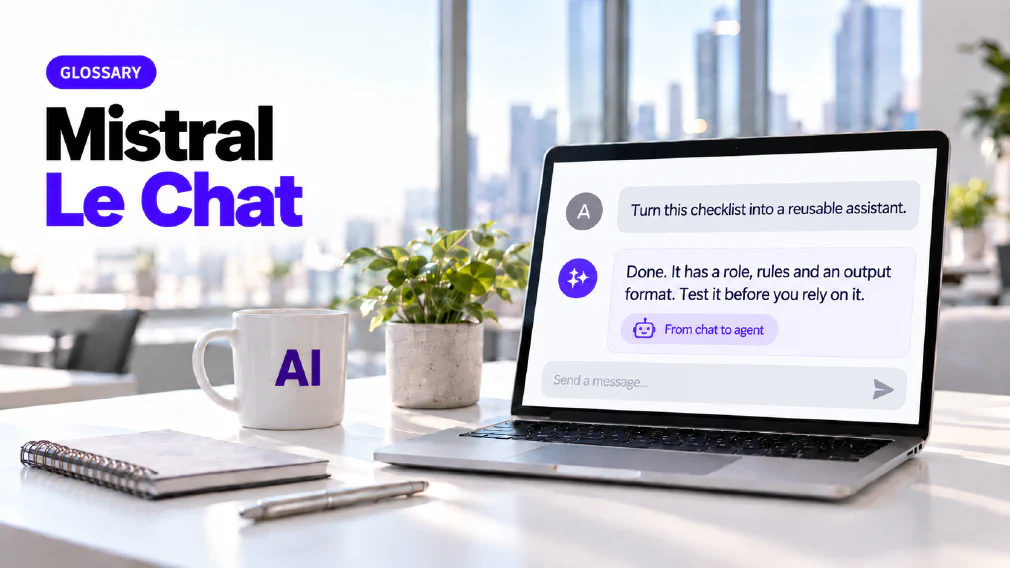
What Mistral Le Chat is
Mistral Le Chat is Mistral’s AI assistant. You write a request in a chat window and it replies in text. On this site it counts as a chatbot and as one example of generative AI, the wider category of systems that produce new content instead of only sorting or finding existing content.
It has a different standing from Claude and Gemini in the catalogue. Those two are assistants a team should be able to place. Mistral Le Chat is one of three tools that have a workshop of their own, alongside ChatGPT and Microsoft 365 Copilot. It is also one of the leading chatbots the foundational courses compare.
The product and the Model
Like the others, Mistral Le Chat rests on a large language model. The model is the technology that predicts and generates language. Le Chat is the assistant built around it. That is why Mistral, ChatGPT, Claude, Gemini and Copilot behave differently even though each rests on a language model. Each vendor trains its own, tunes it differently and wraps it in different features, and the wrapper decides much of what a business actually experiences.
The workshop starts from that footing. Before anyone opens the tool it recaps generative AI and large language models, chatbots, probabilistic behaviour and hallucinations, so the rest is built on an accurate picture of what the assistant is doing.
A Workshop of its own
The Mistral Le Chat workshop is called From Chatbot to Personalised AI Agents. It runs as two half-day sessions and is aimed at all staff who use the tool, at beginner and intermediate level. It suits people who already know the basics of generative AI, and beginners who need a structured path from simple chatbot use to reusable AI workflows.
It sits in the bespoke part of the training catalogue and in a group of its own, and it is not one of the core AI courses. That distinction is worth stating because the catalogue names three tools with courses of their own, and only Copilot has courses among the core ones.
The outcomes are stated plainly. Participants use the tool for day-to-day work, build grounded document question and answer workflows, personalise it through instructions and memory, and design reusable agents for repeated tasks. They also learn to decide which of the tool’s features a given job needs.
Safe use comes first
The workshop opens on governance and responsible AI use, not on features. Its first block covers safe use of Mistral, data boundaries, draft-quality outputs, and verification and human responsibility. Every later block assumes it.
The site publishes no review of Mistral’s own data terms, so this page states none. The practical point is the same one the other assistant pages make. Data goes to a provider, the terms of the account decide what happens to it, and a business should read the agreement for the account it will actually use and decide what staff may enter. Data protection covers what a commitment of that kind does and does not include.
The Modes
The outline lists the modes the workshop teaches: Fast Mode, Think Mode, Deep Research, Web Search and Work Mode. They sit in one block, next to a walkthrough of the interface, core capabilities, files and settings. Learning them is part of choosing well, because a quick question and a research task are not the same job and do not need the same setting.
The closing decision framework returns to them. It asks when to use chat, a project, a library, memory, custom instructions, an agent, a connector, Deep Research or Work Mode, so the modes are treated as options to choose between and not as features to use everywhere.
Prompting and Personalisation
The prompting block teaches four things: goal, context, source and expectations, then role prompting, persona prompting and structured output control. See prompt engineering for how the site treats the wider skill.
Personalisation follows. The workshop covers custom instructions and memory, stable preferences against changing context, and setting up a personalised chatbot. Custom instructions are the standing rules. Memory is the remembered half. The useful judgement is which of your preferences are stable enough to set once and which change with the task, because a rule written for one job can quietly spoil the next.
Projects and Libraries
Two blocks turn a chat into something a team can reuse. Projects are reusable workspaces, taught as a way to organise longer work, keep context, use project instructions and create repeatable workflows. The point is that a long piece of work should not restart from nothing each time.
Libraries are knowledge bases. The workshop teaches using them for grounded answers, with document question and answer, policy assistants and company knowledge assistants as the examples. This is grounding: the reply is drawn from your own material and not from the model’s training alone. The mechanism underneath is retrieval-augmented generation, which the site covers under its own name.
Day-to-day use
The workshop keeps to ordinary work. Its use cases are LinkedIn post creation, persona-based summarisation, email workflows, document rewriting, meeting notes and basic analysis. None of them needs an agent. Most of a team’s value from an assistant comes from jobs like these done well, and the workshop treats them as the base that everything later builds on.
From Chatbot to Agent
The second half moves from a chatbot to an AI agent. A block on the difference between the two covers when agents are useful and how reusable assistants work. The next builds one, and it teaches the anatomy of an agent as a short list: role and goal, rules, source handling and output format, with limitations and testing at the end.
The examples show the range. The workshop builds a prompt improver, a business communication coach, an HR or policy assistant, a simulator agent, an expense categorisation agent and an offer evaluation agent. Each one is a chatbot given a job, a source and a fixed shape of answer.
A further pair of blocks covers connectors, APIs and MCP: how AI connects to tools, what an API does, what MCP means and why connectors matter for advanced workflows. Agents with tools and data sources follow, with a calendar assistant, a database agent, report automation and connector-based workflows. The AI agent page sets out how the site defines an agent and what makes one different from a chatbot.
Where the Advanced Programme picks it up
Mistral Le Chat also appears outside its own workshop. The advanced generative AI programme works through Mistral agents in its second session, in the block on AI agents and chatbots, beside Gemini agents and a simulator agent. That block also teaches the difference between a chatbot and an agent and which to pick, which is the judgement the Mistral workshop builds towards.
The ChatGPT and Copilot courses list Mistral among the leading chatbots they compare. The aim is the same wherever it appears: a team leaves able to tell which job belongs to which tool, and does not memorise one interface.
Mix-ups worth avoiding
Four confusions come up often enough to name. The first is treating a chat, a project, a library and an agent as the same thing, when each suits a different job and the workshop ends on a framework for telling them apart. The second is treating a library as a search engine, when its purpose is grounded answers from your own documents.
The third is building an agent for a job a good prompt would do. The fourth is treating the assistant and the model as one thing, which hides the fact that the wrapper decides much of what a business experiences. Each comes from picking the tool before asking what the work needs.
Where it goes wrong
Mistral Le Chat can produce an answer that reads well and is wrong. This is hallucination, and it is a property of how generative AI works, not a fault of one product. The workshop treats its outputs as draft quality, with verification and human responsibility named in its opening block.
An agent does not remove that. A reusable assistant repeats its mistakes as reliably as its successes, which is why the agent build ends on limitations and testing. Grounding in a library narrows the risk of an invented answer, but it does not remove the need to check. The larger the job handed over, the more the check matters.
Mistral Le Chat compared with other Assistants
The site does not rank the leading assistants, and the reason is stated in the catalogue. Nothing is taught in the abstract, and no session runs on a tool an organisation does not have. Which of the named tools a session actually runs on is decided by what the organisation already has, not by what we would rather demonstrate.
Microsoft 365 Copilot sits inside Word, Excel, Outlook and Teams. Gemini sits inside Google Workspace. ChatGPT is a separate destination with more room to build on. Mistral Le Chat is a standalone assistant whose workshop is built around a path: chat, then projects and libraries, then personalisation, then agents. The Claude, Gemini and Perplexity pages cover more of the assistants the courses compare.
Where it is taught and where it appears in an Audit
The Mistral Le Chat workshop is the course of its own. The advanced generative AI programme uses its agents, and the ChatGPT Enterprise course places it among the leading assistants. Bespoke workshops like this one are scoped in conversation and sit in the wider training catalogue.
An audit meets Mistral Le Chat as a tooling choice. Which assistant a process should use turns on the tools the business already has and on what the process handles, and the Identify step is built to answer that, checked against the process and not decided from a features page. Once a tool is chosen, training turns the decision into something the people using it know how to do.
FAQ
Questions about Mistral Le Chat
What is Mistral Le Chat?
Mistral Le Chat is Mistral's AI assistant. It is one of the three named tools this catalogue teaches with a course of its own, alongside ChatGPT and Microsoft 365 Copilot, and one of the leading chatbots the foundational courses compare.
Which Course covers Mistral Le Chat?
The Mistral Le Chat workshop, From Chatbot to Personalised AI Agents. It runs as two half-day sessions and covers safe use, prompting, personalisation, projects, libraries, agents and connectors. It is for staff who already know the basics of generative AI, and for beginners who need a structured path.
Mistral Le Chat Workshop: From Chatbot to Personalised AI Agents
Is the Mistral Workshop one of the Core Courses?
No. It is a bespoke workshop in the training catalogue, in a group of its own. The core courses are listed on the core courses page, and the wider catalogue holds the rest.
What are Libraries in Mistral Le Chat?
In the workshop, libraries are used as knowledge bases for grounded answers. The examples taught are document question and answer, policy assistants and company knowledge assistants. The point is that the reply is drawn from your own material and not from the model's training alone.
Can Mistral Le Chat build Agents?
Yes, and building them is the second half of the workshop. Participants learn the difference between a chatbot and an agent, when agents are useful, and how to build one from a role and goal, rules, source handling and an output format, ending on limitations and testing.
Should we choose Mistral Le Chat, ChatGPT or Copilot?
The site does not rank them. Which one a business uses is decided by the tools it already has and by what the work needs, and which tool a session runs on follows from that. Comparing the leading assistants is part of the foundational courses, so a team can tell which job belongs to which tool.
Is it Safe to put company Data into Mistral Le Chat?
That depends on the account and its terms, and the site does not carry a review of Mistral's own data terms, so read the agreement for the account you would use and do not assume. The workshop opens on this question, with safe use, data boundaries, draft-quality outputs, and verification and human responsibility.
Can Mistral Le Chat be wrong?
Yes. Like every generative AI assistant, it can produce an answer that reads well and is wrong. The workshop recaps probabilistic behaviour and hallucinations before anything else is built, and treats its outputs as drafts that a person is responsible for checking.
What it means for a Business
It is taught as a path rather than as a product tour: from simple chat use to projects, libraries, personalisation through instructions and memory, and reusable agents for repeated tasks. Which of the named tools a session actually runs on is decided by what the organisation already has, not by what we would rather demonstrate.
Ready to Put This to Work?
Tell us where your team is with AI and we will tell you honestly what would make the biggest difference.