AI customer Support for Small Business
How a small business can use AI for customer support: what it can answer, which tools to compare, how to set it up, and where a person must stay in charge.
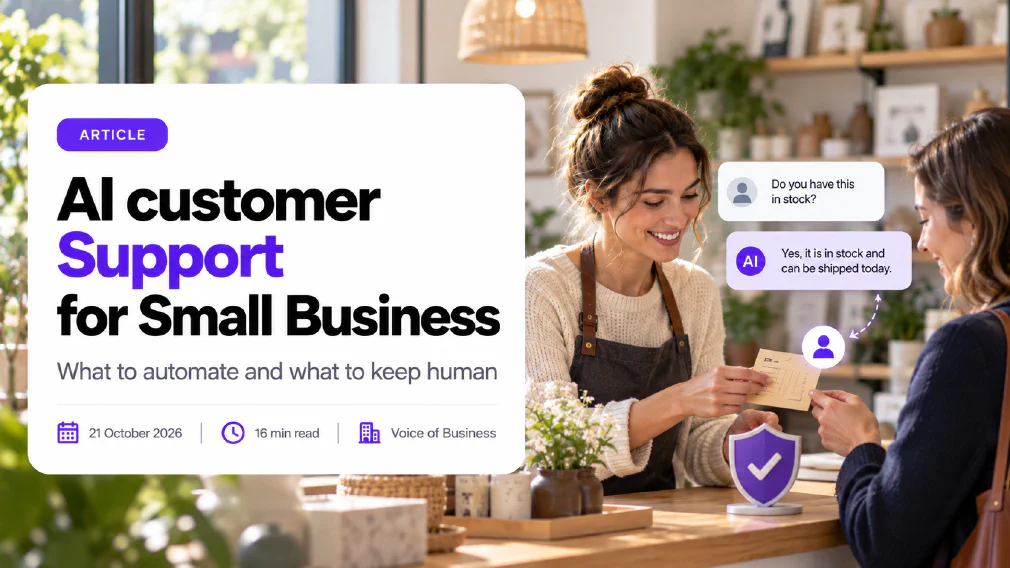
A small business can use AI for customer support to answer repeated questions at any hour, draft replies for a person to send, and sort incoming messages before anyone reads them. It works best on the questions you already answer the same way every week, and it fails when it is left to decide things that need judgement.
This guide covers what AI customer support is, which questions it can handle, whether it can replace staff, how the main tools differ, how to set it up in two weeks, what it costs to think about, how the EU rules apply, and where it goes wrong.
Key takeaways
- AI customer support is strongest on repeated, well-documented questions such as opening times, delivery, returns policy and order status. It is weakest on complaints, exceptions and anything emotional.
- It does not replace a support person. It removes the routine layer so that a person can spend time on the cases that need one.
- Choose the tool by where your questions arrive and which systems it must read, not by the length of its feature list.
- Restrict the assistant to your own approved content, tell it to say when it does not know, and set rules that send sensitive topics straight to a person.
- Tell customers they are talking to an AI. The EU AI Act and plain good practice both point the same way.
- Treat chat logs as personal data under the GDPR, and keep payment details and passwords out of them.
- Run a short pilot on a handful of topics, read real conversations every week, and widen the scope only when the results hold up.
What is AI customer Support?
AI customer support is the use of software built on a large language model to answer, draft or route customer messages. The customer types a question into a chat window, an email or a messaging app. The software reads the question, looks up the answer in the material you have given it, and replies in ordinary language. When it cannot answer, it passes the conversation to a person.
That description covers three different jobs, and it is worth keeping them apart because they carry different risks.
Answering. An AI chatbot talks to the customer directly and gives the reply itself. This is the most visible form and the one with the most risk, because a wrong answer reaches the customer immediately.
Drafting. The AI writes a suggested reply inside your inbox and a member of staff reads, edits and sends it. The customer never sees the AI, and a person checks every message. For many small businesses this is the safest place to begin.
Sorting. The AI reads incoming messages, tags them by topic or urgency, and sends each to the right person or queue. Nothing is said to the customer at all. It is the lowest-risk use and often the quickest saving.
Newer products describe themselves as an AI agent rather than a chatbot, because they can also take actions, such as looking up an order or updating a record. The extra ability is useful, and it also means a mistake can change something in your systems, not only say something wrong. Our guide to telling a real AI workflow from a chatbot with extra steps explains the difference in more detail.
What customer questions can AI handle?
AI handles the questions where the answer is already written down and does not change from one customer to the next. A good test is to ask whether a new colleague could answer it correctly on day one from a single page of notes. If so, an AI tool probably can too.
Typical examples are:
- Opening hours, location, parking and how to book.
- Delivery times, shipping areas and tracking links.
- Returns, exchanges and warranty rules, as they are written in your policy.
- How to use a product or service, where you already have instructions.
- Account questions such as resetting a password or changing an address, when the tool is connected to the right system.
- Status questions, such as where an order or an appointment stands.
It struggles with questions that depend on a decision. A request to refund outside the policy, a complaint about a member of staff, a dispute about an invoice, or a customer who is upset or in difficulty needs a person who can listen and has the authority to say yes. The useful distinction is between automating a task and automating a decision. Answering “when does my order arrive” is a task. Deciding whether to bend a rule for a loyal customer is a decision.
Safe for AI to answer
Opening hours, delivery times and booking steps
Returns rules, exactly as your policy states them
Order or appointment status, read from your system
Send to a person
Complaints, refund disputes and exceptions
Anything involving a vulnerable or distressed customer
Legal threats, safety concerns and account closures
Our guide to the first AI tasks for a small business ranks safe starting points if you are unsure where to begin. Before you buy anything, collect your ten most common questions from the last month of emails and chats. If seven of them have a stable, written answer, you have a good candidate for a pilot. If most of them need a judgement call, the tool will not save you much and a shared inbox with better templates may serve you better.
Can AI replace customer Service staff?
AI can replace some of the work, but not the role. In a small business the person answering customers is usually also doing something else, such as running the shop, the schedule or the books. AI frees some of that time by absorbing the repetitive messages, and the saving is real when the volume is steady.
What it cannot take over is the part customers remember. A customer who has been charged twice, or whose delivery has gone missing before a family event, wants someone who can take ownership and act. An AI tool can acknowledge the problem and collect the details. It should not be the one that promises the outcome.
A better question than “can it replace us” is “which layer of our support should it own”. For most small businesses the answer has three layers:
- AI first. Repeated questions with stable answers, answered at any hour.
- Person with AI. Anything the AI cannot resolve arrives with the conversation attached and a drafted reply, so the person starts halfway through.
- Person only. Complaints, exceptions and sensitive cases, routed to a named owner without the AI replying at all.
This is the principle of keeping a human in the loop. The AI does the routine work, and a named person remains accountable for what customers are told and for every decision that affects them.
What are the Best AI customer Service Tools for a Small Business?
The best tool is the one that fits where your customers contact you and what it needs to read. Plan names, features and limits change often, so confirm details on each vendor’s own pages before you decide. The four below are common starting points, and what follows reflects what each vendor says about its own product.
Tidio and its Lyro AI agent. Lyro answers customer questions using your own support content, which it can gather from your website and existing support pages. According to the vendor, you set the tone and escalation rules through a feature called Guidance, can watch conversations as they happen and take over, and can send a question to a person when it falls outside the tool’s knowledge. It suits a small business with a website and a chat window that wants something light to set up.
Zendesk AI. Zendesk describes AI agents that work across messaging, email and voice, plus a copilot that assists human agents with context and suggested next steps. It is a full customer service platform, so it suits a business that already needs ticketing, several channels and reporting, and has someone to configure it. Check which AI features are included in the plan and which are add-ons.
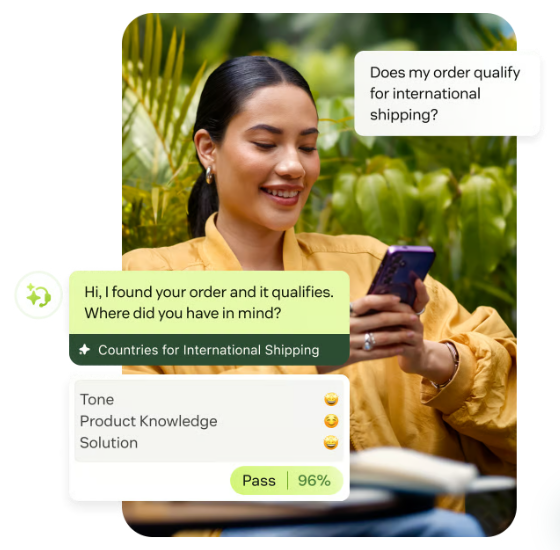
Freshdesk and Freddy AI. Freshworks presents Freshdesk as a ticketing platform that combines AI agents, an AI copilot for human agents, and automated workflows across channels such as WhatsApp, Messenger and Instagram. It is worth a look if your customers contact you on several messaging apps and you want everything in one inbox.
Gorgias AI Agent. Gorgias says it is built specifically for ecommerce and connects to store platforms such as Shopify and BigCommerce. If you sell online and most questions are about orders, shipping and returns, a tool that reads your store data is a strong fit. If you do not run an online shop, it is probably the wrong one.
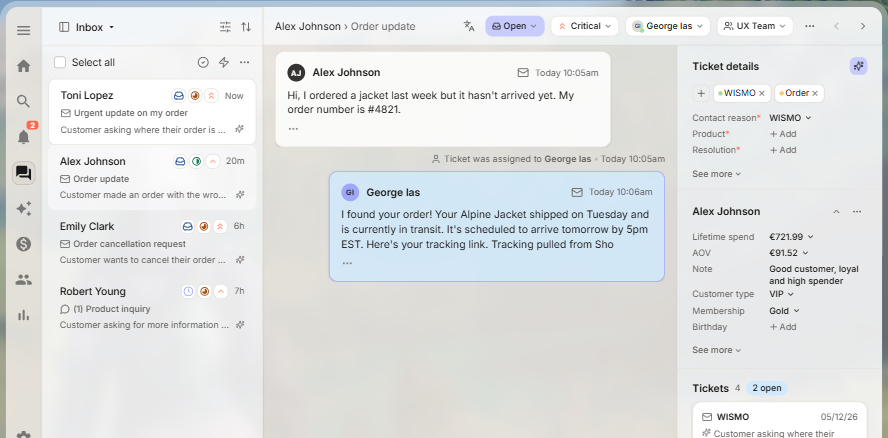
You do not need a dedicated product to begin. A general assistant such as ChatGPT or Claude can draft replies if you paste in a question with the personal details removed and your approved answer notes. That is the “drafting” job described earlier, and it suits a very small team. Our guide to ChatGPT for small businesses covers what is safe to paste and which account type to use, and the comparison of Claude and ChatGPT for business sets out the differences.
When you compare tools, ask each vendor the same six questions:
- Can the assistant be restricted to my own content, and will it say when it does not know?
- How do I set rules that send certain topics straight to a person?
- Does the person receive the full conversation when it is handed over?
- Where are chat logs stored, for how long, and are they used to train models?
- Can I see, search and correct what the assistant has said to customers?
- What happens to my data and my setup if I leave?
How do you set up AI customer Support?
Set it up in small steps, with one topic area at a time. A realistic plan for a team of a few people takes about two weeks.
Days 1 to 2
Collect the ten most common questions
Days 3 to 4
Write or tidy the approved answers
Days 5 to 6
Set rules for what goes to a person
Days 7 to 8
Test on real and awkward questions
Days 9 to 10
Switch on for one channel, labelled as AI
Week 3
Read conversations, fix, then widen
Collect the ten most common questions. Go through the last month of emails, chats and calls and list what customers ask most. Count them. This list decides the scope of the pilot and, later, how you measure it.
Write or tidy the approved answers. The quality of the assistant is the quality of the material behind it. Out-of-date opening hours or a returns page that contradicts your terms will be repeated confidently to every customer. This technique of answering from your own documents is known as retrieval-augmented generation, and tying the answer to those sources is called grounding. If you do only one thing well, make it this.
Set rules for what goes to a person. Write a short list of triggers: a customer says the word complaint, mentions a refund, asks for a manager, repeats a question twice, or sounds upset. Add topics that are always off limits, such as legal advice or medical claims. Planning these in advance is exception handling: deciding what happens when a case does not fit the rules. These guardrails matter more than any setting for the tone of voice, and they are what turns a mistake into a handover.
Test on real and awkward questions. Run the assistant on the ten common questions, then on difficult ones: a vague message, a question in another language, a customer who changes their mind halfway, a question the notes do not cover. Brief it in the way our guide on briefing it like a new hire describes, with the audience, the facts to use and what to do when unsure.
Switch on for one channel. Start with the website chat or a single inbox, and say clearly that it is an AI assistant. Make sure there is an obvious way to reach a person at any point.
Read conversations and widen slowly. Every week, read a sample of real conversations, including the ones that were handed over. Correct the source material when you find a wrong or weak answer. Add the next topic only when the first one is behaving well.
How much does AI customer Support cost?
Cost is more than the subscription, and prices change often, so check each vendor’s current pricing page before you commit. This guide does not quote figures for that reason.
Vendors tend to charge in one or more of three ways: per user (the people using the inbox), per conversation or resolved question handled by the AI, or as a bundle with a tier of features. Each behaves differently as you grow. A price per resolved conversation looks cheap at low volume and can climb with a successful launch. A per-user price is predictable but pays for seats that may not use the AI.
The full cost, the total cost of ownership, also includes:
- The time to write and maintain the approved answers.
- The time to read conversations and correct mistakes each week.
- Any connection to your store, booking or accounting system.
- Training for the people who take over from the AI.
- The cost of a wrong answer, such as a refund, a lost customer or a complaint.
To judge whether it pays, compare the total against the time and money the routine questions cost you today, measured over a month, and look at the return on investment honestly. Our guides on how much an AI workflow costs to run and on whether your AI tool is actually saving time show how to measure this without guesswork.
Is AI customer Support GDPR Compliant?
It can be, but compliance depends on how you set it up, not on the tool alone. A customer’s name, email address, order history and the content of their message are all personal data, so a support assistant is a system that processes personal data. The GDPR applies in full.
In practice that means five things.
- Lawful basis and notice. Your privacy notice should say that you use an AI assistant to handle support, what data it sees and who provides it.
- A processing agreement. The vendor processes data on your behalf, so you need a data processing agreement and should know where chat logs are stored and for how long.
- No training on your customers’ data without a good reason. Check whether the vendor uses conversations to improve its own models, and choose the setting that does not where one exists.
- Data minimisation. Do not let customers, or the AI, collect more than is needed. Add a line to the chat telling people not to share card numbers, passwords or health details, and have the tool refuse them.
- Automated decisions. Article 22 gives people the right not to be subject to a decision based solely on automated processing that has legal or similarly significant effects, with the right to human intervention and to contest the decision. Most support answers do not reach that bar. A decision to refuse a claim or close an account might, so keep a person in charge of those.
Good data protection is a team habit as much as a setting. Our guide to what is safe to paste sets out a simple three-tier test for which information may go into an AI tool, and a one-page AI use policy puts the rules in writing so that staff do not have to guess.
Do you have to tell customers it is an AI?
You should, and from August 2026 the EU AI Act points firmly that way. Article 50 requires AI systems intended to interact directly with people to be designed so that the people concerned are informed they are interacting with an AI system, unless that is obvious to a reasonably well-informed person. The EU AI Act sets this duty mainly on the provider of the system, and the article is stated to apply from 2 August 2026.
That does not leave you with nothing to do. You decide how the assistant appears on your site, so give it a clear name and label, such as “AI assistant”, and make a route to a person visible. A customer who thinks they are writing to a colleague and later finds out otherwise is likely to feel misled, whatever the law says. Details of the rules and their timing are still being refined, so read what the EU AI Act requires of a small business and check with your adviser if you operate in a regulated sector.
What are the Risks of AI customer Support?
The main risks are wrong answers, wrong promises, data leaks and a worse experience for the customers who most need a person. Each has a practical control.
Made-up answers. A language model can state something false in a confident tone. This is a hallucination, and no setting removes it entirely. Restrict the assistant to your approved content, tell it to say “I do not know” and hand over, and test it with questions it should not be able to answer.
Promises you cannot keep. An assistant that says “we will refund you” or “it will arrive tomorrow” has made a statement your customer will rely on. Write rules that stop it making commitments about money, dates or outcomes, and let people confirm those.
Data leaks. Customers paste all sorts of things into chat. Use an account with clear data terms, limit retention, and block sensitive details from being stored.
Customers who feel trapped. Few things annoy a customer more than a loop that will not let them reach a person. Make the route to a person obvious, and treat repeated requests for one as an automatic trigger.
Drift. Your prices, opening hours and policies change, and the assistant keeps repeating the old ones until someone updates its source. Give one named person ownership of the content and a monthly review date. When nobody owns the tool, quality falls quietly.
The routine for checking what goes out is the same whether a person or a machine wrote it, and our guide to checking its output before it goes to a customer sets it out step by step.
What to do this week
You do not need a project to begin. Today, list the ten questions your customers ask most and mark which have a stable written answer. Tomorrow, decide who owns the answers and what always goes to a person. By Friday, try drafting replies to those questions with an assistant you already use, paste in no personal details, and time how much of the work it removes.
If that saves time and the answers hold up, test one of the tools above on a single channel, labelled as AI. If you want an outside view on which tools your staff already use and what customer data goes into them, an AI audit maps it in a structured way.
Sources
- Regulation (EU) 2024/1689, the Artificial Intelligence Act, Article 50: obligations for providers of AI systems that interact directly with people, including that they be informed they are interacting with an AI system unless this is obvious.
- Regulation (EU) 2016/679, the General Data Protection Regulation, Article 22: the right not to be subject to a decision based solely on automated processing, with the right to human intervention and to contest the decision.
- Tidio, Lyro AI Agent: the vendor’s description of answering from your support content, setting tone and escalation rules, monitoring conversations and handing over to a person.
- Zendesk, Zendesk AI for customer service: the vendor’s description of AI agents across channels and a copilot for human agents.
- Freshworks, Freshdesk: the vendor’s description of AI agents, an AI copilot and omnichannel ticketing.
- Gorgias, AI Agent: the vendor’s description of an AI agent built for ecommerce and connected to store platforms.
FAQ
Questions we get asked
What is the Best AI for customer Support in a Small Business?
There is no single best one. A shop that sells online and runs on a store platform is usually best served by a tool built for that, such as Gorgias. A business with a website and an email inbox but no store may prefer a lighter chat tool such as Tidio. A team that already runs a ticketing system will usually get further by switching on the AI inside it, as Zendesk and Freshdesk offer. Choose by where your questions arrive and what systems the tool must read, then test it on your own ten most common questions.
Can AI replace customer Service staff?
Not entirely. AI can answer repeated, well-documented questions at any hour and draft replies for a person to send. It does not hold the judgement, the authority to make exceptions or the relationship that a complaint, a refund dispute or a worried customer needs. Treat it as the first layer of your support, with a named person behind it, and measure it by how much routine work it removes, not by how many roles it replaces.
Do I have to tell customers they are talking to an AI?
Yes, in practice you should always say so. The EU AI Act requires AI systems that interact directly with people to be designed so that the person is informed it is an AI system, unless that is obvious to a reasonably well-informed person. The duty falls mainly on the provider of the tool, but you control what your customers see, so label the chat window clearly and offer a way to reach a person.
Is an AI Chatbot allowed to handle Personal Data under GDPR?
Yes, if you treat it like any other system that processes personal data. You need a lawful basis, a clear privacy notice, a data processing agreement with the vendor, a sensible retention period and a way to answer access or deletion requests. Check where the vendor stores chat logs and whether it uses them to train its models. Keep payment details, passwords and health information out of the chat altogether.
How long does it take to set up AI customer Support?
A basic chat assistant that answers from your existing website pages can be running on a test basis in a few days. The slower part is not the software. It is writing down accurate answers, deciding what must go to a person, and testing the result on real questions. Plan for a pilot of about a week or two on a small set of topics before you switch it on for everyone.
What should AI never handle in customer Support?
Complaints about safety, legal threats, requests that involve a vulnerable customer, disputes about money, decisions to close an account or refuse a claim, and anything where a wrong answer causes real harm. Set rules so these go straight to a person, with the conversation attached, and never let the AI make or promise the outcome.
Will an AI Chatbot make up Answers?
It can. Language models sometimes state something false in a confident tone, which is called a hallucination. You reduce the risk by restricting the tool to your own approved content, telling it to say when it does not know, and testing it on tricky questions before launch. You do not remove the risk entirely, so review the conversations regularly and correct the source material when you find a wrong answer.
How do I know if AI customer Support is working?
Track four things for the same set of topics before and after: how quickly customers get a first answer, how many questions the AI resolves without a person, how many customers ask for a person, and how satisfied they are afterwards. Read a sample of real conversations every week. A tool that deflects questions but leaves customers annoyed is moving the work, not removing it.
Ready to Put This to Work?
Tell us where your team is with AI and we will tell you honestly what would make the biggest difference.