MCP vs API
MCP and an API are not rivals. What each one does, how they differ, when a business needs which, and what to check on security before connecting an AI tool.
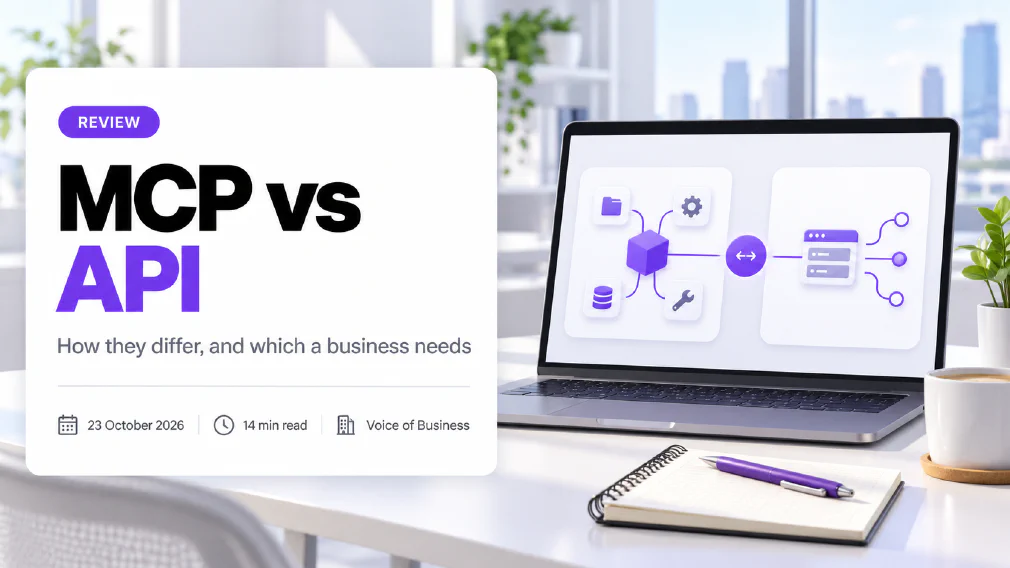
MCP and an API are not rivals. An API is a published way for one piece of software to call another. The Model Context Protocol (MCP) is an open standard that lets an AI application discover what a server offers and use it, and the server it talks to often calls an ordinary API underneath. Most small businesses never have to choose between them. They switch on connectors in an AI tool, and the real decision is what that tool is allowed to reach.
This review explains what each one is, how they differ, whether MCP replaces APIs, when a business needs which, and what to check on security before connecting anything. It uses the protocol’s own documentation and security guidance, and it corrects one claim in older explainers that the current specification no longer supports.
Key takeaways
- An API is a contract that lets software call other software. MCP is a standard that lets an AI application find out what a server can do and use it. They sit on different layers.
- MCP does not replace APIs. An MCP server typically wraps an existing API or database, so the API is still doing the work.
- The practical difference is who decides the call. A developer fixes an API call in advance. With MCP the AI model chooses which tool to use and what to send, so results vary and need checking.
- Many older articles say MCP is stateful and APIs are stateless. The current MCP specification, dated 28 July 2026, describes MCP as stateless too.
- Use a plain API or an automation for fixed, repeated steps. Use MCP when an AI assistant has to choose between tools and the task varies.
- The protocol’s own security guidance lists real attacks. Treat every MCP connection as software you are installing, give it the least access it needs, and keep a person approving actions that matter.
What is MCP?
MCP stands for Model Context Protocol. The official documentation describes it as an open-source standard for connecting AI applications to external systems. Those systems can be data sources such as local files and databases, tools such as search engines and calculators, and prepared workflows. The documentation compares it to a USB-C port for AI: one standard way to plug an assistant into many different things.
The idea solves a plain problem. A language model on its own can only work with what you type into the chat. To read your calendar or search a shared drive, it has to be connected to them, and before MCP every AI product built those connections separately. A shared standard means a connection built once can serve many assistants.
Anthropic first released it and, on 9 December 2025, donated it to the Agentic AI Foundation, a fund hosted by the Linux Foundation. Anthropic said the project’s governance would stay unchanged. It also reported more than 10,000 active public MCP servers, more than 97 million monthly downloads of the software development kits for Python and TypeScript, and adoption by ChatGPT, Cursor, Gemini, Microsoft Copilot and Visual Studio Code. Those figures are the publisher’s own and date from December 2025. Our glossary entry on the Model Context Protocol covers the business meaning in short form.
What is an MCP server?
An MCP server is a piece of software that provides context to an AI application. The documentation defines the roles as three: the host is the AI application, the client is the part of the host that keeps a connection to one server, and the server is the software that offers capabilities. A server can run on your own computer, where it talks to the AI application directly, or on a remote machine, where it is reached over the web and can serve many users.
A server offers up to three kinds of things:
- Tools. Functions the AI can run, such as searching files, querying a database or creating a calendar entry.
- Resources. Information the AI can read, such as a document, a database record or a schema.
- Prompts. Reusable templates that structure how the AI is asked to use the other two.
The documentation’s own example is a server for a database. It offers a tool for querying the data, a resource that holds the database’s layout, and a prompt with worked examples. For a business, a more familiar example is a server that lets an assistant search a shared documents folder. It is the part of the set-up that decides what the assistant can see, which is why it matters more than the assistant itself.
What is an API?
An API is an application programming interface. IBM defines it as a contract that enables software to access data or invoke functionality exposed by other software. A developer reads the API’s documentation, writes code that calls it in the exact way it describes, and the code does the same thing every time it runs.
The most common kind on the web is a REST API. It organises information as resources, each with its own address, and software works with those resources using standard web requests such as get and post. Each request must carry everything the server needs to process it, because a REST server keeps no memory of earlier requests.
Almost every business tool offers one. When your accounting software sends an invoice to your bank, or your website passes an order to your stock system, an API is doing the work. Building directly on one is what we call API integration.
What is the difference between MCP and an API?
The difference is who the interface is written for and who decides what to call. An API is written for a developer, who reads the documentation in advance and fixes in code exactly which calls to make. MCP is written for an AI application, which asks the server what it offers and then chooses at run time which tool to use and what to send it.
Four differences follow from that.
Discovery. With an API, a person finds out what is available by reading documentation. With MCP, the client asks the server directly. The documentation shows a client sending a request to list the available tools, and each tool comes back with a name, a plain-language description and a description of the inputs it needs. The model reads those descriptions to work out which tool fits.
Standardisation. Every API has its own shape, its own sign-in method and its own error messages, so each connection is custom work. MCP uses one message format, JSON-RPC 2.0, and one way of describing tools, so the same client can talk to any server that follows it.
Who chooses the call. An API call does what the code says. An MCP tool is chosen by the model, from a description, in the middle of a conversation. That is what makes an assistant flexible, and it is also why two runs of the same request can behave differently.
State. Many explainers say APIs are stateless and MCP is stateful. That was true of earlier versions of MCP. The current specification, dated 28 July 2026, says MCP is stateless: every request contains all the information needed to process it. Where a server needs to remember something across requests, it returns an explicit handle that the client sends back. If an article tells you MCP “keeps a session”, check its date.
Does MCP replace APIs?
No. MCP sits on top of APIs and does not replace them. The documentation lists the things a tool can do as file operations, API calls and database queries. In other words, an MCP server is often a thin layer that takes a request from an AI application and passes it to an API that already exists.
That has a practical consequence. If a system has no API, an MCP server has nothing to call. If a system has a good API, a developer can add an MCP server in front of it so assistants can use it too, and the original API carries on serving your website, your apps and your automations unchanged. Neither one makes the other redundant.
How do MCP and APIs compare side by side?
| Aspect | API | MCP |
|---|---|---|
| Written for | A developer writing code | An AI application choosing tools |
| How you learn what is available | Read the documentation | The client asks the server for a list of tools |
| Who decides which call is made | The code, fixed in advance | The AI model, at run time |
| Format | Varies by API, REST is common | One standard, JSON-RPC 2.0 |
| Setup per connection | Custom code for each service | One standard client, one server per system |
| Predictability | The same call does the same thing | The model may choose differently on different runs |
| Typical failure | A broken or changed call | The wrong tool or the wrong input chosen |
| Needs a developer | Yes | Not for a ready-made connector, yes to build a server |
| Best fit | Fixed, repeated, high-volume steps | An assistant that works across several tools on varied tasks |
When should a Business use MCP?
Use MCP when an AI assistant or AI agent has to reach one or more tools and the task changes from one request to the next.
- Staff ask an assistant questions about internal documents. A connector to your document store lets it find the right policy instead of guessing.
- An assistant works across several tools. It reads a calendar, checks a customer record and drafts a reply, and each request needs a different mix.
- A ready-made connector already exists. If your AI tool offers one, switching it on is far quicker than building anything.
- You expect to change AI tools. A connection built on a shared standard is easier to move than one built for a single product.
In most of these cases an administrator switches on a connector in the AI tool and nobody writes code. What each plan lets an administrator connect and control is covered in our Claude and ChatGPT comparison, so read it before you decide who gets which connection.
When should a Business use an API instead?
Use a plain API, or an automation built on one, when the steps are fixed and the process repeats in the same way each time.
- The process has set steps. When an order arrives, create an invoice, then send it. There is no judgement to apply, so no need for a model to choose.
- The volume is high and steady. A fixed call is cheap to run and does not depend on a model making a decision each time.
- You need to prove exactly what happened. A deterministic call does the same thing every run, which is easier to test, log and explain to an auditor.
- No AI is involved. If the work has no assistant in it, MCP adds a layer for no reason.
The cost shape of building directly on an API, against using a visual builder, is covered in our review of a custom API build and no-code automation. Choose by how often the process runs and how often it changes, not by which one sounds newer. The same discipline applies if you are building software with AI help: vibe coding is fast, but code that touches logins or customer data still needs a person who can read it.
Is MCP Secure?
MCP is as secure as the way it is set up, and the protocol’s own guidance treats the risks as real. The official security best practices page describes specific attacks on MCP set-ups, including the confused deputy problem, where an attacker tricks a proxy server into passing on access the user never approved, and token passthrough, where a server accepts and forwards credentials that were never issued to it. The guidance says MCP servers must not accept any tokens that were not explicitly issued for them.
Two further points in that guidance matter to a business.
Local servers run with your privileges. A server installed on a computer can run with the same access as the application that started it. The guidance warns that a malicious or careless server can execute commands, read files and send data out, and says the client must show the exact command and require approval before running one. Treat installing an MCP server like installing any other software, and only take it from a source you trust.
Broad access widens the damage. The guidance recommends giving each connection a minimal starting scope and widening it only when needed, because a stolen token with broad rights lets an attacker reach everything the token covers.
What to do about it, in plain terms:
- Start read-only. Let the assistant look before it can change anything.
- Connect one thing at a time. Add the next connection only once you understand the first.
- Keep a person approving actions that matter. Sending, deleting and paying should need a human in the loop.
- Know who can connect what. Decide this as an AI governance question, with a named owner, before staff connect things themselves.
- Log what the assistant does. If it touches customer information, you need a record.
The risks are not unique to MCP. They are the risks of giving any software access to your systems, and the guidance is a useful checklist even if you never use the protocol. Keeping a human in the loop for sending, deleting and paying is the control that matters most, and deciding who may connect what is an AI governance question that needs a named owner before staff start connecting things themselves. For the everyday version of the same question, see our guide to connecting an AI tool to your email and files.
Is MCP GDPR Compliant?
The protocol is neither compliant nor non-compliant. The GDPR applies to the personal data that flows through a connection, and what matters is what that data is, where it goes and who handles it.
Three questions settle most of it. Where does the MCP server run, on your machine or on a supplier’s? If a supplier runs it, they are processing data for you, and the GDPR expects a contract that covers that and appropriate security measures. And does the connection reach more personal data than the task needs? A server that can read the whole shared drive for a task that needs one folder is the kind of excess the GDPR’s data minimisation principle is aimed at.
Write the answers into your AI use policy, and keep real customer data out of a trial connection until you have checked all three.
Which should a Small Business choose?
Most small businesses will not write either an API call or an MCP server. They will use tools that have both built in, so the useful question is what to connect and who decides. Work through it in this order.
- Is the job a fixed set of steps? Use an automation or a direct API connection. It is simpler and easier to check.
- Does an assistant need to read from or act in another tool, with judgement? Use the connector your AI tool already offers, which is MCP in most products.
- Do you have your own system with no connector? Ask a developer to put an MCP server in front of its existing API, and scope it tightly.
- For any connection, name an owner, set the access and test it. Run it on a harmless task for two weeks and look at what the assistant actually did.
If you are not sure which of your tasks needs a connection at all, an AI audit looks at the work you already do and says where a plain tool is enough and where an assistant needs to reach something. Teams that want to build and test connected assistants with support can do it on an agents day, which works from your own documents and processes.
What follows
Treat MCP and APIs as layers of the same stack, not as a choice. Keep fixed, repeated work on plain APIs and automations. Use MCP where an assistant has to choose between tools, and treat every connection as a decision about access: start read-only, name an owner and keep a person approving anything that sends, deletes or pays.
Sources
- Model Context Protocol, “What is the Model Context Protocol (MCP)?”: the project’s own introduction, which describes MCP as an open-source standard for connecting AI applications to external systems and compares it to a USB-C port for AI.
- Model Context Protocol, “Architecture overview”: defines the host, client and server roles, the JSON-RPC 2.0 message format, the two transports, the tools, resources and prompts a server can offer, tool discovery, and the stateless design of the 28 July 2026 version.
- Model Context Protocol, “Security best practices”: the project’s guidance on attacks and mitigations, including confused deputy, token passthrough, local server compromise and scope minimisation.
- Anthropic, “Donating the Model Context Protocol and establishing the Agentic AI Foundation”: the 9 December 2025 announcement of the donation to the Linux Foundation, the unchanged governance, the adoption list and the figures for public servers and downloads.
- IBM, “What is an API?”: defines an API as a contract that lets software access data or invoke functionality exposed by other software, and describes REST APIs as resources with their own addresses and no stored session state.
- Regulation (EU) 2016/679, the GDPR: the text of the regulation, including the rules on processors and on appropriate technical and organisational security measures.
FAQ
Questions we get asked
What does MCP stand for?
MCP stands for Model Context Protocol. It is an open standard for connecting AI applications to external systems such as files, databases, search tools and business software. The official documentation compares it to a USB-C port for AI: one standard way to plug an assistant into many different things.
Is MCP an API?
Not in the usual sense. An API is a contract that lets one piece of software call another. MCP is a standard that sits above that and lets an AI application discover what a server offers and use it. An MCP server often calls an ordinary API behind the scenes, so the two work together instead of competing.
Is MCP better than a REST API?
Neither is better, because they do different jobs. A REST API is the right tool when a developer writes fixed code that calls a service in a predictable way. MCP is useful when an AI assistant has to choose between several tools at run time. For a fixed, repeated process, a plain API call is simpler, cheaper to check and easier to explain to an auditor.
Do I need MCP to use AI in my Business?
No. Most AI use in a small business, such as drafting, summarising and answering questions, needs no connection to anything. MCP only matters when you want an assistant to read from or act in another system, such as your documents or calendar. Many AI tools now offer this as a switch an administrator turns on, so you may use MCP without ever writing any.
Which AI Tools Support MCP?
The protocol's maintainers reported in December 2025 that ChatGPT, Cursor, Gemini, Microsoft Copilot, Visual Studio Code and other AI products had adopted it. Support and the exact controls differ by product and plan, so check your own tool's current documentation and ask your administrator what can be connected before assuming a connection exists.
Is MCP Safe to use with company Data?
It can be, if you treat each connection as a decision about access. The official security guidance lists real attacks on MCP set-ups and says to give each connection the least access it needs. Start with read-only access, install servers only from sources you trust, and keep a person approving any action that sends, deletes or pays.
Can a non-developer set up an MCP server?
For a ready-made connector offered by an AI tool, yes, because setting it up is usually a settings screen and a sign-in. Building your own MCP server needs a developer, since it means writing code that exposes a system's functions to the AI. Whoever sets it up should also decide what it may reach and who can use it.
Who owns MCP?
MCP was first released by Anthropic, which donated it on 9 December 2025 to the Agentic AI Foundation, a fund hosted by the Linux Foundation. Anthropic said the governance of the project would stay the same, with maintainers continuing to prioritise community input. In practice it is now an open standard that no single supplier controls.
Is MCP stateful or stateless?
In the current version of the specification, dated 28 July 2026, MCP is stateless: every request carries all the information needed to process it. Many older explainers say MCP keeps a running session, and that was true of earlier versions. When a server needs to remember something between requests, it hands back an explicit handle that the client sends on the next request.
Ready to Put This to Work?
Tell us where your team is with AI and we will tell you honestly what would make the biggest difference.