DeepL vs ChatGPT vs Google Translate
DeepL vs ChatGPT vs Google Translate for business translation: accuracy, documents, glossaries, privacy, GDPR and cost, and which to use for what.
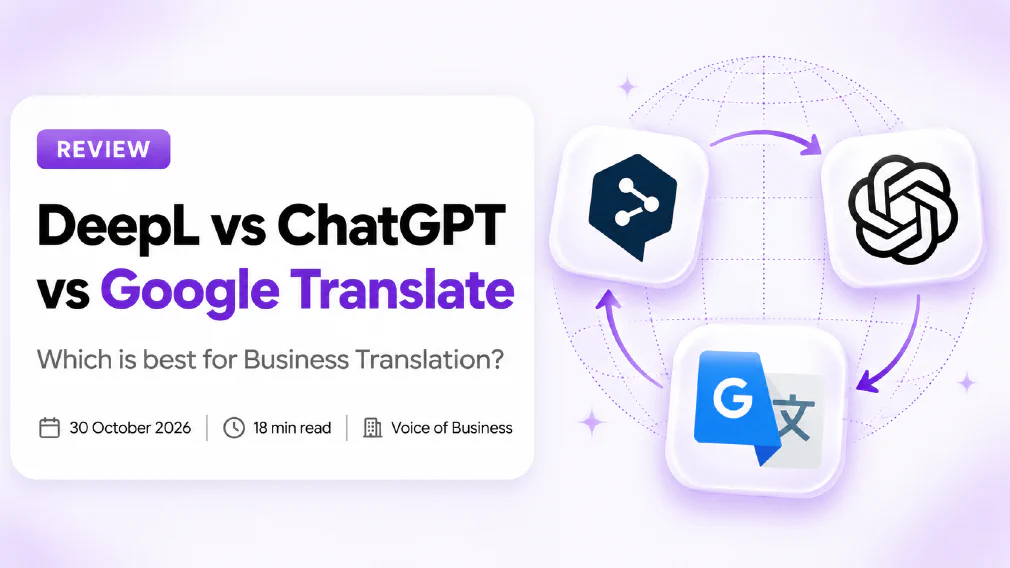
For most small businesses, DeepL is the best default for translating finished documents, ChatGPT is the better choice when you want to rewrite or adapt text for an audience, and Google Translate is best kept for quick, low-stakes understanding. None of the three should receive confidential customer documents on a free plan. The differences that matter are formatting, terminology control and what happens to your text after you paste it in.
This is a desk review. We read each provider’s own pricing, product and data pages on 30 October 2026, and we have not run a controlled accuracy test. Where we say what to expect from a tool, that is a reasoned judgement about how it is built, and we say so. Prices change and differ by country, so check each vendor’s own page before you buy.
Key takeaways
- DeepL is a dedicated translation product. It translates documents and returns them with their formatting, and it has glossaries to hold your terms.
- ChatGPT is a general assistant, so it can translate and also rewrite, adjust tone and explain a choice. It does not promise to return a file laid out like the original.
- Google Translate comes in two forms that people mix up: the free consumer website and app, and the paid Cloud Translation API with its own data terms.
- DeepL’s own plan table lists no data training on every plan, including Free. Google’s API page says it does not use your content to train its translation features. OpenAI’s business plans do not train on your data by default.
- The free consumer tools are the risk. Staff paste contracts into whatever is open in the browser.
- Accuracy varies by language pair. Test your own pair on your own text.
- A machine translation is a draft. Anything a customer, regulator or court will read needs a fluent human to check it.
Which is Best for Business Translation?
It depends on the job, so start there.
Reach for DeepL if
You translate finished documents
Layout and formatting must survive
You want a glossary of your terms
Your languages are mainly European
Reach for ChatGPT if
You are adapting text, not just converting it
You need a specific tone or audience
You want the choice explained
You already pay for it
Google Translate sits outside that split. The free app is useful for working out what a supplier’s email says. The paid Cloud Translation API is the route for a developer who wants translation inside your own systems. If you are weighing general assistants against each other, our reviews of Gemini vs ChatGPT for business and Claude vs ChatGPT for business cover that side.
What is the difference between DeepL, ChatGPT and Google Translate?
They are different kinds of tool, which is why comparing them feature by feature can mislead.
| DeepL | ChatGPT | Google Translate | |
|---|---|---|---|
| What it is | A dedicated translation product | A general AI assistant | A free consumer app and a paid API |
| Best at | Faithful translation of documents | Rewriting, adapting and explaining | Quick understanding, and developer integration |
| Documents | Translates files and keeps formatting | Translates text you upload, no layout promise | The API’s Advanced edition covers documents |
| Your terms | Glossaries on every plan, larger on paid | You write them into the prompt | Glossary support in the Advanced API |
| Data terms | Plan table lists no data training on all plans | Business plans do not train by default | API content is not used to train its features |
A large language model such as the one behind ChatGPT predicts text from context, which is why it handles tone and rewriting well and also why it can add or drop a phrase without telling you. Our glossary entry on large language models explains the idea, and the entry on hallucination covers the failure to watch for.
Which is more Accurate for Business Translation?
We have not measured it, and we would be wary of anyone who claims one tool is simply more accurate than another. Accuracy changes with the language pair, the subject and how formal the text is.
What we can say is how each is built, and what that tends to mean:
- DeepL is a specialist, translation only. On a finished document it tends to stay close to the source, which is what you want for a contract or a specification.
- ChatGPT is more flexible and more likely to paraphrase. That is useful for a marketing line and risky for a clause, because it may smooth over something that should stay exact.
- Google Translate covers a very wide range of languages. It is a reasonable first read, and its quality on less common pairs is often the reason people use it.
The only test that counts is yours. Take ten real sentences, five easy and five that carry a number, a legal term or a product name, and run them through each tool. Then ask a fluent colleague to mark what is wrong. Fifteen minutes of that is worth more than any league table.
Use a sheet like this to score each tool, one row per sentence type.
| Sentence type | Why it is risky | What to check |
|---|---|---|
| A price or quantity | A wrong digit costs money | Every number matches the source |
| A negative (“not”, “unless”) | It can flip the meaning | The meaning is not reversed |
| A legal or contract term | An everyday word may replace it | The term is the correct one for the country |
| A product or company name | It may be translated by mistake | The name is unchanged |
| An idiom or sales line | A literal version reads oddly | It sounds natural to a native reader |
Pick ten sentences
Five easy, five risky
Run all three
Same text, same pair
Back-translate
Translate it back
Ask a fluent reader
Mark what is wrong
Choose by result
Not by reputation
Back-translation, translating the result back into the original language, will not prove a translation is right, but it quickly shows where meaning drifted.
Can they translate Whole Documents with the formatting intact?
This is where the three differ most.
DeepL’s own pages describe translating entire documents while preserving the original formatting, and name PDF, Word, PowerPoint and Excel among the formats. Its plans cap how many file translations you get each month and how large the file can be, so the allowance matters if you translate in bulk.
ChatGPT will translate the text of a file you give it, but it is a chat tool. It does not promise to hand back a brochure or a slide deck laid out as you sent it, so expect to rebuild the layout by hand.
Google’s paid Cloud Translation API, in its Advanced edition, lists document, batch and real-time translation. That is a developer route and not a button for the office manager. The free website and app can translate pasted text and uploaded files, but they are not what you would build a business process on.
If layout matters, as it does for contracts, brochures and presentations, the cost of tidying a badly formatted result can outweigh the cost of the tool.
Can you make them use your own terminology?
Consistent terms matter more than people expect. If your product is “the Workbench” in English, you do not want it to become three different words across a French brochure.
- DeepL offers glossaries. The Free version and the Individual plan allow one glossary with 5 entries per language pair. Team allows 5 glossaries with 1,000 entries per language pair, and Business lists unlimited use under fair use. That is the clearest control of the three.
- ChatGPT has no glossary feature as such, but you can paste your terms into the prompt and tell it to use them. It works for a short list. For a long one it is easy to lose track. Our article on how to brief an AI tool like a new hire covers writing a brief it will follow.
- Google lists glossary support in the Advanced edition of the paid API.
If you translate the same product pages and manuals again and again, a glossary is the feature that earns the subscription.
Is it Safe to translate confidential Documents?
Safe depends on which version you use, not just which brand.
DeepL. Its plan comparison marks no data training as included on every plan, including the Free version, and its security page says: “Texts are never stored or used for model training without your consent.” Its pricing page says processing is ISO 27001 and SOC 2 Type II certified, and that for paid subscribers content is stored temporarily and never used to train its models. For business use, take a paid plan and read the privacy policy for the exact terms. Our glossary entries on GDPR and data protection cover what you owe your own customers.
ChatGPT. OpenAI’s help material says that on ChatGPT Business, Enterprise, Edu and the API, inputs and outputs are not used to train its models by default. Personal Free, Plus and Pro accounts work differently: sharing is on by default and you opt out in the settings. A staff member translating a contract on a personal account is the risk, not the business plan.
Google. Google’s data-usage page for the Cloud Translation API, last updated on 27 October 2026, says: “Google does not use the content you send to train and improve our Google Translation features.” That page covers the paid API. We could not confirm from Google’s own pages how the free website and app treat your text, so we treat it as unknown. Our rule is simple: nothing confidential goes into the free app.
Fine to paste
A public web page you wrote
A supplier email with no personal data
A marketing line before it is final
Text you would put on a noticeboard
Keep out of free tools
Contracts and legal letters
Customer names and addresses
HR records and staff reviews
Unreleased figures and plans
If your staff are already translating things on their own accounts, that is shadow AI, and it is more common than a badly configured paid plan. Our article on what is safe to paste into AI tools gives a plain rule set, and the entry on data residency matters if a customer asks where their text is processed.
How much do they cost?
Prices change and differ by country, so treat these as a snapshot and check the vendor’s page.
DeepL publishes plans on its pricing page, which we read on 30 October 2026. Prices there are shown with VAT included and billed annually.
| Plan | Price per month | Text characters | File translations | Glossaries |
|---|---|---|---|---|
| Free | Not charged | 50,000 per user per month | 1 per user, 5 MB limit | 1, 5 entries per language pair |
| Individual | €7.49 | 300,000 | 3, 30 MB limit | 1, 5 entries per language pair |
| Team | €24.99 per user | 1,000,000 per user | 20 per user, bulk translation | 5, 1,000 entries per language pair |
| Business | €49.99 per user | Unlimited (fair use) | 100, 100 MB limit | Unlimited (fair use) |
The text allowance is where the plans differ most. This chart shows the characters of text each DeepL plan includes per user per month, from DeepL’s plan table.
Business lists unlimited text under fair use, so it is not drawn as a bar. Individual and Team list a 30-day free trial. Enterprise is priced by quote.
ChatGPT is a subscription, and many businesses already pay for it. A translation is a bonus use on a seat you have, so the extra cost may be nothing. Our article on ChatGPT for small businesses covers the plans, and the figures are best read on OpenAI’s own pricing page.
Google works differently. The free app costs nothing. The Cloud Translation API is paid by usage, billed per character, and Google’s pricing page lists a monthly free allowance for text translation. That suits a developer building translation into a system and not a person translating a few documents.
To compare fairly, count your volume first: how many characters or files in a typical month, and in how many languages. Then check what each vendor currently charges for that.
Which should a Small Business choose?
A short guide, based on the work you actually do:
- You translate contracts, brochures or manuals and layout matters. DeepL on a paid plan, with a glossary for your product terms.
- You adapt marketing copy for another market. ChatGPT, because tone and audience are the point. Keep a person in the loop for the final version.
- You want to read a foreign email quickly. Google Translate is fine, as long as the email holds nothing sensitive.
- You want translation inside your own website or system. The Google Cloud Translation API, or DeepL’s API, built by a developer.
- You do not know yet. Start with the ten-sentence test above and decide on the result.
Whichever you pick, write down which tool is approved for which kind of text. Our article on writing an AI use policy for your team shows how, and AI governance for small and mid-sized businesses puts it in context. If you are unsure where AI should start in your business at all, see which AI tasks a small business should start with first.
How do you check a Translation before it goes out?
Machine translation is a draft. It is often a good one, but it can still mistranslate a number, flip a negative, or render a legal term as an everyday word, with no warning. A human has to be in the loop for anything that matters.
- Decide the stakes first. An internal note needs a glance. A contract needs a professional.
- Check the numbers, names and dates. These are the errors that cost money.
- Read it as the customer would. Does it sound like a person wrote it?
- Keep the source next to it. A reviewer can compare line by line.
- Record which tool and which date. If a complaint arrives, you can trace it.
Our article on how to check AI output before it goes to a customer turns this into a routine, and the entry on human in the loop explains the idea.
When is machine Translation not enough?
Use a human translator, not a tool, for legally binding text, regulated material, medical information, and anything where one wrong word creates liability. Use one too for your brand’s headline copy in a new market, where what sounds natural matters as much as what is correct. A tool can still produce the first draft to save the translator time.
Our verdict
DeepL is the sensible default for a small business that translates documents regularly, mainly because it keeps formatting and lets you hold your terms in a glossary. ChatGPT earns its place when the task is adapting text and not just converting it, and it costs little extra if you already pay for it. Google Translate is a handy reader’s tool, and its paid API is the developer’s route, but the free app is the one to keep confidential text away from.
Before you roll any of them out, choose a paid plan with clear data terms, write down what must never be pasted, and test your own language pair on your own text. Judge by the result on your documents, not by reputation.
Further reading
- Gemini vs ChatGPT for business: how the two general assistants compare on data and pricing.
- Claude vs ChatGPT for business: the other assistant comparison most teams ask about.
- Customer data and AI tools: what is safe to paste: a plain rule set for staff.
- Is it safe to connect ChatGPT to Gmail, Drive or SharePoint?: what changes when a tool can see your files.
Sources
- DeepL plans and pricing: the Free, Individual, Team, Business and Enterprise plans with prices, character and file limits, glossary allowances, the no-data-training line and security certifications, as read on 30 October 2026.
- DeepL data security: the statement that texts are never stored or used for model training without consent, and the GDPR and SOC 2 Type II claims.
- Cloud Translation overview: the Basic and Advanced editions, glossary support, and document, batch and real-time translation.
- Cloud Translation data usage: the statement that content sent to the API is not used to train its translation features, last updated 27 October 2026.
FAQ
Questions we get asked
Is DeepL better than ChatGPT for Translation?
For a clean, faithful translation of a finished document, DeepL is built for exactly that job and keeps formatting, so it is the safer default. ChatGPT is better when the job is more than translation: rewriting for a different audience, matching a tone, or explaining why a phrase was chosen. We have not run a controlled test, so judge both on ten of your own sentences.
Is DeepL more Accurate than Google Translate?
No tool wins on every language pair, and we have not measured accuracy ourselves. DeepL is a specialist translation product and is widely used for European languages, which suits an EU business. Google Translate covers a wider range of languages. Test the specific pair you need, because the answer changes from pair to pair.
Is it Safe to put confidential Documents into Google Translate?
Not into the free consumer app. Google's documentation on data use says it does not use content sent to the Cloud Translation API to train its translation features, but that page covers the paid API and not the free website and app. We could not confirm how the free service treats your text on Google's own pages, so keep confidential documents out of it and use a paid tier with clear terms.
Does DeepL use your text to train its Models?
DeepL's plan comparison lists no data training as included on every plan, and its security page says texts are never stored or used for model training without your consent. Its pricing FAQ says paid-plan content is stored temporarily and never used to train its models. For business use, choose a paid plan and read the privacy policy for the exact terms.
Is DeepL Free for Business use?
The free version exists but is small: 50,000 text characters and 1 file translation per user per month, with a 5 MB file limit, on DeepL's pricing page as we read it on 30 October 2026. A business that translates regularly will pass that quickly. Paid plans start with Individual and move up to Team and Business for shared use.
Can ChatGPT translate a Whole Document and keep the formatting?
It can translate the text of a document you upload, but it is a general chat tool and does not promise to return a file laid out like the original. For contracts, brochures and slides where layout matters, a dedicated translation product that preserves formatting saves a lot of manual tidying.
Which is cheapest for a Small Business?
It depends on volume. Google's paid API charges per character and its pricing page lists a free monthly allowance for text. DeepL charges a monthly seat price with character and file limits. ChatGPT is a subscription you may already pay for. Count your monthly volume first, then compare current prices on each vendor's own pricing page.
Do you still need a Human to check a Translation?
Yes for anything a customer, regulator or court will read. Machine translation is good enough to draft and to understand, but it can still mistranslate a number, a legal term or a name without any warning. Have a fluent colleague or a professional translator review contracts, medical or legal text and anything that carries your brand.
Ready to Put This to Work?
Tell us where your team is with AI and we will tell you honestly what would make the biggest difference.