Synthesia vs HeyGen vs Descript
Synthesia vs HeyGen vs Descript for business video: training, marketing, translation, security and EU AI Act labelling, and which to use for what.
Synthesia, HeyGen and Descript all promise a finished business video without a studio, but they are not three versions of one product. Synthesia and HeyGen generate a presenter for you: an AI avatar reads your script on screen. Descript starts from footage you already have and lets you edit it by editing the words. That difference decides which one suits your business before price or features come into it.
This comparison covers what each company says about its own product, as we read the vendors’ pages on 18 November 2026: their home pages, plan pages, security pages and HeyGen’s translation page. We have not run a hands-on test of all three on the same video, so we say where a claim comes from and where you should check for yourself. We leave out prices on purpose, because they change often: each vendor’s plan page has today’s figures. If your team is still deciding which AI tools to adopt at all, start with our guide to how to choose an AI vendor.
Key takeaways
- Synthesia and HeyGen generate an on-screen presenter from a script. Descript edits real recordings by editing the transcript. They solve different problems.
- Synthesia’s own site leans towards training and internal communication, with quizzes, branching, SCORM publishing and single sign-on.
- HeyGen puts the most weight on translation: 175+ languages and dialects, voice cloning and lip-sync, according to its own page.
- Descript suits teams who record webinars, interviews and screen demos and want to cut them quickly, with filler word removal and noise removal built in.
- Allowances differ more than features do. HeyGen caps video length by plan, Descript counts media hours and AI credits, and Synthesia counts credits and minutes. Read the allowance before you read the feature list.
- A realistic avatar presenting your message can fall under the EU AI Act’s disclosure rule for deep fakes. Plan a label before you publish.
- Keep customer data out of scripts, and have a person watch the whole video before it goes out.
Which is Best for Business video, Synthesia, HeyGen or Descript?
There is no single winner, because the three tools start from different places. A fair way to compare them is to ask what you are trying to avoid. If you want to avoid filming anyone, Synthesia and HeyGen are built for that. If you want to avoid hours in a timeline editor, Descript is built for that. If you want to avoid re-shooting a video for every market, HeyGen’s translation tools and Synthesia’s dubbing are the part to test.
The table below sets out what each company says about its own product.
| Question | Synthesia | HeyGen | Descript |
|---|---|---|---|
| What is it at heart? | AI video and avatar platform for business | AI avatar, video and translation platform | AI video and audio editor |
| Where does the video come from? | A script or prompt, read by an avatar | A script or prompt, or an uploaded video to translate | Your own recording, or a screen capture |
| How do you edit it? | In the browser, scene by scene | In the browser, with a translation review step | By editing the transcript, or by asking the AI co-editor |
| Languages | 140+ languages and voices | 175+ languages and dialects for translation | Translation into dozens of languages |
| Interactive or learning features | Quizzes, clickable buttons, branching, SCORM | Not a headline feature on the pages we read | Not a headline feature |
| Security claims on its own site | SOC 2 Type II, ISO 27001, ISO 27701, ISO 42001, GDPR with EU data residency, SSO and SCIM | SOC 2 Type II, GDPR, European data protection officer, SAML or SSO on higher plans | SOC 2 Type II, GDPR, SSO and SCIM on Enterprise |
| Cap to watch | Credits and minutes by plan | Video length by plan | Media hours and AI credits by plan |
Read the table as a starting point, not a verdict. The security row is the vendors’ own claims, which we have not audited, and the sections below take each row in turn.
What is Synthesia?
Synthesia describes itself as an AI video and avatar platform for business. Its home page says you can write a prompt, add context and get a finished video, with AI avatars, voiceovers and motion graphics. Behind that sits the idea that a person writes the words, an avatar speaks them, and nobody needs a camera, a microphone or a quiet room.
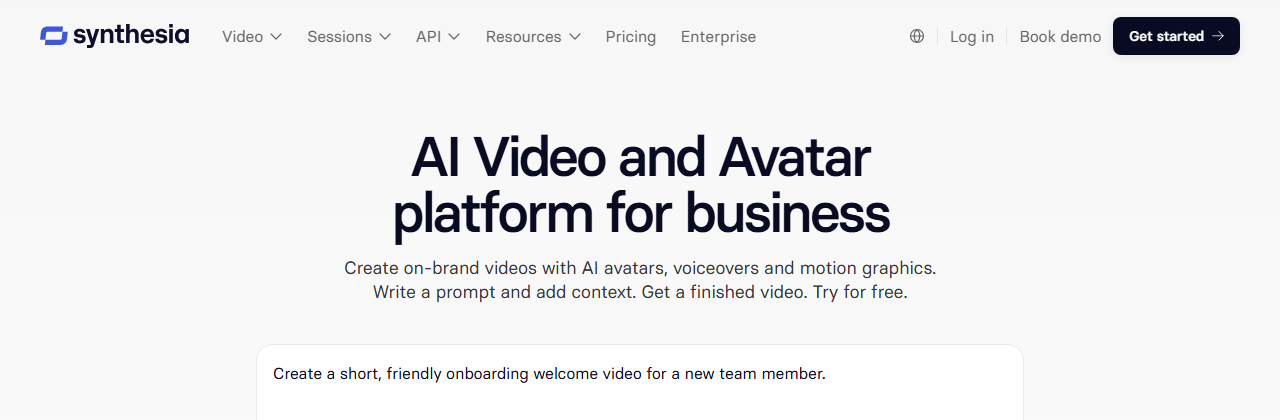
The features that matter for a business, according to Synthesia’s own pages, are these:
- Avatars. A library of stock avatars, personal avatars of yourself, and a paid studio avatar add-on on annual plans. Its pricing page lists personal avatars on the Starter and Pro plans.
- Languages. Synthesia says videos can be made in 140+ languages and voices.
- Translation and dubbing. A one-click translation of a finished video, plus dubbing of videos made elsewhere, with optional lip-sync and a custom glossary so product names stay consistent.
- Interactive video. Quizzes, clickable buttons and branching paths, which is unusual and matters for training.
- Publishing. Links, embeds and SCORM packages for a learning management system.
- Screen recording. A built-in recorder for narrating a software demo.
The practical strength of Synthesia is that the output is controlled. Because the tool owns the layout and the presenter, a month of videos tends to look consistent, which suits a policy update, a product walkthrough or an onboarding series. The cost is that a generated presenter is a presenter, not a person. If the message needs warmth, humour or a real face the audience knows, an avatar can feel flat, and some audiences notice quickly.
On plans, Synthesia’s pricing page lists an entry plan that is watermarked and limited to one editor, then Starter and Pro plans that remove the logo and add guests, more avatars and more credits, with Enterprise handled by sales. It also lists seats as one editor plus a set number of guests, which matters if several colleagues need to make videos. Our advice is the same as for any tool: count how many people will actually edit, then check that against the plan.
What is HeyGen?
HeyGen is also an avatar video platform, but its pages put more weight on reaching people in other languages. Its translation page says it translates videos into 175+ languages and dialects, with realistic AI voices, lip-sync and subtitles, and that you can choose up to ten target languages at once.

The translation page lists three details worth knowing. The tool keeps the original speaker’s voice in the translated version. It offers an edit and review step, so you can check the translated script before finalising. And it says the result is highly accurate for clear audio and common languages, with enterprise proofreading available for higher precision. Those are HeyGen’s claims, and its page does not say how it handles videos with several speakers.
HeyGen’s plan page shows how allowances work in practice. The entry plan is watermarked and limited to one minute per video, the Creator and Pro plans allow videos up to 30 minutes, the Business plan up to 60 minutes, and Enterprise has no stated maximum. Export resolution rises from 1080p on Creator to 4K on Pro. Credits on monthly plans roll over for one month, and credits expire when you cancel. If your videos run long, video length is the first thing to check.
For a business, HeyGen’s sweet spot is marketing and sales content that has to exist in several languages: a product video, a founder message, a webinar clip. The weak spot to test is the same as for every avatar tool. An avatar that reads a script is not the same as a person who believes it.
What is Descript?
Descript is a different kind of tool, and the clearest way to see it is to ignore avatars and ask what you do with a recording. Its home page describes an AI video editor where you edit your words to edit your video: Descript transcribes the footage, and deleting or moving words changes the video to match.
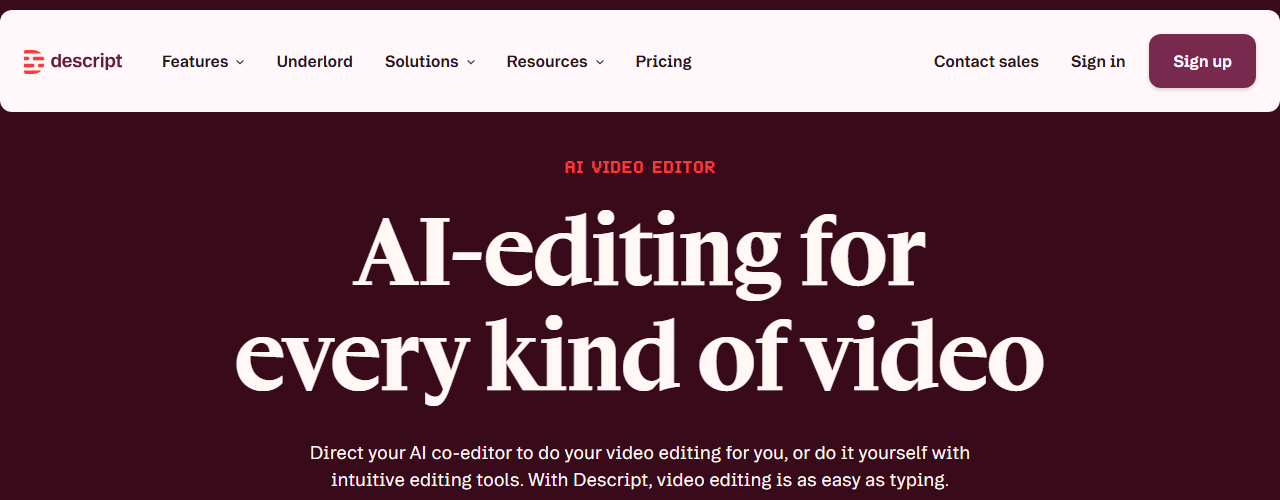
The features Descript lists on its own pages are these:
- Text-based editing. Cut a sentence by deleting it from the transcript.
- Underlord. Its AI co-editor, which the page says can turn a raw recording into a tight cut in minutes.
- Filler words and retakes. One-click removal, which is the feature most first-time users notice.
- Studio Sound. One-click background noise removal and voice enhancement.
- Screen recorder. Capture your screen for sharing or as extra footage.
- Translation. Translation of captions and dubbing into dozens of languages.
- AI avatars and custom voices. Listed on its paid plans, though the home page gives no detail.
Descript’s plan page measures allowances in media hours and AI credits per editor, rather than video length. The entry plan allows one media hour a month and exports at 720p, the paid plans rise to ten, thirty and forty hours, and export resolution reaches 4K on the Creator and Business plans. Export without a watermark starts on the first paid plan. Translation proofreading is listed only on the Business plan.
For a business that already films things, Descript is often the most useful of the three, because it removes the slowest step: the first edit. A webinar, a customer interview or a recorded demo becomes a clean cut in much less time than a timeline editor allows. What it will not do is create a presenter from nothing, at least not as its main product.
How do the three work, step by step?
The starting point shows the philosophy of each tool. The two columns below set out the typical route for an avatar tool against the route for an editor, based on the vendors’ own descriptions.
Synthesia or HeyGen
Write a script or a prompt, or upload a document
Choose an avatar, a voice and a language
Edit the scenes and check the wording
Export, publish or translate into other languages
Descript
Record, upload or screen-capture the footage
Let the tool transcribe it
Cut words, remove fillers and clean the sound
Export or translate the finished video
Notice where the human decisions sit. With an avatar tool, the most important decision is the script, because everything else follows from it. With an editor, the most important decision is the raw recording, because the tool can tidy a recording but not rescue a rambling one. Neither approach removes the need for a person to decide what the video is for. If you are unsure whether a process like this is a real automation or a shortcut, our guide to telling a real AI workflow from a chatbot with extra steps is a good test.
Which Tool is Best for Training videos?
For training, Synthesia has the clearest case on its own pages. Training content is repetitive, changes when a policy changes, and has to reach people in several countries. Those are the conditions where a scripted avatar pays back, because updating a video means editing a sentence, not re-filming a person.
Three features from Synthesia’s pages matter here. Quizzes and branching let a learner answer a question and go down a different path. SCORM publishing lets the video sit inside a learning management system and report completion. Roleplay sessions use a conversational avatar for practice conversations, which the pricing page limits to a set number of sessions per month on its lower plans. As with every vendor claim, test whether the SCORM output works in your own system before you rebuild a course around it.
HeyGen can make training videos too, and its translation and custom avatars suit a multinational team, but its pages do not describe quizzes or SCORM as headline features. Descript is the right tool when the training is a recorded session, such as a workshop, a live demo or a manager explaining a process, that needs cleaning up and cutting into short clips.
A practical rule for training: keep each video short, under a few minutes, and attach one action to it. A good AI video does not replace the training; it carries the explanation, and a person still runs the practice. If you are planning a wider rollout, our guides on how to train your team to use AI and what makes AI training stick cover the part that video cannot do, which is changing habits. Our core AI courses are built for exactly that gap.
Which Tool is Best for Marketing videos?
Marketing is where the three tools diverge most, because a marketing video has to be believed, not just understood.
Product explainers and short ads. Synthesia and HeyGen both produce a clean, repeatable presenter format. HeyGen’s pages emphasise marketing, custom avatars and quick translation, so it is the natural first test for a product video that must exist in five languages. Synthesia’s controlled layout suits a series with a fixed look.
Founder and personal brand video. This is where a real recording usually wins. A founder speaking to camera, cut cleanly in Descript, tends to feel more credible than a generated stand-in. An avatar of the founder is possible in all three tools, but it needs the founder’s consent and a plan for how it will be labelled.
Social clips from longer recordings. Descript is the strongest fit. A webinar can be turned into short, captioned clips by editing the transcript.
Visuals around the video. None of the three is a full design tool. Thumbnails, brand graphics and slides come from elsewhere, and our comparisons of Canva, Gamma and Claude Design and of Midjourney, ChatGPT Images and Canva AI cover that side. For the written copy around a video, see AI for marketing.
The test for any marketing video is blunt. Show it to someone outside the company and ask what they think of the person speaking. If the first thing they notice is that it is not a person, decide whether that matters for this audience.
Can these Tools translate and dub a video?
Translation is the feature most likely to justify a subscription, and it is where vendor claims need the most care.
Synthesia says it offers one-click translation of finished videos, and dubbing with optional lip-sync for videos made outside the tool, with a custom glossary so product names do not get translated into something odd. HeyGen’s page lists 175+ languages and dialects, voice cloning, lip-sync, up to ten target languages at once and an edit and review step. Descript lists translation of captions and dubbing on its paid plans, with proofreading on its Business plan only.
None of these tools takes the risk out of translation. A machine translation can be fluent and wrong, and a lip-synced face makes a mistake look more convincing, not less. For anything a customer will rely on, such as safety information, legal terms, pricing or regulated claims, have a native speaker read the translated script before the video goes out. Our comparison of DeepL, ChatGPT and Google Translate covers the text side of that job and is worth reading first if translation is your main use.
A sensible routine for a translated video has four steps. Translate the script first, not the finished video. Have a native speaker correct it. Add your product names and terms to a glossary where the tool offers one. Then generate the video from the corrected script. It is slower than clicking one button, and it is the difference between a video you can publish and one you hope nobody in that market watches closely.
Are AI avatar videos Safe to use with customer Data?
The honest answer is that it depends on the plan, the settings and what you put in. The vendors say different things, and all of what follows is their own account, as read on 18 November 2026.
HeyGen’s security page says it is SOC 2 Type II certified, has a data protection officer based in Europe, and relies on EU-approved standard contractual clauses for transfers to the US. It says enterprise customers’ data is excluded from AI model training by default, and that other customers may opt out by contacting it. Synthesia’s home page claims SOC 2 Type II, ISO 27001, ISO 27701 and ISO 42001 certification, GDPR compliance with EU data residency, and single sign-on and SCIM for access control. Descript’s security page says it is SOC 2 Type II compliant, that it does not use project information for anything other than providing the service, and that sharing transcription data is optional and off by default.
Descript’s page also says something that deserves a pause. For its custom voice feature, the audio you supply is used as training audio to improve the service, and generated samples may be reviewed by an outside crowd-work platform, with its own staff able to listen. That is a reasonable quality-control step, and it is also exactly the kind of detail a data protection check should catch before a colleague’s voice is uploaded.
Three habits keep you safe whatever the vendor says:
- Keep personal data out of scripts. A customer’s name, order or case detail does not belong in a training video unless the video truly needs it. Our guide to what is safe to paste into AI tools covers the rule of thumb.
- Check where the data is processed. Ask about data residency and whether a data processing agreement is available on your plan. Under GDPR, you remain responsible for personal data wherever the vendor puts it.
- Put the tool on your approved list. A tool nobody has reviewed is shadow AI, however good it is. Our guide to writing an AI use policy explains what to cover, and why banning AI tools does not work explains why an approved route beats a ban.
Consent for avatars and voices is a separate question from data security. A personal avatar or a cloned voice is a copy of a real person. Get written consent, say what the avatar may be used for, and decide in advance what happens when that person leaves. Our piece on copyright and AI-generated content covers who owns what comes out.
Do you have to label AI video under the EU AI Act?
Increasingly, yes. This is the question most business buyers have not asked yet, and it matters more for avatar tools than for an editor.
Article 50 of the EU AI Act sets transparency duties for AI-generated content. For deployers, meaning a company using an AI system under its own authority, the text says that anyone who generates or manipulates image, audio or video content constituting a deep fake must disclose that the content has been artificially generated or manipulated. A deep fake, in the Act’s terms, is AI-generated content that could falsely appear authentic. Disclosure must be clear and distinguishable, no later than the first interaction or exposure. There is an exception for evidently artistic, creative, satirical or fictional work, where the duty is limited to disclosing that the content exists in a way that does not spoil its enjoyment. A separate duty falls on providers, who must mark synthetic output in a machine-readable format.
What this means for a business video is a judgement call. A clearly labelled avatar delivering an onboarding lesson is low risk. A realistic avatar of a real executive saying something they never recorded is where the risk sits. Whether a given video counts as a deep fake is a legal question, and the dates on which the rules apply are worth checking before you rely on a summary, including ours.
A simple, cautious habit costs almost nothing: put a short line on screen or in the description saying the presenter is AI-generated. For the wider picture, read what the EU AI Act requires of a small business and our comparison of the EU AI Act and GDPR, and look up the EU AI Act in our glossary.
How do the plans compare?
Plans change, so we describe the shape of each rather than quote figures. The differences below come from each vendor’s plan page on 18 November 2026.
| Plan detail | Synthesia | HeyGen | Descript |
|---|---|---|---|
| Entry plan | Watermarked, one editor, limited credits | Watermarked, one minute per video | One media hour a month, 720p export, limited AI features |
| What the allowance counts | Credits and video minutes | Credits and video length | Media hours and AI credits per editor |
| Longest video | Not stated as a single cap on the page we read | 30 minutes on Creator and Pro, 60 on Business | Web link export up to one hour on lower plans, three hours on higher |
| Top export quality | Not stated on the page we read | 1080p on Creator, 4K on Pro | 1080p on Hobbyist, 4K on Creator and Business |
| Team features | One editor plus guests on lower plans | One seat on lower plans, extra seats on Business | One to five seats depending on plan |
| Single sign-on | Marketed for Enterprise | Business and Enterprise | Enterprise |
| Watermark removed | From the first paid plan | From the first paid plan | From the first paid plan |
Two cautions apply. First, an entry plan is a trial, not a way of working: a watermark and a short cap are fine for testing and not for publishing. Second, the unit of the allowance is what bites. A team that makes ten short videos a month and a team that edits one long webinar a week need different plans in the same product. Work out your real monthly output in minutes before you compare. If you want a method for judging whether a tool is earning its place, our piece on whether your AI tool is actually saving time sets one out.
How do you test all three in one afternoon?
The best evidence is your own, and it costs one afternoon. Pick one real video you needed last quarter: a training lesson, a product explainer or a recorded webinar. Do not pick a demo. Give each tool the same brief and, where relevant, the same script and the same brand assets.
Pick one real video
Not a demo
Same brief in every tool
Script, logo, colours
Time it
To a version you would show a colleague
Count the corrections
Wording, timing, sound, branding
Watch it on a phone
Then ask someone outside
Then measure what happened, not how it felt. Write down how long each took to reach a version you would show a colleague. Count the corrections: words you rewrote, pauses you removed, branding you fixed. Export the video and watch it on a phone, with the sound on, as a customer would. Check the sharing and privacy settings. Finally, show it to someone who was not involved and ask what they noticed first.
You will probably find that the tool with the most impressive first draft is not the one with the fewest corrections, and that the right plan is smaller than the sales page suggests. A short 30-day pilot is a sound way to check that before you commit to a year.
Our verdict
Synthesia is the strongest fit for a business that wants repeatable training and internal communication without filming anyone, particularly if the videos must live inside a learning management system. HeyGen is the strongest fit for marketing and sales content that has to exist in many languages. Descript is the strongest fit for any team that already records things and wants them edited quickly, and it is often the cheapest way to get a real return, because the footage already exists.
Many businesses will end up using two of them: an avatar tool for the scripted, repeatable material and Descript for everything a person actually recorded. None of them removes the need for a person to watch the whole video. They speak confidently, they can mispronounce a product name, and a polished format makes a mistake look official. Our guide to checking AI output before it goes to a customer sets out a simple routine, and keeping a human in the loop is the habit that matters most.
If your team is still deciding which AI tools to approve, that choice is exactly what an audit is designed to answer, weighed against how your people actually work. Once a tool is chosen, our bespoke AI training turns it into a habit across the team, and the guide on AI training for HR teams shows what a learning programme should cover.
Further reading
- Canva vs Gamma vs Claude Design for presentations: the same three-way comparison for slide decks.
- Otter vs Fireflies vs Copilot: AI tools for recording and summarising meetings.
- Are AI meeting notes legal?: consent and recording rules that apply to any recorded video too.
- Is Canva Pro worth it?: what a design tool adds around your video.
Sources
- Synthesia home page: the prompt-to-video route, 140+ languages and voices, translation and dubbing, quizzes and branching, SCORM publishing and the company’s own security claims, as read on 18 November 2026.
- Synthesia plans: the shape of the entry, Starter and Pro plans, personal and studio avatars, seats and guests, and roleplay session limits.
- HeyGen translation: 175+ languages and dialects, voice cloning, lip-sync, up to ten target languages at once and the edit and review step.
- HeyGen plans: video length limits, export resolution, watermark, single sign-on and credit rollover by plan.
- HeyGen security: SOC 2 Type II, European data protection officer, standard contractual clauses and the model-training default for enterprise data.
- Descript home page: transcript-based editing, Underlord, filler word removal, Studio Sound, screen recording and translation.
- Descript plans: media hours, AI credits, export resolution and watermark by plan.
- Descript security: SOC 2 Type II, the use of project data, and consent and review for custom voices.
- EU AI Act, Article 50: the transparency duty for deep fakes and the machine-readable marking duty on providers.
FAQ
Questions we get asked
What is the difference between Synthesia, HeyGen and Descript?
Synthesia and HeyGen both generate a presenter on screen, an AI avatar that reads a script, so you can make a video without a camera. Descript is different: it is an editor for footage you already have, where you edit the video by editing its transcript. Synthesia leans towards company training and communication, HeyGen towards marketing and translation, and Descript towards cleaning up real recordings.
Which is better for Training videos, Synthesia or HeyGen?
Synthesia is the more obvious fit for training. Its own site describes quizzes, clickable buttons, branching paths and publishing as a SCORM package for a learning management system, and it markets single sign-on for larger organisations. HeyGen can make training videos too, but its pages put more weight on marketing, translation and avatars of real people. Test one real lesson in both before you decide.
Is Descript an AI avatar Tool?
Not mainly. Descript's home page describes an AI video editor where you edit your words to edit your video, with an AI co-editor called Underlord, filler word removal, noise removal and a screen recorder. Its pricing page also lists AI avatars on its paid plans, but the editing of real recordings is what the product is built around.
Can HeyGen translate a video into other languages?
Yes. HeyGen's translation page says it translates videos into 175+ languages and dialects, keeps the speaker's voice, and aligns the speech with the speaker's lip movements. It also offers an edit and review step so you can check the translated script before the video is finalised. The company calls the result highly accurate for clear audio and common languages, which is its own claim, so have a native speaker check anything customer-facing.
Do I have to say a video is AI-generated under the EU AI Act?
Often, yes. Article 50 of the EU AI Act says that anyone using an AI system to generate or manipulate video that amounts to a deep fake must disclose that the content has been artificially generated or manipulated. A realistic avatar presenting your company's message could fall under that duty, and there are exceptions for evidently artistic or fictional work. Check the date the rule applies and take legal advice for anything borderline.
Is it Safe to put customer Information in an AI video Tool?
Only after you have read the tool's privacy terms for the plan you are on. The three vendors say different things about training on your data: HeyGen says enterprise customer data is excluded from model training by default, and Descript says it does not use project information for anything other than providing the service. Whatever the vendor says, keep personal data out of scripts unless the video truly needs it, because GDPR applies wherever the data goes.
Can I make an AI avatar of myself or a colleague?
Yes, all three describe some version of it. Synthesia's pricing page lists personal avatars, HeyGen lists custom video avatars and voice cloning, and Descript lists custom voices that require the speaker's consent. Get written consent from the person, decide who may use the avatar and for what, and agree what happens if they leave the company.
Which AI video Tool is Best for a Small Business?
For most small businesses, start with the job, not the tool. If you need a recurring explainer or onboarding video without filming anyone, try Synthesia or HeyGen. If you already record webinars, interviews or screen demos and want them cut quickly, try Descript. Run one real video through the tool you are considering and count the corrections before you pay for a year.
Do these Tools replace a video editor or a camera crew?
For simple, repeatable videos, they can. A script-to-avatar video suits a policy update or a product walkthrough that changes every few months. They are weaker for anything that depends on a real person, a real place or a strong emotional moment, where a camera and an editor still produce a better result. Most teams end up using both.
Ready to Put This to Work?
Tell us where your team is with AI and we will tell you honestly what would make the biggest difference.