Intercom Fin vs Zendesk AI vs Freshdesk Freddy
Intercom Fin vs Zendesk AI vs Freshdesk Freddy: how each AI customer support tool is billed, what it automates, where it fits, and which suits a small business.
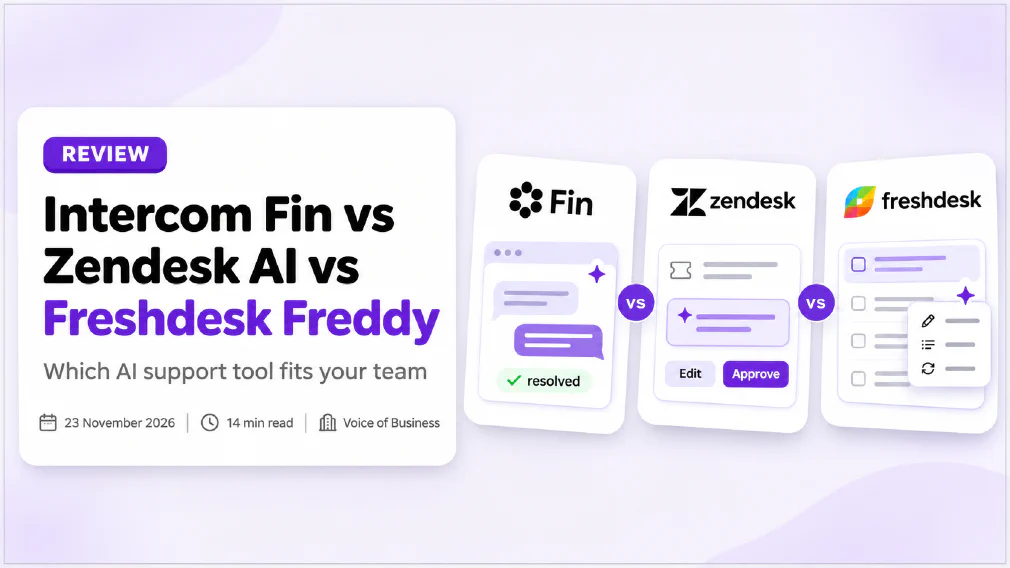
Intercom Fin, Zendesk AI and Freshdesk Freddy all promise to answer your customers’ questions with AI, but they are built and billed differently. Fin is an AI agent that tries to resolve a whole conversation and can sit on top of other support tools. Zendesk AI is built into the Zendesk platform. Freddy is the AI layer of Freshdesk, with a customer-facing agent and a separate assistant for your own staff. For a small business, the right choice depends less on the brand than on where your tickets already live and how each tool charges.
This review is based on the vendors’ own pages as we read them on 23 November 2026, including each product page we captured for the screenshots below. We have not run a hands-on test of the three, and several details differ between the vendors’ own pages and third-party write-ups, which we say where it matters. We have deliberately not quoted prices, because they change often and the units differ. Check each vendor’s current pricing page before you buy.
Key takeaways
- Fin is an AI agent first. Its own pages say it connects to Zendesk, Salesforce Service Cloud and Freshdesk, so you can add it without moving your tickets.
- Zendesk AI sits inside the Zendesk platform. Its pricing page says AI agents come with Suite and Support plans, billed by automated resolution.
- Freshdesk Freddy has two parts: the Freddy AI Agent for customers, billed in sessions, and Freddy Copilot for your own agents, sold as an add-on.
- The three bill AI differently: per resolution, per automated resolution beyond an allowance, and per block of sessions. The units are not interchangeable.
- Fin’s own page claims a 76% average resolution rate across more than 12,000 businesses. That is a vendor figure, not an independent one.
- A resolution is the vendor’s own definition. Read it, because it decides what you pay for and what you are told is working.
- Test on your own past tickets for four weeks before committing.
- Keep a person in the loop for refunds, complaints and anything with legal weight, whichever tool you choose.
What does each AI Support Tool actually do?
Start with the shape of each product, because the names hide it.
Answers customers
Reads the question
Finds the answer in your content
Takes an action if allowed
Hands over when unsure
Assists your staff
Summarises the ticket
Suggests a reply
Adjusts the tone
Routes and classifies
The left side is what the industry now calls an AI agent: it talks to the customer directly. The right side is an assistant for your own people, which drafts and sorts while a human stays in charge. Every vendor here sells both, and the difference is how much of the work each one is built to take over. If the term is new, our guide to what an AI agent is explains it, and our entry on chatbots covers the older, scripted kind these products replace.
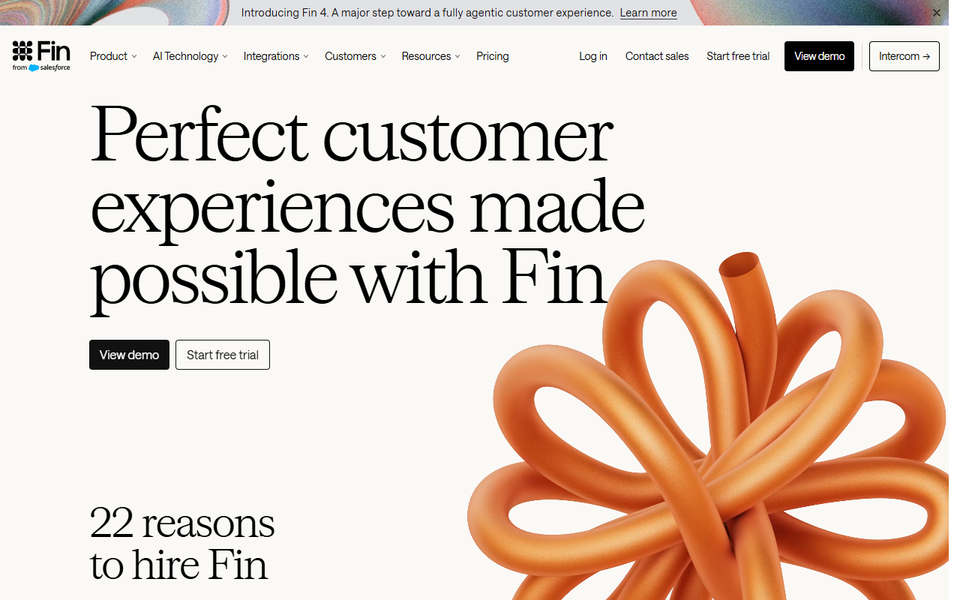
Intercom Fin. Fin is the AI agent from Intercom, and its website now shows the line “from Salesforce” under the logo. The page we read describes it as an AI agent for every customer conversation and announces Fin 4 as a step towardss a fully agentic customer experience. Fin can follow structured procedures, such as changing an account detail, and it also has an assistant for your own staff.
Zendesk AI. Zendesk describes its AI as the intelligence behind what it calls its Resolution Platform. It has AI agents that answer customers, a Copilot for human agents, and intelligent triage, which classifies each incoming ticket so it can be routed and reported on. Because it is part of the same system as your tickets, there is nothing to connect.
Freshdesk Freddy. Freshworks splits Freddy into the Freddy AI Agent, which deals with customers, and Freddy Copilot for your staff. Its support documentation lists summaries, a writing assistant that can expand, rephrase and adjust tone, suggested articles and canned replies, and a generator that drafts new knowledge base articles from your answers.
How do the three compare on Features and billing?
This table sets out the differences that matter to a small business. It is based on the vendors’ own pages, and it leaves out figures on purpose.
| Intercom Fin | Zendesk AI | Freshdesk Freddy | |
|---|---|---|---|
| Customer-facing AI | Fin, an AI agent | AI agents | Freddy AI Agent |
| Assistant for your staff | Fin’s agent assistant | Copilot | Freddy Copilot |
| Where it runs | Intercom, or on top of Zendesk, Salesforce or Freshdesk | Inside Zendesk | Inside Freshdesk |
| How AI is billed | Per resolution, on top of the support desk | By automated resolution beyond a plan allowance | In blocks of sessions after an included amount |
| Staff assistant billing | Check the vendor | Sold as an add-on | Sold as a per-agent add-on |
| Best fit | A team that wants the AI agent first and the desk second | A team already on Zendesk | A team already on Freshdesk |
The billing row is the one to study. Fin’s documentation says it charges once per conversation when a resolution is recorded, and does not bill when the customer asks for a person or when a procedure fails. Zendesk’s pricing page says AI agents are included in its Suite and Support plans and billed by automated resolution. Freshdesk’s pricing page lists the Freddy AI Agent with its first 500 sessions included on its plans, then more sessions in blocks.
Third-party write-ups disagree on some Zendesk details, including the rate per automated resolution and which plans include intelligent triage. That is a reason to ask each vendor for the current terms in writing, and not to rely on a blog, including this one, for a figure.
What does a resolution actually mean?
This is the most useful question you can ask, and most buyers skip it. Every vendor bills on an outcome, but each defines the outcome itself.
Fin’s documentation treats a conversation as resolved when the customer asks for no further support after the last AI answer. That has a catch worth knowing. A customer who gives up and leaves may look the same as one who was satisfied, and a vendor’s own definition is built to be measurable, not to match what you would call a happy customer. Zendesk bills on what it calls automated resolutions, and Freshdesk bills on sessions, which is a different unit again: a session counts a conversation, not whether it succeeded.
So a 76% resolution rate on one vendor’s page and a different figure on another cannot be compared directly. Before you trust any rate, ask three things.
- What counts as resolved? Silence, a confirmed answer, or a closed ticket.
- What is not billed? Handovers to a person and failed actions should not be.
- Who checks? A sample of resolved cases should be read by a person.
Our guide to whether your AI tool is actually saving time gives a simple way to measure the result in your own numbers, and our piece on what an AI workflow actually costs to run explains why usage-based pricing needs a forecast, not a hope.
Which Tool is Best for a Small Business?
There is no single winner, and the honest answer starts with where your support already happens.
If you already run Zendesk, look first at Zendesk AI. Nothing needs connecting, your tickets and your AI are in one place, and you avoid a second vendor and a second set of data settings. The same logic applies to Freshdesk and Freddy.
If you are happy with your ticketing but unhappy with how much of it is repeated questions, Fin is the one designed for that, because its own pages say it can be added on top of Zendesk, Salesforce Service Cloud or Freshdesk without a migration. The trade-off is a second vendor and a second bill.
If you are choosing a desk from scratch, the decision is bigger than the AI. Compare how each handles your channels, your team size and your reporting, then treat the AI as one factor among several. Our guide to choosing an AI vendor lists the questions to ask before you sign.
For a very small team, a support desk with an AI agent may be more than you need. Our guide to AI customer support for a small business looks at lighter options, and our review of off-the-shelf AI tools vs a custom AI workflow covers when to buy and when to build.
What do the staff Assistants add?
The assistants for your own people are the lower-risk half of the product, and for many small businesses they are the better place to start. A person reads every draft before it goes out, so a wrong suggestion costs a moment, not a customer.
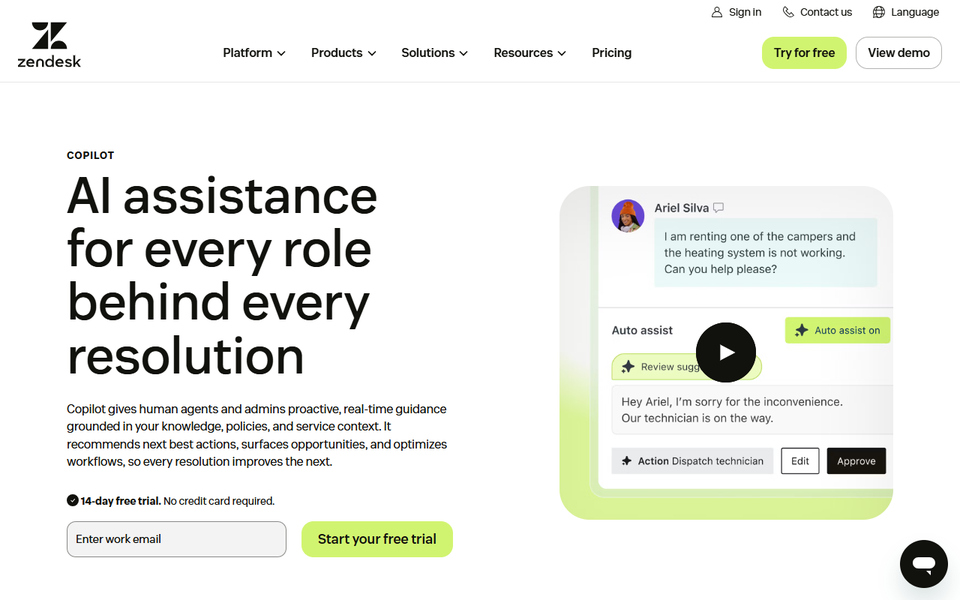
Zendesk’s Copilot page describes guidance grounded in your knowledge, policies and service context. Its example shows a suggested reply and a proposed action, with buttons to edit or approve, which is the right pattern: the AI proposes and a person decides. Our entry on human-in-the-loop explains why that step is the point and not a formality.
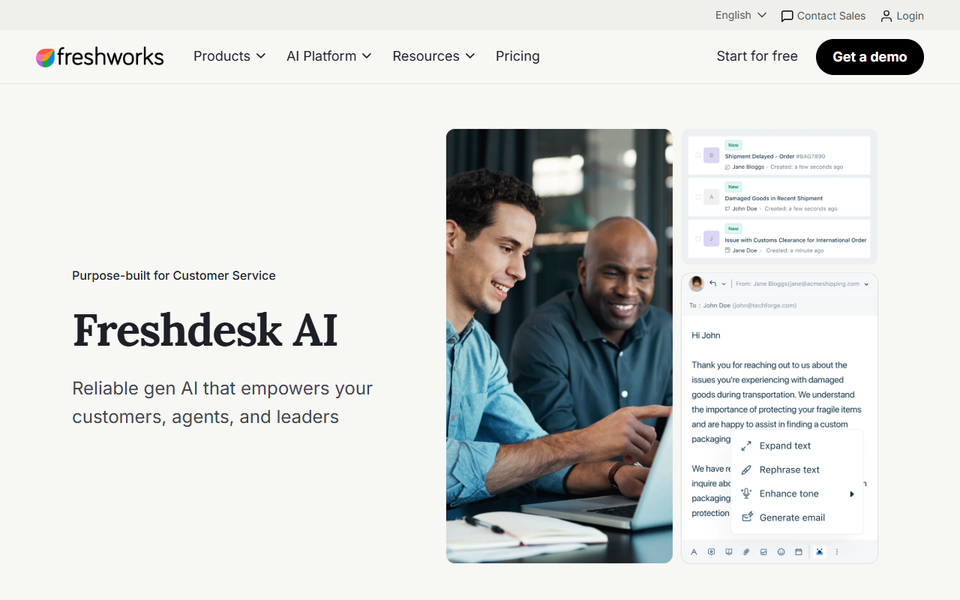
Freshdesk’s Freddy Copilot works in a similar spirit. Freshworks’ documentation lists summaries, suggested replies and articles, and a writing assistant for tone. Its product page shows the writing tools directly in the reply box.
Fin’s assistant for staff is the part of the product we found least described on the pages we read, so ask for a demonstration if you plan to use it. Whichever you choose, brief it properly. Our guide to briefing an AI tool like a new hire covers the instructions that keep tone and policy steady.
How do you stop an AI Agent giving wrong Answers?
An AI agent that answers customers directly has one failure that matters above the rest: a confident answer that is wrong. This is called hallucination, and it is the reason a good implementation limits the agent to material you control.
The technique behind that is grounding, where the AI answers from your own knowledge base, policies and past tickets and not from its general training. It is also why the quality of your knowledge base matters more than the choice of vendor. A tidy, current knowledge base makes any of the three look good, and an outdated one makes all three look careless. Our guide to reducing AI hallucinations goes through the practical steps.
Three controls are worth insisting on, whichever vendor you pick.
- Limit the sources. The agent answers only from content you have approved.
- Set a clear handover. Refunds, complaints and legal questions go to a person, every time.
- Sample the results. Someone reads a set of resolved conversations weekly.
Our guide to checking AI output before it goes to a customer is the minimum routine, and it applies as much to an agent that sends replies on its own as to a draft.
Customer-facing AI also opens a security question. An agent that reads customer messages can be tricked by instructions hidden in them. Our explainer on prompt injection shows how that works and what to ask a vendor about it.
Is it Safe and legal to use with customer Data?
Customer conversations contain personal data by default, so the vendor’s data handling matters as much as its features. Ask each one where data is stored, whether your conversations are used to train its models, how long they are kept, and who inside the vendor can read them. Those answers can differ by plan and by account type, as with most AI tools.
Our entry on data protection covers the basics, and our entry on GDPR explains the rules that apply to a business serving customers in the EU. For a practical rule on what to feed an AI tool, see our guide to what is safe to paste into AI tools.
Two other points apply to any customer-facing AI in the EU. The EU AI Act includes transparency duties for systems that talk to people, so say clearly that the customer is speaking to an AI and make it easy to reach a person. Our guide to what the EU AI Act requires of a small business explains where this fits. And decide who owns the system once it is live: our piece on what happens when nobody owns the AI you have rolled out is a warning worth reading before you switch an agent on.
How do you test them in four weeks?
The best evidence is your own tickets. Use real, recent questions and not the vendor’s demonstration.
Collect 100 real tickets
Include the awkward ones
Load your knowledge base
Tidy it first
Run each tool on the same set
Same questions every time
Read every wrong answer
Count and categorise them
Decide
Before you pay for more
Give each tool the same set and record four numbers: how many it resolved correctly, how many it got wrong, how many it handed over properly, and how long your team spent fixing the rest. Wrong answers matter more than the headline rate, because one bad reply costs more goodwill than ten good ones earn. Our guide to running a 30-day AI pilot in a small business gives the structure, and it applies directly here.
If you also take calls, remember that these are text tools. Our guide to AI voice agents for a small business covers the phone side, which is a separate decision.
When is each Tool the wrong choice?
Fin is the wrong choice if you want one vendor and one bill, because it is usually a second product alongside your support desk. It is also the wrong choice if you cannot forecast your volume, since billing follows resolutions and a busy month costs more.
Zendesk AI is the wrong choice if you are not on Zendesk and do not plan to be, since its AI is part of that platform. It is also worth checking carefully if you want Copilot, because that is sold as an add-on and the third-party sources disagree about what each plan includes.
Freddy is the wrong choice if your tickets are not in Freshdesk, and if you expect the AI Agent to cover a large volume cheaply, since billing is in blocks of sessions after the included amount.
All three are the wrong choice if your knowledge base is thin or out of date. Fix that first. Our guide to a well-scoped AI workflow shows how to define the job before you buy a tool for it, and our review of Copilot Studio vs ChatGPT agents vs Claude Projects covers building a simpler agent yourself.
Our verdict
There is no single winner, because the three solve a slightly different problem.
Fin is the best fit if you want the strongest AI agent first and are happy to run it alongside whatever support tool you already use. Zendesk AI is the best fit for a team already on Zendesk that wants everything in one place. Freshdesk Freddy is the best fit for a team on Freshdesk that wants to start with assistance for its own staff and add the customer-facing agent later.
For most small businesses, the practical path is to start with the staff assistant and a tidy knowledge base, then let an AI agent answer the simplest, most repeated questions, with a clear route to a person. Judge any tool by correct resolutions and wrong answers on your own tickets, not by a vendor’s headline rate. If you want an independent view before you spend, our AI audit looks at where AI will and will not pay back in your business.
Further reading
- AI customer support for a small business: lighter options and where to start.
- What is an AI agent?: the idea behind Fin, Zendesk’s AI agents and the Freddy AI Agent.
- AI agents vs prompting for business: when an agent earns its place.
- How to choose an AI vendor: questions to ask before you sign.
- HubSpot AI vs Salesforce Einstein vs Pipedrive: the sales side of the same decision.
- Zapier vs Make vs n8n: connecting your support tool to the rest of your stack.
- How to check AI output before it goes to a customer: the review step for every tool.
Sources
- Fin: the Fin home page, with the Fin 4 announcement, the Salesforce branding and the vendor’s resolution-rate claim, as read on 23 November 2026.
- Fin on your helpdesk: Fin’s statement that it connects to Zendesk, Salesforce Service Cloud and Freshdesk, and its setup claim.
- Zendesk AI: Zendesk’s description of its AI and its Resolution Platform.
- Zendesk Copilot: the Copilot page, with its grounded guidance and the edit and approve pattern.
- Zendesk pricing: the statement that AI agents come with Suite and Support plans and are billed by automated resolution.
- Freshdesk AI: the Freshdesk AI page and its writing tools.
- Freshdesk pricing: the Freddy AI Agent with its first 500 sessions included, and the plan features.
- Overview of Freddy AI for ticketing: the list of Freddy Copilot features.
FAQ
Questions we get asked
Is Intercom Fin better than Zendesk AI?
Neither is better in every case. Fin is built around an AI agent that tries to resolve the whole conversation, and it can sit on top of Zendesk, Salesforce or Freshdesk. Zendesk AI is part of the Zendesk platform, so it suits a team that already runs its tickets there. The right test is how many of your own real questions each one resolves correctly.
Can Fin work with Zendesk or Freshdesk?
Yes. Fin's own integration pages say it connects to Zendesk, Salesforce Service Cloud and Freshdesk, so you can add the AI agent without moving your ticketing. Setup time depends on how tidy your knowledge base and policies are, so treat the vendor's quick-setup claim as a best case.
How are these AI Support Tools priced?
Each one bills AI differently. Fin charges per resolution, on top of the support desk. Zendesk bills AI agents by automated resolution beyond what a plan includes, with Copilot sold as an add-on. Freshdesk includes a block of Freddy AI Agent sessions on its plans, then bills more sessions, with Copilot as a per-agent add-on. Always read the current pricing page before you compare.
What counts as a resolution?
It is the vendor's own definition, so read it. Fin's documentation says a resolution is recorded when the customer asks for no further support after the last AI answer, and it is not billed when the customer asks for a human. Zendesk and Freshdesk use their own wording and units, so a resolution on one is not the same thing as a session on another.
Can an AI Agent replace my Support team?
Not safely, for most small businesses. An AI agent can resolve the repeated questions that a knowledge base already answers, and it still needs a person for refunds, complaints, edge cases and anything with legal weight. The aim is to remove the repetitive load and keep people for the work that needs judgement.
Is it Safe to let AI Answer customers directly?
It can be, if the AI answers only from material you control, hands over to a person when unsure, and is checked regularly. Without those three, a confident wrong answer reaches a customer with your name on it. Test it on real past tickets first, and keep a person reviewing a sample every week.
Do customers have to be told they are talking to AI?
In the EU, the AI Act includes transparency duties for systems that talk to people, so the safe habit is to say clearly that the customer is chatting with an AI and make it easy to reach a person. Check the current rules and your own situation, or read our guide to what the AI Act requires of a small business.
How do I choose between them for a Small Business?
Start from where your tickets already live. If you have a support desk you are happy with, look first at that vendor's AI, and test Fin as an add-on. If you are choosing a desk from scratch, run a four-week trial of two of them on the same real questions, and compare resolved cases, wrong answers and handover quality.
Ready to Put This to Work?
Tell us where your team is with AI and we will tell you honestly what would make the biggest difference.