AI Agents vs Prompting for Business
A primed chat or an AI agent? What each does, where each fails, and how a small business can tell which one a task actually needs.
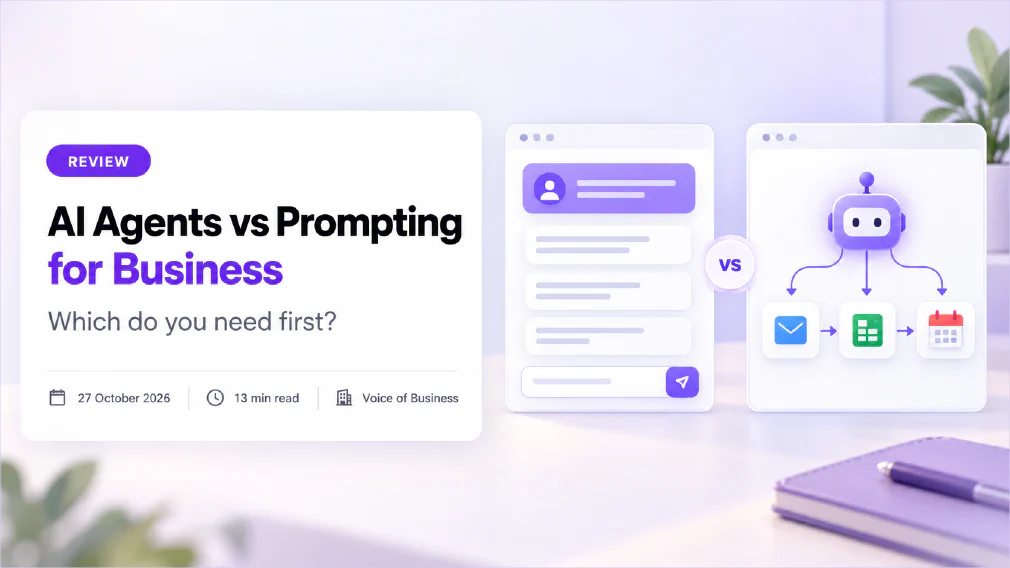
For most small businesses, a well-primed chat does the job, and an AI agent is only worth building when a task has too many steps to write down in advance. The mistake is not choosing the wrong one. It is reaching for an agent first, because it sounds more advanced.
This review compares the two on what they do, what they need, what can go wrong and what they take to run. It explains priming, the prompting technique of setting a chat up before you ask for the work. It also gives a short way to decide, so you can match each task to the simplest thing that works.
Key takeaways
- A prompt is a request you write. An AI agent is a system that decides its own steps, uses tools and checks its progress towards a goal.
- Priming sets a chat up with a role, background, rules and examples before the real request. It is the cheapest way to get consistent results.
- One model maker’s guide says examples are among the most reliable ways to steer format, tone and structure, and recommends three to five.
- A guide to building agents says to find the simplest solution possible and add complexity only when it demonstrably improves outcomes.
- Agents often trade latency and cost for better task performance, and their autonomy brings a risk of compounding errors.
- One analyst firm predicts that over 40% of agentic AI projects will be cancelled by the end of 2027.
- Start with a primed chat, save what works, and move to an agent only when a task outgrows it.
What is the difference between AI Agents and Prompting?
Prompting is the work of writing a request so a tool gives you a useful answer. You write, the tool replies, and you decide what happens next. The control stays with you at every step.
An agent works differently. The guide to building effective agents from one model maker draws the line this way: workflows are systems where models and tools are orchestrated through predefined code paths, while agents are systems where models dynamically direct their own processes and tool usage. In plain terms, an agent chooses what to do next. If you want the long version, our glossary entry on AI agents and the wider idea of agentic AI cover it.
A third category sits between them, and it matters for small businesses. A fixed AI workflow runs the same steps every time, with the model handling one or two of them. It is more predictable than an agent and more repeatable than a chat. We compare it with other build choices in off-the-shelf AI tools vs custom AI workflow.
So there are really three rungs: a primed chat, a fixed workflow and an agent. The question is not which is best, but which is the lowest rung that does the job.
What is priming in a Prompt?
Priming is setting up a chat before you ask for the real work. Instead of typing a one-line request into an empty chat, you put in what the tool needs first, then ask. Every later answer is shaped by that set-up.
A good primer has four parts:
- A role. Who the tool should act as. One model maker’s guide says setting a role in the system prompt focuses behaviour and tone, and that even a single sentence makes a difference.
- Background. The facts the tool cannot know: who your customers are, what your service covers, what you never promise.
- Rules for the answer. Length, format, tone, what to leave out and what to do when it is unsure.
- Examples. Two to five samples of the finished work, so the tool matches your pattern instead of guessing it.
The examples are the strongest part. The research behind them is well established: a 2020 paper on few-shot learning described tasks and demonstrations being specified purely via text interaction with the model. No retraining is involved. The examples sit in the conversation, and the tool copies the pattern.
The same prompting guide says examples are one of the most reliable ways to steer output format, tone and structure, and that they should be:
- Relevant: close to your real use case.
- Diverse: varied enough that the tool does not pick up an accidental pattern.
- Structured: clearly marked off from your instructions.
It recommends three to five examples for best results.
Priming is a close relative of prompt engineering, and the saved version of a primer is a set of custom instructions or an entry in a shared prompt library.
What can a primed Chat do for a Small Business?
More than most owners expect. Here is a worked example for a small accountancy practice that answers the same client questions every week.
The primer might read:
You write client emails for a small accountancy practice. Tone: calm, plain and warm, never chatty. Never give tax advice for a specific person; say a partner will confirm. Keep replies under 120 words. If a question is outside the practice’s services, say so politely. Here are three example replies: [example 1] [example 2] [example 3]. Now reply to the email below.
That is about a hundred words, and it fixes the tone, the length, the boundary and the format. Anyone in the practice who pastes it in gets the same behaviour. A primed chat fits tasks like these:
- Drafting replies to common customer questions
- Summarising a long document in a set format
- Turning rough notes into a clean write-up
- Checking a draft against a style guide
- Rewriting the same message for different audiences
What a primed chat does not do is act. It writes the reply. A person reads it, edits it and sends it. For a lot of work, that is exactly right, because the judgement stays with the human. Our article on how to brief an AI tool like a new hire goes through what a good brief contains, and our course on the art of prompting practises it on real tasks.
What is an AI Agent, and what does it add?
An agent adds three things a chat does not have: the ability to use tools, the ability to decide its own next step, and the ability to keep going until a goal is met.
In practice, you give it a goal such as “find the five most overdue invoices, check each client’s last email, and draft a reminder for each”. It then searches your accounts, reads the emails, writes the drafts, and may send them or queue them for approval. Each step depends on what the previous step found. Nobody wrote the sequence in advance, which is the point.
That flexibility suits one kind of task, which the guide to building agents describes as open-ended problems where it is difficult or impossible to predict the required number of steps. For well-defined tasks, the same guide says, workflows offer predictability and consistency.
Our glossary page on what an AI agent is gives the plain definition, and the AI Agents in Action course covers building a practical one with Microsoft Copilot. If you want to see what a team can build in a day, real use cases for building your own agents is the closest fit.
How do AI Agents and Prompting compare?
| The question | Primed chat | AI agent |
|---|---|---|
| Who decides the next step? | You | The agent |
| What can it touch? | Only what you paste in | Whatever tools and data you connect |
| Setup effort | Short: write the primer once | Longer: build, connect and test |
| Predictability | High: one request, one answer | Lower: steps vary with what it finds |
| Typical failure | A wrong or off-tone draft you can see | A wrong step that compounds before you notice |
| Human check | Built in, because you read every answer | Must be designed in, at chosen points |
| Running effort | Near zero | Monitoring, access control and upkeep |
| Best for | Writing, summarising, rewriting, checking | Multi-step jobs across several tools |
The row to dwell on is the failure row. A primed chat fails in front of you, and a person catches it. An agent can fail halfway through a chain of actions, and a later step builds on the earlier mistake. The guide to building agents puts it plainly: the autonomous nature of agents means higher costs and the potential for compounding errors, and it recommends extensive testing in sandboxed environments with appropriate guardrails.
When is Prompting enough?
Prompting is enough when the task fits in one request and a person reviews the result. A quick test: could you write the whole job as a single message plus a few examples? If so, a primed chat will do it.
It is also enough when the value is in the quality of one output rather than the number of steps. Most writing, analysis and summarising work is like this. The tool is a fast, tireless drafter, and you are the editor.
There is a second case in favour of staying simple: you do not know the task well yet. Prime a chat, run it for a few weeks, and notice where it fails. Those failures are the specification for anything you build later. An agent built before you understand the task automates your misunderstanding.
Long chats have their own limits, because a tool can only hold so much in view at once, a size called the context window. It is covered on our page on large language models, and it is why a primer works best when it is short and sits at the start of a fresh chat.
When do you need an AI Agent?
You need an agent when the task has three features at once: many steps, several tools and an unpredictable route.
- Many steps. Not “write this email” but “find, check, decide, write, update the record”.
- Several tools. The job crosses your inbox, your accounting package, your calendar and a spreadsheet.
- An unpredictable route. What to do at step four depends on what step three found, and the options cannot be listed in advance.
If the route is predictable, you probably want a fixed workflow rather than an agent. A workflow runs the same steps each time, is easier to test and is easier to explain to an auditor. Our review of no-code automation vs custom API integration covers that middle ground, and how to tell a real AI workflow from a chatbot with extra steps explains how to spot the difference.
The strongest signal that you are ready is boring: a primed chat is already working, people use it every week, and the same manual hand-offs keep appearing around it. That is demand, not hype.
What can go wrong with AI Agents?
Four risks come up repeatedly.
Errors that compound. One bad step feeds the next. The more steps, the more chances for a small error to grow.
Too much access. An agent that can read your whole inbox and send as you is a larger exposure than a chat where you paste one email. Access should be the minimum the task needs, and anything that leaves the business should be approved by a person.
No owner. An agent that nobody is responsible for drifts. Our article on what happens when nobody owns the AI you have rolled out describes how that goes, and it applies even more to something that acts on its own.
Hype and relabelling. One analyst firm predicts over 40% of agentic AI projects will be cancelled by the end of 2027, citing escalating costs, unclear business value and inadequate risk controls. It also describes “agent washing”, where vendors relabel existing chatbots and assistants as agents, and estimates only about 130 of the thousands of agentic AI vendors are real. The lesson for a buyer is to ask what a product does, not what it is called.
On cost, the guide to building agents says systems like these often trade latency and cost for better task performance. That does not make them a bad choice. It means the benefit has to be larger than the extra running effort, and you can only know that if you have measured the simple version first. Our guide to what an AI workflow actually costs to run shows how to count it.
There is also a people side. A person stays accountable for what an agent does, so decide where the human in the loop sits before you build, not after. Our article on the difference between automating a task and automating a decision is the best place to start on that.
How do you move from Prompting to an AI Agent?
Treat it as a ladder, and climb only when the rung below stops working. Our glossary entry on the delegation ladder describes how much a business lets the tool do at each level.
- Prime a chat. Write the primer, add three to five examples, and use it for a month.
- Save it. Put the primer into shared custom instructions or a prompt library, so the whole team uses the same one.
- Measure it. Note how often the answer needs fixing, how long a task takes and where people copy results between tools.
- Fix the route. If the same steps repeat, build a fixed workflow. Our article on what makes an AI workflow well-scoped covers how to scope it.
- Add an agent only for the part that varies. Keep fixed steps fixed and let the agent handle the one decision that cannot be scripted.
- Test and set limits. Run it in a safe setting, restrict its access and put a person at the approval points.
The primer you wrote in step 1 is not thrown away. It becomes the agent’s instructions, and your examples become its test cases. That is why starting simple is not slower. It is the specification.
Which should your Business choose?
Answer these five questions about a single task, not about AI in general.
- Can the job be written as one request plus examples? If yes, use a primed chat.
- Does it repeat the same steps every time? If yes, build a fixed workflow.
- Does it cross several tools with an unpredictable route? Only then consider an agent.
- What happens if a step is wrong? If the answer is “a customer sees it”, keep a person before that step.
- Who owns it? If you cannot name a person, do not build it yet.
Most small businesses will find that their first five or six tasks sit at step 1 or 2. That is a good place to be, not a sign of falling behind.
If you would like a second opinion on which of your tasks sit where, an audit looks at each process against what it handles and who is accountable. Read what an AI audit actually checks and how we audit, then get an audit. For why projects stall between pilot and production, see what predicts whether an AI project reaches production.
Sources
- A guide to building effective agents: defines workflows as predefined code paths and agents as systems that direct their own processes and tool use, advises finding the simplest solution possible, and says agents trade latency and cost for performance, with compounding errors and a need for testing and guardrails.
- A prompting best-practices guide for current models: says a few well-crafted examples are one of the most reliable ways to steer format, tone and structure, recommends three to five relevant, diverse and structured examples, and says setting a role, even in a single sentence, makes a difference.
- Language Models are Few-Shot Learners: the 2020 research paper that showed tasks and few-shot demonstrations can be specified purely through text interaction with the model.
- A press release predicting cancellations of agentic AI projects: published 25 June 2025, predicts over 40% will be cancelled by the end of 2027 because of costs, unclear value or inadequate risk controls, and describes agent washing.
FAQ
Questions we get asked
What is the difference between an AI Agent and a Prompt?
A prompt is a single request you write, and the tool answers it. An AI agent is a system that takes a goal, decides its own steps, uses tools such as search or email, and checks its progress as it goes. A prompt is something you write. An agent is something you set up and supervise.
What is priming in AI Prompting?
Priming means setting up a chat before the real request. You give the tool a role, the background it needs, the format you want and a few examples, then ask for the work. Every answer after that is shaped by what you put in first.
Is priming the same as few-shot Prompting?
Few-shot prompting is one part of priming. It means including a handful of worked examples so the tool copies the pattern. Priming is wider, because it also covers the role, the background facts and the rules for the answer.
Do I need an AI Agent for my Small Business?
Probably not yet. Most small-business tasks, such as drafting replies, summarising documents and tidying notes, are done well by a primed chat. An agent earns its place when a task has many steps, uses several tools and cannot be written out as a fixed sequence in advance.
How many examples should I give in a Prompt?
One major model maker's prompting guide recommends three to five examples for best results. They should be relevant to the real task, varied enough to cover edge cases, and clearly separated from your instructions.
Are AI Agents more expensive than Prompting?
Usually, yes. A guide to building agents says agentic systems often trade latency and cost for better task performance, and that their autonomy means higher costs and a risk of compounding errors. A single prompt is one request, whereas an agent makes many.
Are AI Agents Safe to use with customer Data?
They can be, but only with limits in place. Give an agent access to the minimum it needs, keep a person approving anything that leaves the building, and test it in a safe environment first. The same data protection rules apply as for any other tool.
Can I start with Prompting and move to an AI Agent later?
Yes, and that is the order we recommend. The saved prompt, the examples and the checks you build for a primed chat become the instructions and the test cases for an agent. Nothing is wasted if you move up later.
Why do so many AI Agent Projects fail?
One analyst firm predicts that over 40% of agentic AI projects will be cancelled by the end of 2027, citing rising costs, unclear business value and weak risk controls. It also warns of vendors relabelling ordinary chatbots as agents. The common thread is starting with the technology instead of the task.
Ready to Put This to Work?
Tell us where your team is with AI and we will tell you honestly what would make the biggest difference.