What is a Context Window?
A context window is the amount of text an AI tool can see at once. What it is, how big it is, why chats forget, and what to do about it.
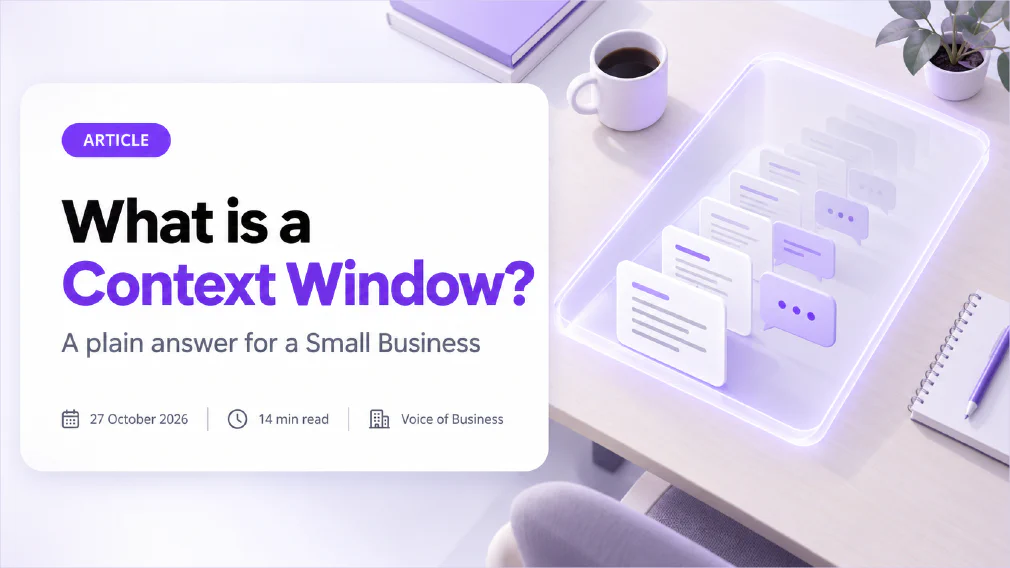
A context window is the amount of text an AI tool can look at in one go. Everything inside it, the tool can use. Everything outside it, the tool cannot see, however recently you wrote it.
This article explains what a context window is, how it is measured, how big the ones in common tools are, and why a long chat can start to go wrong. It also covers the habits that keep your results reliable, and what the window means for AI agents and for the data you paste in.
Key takeaways
- A context window is the AI tool’s working space for one conversation. One model maker describes it as all the text the model can reference when generating a response, including the response itself.
- It is measured in tokens, not words. As a rule of thumb, 100 tokens are about 75 English words.
- Some current models document windows of up to 1 million tokens, which is roughly 750,000 words by the same rule of thumb. Chat apps can offer less than the model allows.
- Bigger is not automatically better. Accuracy and recall can fall as the window fills, a problem known as context rot.
- Information in the middle of a long input is used less reliably than information at the start or the end.
- You control more than you think. One task per chat, a short summary carried forward, and only the pages that matter fix most problems.
What is a Context window in AI?
A context window is the text an AI tool can take into account when it writes its next reply. The documentation of one major model maker puts it as “all the text a language model can reference when generating a response, including the response itself”, and calls it a “working memory” for the model.
The easiest way to picture it is a desk. The large language model behind the tool has read an enormous amount of text in training, but that is the library. The context window is the desk. Only what is on the desk can be used for the job in front of it, and the desk has a fixed size.
Four things sit on the desk:
- Your standing instructions. The tool’s built-in instructions, plus any custom instructions you set.
- The conversation so far. Every message you sent and every reply you received.
- Anything you attached. Documents, spreadsheets, images and pasted text.
- The reply being written. The tool’s own answer counts too, so a long answer uses up space as it goes.
Your prompt is only the newest item on that desk. What the tool does with it depends on everything else that is there with it.
What is a token in AI?
A token is the small piece of text a model reads and writes, and it is the unit a context window is measured in. A token can be a whole short word, part of a longer word, a number or a piece of punctuation. Spaces and punctuation count as well.
One major AI maker publishes a rule of thumb for English text:
- One token is about four characters, or about three-quarters of a word.
- 100 tokens are about 75 words.
- 1,500 words are about 2,048 tokens.
The same page warns that tokenisation varies by model, so the numbers are estimates. Other languages can take more tokens for the same text. If your team works in several languages, expect the window to fill faster in some than in others.
You will rarely count tokens by hand. The reason to know about them is that every limit, and every bill from a tool that charges by usage, is set in tokens rather than pages.
How many words fit in a Context window?
Using the rule of thumb above (100 tokens to 75 words), the arithmetic is simple:
| Window size | Approximate words |
|---|---|
| 8,000 tokens | 6,000 words |
| 32,000 tokens | 24,000 words |
| 128,000 tokens | 96,000 words |
| 1,000,000 tokens | 750,000 words |
These are estimates worked out from the published rule of thumb, not exact limits. Remember that the window holds the conversation and the reply as well as your document. A 128,000-token window does not mean you can attach a 96,000-word file and still get a long answer.
How big is a Context window?
It depends on the model, the plan and the product, and it changes often.
At the large end, one model maker’s documentation says that many of its current models, including its Sonnet, Opus and Haiku families, have a 1 million token window, and that a single request can generate up to 128,000 output tokens. Older models from the same maker have 200,000 tokens. Google states one million tokens for Gemini, as described on our page on large language models.
Two cautions apply when you compare numbers:
The model limit is not always the product limit. A figure quoted for a model in a developer service is not necessarily what you get in a chat app on a given plan. Several third-party guides list different chat limits for ChatGPT on different plans, and they disagree with each other, so we have not repeated any of them. Check the vendor’s own page for your plan.
Chat apps manage the window for you. The same documentation notes that chat interfaces can manage the window on a rolling first-in, first-out basis. In plain terms, when the conversation gets too long, the oldest material is the first to go.
If your team uses Microsoft 365 Copilot or Claude at work, the practical question is not “how big is the window?” It is “how much of it does my task need, and what is filling it?”
What counts towards the Context window?
More than most people expect. According to the same documentation, everything in the request counts: the system prompt, every message in the conversation including tool results, images and documents, and the definitions of any tools the model can use. The output counts as well, including any hidden reasoning the model does before it answers.
There is a second point that explains many long-chat problems. On each turn, the tool sends the whole conversation back to the model, plus your new message. The model does not remember the last turn. It re-reads everything. So a chat that began with a short question and now has fifty exchanges, three attached files and a long pasted email is carrying all of it into every new reply.
That has three practical effects:
- The window fills faster than the page count suggests. Each reply you ask for adds to what is carried forward.
- Old material keeps competing for attention. A draft you abandoned twenty messages ago is still on the desk.
- Whatever you pasted early travels with every later message. That matters for privacy, which we return to below.
Why does ChatGPT forget what I said earlier?
There are two separate causes, and they look the same from the outside.
The earlier message fell out of the window. When a conversation outgrows the space, something has to give. Depending on the tool, it stops with an error (the developer interface of one major vendor returns “prompt is too long” when the input alone exceeds the window), drops the oldest messages, or summarises the earlier part to make room. A summary keeps the gist and loses the detail, so a figure or an exact instruction from the start may be gone.
The message is still there, but the tool uses it badly. This is the more surprising cause. Researchers who tested language models on question answering over long inputs found that performance was often highest when the relevant information was at the start or the end of the input, and significantly worse when it was in the middle, even for models built for long inputs. The paper was published in 2024 under the title “Lost in the Middle”.
So “it forgot” can mean “it was cut off” or “it was in the middle of a long pile”. In either case the fix is the same: put what matters where the tool is most likely to use it, and keep the pile short.
What is Context rot?
Context rot is the loss of accuracy and recall as the amount of text in the window grows. The documentation of one model maker states it directly: more context is not automatically better, and as the token count grows, accuracy and recall degrade.
It is not only one maker’s observation. A technical report published on 14 July 2025 tested 18 language models and concluded that models “do not maintain consistent performance across input lengths”. The tasks were deliberately simple, so that length was the thing being tested, which is why the result matters: the drop did not need a hard task to appear.
Context rot is why a hallucination can appear in a long chat that was behaving well an hour earlier. The tool has not got worse. It has more to sift through, and the signal is diluted.
For a business, the lesson is calm rather than alarming. You do not need to avoid long inputs. You need to check the output of long inputs more carefully, and read our guide on how to check AI output before it goes to a customer before you rely on a long-chat answer.
Is a bigger Context window always better?
No. A bigger window is more capacity, not more quality. The engineering team at one model maker describes context as “a finite resource with diminishing marginal returns” and says the aim is to find the smallest set of high-signal tokens that gives the outcome you want.
A huge window helps in some cases. If you need to compare two long contracts side by side, or ask questions across a whole report, a large window means you do not have to cut anything. But three things go the other way:
- More to check. A long input produces a long answer that still needs reading against the source.
- More exposure. Every document you attach is more data in the conversation.
- Weaker recall. Per the research above, the middle of a long input is the least reliable part.
When you have far more material than a window can hold, there is a different approach: do not paste it all. Use retrieval-augmented generation, where a system finds the relevant passages first and puts only those on the desk. Our review of RAG versus fine-tuning for business explains when that is worth doing.
What is the difference between a Context window and Memory?
The window is what the tool can see right now. Memory is a feature that keeps selected information between conversations.
A window is wiped when a conversation ends. A memory feature, where a tool has one, saves short notes about you or your work and brings them into a new conversation. The notes still have to fit into the new window to be used, so memory features tend to keep them short.
Neither is the same as training. A tool’s training data is fixed before you ever use it, and nothing you type into a chat rewrites it. If you want a tool to follow a rule every time, use custom instructions or a shared prompt library, which put the rule into every window by default.
How do I stop an AI Tool forgetting things in a long Chat?
Seven habits cover nearly every case. None needs technical skill.
- One task per chat. When the task changes, start a new conversation. The old material stops competing with the new.
- Put the important things at the start, and repeat the critical one at the end. This works with the middle-of-the-input finding, not against it.
- Summarise and restart. Before a chat gets unwieldy, ask the tool to list the decisions so far and the open questions. Check it, then paste it into a fresh chat.
- Attach only what matters. Three relevant pages beat a 200-page file. The model maker’s engineering advice is to find the smallest set of high-signal information that gets the result.
- Save standing instructions. Put recurring rules into custom instructions or a shared prompt library, rather than retyping them. Our article on how to brief an AI tool like a new hire covers what a good brief contains.
- Ask for quotes. When a tool answers from a long document, ask it to quote the passage it used. You can then check it in seconds. If you want an answer from one document only, our FAQ on telling AI to use only one source shows how.
- Check the answer against the source. For anything that goes to a customer, read the original for the key points. The window is a limit on the tool, and verifying the result is your job.
If you want your team to build these habits properly, the art of prompting course covers them with practice on real tasks, and the glossary entry on prompt engineering gives the wider background.
How does a Context window affect AI Agents and Workflows?
An agent works in a loop: it takes a step, reads the result, then decides the next step. Every step adds to the window. The documentation notes that tool results and tool definitions count towards the limit, so an agent that searches the web, reads files and calls other tools can fill a window quickly.
That is why long-running agents are built with context in mind. Model makers describe techniques such as summarising the conversation near the limit, clearing old tool results, keeping notes outside the window and reloading them when needed, and handing focused jobs to sub-agents that return a short summary instead of everything they read.
For a business, this changes how you should design an AI workflow. An agent that does well on a task with five steps may drift on a task with fifty, not because it is careless but because its window is crowded. Break the work into small stages, save the result of each stage, and keep a person checking the points that matter. Our articles on what makes an AI workflow well-scoped and on telling a real AI workflow from a chatbot with extra steps cover how to scope the job, and the glossary entry on grounding explains how to tie an agent’s answers to your own sources.
What happens to Sensitive Data in a long Chat?
Everything in the window is sent to the model with each new message. The documentation is explicit that each turn includes all the previous conversation history plus the new message. So a customer list pasted at the start of a chat travels with every reply you ask for after it.
That does not mean long chats are unsafe. It means the habits that protect data matter more in long chats:
- Paste only what the task needs. Remove names, account numbers and anything else the task does not use.
- Start a new chat when the sensitive part of the task is done, instead of carrying it forward.
- Know your organisation’s rules before you paste. Our glossary pages on data protection and GDPR explain the basics, and the FAQ on pasting text into an AI chat instead of uploading a file answers a related question.
A ban is not the answer either. We explain why in why banning AI tools at work does not work. Clear, short rules that people can follow work better.
What should a Small Business do about the Context window?
You do not need to manage tokens. You need five working habits and one check.
- Teach one-task-per-chat. It is the simplest change and fixes the largest share of problems.
- Agree a short summary routine. When a chat gets long, summarise it and restart.
- Keep a shared set of standing instructions. Do not rely on each person retyping them.
- Send tools only what the task needs. It saves attention and is safer for your data.
- Check long outputs against the source. Treat a long-chat answer as a draft.
The check: find out what your team is actually doing. In many businesses, people paste whole documents into one long chat and trust the answer. If you want an outside view of where that is happening and what it risks, read what an AI audit actually checks and how we audit, then get an audit.
Sources
- The documentation on how a context window works: defines the window as all the text a model can reference including its own response, lists what counts towards it, states 1 million tokens for many current models, and says accuracy and recall degrade as token count grows.
- A help article on what tokens are and how to count them: gives the rule of thumb of about four characters, three-quarters of a word, and 100 tokens to 75 words in English.
- Lost in the Middle: How Language Models Use Long Contexts: found that performance is often highest when relevant information is at the start or end of the input and degrades when it is in the middle, even for models built for long contexts.
- A technical report on context rot: tested 18 language models, published 14 July 2025, and concluded that models do not maintain consistent performance across input lengths.
- An engineering article on context for AI agents: describes context as a finite resource with diminishing marginal returns and sets out ways to keep it small, such as summarising, clearing old tool results and keeping notes outside the window.
FAQ
Questions we get asked
What is a Context window in simple terms?
A context window is the amount of text an AI tool can look at in one go. It holds your instructions, the whole conversation so far, any documents you attached, and the answer the tool is writing. Anything outside the window is invisible to the tool, however recently you wrote it.
How many tokens is 1,000 words?
About 1,300 tokens. The rule of thumb published by one major AI maker is that 100 tokens equal roughly 75 English words, which makes a token about three-quarters of a word. The exact count changes with the model and the language, so treat it as an estimate.
Why does ChatGPT forget what I told it earlier?
Usually because the earlier message has dropped out of what the tool can see, or because it is buried in a very long conversation and recalled badly. Chat apps can drop the oldest material first when a conversation gets long. Restating the key instruction, or starting a new chat with a short summary, fixes most cases.
What happens when the Context window is Full?
It depends on the tool. Some stop with an error saying the prompt is too long. Chat apps can manage the window on a rolling first-in, first-out basis, so the oldest messages fall away. Some tools summarise the earlier part of the conversation to make room, which keeps the gist but loses detail.
Is a bigger Context window always better?
No. A bigger window means more room, not better recall. Model makers and independent researchers both report that accuracy can fall as the input grows, a problem called context rot. A short, well-chosen input often beats a huge one.
Is a Context window the same as Memory?
No. The window is what the tool can see right now, and it is cleared when the conversation ends. Memory features save short notes between conversations and bring them back into a new conversation. Even then, the notes only work once they are inside the window.
Which AI Tool has the biggest Context window?
It changes often and depends on the plan as well as the model. One model maker documents windows of up to one million tokens for many of its current models, and other vendors state figures of their own. Chat apps can offer less than the model supports, so check the vendor's page for your plan before relying on a number.
Can I see how much of the Context window I have used?
Not in most chat apps. Developer tools can count tokens before a request is sent, but an ordinary chat screen rarely shows it. A practical stand-in is to watch for the warning signs: the tool repeats itself, ignores an early instruction, or contradicts something it said earlier.
Does a long Chat put my Data at Risk?
A long chat does not change who can see your data, but it does mean everything you pasted earlier is sent to the model again with every new message. Paste only what the task needs, and keep personal data out of the conversation unless your organisation's rules allow it. The same rules apply however long the chat is.
Ready to Put This to Work?
Tell us where your team is with AI and we will tell you honestly what would make the biggest difference.