ChatGPT Projects vs Claude Projects vs Gemini Gems
ChatGPT Projects, Claude Projects and Gemini Gems keep instructions and files for repeat work. How they differ on files, sharing and memory, and what Google is changing.
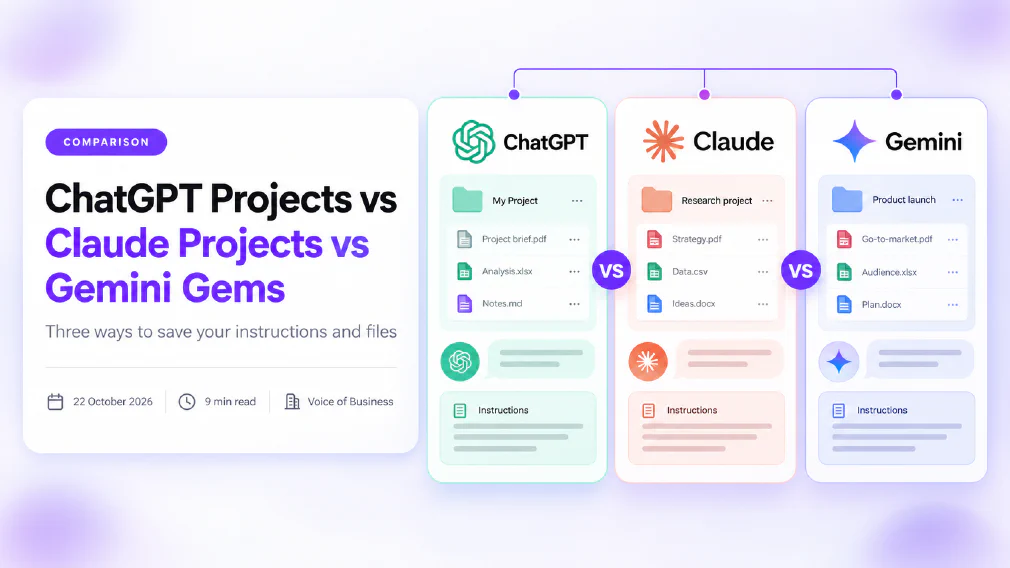
ChatGPT Projects, Claude Projects and Gemini Gems all answer the same annoyance. You explain your business to an AI assistant, get a good result, and next week you have to explain it all again. Each of them lets you save the instructions and the background files once and reuse them. They go about it in different ways, and one of them is about to change.
This comparison is based on each company’s own support pages as they stood on 22 October 2026: OpenAI’s article on Projects, Anthropic’s article on Projects and Google’s pages on Gems, on sharing Gems and on the move from Gems to skills. We have not run a hands-on test of all three on the same task, and we say where a claim comes from. We leave out prices on purpose, because they change: each company’s plan page has today’s figures. OpenAI’s page would not open for our automated fetch on the day, so check the ChatGPT numbers below against it before you rely on them.
Key takeaways
- All three save instructions and reference files so you do not start from nothing each time.
- ChatGPT Projects and Claude Projects are workspaces that hold chats, files and instructions. A Gemini Gem is a saved custom version of Gemini.
- Sharing with a team is where the plans differ most. Claude restricts it to Team and Enterprise, and ChatGPT sets collaborator limits by plan.
- Google says Gems are being converted to skills: November 2026 for personal accounts, March 2027 for Workspace business, enterprise and non-profit.
- Skills cannot yet do everything Gems do, and Google says sharing and Drive files are still to come in skills.
- Whatever you pick, the instructions are the valuable part. Keep a copy in a document you own.
- Check the data settings before putting client material into any of them.
Why do teams save Instructions at all?
Every business that uses an AI assistant for more than a one-off question runs into the same cost: the set-up. You explain who your customers are, what tone you use, which terms you avoid and what a finished piece looks like. The assistant does a decent job. A week later, in a new chat, it knows none of it.
The usual workaround is a document of instructions that someone pastes in at the start of every chat. It works, and it falls apart as soon as the document has three versions and four owners. Projects and Gems are the vendors’ answer. They store the standing brief, plus the files the work depends on, in one place that every new chat starts from. In the language of our glossary, they are a managed way to keep custom instructions and reference material together, rather than retyping a prompt each time.
That is also why a team should care. A saved brief is the first step from “everyone uses AI their own way” towards a shared, repeatable process. It is the same idea behind a prompt library, with the files attached. If you have not yet decided which jobs deserve that treatment, our piece on which AI tasks a small business should start with first is the place to begin.
What are ChatGPT Projects, Claude Projects and Gemini Gems?
A ChatGPT Project is a workspace. OpenAI’s support article describes it as a place that keeps related chats, files and instructions together, so every new chat in the project starts with that background. Projects are available on the Free plan and the paid plans. If you are new to the product, our entry on ChatGPT explains what it is and how it is built.
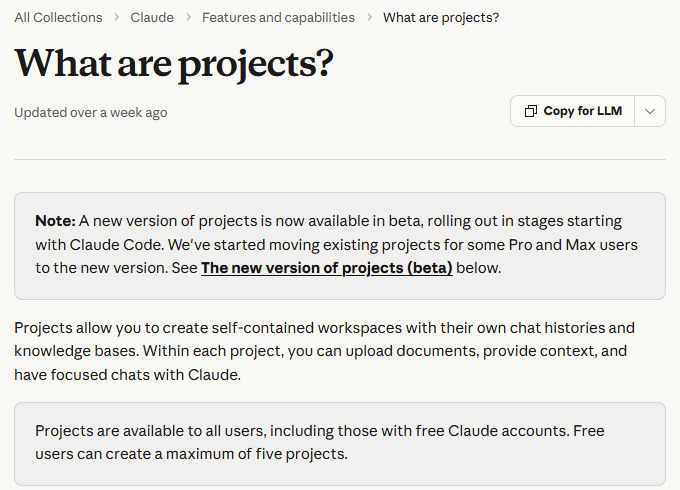
A Claude Project works the same way. Anthropic’s support page says each project can have its own instructions to tailor Claude’s responses, such as a more formal tone or a specific role or industry, and that Projects are available to all users, including free accounts. Our entry on Claude covers the assistant behind it.
A Gemini Gem is different in shape. Google describes Gems as custom versions of Gemini that you create to tailor responses to your needs. You give the Gem a name and instructions, optionally add knowledge files, and open it whenever you want that behaviour. It is less a folder for a piece of work and more a reusable assistant. Our entry on Gemini sets out the wider product.
How do they compare at a glance?
The table sets out what each company says about its own product.
| Question | ChatGPT Projects | Claude Projects | Gemini Gems |
|---|---|---|---|
| What is it? | A workspace of chats, files and instructions | A workspace of chats, files and instructions | A saved custom version of Gemini |
| Where do files come from? | Uploads | Uploads | Device uploads, Google Drive, or a NotebookLM notebook |
| File limits | Set per plan, 5 files on Free up to 40 on higher plans, per OpenAI’s article | Larger knowledge bases switch to retrieval on paid plans | Google’s page points to a separate article for limits |
| Team sharing | Yes, with limits by plan | Team and Enterprise only | Yes, but see the transition below |
| Memory | Default or project-only | Named in a new beta version, not explained | Not described on Google’s page |
| Future | Current | Current, with a new version in beta | Being converted to skills |
Read the table as a starting point, not a verdict. The sections below take the rows that matter most one at a time.
Where does each one keep your files?
OpenAI’s support article sets a limit on how many files a project can hold, and the limit rises with the plan. It lists 5 files per project on Free, 25 on Go and Plus, and 40 on Edu, Pro, Business and Enterprise, with up to 10 files uploaded at once. Plans and limits change, so treat these as the figures on the day we read it.
The chart shows files per project by ChatGPT plan, as listed in OpenAI’s article.
Anthropic’s page gives no single size for a Claude knowledge base. It says that on paid plans, when your project knowledge approaches the context window limit, Claude switches to a retrieval mode that expands capacity by up to 10 times. In plain terms, a project can hold more material than the assistant could read in one go, because it fetches the relevant parts when you ask. That is the technique our glossary calls retrieval-augmented generation. Free accounts can create a maximum of five projects.
Google’s page says Gem knowledge files can come from your device, from Google Drive or from a NotebookLM notebook. Two details matter for a business. Adding files from Drive requires Keep Activity to be on and Google Workspace to be connected to the Gemini app. And Gemini uses the latest version of a Drive file, so an edit to the file carries over to the Gem without you re-uploading it. That is convenient, and it also means a Gem can change its answers when someone edits a document.
Google’s Workspace update adds a condition that is easy to miss. A Gem is only shareable when its custom knowledge is uploaded from a device or added from Google Drive. If you add other kinds of files, such as the code folders and emails the update mentions, the Gem cannot be shared and the sharing button is greyed out.
What belongs in the brief you save?
The three products differ in plumbing. The thing that decides whether any of them is worth having is the same in all three: the quality of the instructions. A vague brief gives you a vague assistant with a nicer name.
A good saved brief reads like the note you would give a capable new colleague on their first morning. It says who the work is for, what a finished piece looks like, which words and claims to avoid, and what format to use. We cover the habit in detail in how to brief an AI tool like a new hire, and the same rules apply here. Three points are specific to saved instructions.
- Write them once, in a document you own. The text in a Project or Gem is stored inside someone else’s product. If you keep the master copy in your own document, you can paste it into another tool tomorrow. That matters most for Gems, which Google is replacing.
- Keep names and personal data out. Instructions are read by every chat in the project and, if the project is shared, by every member. A brief that names a client or lists a customer’s details is a data protection problem waiting for someone to share the project.
- Review them on a date. A brief written in January and never touched will still describe your January prices and your January tone. Put a review date in the document, and have a named person own it.
The files are the second half. Choose the few documents the work genuinely depends on, such as a tone-of-voice guide, a product sheet and two good examples. Three to five well-chosen files beat thirty loosely related ones, because every extra file is something the assistant may quote from.
How do Memory and Privacy differ?
ChatGPT gives the clearest choice. OpenAI’s article describes default memory, which can draw on your wider ChatGPT activity, and project-only memory, which keeps a project’s context to itself. A shared project uses project-only memory. The practical effect is that a colleague’s personal preferences do not leak into the shared project. For a plain explanation of the idea, see our entry on memory.
Anthropic’s page describes a new version of Projects, in beta, that is rolling out in stages to selected Pro and Max subscribers who use Claude Code, with chat, Team and Enterprise to follow and no timeline given. In it, Anthropic says each thread starts with the project’s files, repositories, instructions and memory, but it does not explain how that memory works. The rest of the page describes the current version of Projects and says nothing about memory in it, and Google’s Gems page does not describe memory at all, so we make no claim about either. If memory matters to you, test it: start a project or Gem, tell it something personal in an unrelated chat, and see whether it surfaces.
On privacy, the common rule is the one that matters most. Whatever you upload to a shared workspace is readable by the people you share it with. Under the GDPR, a client’s personal data needs a lawful basis wherever it ends up, and Article 5 requires personal data to be limited to what is necessary for the purpose. Our entries on data protection and the GDPR explain what that means in practice. Keep client material out of instructions and knowledge files unless the task needs it, and read the data settings for your plan before you start.
Can a team share them?
Sharing is where the three diverge, and it is the most important question for a business.
Claude restricts sharing to the Team and Enterprise plans. Anthropic describes two permission levels. Can view lets someone see the contents, knowledge and instructions and chat, but not edit. Can edit lets them change the instructions and knowledge and manage members. You can share by email, in bulk or across the whole organisation, and an owner can turn project sharing off.
ChatGPT supports shared projects, and OpenAI says members with edit access can change the instructions and add or remove files, while chat access lets people use the project without the same control. The number of collaborators is set by the plan, so confirm it on OpenAI’s page.
Gemini Gems can be shared, and Google’s September 2025 Workspace update says recipients can use, edit or copy a shared Gem. Sharing uses Drive’s sharing interface, and the administrator controls it from the Admin console under Generative AI, then the Gemini app, then Gems. The update says the setting is on by default and can be turned off at the domain, organisational unit and group level, and that Gem sharing follows your Drive sharing rules: if Drive content can be shared outside the organisation, so can a Gem. That is the Gem as it exists today, and the next section is why it needs a caveat.
What is happening to Gemini Gems?
Google is replacing Gems with skills. Its support page says Gems are removed from personal Google accounts and converted to skills starting in November 2026. For Workspace the dates are later: March 2027 for business, enterprise and non-profit customers, and June 2027 for education.
November 2026
Personal Google accounts
March 2027
Workspace business, enterprise, non-profit
June 2027
Workspace education
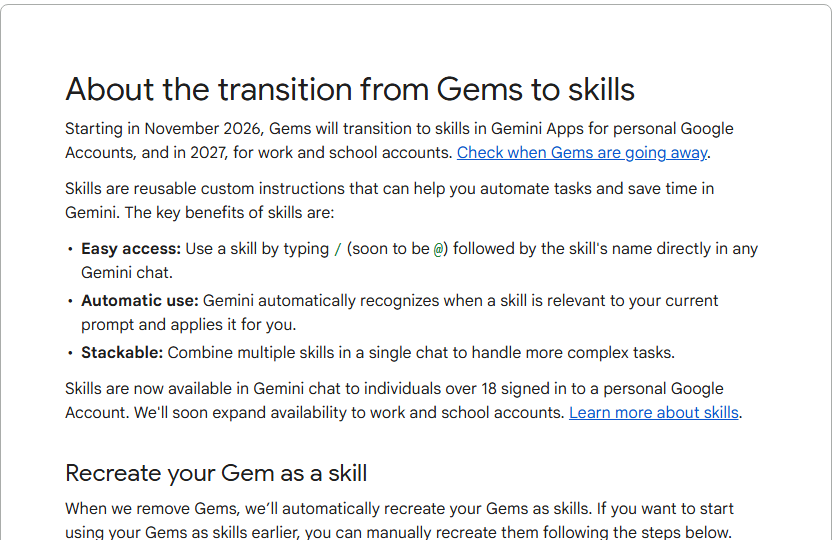
Google describes skills as reusable custom instructions. Its announcement says you can save your most-used instructions once and run them repeatedly. You use one by typing a slash and its name in any Gemini chat, Gemini applies a skill automatically when it looks relevant, and several skills can be combined in one chat, such as a writing-style skill with a brand-guidelines skill. Gemini can also build a skill from your chats, and skills can include reference files such as text documents, PDFs and images. Skills are rolling out in Gemini chat globally for individuals aged 18 and over.
Google says existing Gems are converted automatically when they go, and that supported knowledge files transfer with them. You can also recreate a Gem as a skill sooner. Gems by Google Labs also shut down and do not migrate. The same support page lists what skills cannot yet do. Most default Gem tools, including Canvas and Deep Research, do not work with skills. Adding files from Google Drive and notebooks is described as coming but not yet available. Sharing is described as coming in the weeks ahead. Skills are currently limited to individuals on personal accounts, with work and school accounts coming soon, and you can have up to 100 active skills at a time.
For a business, that changes the advice. If your team is on Workspace, your Gems keep working until the dates above, but anything you build now is something you will migrate within months. It is a reason to keep Gems simple, to write the instructions down somewhere you own, and to avoid building a process that depends on a Gem tool skills do not yet offer. If you are choosing between Google’s tools and Microsoft’s, our comparison of Microsoft Copilot and Google Workspace AI covers the wider picture.
Where do you draw the line on what goes in?
A saved workspace feels private because it is yours. It stops being private the moment you share it, and it was never a place to put everything. Three habits keep a team out of trouble.
First, decide what the assistant genuinely needs. Style guides, product sheets, anonymised examples and process notes are usually enough. Contracts, customer lists and anything with personal details usually are not. Our guide to what is safe to paste into an AI tool gives a simple test you can hand to staff.
Second, treat connections with care. Several of these products can read files from your cloud storage. That is useful, and it widens what the assistant can see. Before anyone connects a drive or mailbox, read our piece on connecting an AI tool to Gmail, Drive or SharePoint.
Third, write it down. If your staff are creating Projects and Gems on personal accounts without telling anyone, that is shadow AI, and the fix is a short, readable rule rather than a ban. Our guide to writing an AI use policy for your team and our wider piece on AI governance for small and mid-sized businesses show how to do it without a thirty-page document.
Finally, check what comes out. A saved brief makes the output more consistent, not more correct. Someone still has to read it before it reaches a customer, as we set out in how to check AI output before it goes to a customer.
Which tasks suit each one?
The products are general, so the better question is which jobs benefit from a saved set-up at all. Good candidates share three traits: you do them often, you want the same tone or structure each time, and the background does not change much from one run to the next.
- Proposals and quotes. One brief and a couple of past examples keep structure and tone consistent across the team.
- Customer replies. A brief with your policies and a few model answers speeds up first drafts. Our piece on AI customer support for small business covers where this works and where it needs a person.
- Recruitment. Job descriptions, screening notes and interview guides repeat every hire. See our guide to the best AI for recruiting, and keep candidate data out of shared workspaces.
- Monthly reports. A brief that says how you present figures, plus last month’s report as an example, saves an hour each cycle.
- Marketing copy. A tone-of-voice document and two approved pieces keep output on brand.
For a wider look at using ChatGPT across a small business, our guide to ChatGPT for small businesses walks through more examples.
Where do they sit among our other Reviews?
Projects and Gems are features of the assistants, so the choice of assistant comes first. If you have not settled that, start with the head-to-head pieces. Our comparison of Claude against ChatGPT for business and of Gemini against ChatGPT for business set out how the assistants differ before any saved set-up is added.
If your team is weighing a paid Claude plan, our piece on Claude Free against Pro explains what changes between them. And if the same instruction problem shows up in your design work, our comparison of Canva, Gamma and Claude Design covers how three tools handle brand consistency.
Which should a Small Business choose?
There is no single winner, because the three sit inside different ecosystems. The honest starting point is the tool your team already uses every day. A business that lives in ChatGPT should use Projects there. A business that uses Claude should use Projects there, with the Team plan if several people need to share them. A business on Google Workspace has a harder choice, because Gems are on a clock.
Whichever you pick, test it on one real task before you roll it out. Draft a client proposal, answer a set of customer emails or summarise a monthly report, using the same instructions and files in each tool.
Pick one real task
A proposal, a report, an email run
Write the instructions down
In a document you own
Add only the files it needs
Three to five is plenty
Run it in each tool
Same instructions, same files
Compare the editing time
Not the first impression
Keep the instructions in a document you control so you can move them if a vendor changes the feature.
What should you do this week?
Pick one repeated job, such as the monthly report or the first reply to an enquiry, and write its brief on a single page. Choose the three files it needs. Run the job in the tool your team already uses, and time how long the editing takes compared with doing it from scratch.
If it saves time, share the project with one colleague and ask them to use it without any explanation from you. Where they get stuck is where the brief is vague. Fix it, date it and give it an owner. Only then think about a second project.
Tools are the easy part. Getting a team to use them consistently is the hard part, and that is a training and habits problem. Our core AI courses turn a saved brief into a team habit, and our piece on how to train your team to use AI sets out a week-by-week plan. If you would rather have a second pair of eyes on which tools suit your team and how to set them up safely, that is the kind of question our audits answer.
Sources
- Projects in ChatGPT, OpenAI support article: the source for file limits by plan, project-only memory and shared projects. It would not open for our automated fetch on the day, so the figures should be confirmed on the page.
- What are projects?, Anthropic support page: the source for availability on free accounts, the limit of five projects, retrieval on paid plans, sharing permissions on Team and Enterprise, and the new beta version.
- Get started with Gems, Google support page: the source for how a Gem is created, where knowledge files can come from and the Drive requirements.
- About the transition from Gems to skills, Google support page: the source for the November 2026, March 2027 and June 2027 dates and for what skills cannot yet do.
- Share Gems in the Gemini app, Google Workspace Updates blog: the source for Gem sharing permissions, the admin setting and the file-type condition.
- Automate tasks with skills, Google blog: the source for how skills are created and used, their reference files and their rollout.
- Regulation (EU) 2016/679, the GDPR, EUR-Lex: the source for the lawful basis requirement and the data minimisation principle. Article 6 sets out the lawful bases for processing and Article 5 sets out the data minimisation principle.
FAQ
Questions we get asked
Are ChatGPT Projects, Claude Projects and Gemini Gems the same thing?
They solve the same problem in different ways. A ChatGPT Project and a Claude Project are both workspaces that hold chats, files and instructions together. A Gemini Gem is a saved custom version of Gemini with its own instructions and optional knowledge files, closer to a reusable assistant than a workspace.
Are Gemini Gems being discontinued?
Google says so. Its support page on the transition lists November 2026 for personal Google accounts, March 2027 for Workspace business, enterprise and non-profit customers, and June 2027 for Workspace education. Gems are converted to skills automatically when they go, and you can recreate them as skills sooner. Gems by Google Labs also shut down and do not migrate.
What is the difference between a Gem and a Gemini skill?
A Gem is opened on purpose and used as a separate custom assistant. A skill is a reusable set of instructions that you call by typing a slash and its name in any Gemini chat, that Gemini can apply automatically when a prompt matches, and that can be combined with other skills in one chat. Google says skills will gain sharing and Drive files in the coming weeks.
Can you use Claude Projects without paying?
Yes. Anthropic's support page says Projects are available to all users, including free accounts, which can create a maximum of five. The enhanced retrieval mode that expands a project's capacity is limited to the paid plans.
How many files can you add to a ChatGPT Project?
OpenAI's support article lists 5 files per project on Free, 25 on Go and Plus, and 40 on Edu, Pro, Business and Enterprise, with up to 10 files uploaded at one time. Limits change, so check OpenAI's current article before you plan around a figure.
Can a team share a ChatGPT Project?
Yes. OpenAI's support article describes shared projects, and says a shared project uses project-only memory, so it does not draw on any member's personal saved memories. The number of collaborators depends on the plan, so check OpenAI's current article before you plan around a figure.
Can a team share a Claude Project?
Only on the Team and Enterprise plans. Anthropic's support page describes two permission levels, Can view and Can edit, and says you can share by email, in bulk or across the whole organisation. An owner can turn project sharing off.
Can a Gem read files from Google Drive?
Yes. Google's support page says a Gem's knowledge can come from your device, from Google Drive or from a NotebookLM notebook. Adding Drive files needs Keep Activity switched on and Google Workspace connected to the Gemini app, and Gemini uses the latest version of a Drive file. Google's Workspace update adds that a Gem whose knowledge includes other file types cannot be shared.
What should you put in a Project's Instructions?
Write them as a brief for a new colleague: who the work is for, what a good result looks like, what to avoid and what format to use. Keep client names and personal data out of them. Store the same text in a document you own, so you can move it to another tool if a vendor changes the feature.
Which is Best for a Small Business?
The one that matches the tools your team already pays for. If your staff live in ChatGPT, use Projects. If they use Claude, use Projects there. If you run on Google Workspace, set up Gems now only if you accept moving them to skills within months. Try one real task, such as drafting a client proposal, in the tool before you roll it out.
Is it Safe to upload client Documents to a Project or a Gem?
Only after you have checked the data settings and terms for your plan. A client's personal data needs a lawful basis under GDPR wherever it is stored, so keep it out of shared instructions and knowledge files unless the task needs it. Remember that anyone you share a workspace with can read what is in it.
Ready to Put This to Work?
Tell us where your team is with AI and we will tell you honestly what would make the biggest difference.