Claude Cowork or Claude Code for non-developers
Claude Cowork or Claude Code for non-developers: what each does, what it costs, how safe it is with business files, and which one to try first.
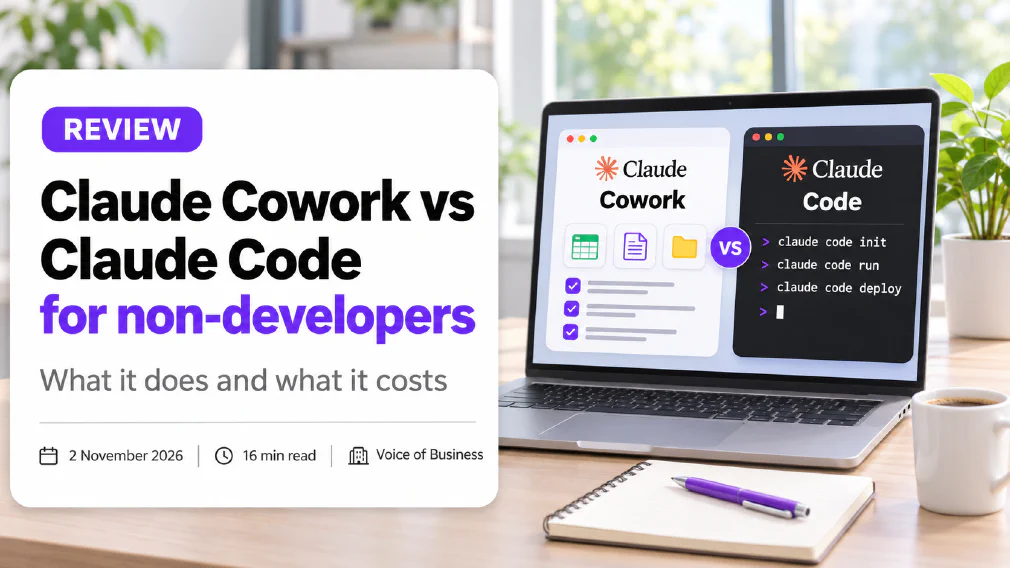
Anthropic now sells two products that both let Claude do real work on your behalf, and the names do not make the difference obvious. Claude Cowork is the one aimed at people who work in documents, spreadsheets and email. Claude Code is the one aimed at people who build software. This review sets out what each does, what Anthropic says about cost and safety, and which one a non-developer should try first.
The short version: if you do not write code, start with Cowork. Claude Code becomes interesting only when you want to build or change something that behaves like software, and then it needs a person who can judge what it produces.
One note on method. This review is based on Anthropic’s own product, support and documentation pages, read on 2 November 2026, and on the way the two tools are described there. We have not run a long-term trial of either in a client business, and we say where that limits what we can tell you.
Key takeaways
- Cowork is for non-coding work: files, documents, spreadsheets, research and recurring reports. Claude Code is for software projects.
- Anthropic describes Cowork as applying Claude Code’s agentic design to non-coding tasks, so they share an engine and differ mainly in who they are built for.
- Cowork needs a paid plan. The product page lists Pro at $20 a month, or $17 a month billed annually, and warns that Cowork consumes limits faster than chat.
- Cowork only works in folders you connect, and it needs your approval before it permanently deletes anything.
- Claude Code runs in a terminal, an editor extension, a desktop app and a browser, and most of its examples are about commits, tests and pull requests.
- Neither tool removes the need for a person to check the output before it reaches a customer.
What are Claude Cowork and Claude Code?
Both are AI agents. That means they do more than answer a question. You give them a goal, they make a plan, take several steps, use tools and come back with a result. If that word is new to you, our guide to what an AI agent is explains the idea without the jargon, and the glossary entry on agentic AI covers the technical term.
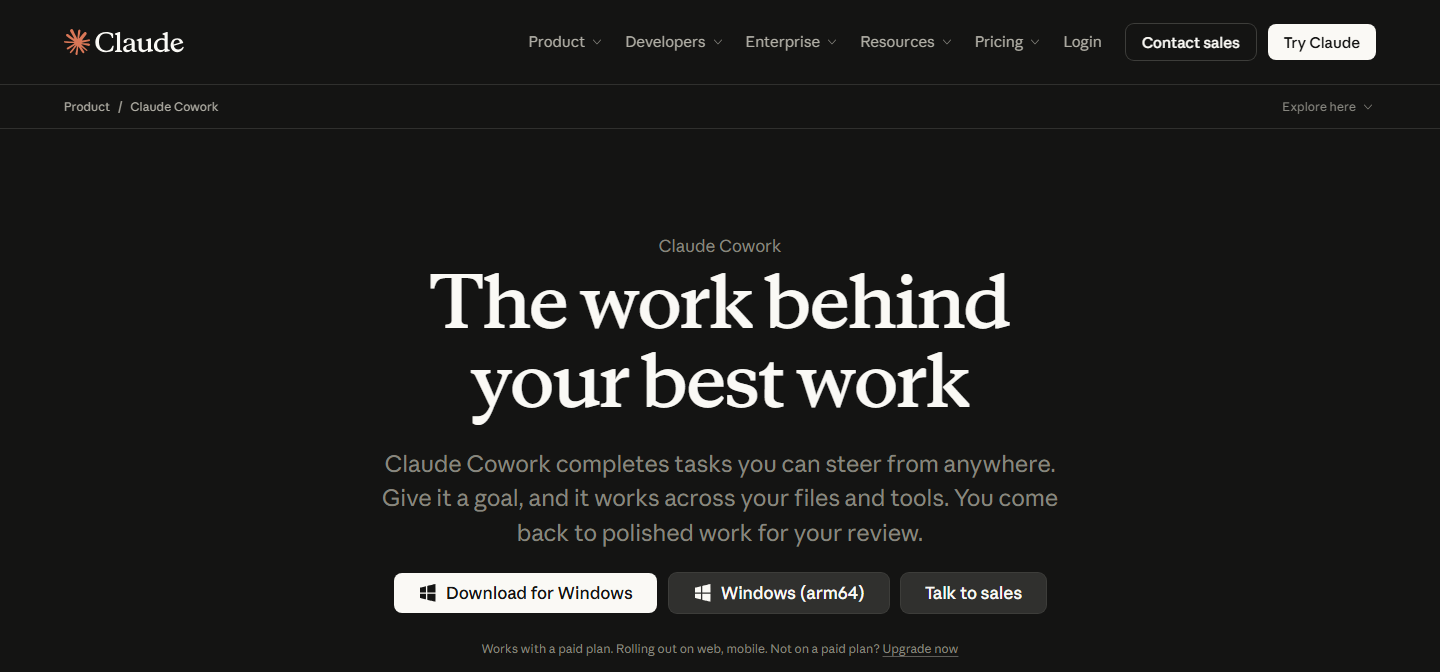
Claude Cowork works on your files and tools. Anthropic’s product page says you describe a goal and Claude works across your files and tools, showing each step so you can redirect or stop it. It can read, edit, create and analyse Word, PDF, Excel, PowerPoint and CSV files, among others. Anthropic’s examples include reconciling spreadsheets, a first pass at contract review and analysing call notes. It can also run scheduled tasks, such as a weekly report, and split a large job into parts that run in parallel.
Claude Code works on a software project. Anthropic describes it as an agentic coding tool that reads your codebase, edits files, runs commands and connects to development tools. It can write tests, fix bugs, stage changes, write commit messages and open pull requests. It runs in a terminal, in editor extensions, in a desktop app and in a browser.

Both are made by the same company and sit on the same underlying assistant, Claude. That is why people confuse them.

What is the difference between Claude Cowork and Claude Code?
The difference is the audience and the material they work on, not the intelligence behind them.
| Claude Cowork | Claude Code | |
|---|---|---|
| Built for | People who do not code | People who build software |
| Works on | Documents, spreadsheets, presentations, research | Code, tests, commits, pull requests |
| Where you use it | Desktop app, web and mobile | Terminal, editor, desktop app, web |
| First step | Choose a folder and describe a goal | Install, sign in, open a project |
| Typical output | A finished file or report | A change to a codebase |
| Risk to watch | Wrong figures in a document, private files exposed | Code that runs but is wrong or insecure |
Anthropic’s support page puts the relationship plainly: Cowork applies Claude Code’s agentic architecture to non-coding work, so Claude can carry out multi-step tasks instead of answering one prompt at a time. If you have ever used Claude in a chat window, think of Cowork as the same assistant given a desk, a folder and a task list, and Claude Code as the same assistant given a codebase and a terminal.
There is also overlap. The Claude desktop app has a Code tab, and Anthropic says the desktop app includes Claude Code, so you do not need to install the command line tool separately. That means one app can open both, but the experience is different once you are inside.
Can a non-developer use Claude Code?
Yes, but it is a harder first step than most people expect.
Claude Code’s documentation tells you to open a terminal, paste an install
command, move into a project folder and type claude. Anthropic knows this is
a barrier, because it has written a terminal guide for people who have never
opened one. The desktop app removes some of that friction. You click the Code
tab and start from there, with visual diffs to review changes, and a paid
subscription is required.
The bigger barrier is judgement, not installation. Claude Code will plan, write code across several files and tell you it works. If you cannot read the result, you cannot tell whether “it works” means “it does what you wanted” or “it runs without crashing”. We cover that gap in our piece on vibe coding for business, and the glossary entry on vibe coding defines the term. The short version is that building with an AI assistant is easy to start and expensive to fix once something goes wrong.
A non-developer can sensibly use Claude Code for a small, contained job: a script that renames files, a simple internal page, a spreadsheet macro. They should not use it for anything that touches customer payments, personal data or a live website without someone technical looking at the result first.
What can Claude Cowork do for a Small Business?
Cowork suits the repetitive, file-heavy jobs that fill a small team’s week. Based on Anthropic’s own examples and our own reading of where small businesses lose time, these are the ones worth trying first:
- Spreadsheet reconciliation. Match invoices against payments, or compare two exports from different systems, and flag the rows that do not agree.
- First-pass document review. Read a stack of contracts or supplier terms and list the clauses to look at. This is a first pass, never a legal opinion.
- Call and meeting notes. Turn a folder of notes into a summary and a list of follow-ups. For a dedicated tool, see our comparison of Otter, Fireflies and Copilot.
- Recurring reports. Pull the same figures together every Monday and produce the same layout. Cowork can run scheduled tasks on any cadence.
- Research packs. Gather public information on a supplier, a competitor or a market into one document, with the links kept so you can check them.
| Task | What you give it | How you check it |
|---|---|---|
| Spreadsheet reconciliation | Two exports and the matching rule | Spot-check ten rows against the originals |
| First-pass contract review | A folder of contracts and a list of clauses to find | Read every clause it flags, and a sample it did not |
| Call and meeting notes | A folder of raw notes | Compare against one meeting you attended |
| Recurring report | The source files and last week’s report as a template | Recalculate three figures by hand |
| Research pack | A question and the sources you trust | Open every link it cites |
A task that is a good fit has a clear input, a clear finished state and a way for you to check the result. Our guide to a well-scoped AI workflow uses the same test, and the question of which tasks a small business should start with is worth reading before you choose.
Cowork also connects to tools you already use. Anthropic lists examples such as Microsoft 365 and Slack, and describes plugins that bundle skills, connectors and sub-agents into one install. Those connections are built on the Model Context Protocol. Our review of MCP vs API explains how that differs from a traditional integration.
How do you set up Claude Cowork?
Setup is simpler than Claude Code, and it follows Anthropic’s support page.
- Check your plan. Cowork needs Pro, Max, Ultra, Team or Enterprise.
- Install the Claude desktop app. It is needed for local file access, browser use and computer use, and it must be open and connected.
- Choose the folders Claude may use. Anthropic says Claude can only read and write in folders you have connected.
- Write the task as you would brief a new colleague: the goal, the input, the finished state and anything it must not touch.
- Read the plan Claude shows before approving it.
The fourth step is the one most people skip. A vague request such as “tidy up my finance folder” gives Claude room to guess. A clear one such as “list every invoice in this folder with its supplier, date and total in a new spreadsheet, and do not change the originals” gives it a shape to follow and gives you something to check. Our guide to briefing an AI tool like a new hire walks through that in detail.
How much do Claude Cowork and Claude Code cost?
Both are included in paid Claude plans, so there is no separate price for either. On Anthropic’s Cowork product page, as read on 2 November 2026:
| Plan | Price | Cowork | What to know |
|---|---|---|---|
| Free | $0 | Not included | Chat only. Cowork needs a paid plan |
| Pro | $20 a month, or $17 billed annually | Included | Anthropic calls it suitable for quick tasks |
| Max | $100 a month | Included | More usage than Pro |
| Ultra | $200 a month | Included | More Cowork usage than Max |
| Team | $20 per seat per month | Included | For teams of 2 to 150, with the Slack connector |
| Enterprise | Not listed | Included | Admin controls and usage analytics |
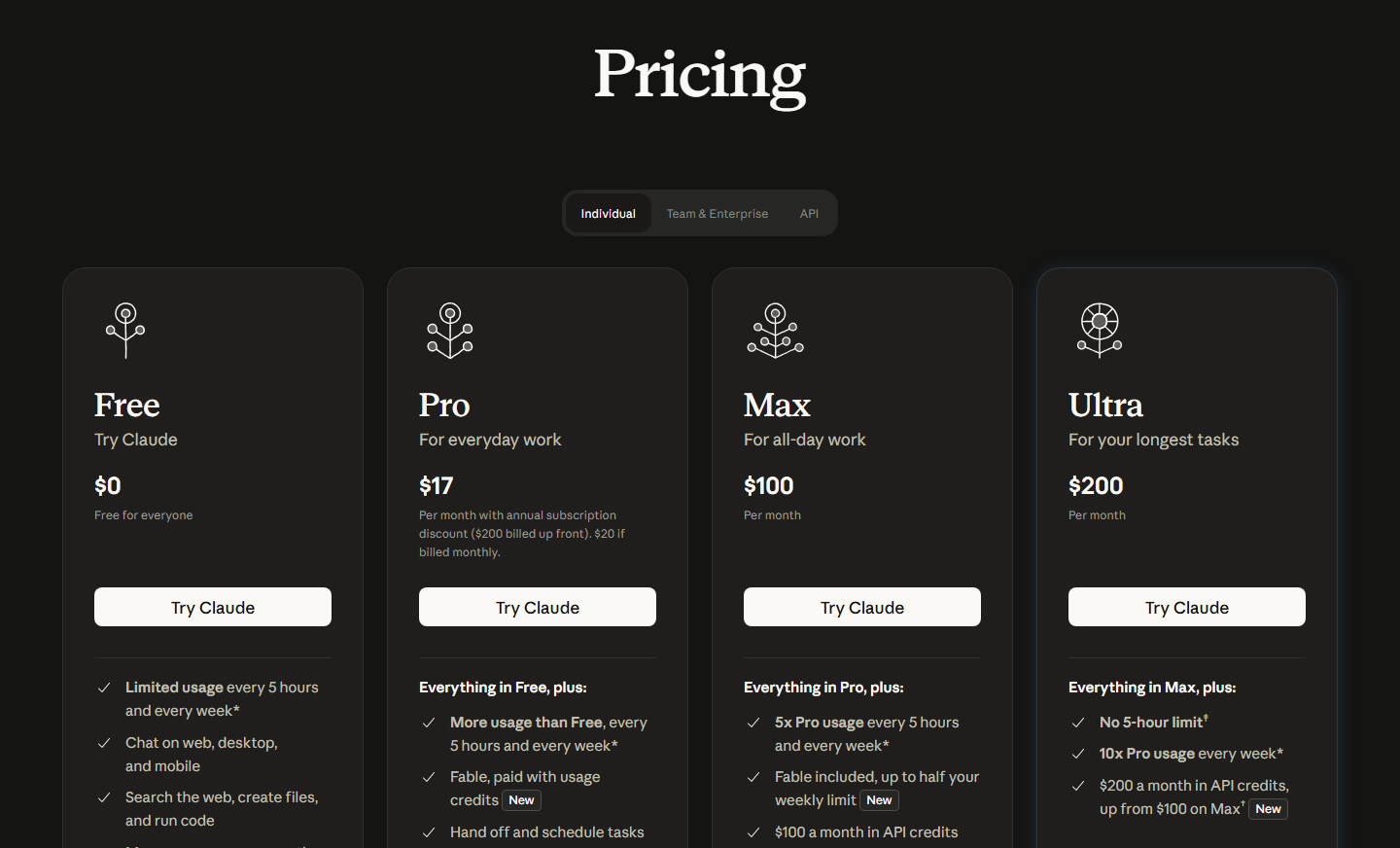
Claude Code is available through the same subscriptions, and the Code overview also says some surfaces can be used with an Anthropic Console account, which is billed by usage instead.
The point to understand is that the allowance is shared and agentic work eats it faster. Anthropic states that Cowork consumes limits faster than chat, and the support page says multi-step tasks use more because each step uses tokens. A plan that comfortably covers your chat habit may run out quickly once you start asking Claude to work through a folder. Anthropic suggests grouping related work into one task, starting a new conversation for unrelated work and saying when you only need a quick answer. You can see your usage in Settings.
Prices and limits change often, so confirm them on the pricing page before you commit. Our review of Claude Free vs Pro shows how to decide whether a paid plan pays for itself, and the same sums apply here.
Is Claude Cowork Safe to use with Business Data?
This is the question that matters most, and the honest answer is “it depends on what you connect and what you approve”.
The protections Anthropic describes are real:
- Claude can only read and write files in folders you have connected.
- Claude needs your explicit permission before it permanently deletes files.
- Tasks run in an isolated environment on Anthropic’s servers, which protects your computer.
- Three permission modes exist. Manual asks before each action. Auto has Claude review each action for safety and block unsafe ones. Skip checks nothing and should only be used when you fully trust everything involved.
- Enterprise admins can set permissions by team and can switch Cowork off.
The limits are just as clear, and Anthropic states them itself. The support page says Cowork carries unique risks because it acts on its own and has internet access. It says session isolation protects your computer but does not limit what Claude can do with the access you have granted. It says the Auto mode is not a perfect defence. And it tells you to review planned actions, especially with sensitive files, and to consider how far you trust an MCP connection or a website before extending access.
That last point is the one to take seriously. A document or web page that Claude reads can contain hidden instructions written to redirect it. This is called prompt injection, and it is a reason to keep sensitive material out of any folder you point an agent at while it is also browsing the web.

In practice, a safe starting rule for a small business is:
- Connect one folder with non-sensitive working files, not your whole drive.
- Keep customer personal data out of it. Our guide to what is safe to paste into AI tools sets out the categories.
- Stay on Manual mode until you trust a task.
- Keep a separate copy of anything you cannot recreate.
- Check where your data is stored if you have clients in the EU. The glossary entry on data residency explains why.
If you are also thinking about linking Claude to email or shared drives, read is it safe to connect ChatGPT to Gmail, Drive or SharePoint. The risks are the same whichever assistant you use.
Where does Claude Cowork fall short?
Based on Anthropic’s own documentation and the nature of agent tools, these are the weak spots.
It uses your allowance quickly. A task that reads a large folder and builds a report can cost many times more than the same question in chat. This is the most likely reason a small team will feel let down in the first week.
It needs the desktop app for local work. Web and mobile work for cloud tasks, but anything that needs your folders, browser or applications needs the desktop app open and connected. Anthropic also notes that an active internet connection is required throughout a session.
Sessions cannot be shared. The support page says a session cannot be shared with other people, though individual files can be. That is awkward if a team wants to pick up each other’s work.
Computer use is still a research preview. Anthropic labels the feature that lets Claude operate applications on your behalf as a research preview, and it asks permission before accessing each application. Treat it as an experiment, not a process.
It can be confidently wrong. Like any model, it can produce a clean spreadsheet with a wrong figure in it. The glossary entry on hallucination explains why, and our guide to checking AI output before it goes to a customer covers the review step. Keeping a person in the loop is not optional, and the human in the loop entry describes what that should look like.
We have not tested it at length. Our assessment rests on the vendor’s documentation. We would not claim a time saving for your business until you have measured one, and is your AI tool actually saving time shows a simple way to do that.
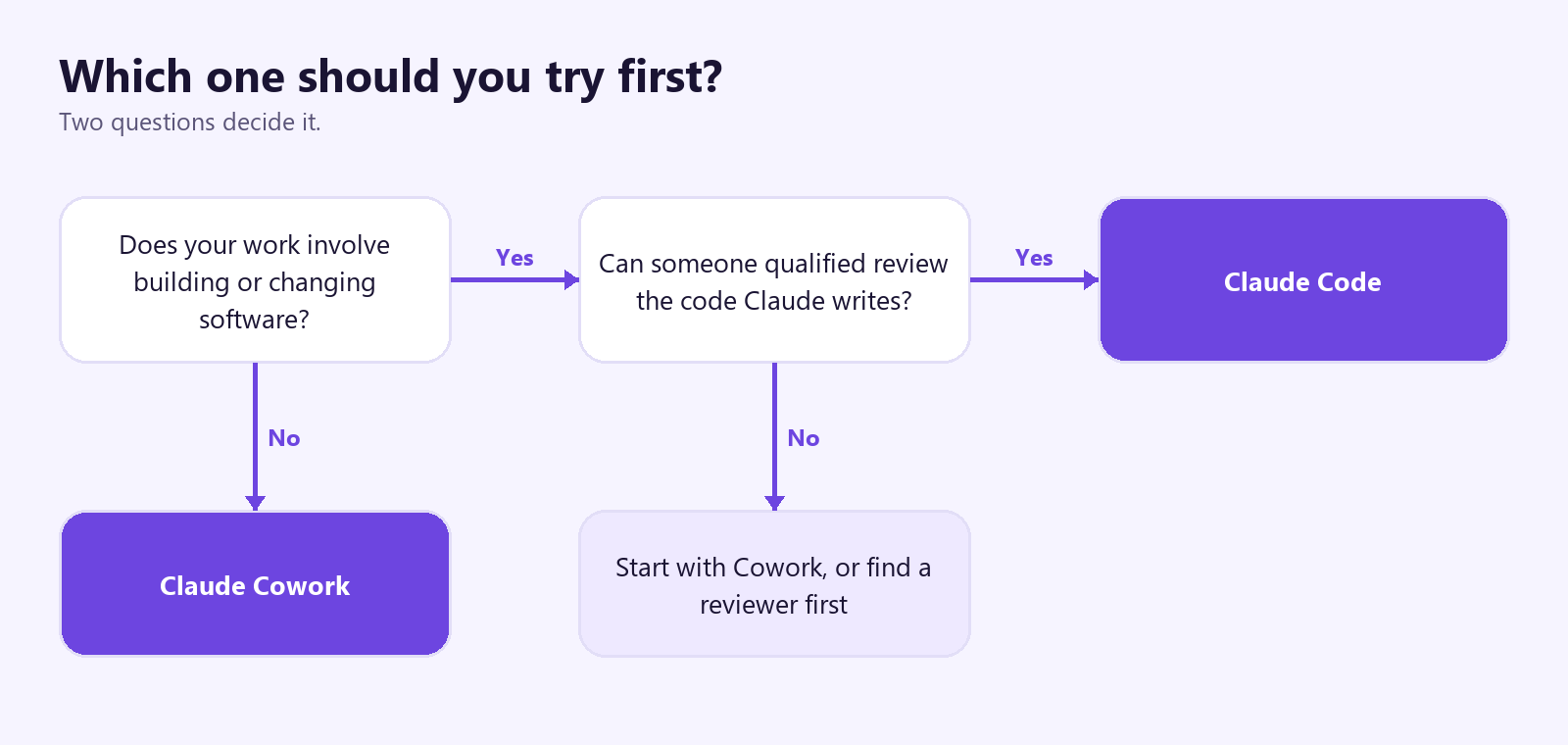
Which one should you try first?
Choose by the work in front of you, not by which name sounds more capable.
Start with Claude Cowork if:
- your week is documents, spreadsheets, email and reports
- you want something you can describe a task to without learning a new tool
- nobody on your team writes code
- you are comfortable approving each step at first
Start with Claude Code if:
- someone on your team builds or maintains a website, app or script
- you have a defined software task and a person who can review the result
- you want to try building a small internal tool and accept the checking it needs
| Job | Better place to start |
|---|---|
| Reconciling invoices or exports | Cowork |
| Summarising a folder of notes or contracts | Cowork |
| A weekly report from the same files | Cowork |
| Fixing a bug on your website | Claude Code, with a reviewer |
| A script that renames or sorts files | Either, but start in Cowork |
| Anything touching payments or customer data | Neither, until you have a policy |
Do neither yet if:
- you do not have a policy on what staff can put into AI tools. Start with how to write an AI use policy for your team
- your team is already using tools nobody approved. The glossary entry on shadow AI describes the problem
- you have not decided what a good result looks like for the task
If you are still choosing between assistants, compare the wider field in Claude vs ChatGPT for business. If the question is whether an agent is the right shape at all, our review of AI agents vs prompting for business is the better place to begin.
How do you test Claude Cowork in one week?
Run a small, honest trial rather than a rollout.

- Day 1. Pick one task you do every week that takes under an hour. Write down how long it takes you today and what a good result looks like.
- Day 2. Make a copy of the input files in a new folder. Connect only that folder. Stay on Manual mode.
- Day 3. Write the brief with the goal, input, finished state and exclusions. Run the task and read the plan before approving it.
- Day 4. Check the output against your own work. Count the errors and note the type.
- Day 5. Run it again with an improved brief. Record the time and the usage it consumed in Settings.
- Weekend. Decide: keep, change the task, or stop. If the errors cost you more time to fix than the task saved, stop.
If the trial works, write the brief down so a colleague can reuse it. Our piece on how to train your team to use AI covers how to make that stick, and the glossary entry on the context window, with our article on what a context window is, explains why long tasks sometimes lose track of early instructions.
Our verdict
For a non-developer, Claude Cowork is the more sensible of the two. It is built for the work most small businesses actually do, it asks for your approval at the points that matter, and it limits itself to the folders you give it. Claude Code is a strong product, but it is a developer’s tool, and its value depends on someone being able to judge the code it writes.
Neither should be trusted unsupervised. Start small, keep personal data out of the first trial, stay on Manual mode, and measure the result against the time it takes you today. If after a week the task is faster and the errors are rare and easy to catch, you have a tool worth keeping. If not, you have lost an afternoon, not a client.
Pricing and features here were read on 2 November 2026, and both products change quickly, so check Anthropic’s pages before you decide.
Further reading
- Claude Free vs Pro: how to decide whether a paid Claude plan is worth it.
- Claude vs ChatGPT for business: how the two assistants compare for a team.
- What is an AI agent?: the idea behind both products, in plain English.
- What is prompt injection?: the main risk when an agent reads files and web pages.
- How to write an AI use policy for your team: decide the rules before you connect a folder.
Sources
- Claude Cowork product page: the plans that include Cowork, the prices listed for each, where it runs, the file types it handles, scheduled tasks, connectors, plugins and the permission approvals, as read on 2 November 2026.
- Get started with Cowork: the plan and desktop app requirements, folder access, the three permission modes, the stated security cautions, usage limits and the limitation that sessions cannot be shared.
- Claude Code overview: what Claude Code is, the terminal, editor, desktop and web versions, the install commands, and the software tasks it is designed for.
- Terminal guide: how to open a terminal and paste the install command for someone who has never used one.
- Claude pricing: the current plans, which change often and should be checked before buying.
FAQ
Questions we get asked
Is Claude Cowork the same as Claude Code?
No, but they are related. Claude Cowork applies the same agentic design as Claude Code to ordinary office work: it plans a task, works through the steps and hands back a finished file. Claude Code is built for software projects and runs in a terminal, an editor, a desktop app or a browser. Cowork is the one made for people who do not write code.
Can I use Claude Code without any programming experience?
You can, because you describe what you want in plain language. But it assumes you are comfortable with a terminal, project folders and version control, and its examples are about tests, commits and pull requests. If your work is documents, spreadsheets and email, Cowork is the better starting point. Anthropic also publishes a terminal guide and free courses for people who want to learn.
Which Claude plan do I need for Cowork?
A paid one. Anthropic's support page says Cowork needs Pro, Max, Ultra, Team or Enterprise, and the Free plan does not include it. The product page lists Pro at $20 a month, or $17 a month billed annually, and says Cowork uses up your limits faster than ordinary chat. Check the pricing page before you buy, because plans change.
Is Claude Cowork Free?
No. It is included in the paid plans only. The cheapest way in is the Pro plan, and Anthropic warns that agentic tasks use more of your allowance than a normal chat. If you run out in the middle of a working day, your options are to group work into fewer, larger tasks or to move to a bigger plan.
Is Claude Cowork Safe to use with customer Data?
It can be, if you control what it can see. Cowork can only read and write in the folders you connect, and it needs your approval before it permanently deletes anything. But it also has internet access, and Anthropic itself says agentic tools carry risks that chat does not. Keep customer personal data out of the folders you connect until your policy says otherwise, and read each plan before approving it.
Can Claude Cowork delete my files?
Only with your explicit permission. Anthropic's documentation says Claude needs your approval before permanently deleting files, and it can only touch folders you have connected. Even so, keep a copy of anything important in a separate location before you point Cowork at a folder, because approval is still a human decision made quickly.
Can Claude Cowork work while my laptop is closed?
Yes for tasks that run in the cloud. Anthropic says sessions are saved to your account and continue if you close your laptop. Anything that needs your local folders, browser or applications needs the desktop app open and connected, so a task that depends on files on your own machine will wait for you.
Should a Small Business use Cowork or Claude Code first?
Cowork, for almost every small business that is not building software. Start with one repeatable task, such as turning a folder of receipts into a spreadsheet or drafting a weekly report, and check the output yourself. Choose Claude Code only if someone on your team builds or maintains a website, an app or scripts, or you want to try vibe coding with a clear review step.
Ready to Put This to Work?
Tell us where your team is with AI and we will tell you honestly what would make the biggest difference.